Automated Wedding Day Timeline: What Couples Need to Know
Automated Wedding Day Timeline: What Couples Need to Know

Nearly half of all couples planning weddings today are turning to technology to manage the most stressful part of the process. Understanding what is an automated wedding day timeline could be the single most useful thing you learn before you start mapping out your big day. With 44% of couples using AI for wedding logistics as of 2026, this is no longer a niche tool for tech-savvy planners. It is a practical solution that saves real time, reduces real errors, and keeps everyone on the same page from sunrise to the last dance.
Table of Contents
- Key takeaways
- What is an automated wedding day timeline
- Benefits of using automated wedding schedules
- How a typical automated timeline structures your day
- Limitations and the role of human judgment
- Practical tips for using your automated timeline well
- My honest take on automation and wedding planning
- Plan your wedding day with the right tools
- FAQ
Key takeaways
| Point | Details |
|---|---|
| Automation creates a baseline fast | Automated tools generate a full wedding day schedule from just a ceremony start time, saving hours of manual work. |
| Human oversight remains critical | AI handles timing math well but cannot manage vendor personalities, family dynamics, or unexpected delays. |
| Reminders replace constant follow-up | Automated SMS alerts keep your wedding party and vendors on track without you chasing anyone down. |
| Customization is non-negotiable | Every generated timeline needs manual review to match your venue rules, travel gaps, and specific preferences. |
| A single shared schedule reduces chaos | One updated timeline accessible to all vendors and family members cuts miscommunication at large or multi-event weddings. |
What is an automated wedding day timeline
An automated wedding day timeline is a software or AI-generated schedule that maps out every event of your wedding day in sequence, from the moment hair and makeup begins to the final send-off. Instead of building this schedule by hand in a spreadsheet or document, you feed a few key inputs into a planning tool and it produces a detailed, minute-by-minute itinerary for you.
The inputs are straightforward. You typically enter your ceremony start time, your venue locations, the number of guests, the types of events planned, and any travel time between locations. From there, the tool calculates backward and forward to block out time for every phase of the day. Most automated generators need only a ceremony start time to produce a full schedule, though you will always refine it before sharing with vendors.
A typical automated wedding day schedule includes these core components:
- Getting ready block: Hair, makeup, and dressing time allocated per person
- Photography windows: Pre-ceremony portraits, first look, family formals, and golden hour
- Ceremony: Start time, duration, and post-ceremony transition
- Cocktail hour: Guest mingling while the wedding party completes photos
- Reception: Grand entrance, dinner, toasts, first dances, cake cutting, and dancing
- Buffer times: Travel between venues, restroom breaks, and unexpected delays
Beyond just creating the schedule, modern tools add a coordination layer on top. AI-driven generators send SMS reminders to your wedding party, vendors, and family members so everyone knows exactly where to be and when. Schedules can be shared via a link, updated in real time, and accessed from any device.
Pro Tip: When you first generate your automated timeline, treat it as a working draft. Print a version with 15-minute buffer slots built into the major transitions. You will use every single one of them.
Benefits of using automated wedding schedules
The case for using an automated wedding schedule is not just about convenience. It is about the specific problems these tools solve that manual planning consistently fails at.
-
Time savings you can actually feel. Automated tools save couples an estimated 3 to 5 hours per planning cycle on scheduling and deadline tracking alone. That time comes back to you for venue visits, vendor tastings, and the parts of wedding planning that are actually enjoyable.
-
Fewer errors in scheduling. Manual timelines are built by tired people at late hours, which means math mistakes happen. A ceremony that starts at 4:30 PM does not automatically mean your photographer finishes family portraits by 5:15 PM. Automated tools do this math correctly, every time.
-
One source of truth for everyone involved. For large or multicultural weddings with multiple events, a central updated timeline reduces questions and miscommunication across vendors and family. Instead of twelve people holding twelve different versions of a PDF, everyone accesses one live document.
-
Hands-free vendor coordination. Automated reminders act like a virtual day-of coordinator, notifying your wedding party about hair appointments, photo sessions, and speech cues without you making a single phone call.
-
Mental space for what matters most. When logistics run themselves, you spend less energy on “who needs to be where” and more energy on actually experiencing the day.
Pro Tip: Share your automated timeline with vendors at least two weeks before the wedding. Ask each vendor to confirm their assigned times. Discrepancies caught early are easy to fix. Discrepancies caught on the day are not.
How a typical automated timeline structures your day
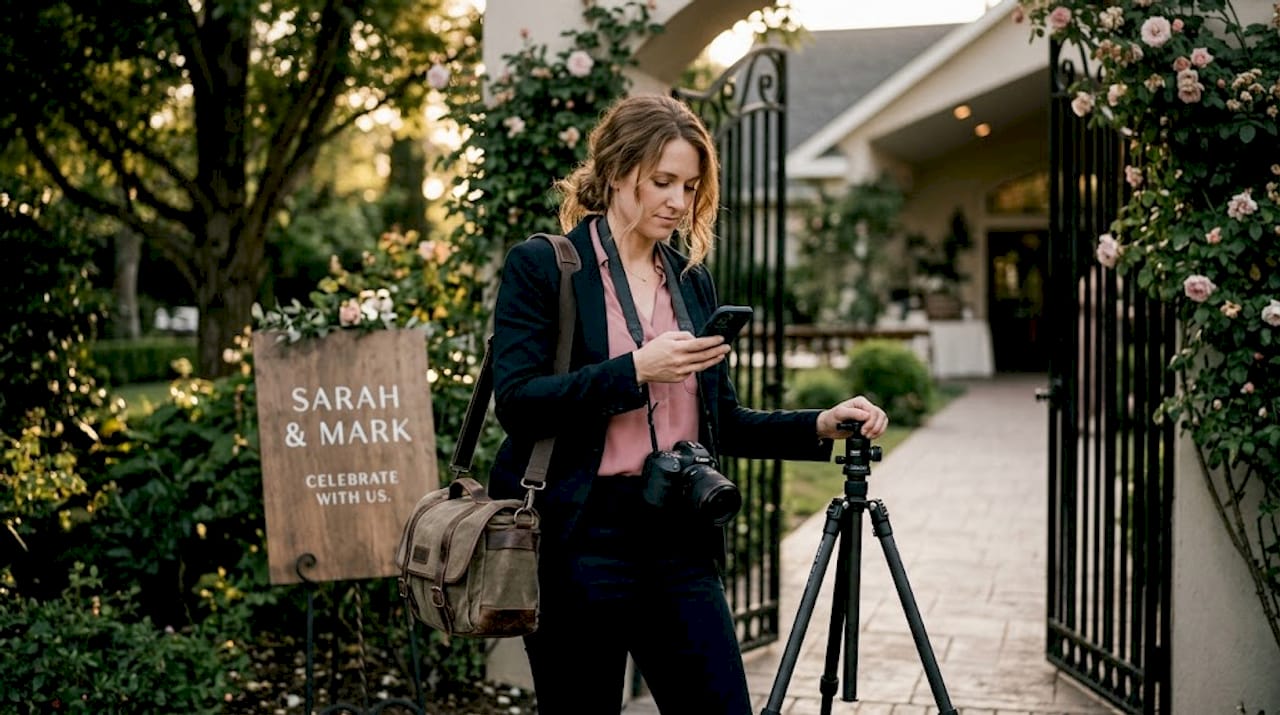
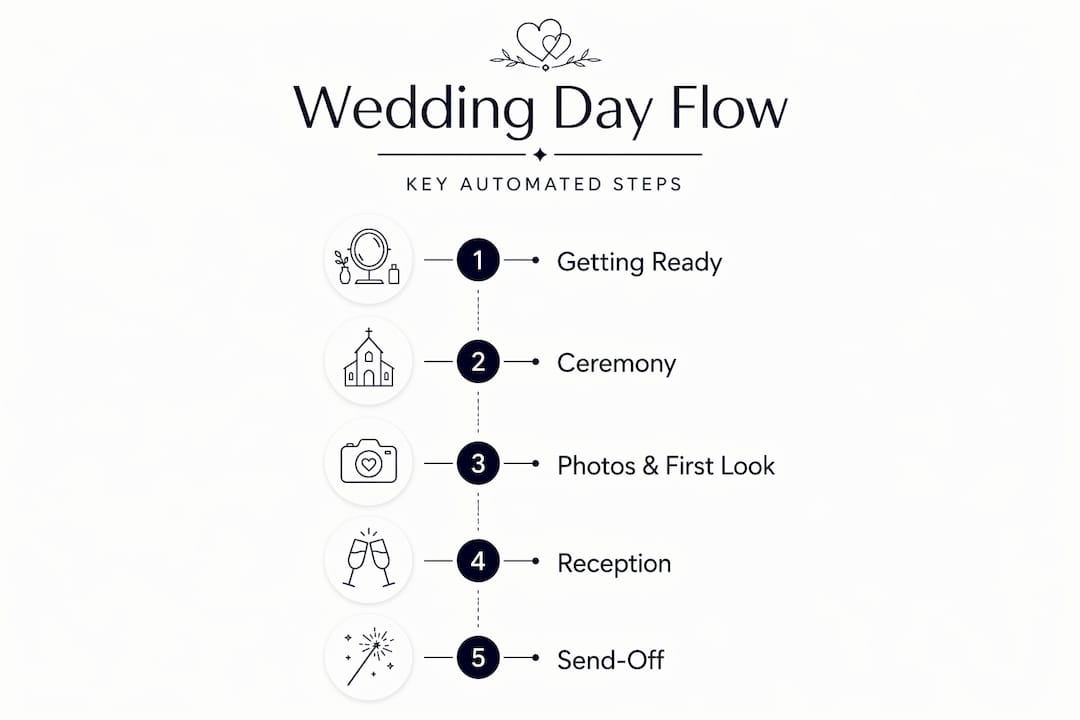
Understanding the role of automated wedding timelines means seeing how they actually allocate time across a full wedding day. Most automated tools structure the day across a 6 to 8 hour window, with time blocks that look roughly like this:
| Event Block | Typical Duration | Notes |
|---|---|---|
| Getting ready | 2 to 3 hours | Varies by wedding party size |
| Pre-ceremony photos | 1 to 2 hours | Includes first look if applicable |
| Ceremony | 20 to 30 minutes | Religious ceremonies may run longer |
| Cocktail hour | 1 hour | While wedding party finishes photos |
| Reception | 3 to 4 hours | Dinner, toasts, dances, cake, dancing |
A few timing decisions deserve extra attention when you review your automated output. The “first look” is one of them. If you and your partner see each other before the ceremony, your photographer can complete most couple portraits beforehand, which frees up the cocktail hour for guests. Your timeline tool should flag this option and restructure the photo blocks accordingly.
Golden hour is another consideration that good automation accounts for. AI tools calculate photo timing based on sunset times for your date and location. If your ceremony ends at 6:30 PM and sunset is at 7:45 PM, your timeline should carve out 20 minutes for golden hour portraits before the reception grand entrance.
Here is what automated tools do well with structure:
- Calculate travel time between a ceremony venue and reception venue and build it into the schedule
- Identify when back-to-back events leave zero buffer and flag the conflict
- Adjust automatically when you change the ceremony start time, cascading updates through the entire day
What they cannot do is know that your florist always runs 20 minutes late or that your venue requires a hard out by 10:00 PM. That context is yours to add. A good wedding day timeline guide will reinforce that your photos, in particular, depend on this kind of schedule precision to come out the way you envisioned.
Limitations and the role of human judgment
No wedding timeline article would be complete without this part, because couples who rely entirely on automation tend to get surprised in the worst moments.
Automated tools provide a base schedule but lack the emotional intelligence and real-time judgment that human planners bring, especially when complex family dynamics are involved. Think about who seats divorced parents during family portraits. Think about a vendor who calls in sick at 7:00 AM. The algorithm has no answer for either situation.
“AI handles math and scheduling with precision, but it does not know your mother-in-law will need ten extra minutes getting dressed, or that your florist will text at noon to say they are running behind. Human planners hold the judgment calls that protect your day when the schedule stops being theoretical.” — WeddingIQ
This does not mean you should skip automation. It means you should treat your automated wedding schedule as the starting framework, not the finished plan. Your coordinator or planner reads the humans in the room and makes real-time decisions that keep the day feeling relaxed, even when things shift behind the scenes.
AI tools can reduce overwhelm and give couples a genuine sense of control, but overreliance without human oversight creates rigidity on a day that demands flexibility. The best outcomes happen when the automated schedule handles the structure and a trusted human handles the exceptions.
Practical tips for using your automated timeline well
Getting the most from wedding timeline automation comes down to a few consistent habits that most couples skip.
- Start with a generator to build your baseline. Do not begin with a blank document. Input your ceremony time into an automated tool first and let it draft the structure. You will save at least an hour and start with something concrete to react to instead of a blank page.
- Update the timeline as vendor details confirm. Your automated schedule should evolve. When your photographer confirms they need 90 minutes for family formals instead of 60, update the timeline immediately. Let the tool recalculate the rest of the day.
- Communicate the timeline to every vendor, not just your coordinator. Your DJ, caterer, florist, and officiant all need the same document. Automated scheduling tools require manual verification with your specific vendor requirements before you share the final version.
- Use automated reminders, but set them thoughtfully. A reminder sent to your wedding party at 6:00 AM on your wedding day is not welcome. Set reminders for 48 hours before, the morning of, and 30 minutes before each major block.
- Work with your planner to add the human layer. Your planner should receive the automated timeline early and annotate it with real-world notes. Think parking logistics, elevator wait times at multi-floor venues, and which family members need extra guidance.
Pro Tip: Create two versions of your timeline. One is the detailed internal version with all the buffers and notes. The other is a simplified guest-facing version showing only ceremony and reception start times. Guests do not need the full itinerary. Too much detail creates questions you do not want to answer.
My honest take on automation and wedding planning
I’ve watched wedding timeline tools get better every year, and I genuinely believe they are one of the most useful things available to couples right now. But I’ve also seen what happens when couples treat the output as gospel.
The couples who have the smoothest wedding days are not the ones with the most precise automated schedules. They are the ones who used automation to build confidence and then stayed flexible when the day decided to do its own thing. A 10-minute delay during getting ready does not ruin a wedding. Rigidly refusing to adapt because “the timeline says so” sometimes does.
What I’ve learned is that the real value of automation is not the schedule itself. It is the clarity that comes from having one. When you know the structure, you stop mentally rehearsing worst-case scenarios. That mental freedom is what lets you actually show up for the moments you planned so hard to experience.
My honest advice: use every automated tool available to you. Let them do the math, send the reminders, and keep your vendors coordinated. Then hand the human judgment calls to someone you trust, whether that is a professional coordinator or a deeply organized friend. The two working together will outperform either one alone.
— JOATLABS
Plan your wedding day with the right tools
If all of this makes you want to put a proper system behind your planning, Thespecialwedding was built exactly for that. The platform gives couples and planners a single workspace where automated timelines, vendor coordination, and communication all live together instead of scattered across texts and spreadsheets.
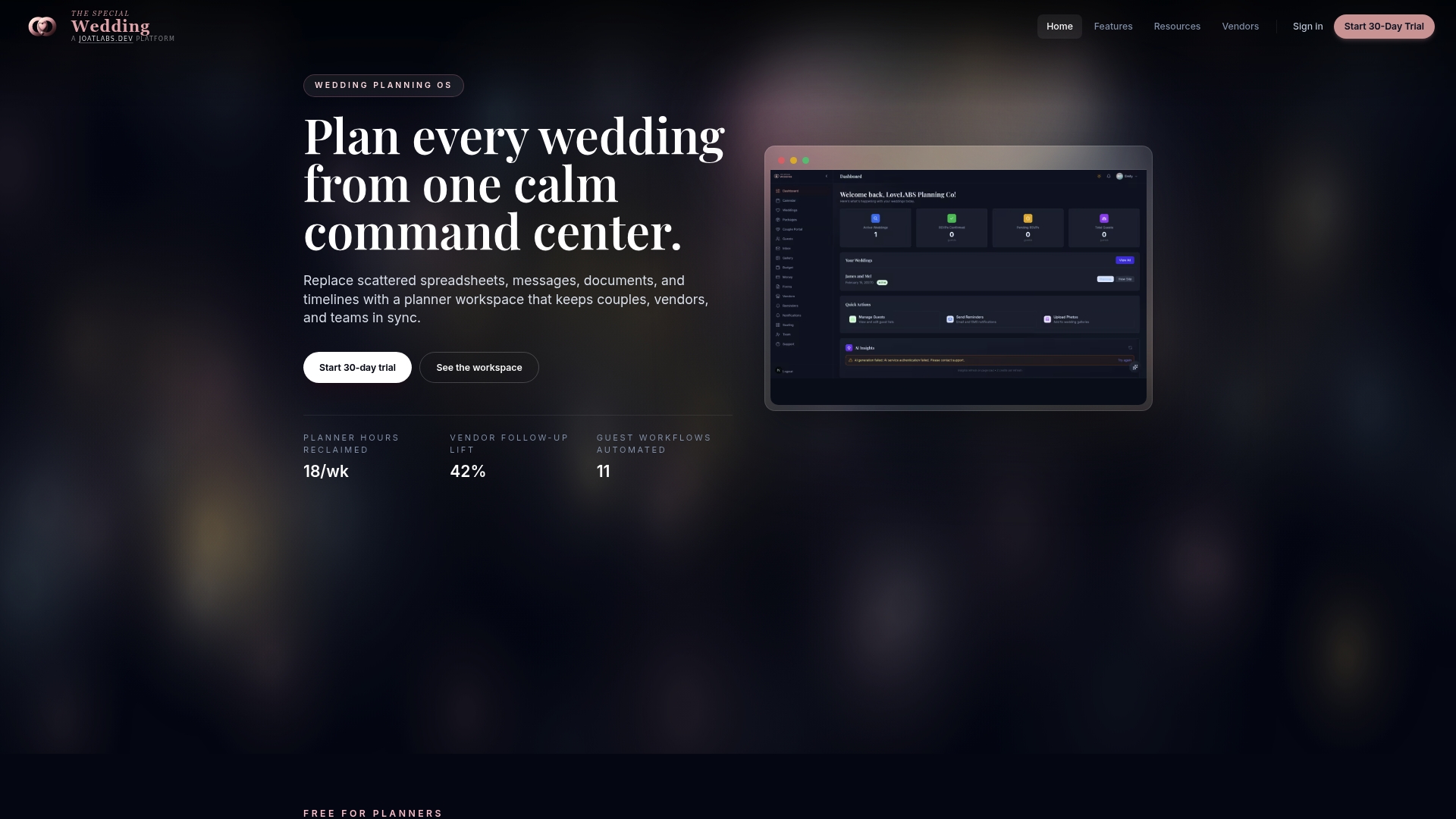
You can explore wedding planning tools that handle timeline creation, vendor onboarding, and real-time schedule updates in one place. If you are still building your vendor team, the vendor directory connects you with professionals who already understand how to work within a coordinated timeline structure. Automation works best when the humans in the system are the right ones.
FAQ
What is an automated wedding day timeline?
An automated wedding day timeline is a software-generated schedule that maps out every wedding event in sequence based on inputs like ceremony start time, guest count, and venue details. It typically covers 6 to 8 hours and includes time blocks for getting ready, photos, ceremony, cocktail hour, and reception.
How much time does an automated timeline save?
Automated timeline tools save couples an estimated 3 to 5 hours per planning cycle on scheduling tasks alone, replacing hours of manual calculation and back-and-forth coordination.
Can an automated timeline replace a wedding coordinator?
No. Automated tools handle scheduling math and reminders effectively, but human planners provide the real-time judgment, emotional intelligence, and problem-solving that no algorithm can replicate on a live wedding day.
What information do you need to create an automated wedding timeline?
Most tools require only a ceremony start time to generate a full schedule, though you should also add venue locations, travel times, wedding party size, and any specific vendor requirements before finalizing the timeline.
When should you share your automated wedding schedule with vendors?
Share the confirmed timeline with all vendors at least two weeks before the wedding and ask each one to verify their assigned times. This gives you enough runway to fix any conflicts before the day arrives.
Recommended
Free wedding planner templates
Skip the blank page — these templates ship with the form fields you actually need.
Browse all 9 free templates →