Coordinator Access to Wedding Portals: A Pro Guide
Coordinator Access to Wedding Portals: A Pro Guide
Coordinator access to wedding portals is the designated permission level that lets wedding planners and coordinators fully manage event details through a secure digital platform. This access is distinct from what clients or venue staff see. It gives you control over timelines, vendor contracts, guest lists, and real-time communication from a single workspace. Platforms like Thespecialwedding are built around this role-based model, recognizing that planners need deeper operational control than couples or venue staff require. Coordinators typically begin active portal use 1–2 months before the wedding, ramping up access as the date approaches.
What is coordinator access to wedding portals?
Coordinator access is a role-based permission set inside a wedding planning platform that gives planners full editorial and operational control over an event’s digital workspace. Unlike client access, which is read-heavy and approval-focused, coordinator access lets you create, edit, and update every layer of the event file. This is the industry’s standard term for what many planners informally call “planner portal access” or “admin access.”
The core features tied to this access level include:
- Timeline management: Build, edit, and share the master event timeline with vendors and the couple in real time.
- Vendor communication: Send messages, confirm contracts, and track responses without leaving the platform.
- Contract and invoice tracking: Monitor outstanding signatures and payment deadlines across all vendors.
- Guest list updates: Adjust headcount, dietary notes, and seating assignments as RSVPs change.
- Automated reminders: Trigger follow-up messages to vendors or clients based on preset milestones.
Dynamic workflows in portals such as automated reminders and integrated schedulers eliminate manual follow-ups and improve contract tracking accuracy. That matters most in the final weeks before a wedding, when vendor confirmations pile up fast.
Role-based permissions separate what each user type can do. The table below shows typical access differences across three roles.
| Permission | Coordinator | Venue coordinator | Client |
|---|---|---|---|
| Edit master timeline | Yes | Partial | No |
| Update vendor contracts | Yes | Venue vendors only | No |
| View guest list | Yes | Yes | Yes |
| Send vendor messages | Yes | Venue staff only | No |
| Approve final details | Yes | No | Yes |
Pro Tip: Set your coordinator access permissions before onboarding the couple. Clients who see incomplete timelines or draft contracts lose confidence fast.
How coordinator portal access improves your planning workflow
Coordinator portal access turns a scattered planning process into a single source of truth. Independent wedding planners manage the entire event lifecycle, including vendor relationships, timeline creation, and guest experience, and portal access is the operational backbone that makes that possible at scale.

The clearest benefit is vendor oversight. When every contract, invoice, and confirmation lives in one place, you stop chasing emails. You see at a glance which vendors have signed, which have outstanding balances, and which need a follow-up call. That visibility is the difference between a confident walkthrough on wedding morning and a last-minute scramble.
Portals also protect your clients from operational stress. Coordinator portals act as the master playbook, letting planners troubleshoot vendor issues and make last-minute adjustments without pulling the couple into every problem. A florist running late, a caterer with a headcount question, a DJ who needs a revised timeline: you handle all of it inside the portal before the couple even notices.
Best practices for getting the most from your portal access:
- Lock the master timeline at least 72 hours before the event and share a read-only version with all vendors.
- Use the portal’s automated reminder feature for vendor check-ins at the 30-day, 14-day, and 7-day marks.
- Keep guest headcount updated in real time. Caterers and venue staff rely on your numbers, not the couple’s memory.
- Log every vendor conversation inside the portal, not in a separate email thread. This creates a clean audit trail.
Pro Tip: Use your portal’s vendor scheduling tools to build a day-of contact sheet that auto-populates from your vendor records. It saves 30 minutes of manual prep per event.
What distinguishes coordinator access from venue or client access?
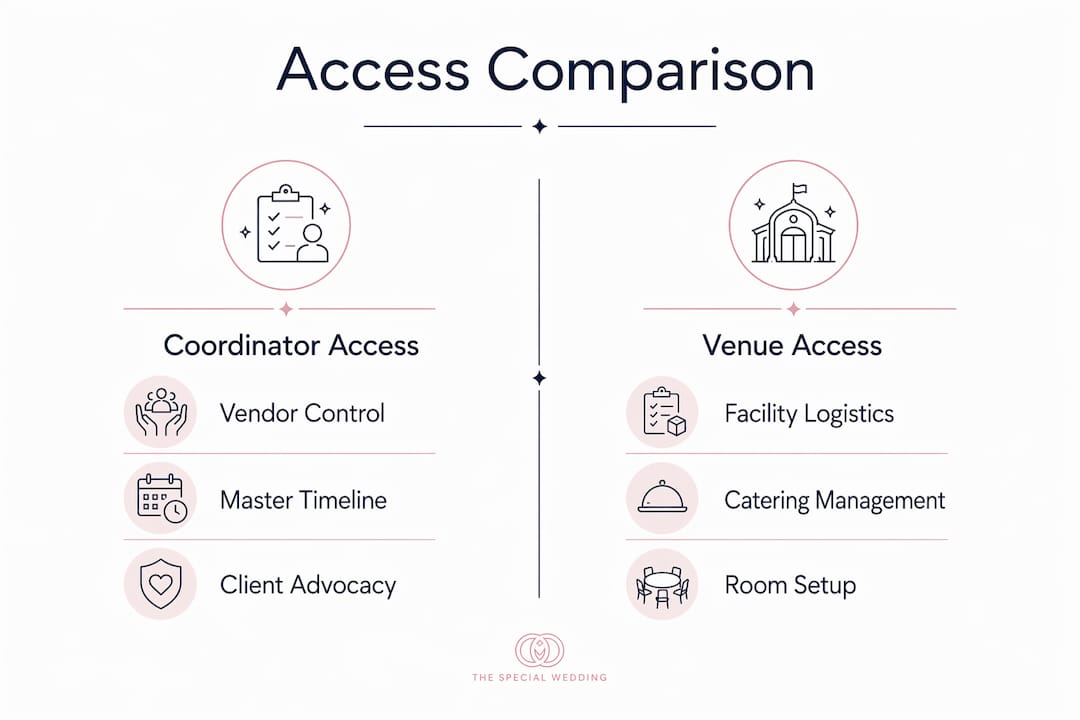
The distinction between coordinator access and venue coordinator access is one of the most misunderstood points in wedding planning. Wedding planners access portals to advocate for couples, while venue coordinators access portals primarily to protect venue interests. Both roles are legitimate. Confusing them creates real problems for clients.
Venue coordinators manage facility logistics such as catering schedules, room setup, and compliance with venue policies. Their portal access reflects that scope. They can edit venue-specific timelines and communicate with in-house staff, but they do not manage external vendors or represent the couple’s overall vision.
Venue-provided coordinator access does not replace the need for an independent wedding planner. Venue coordinators focus on venue logistics; planners manage vendors and the overall guest experience. Clients who assume the venue coordinator covers everything often discover the gap on the wedding day itself.
The table below contrasts typical tasks and portal permissions by role.
| Task | Wedding planner | Venue coordinator | Client |
|---|---|---|---|
| Manage external vendors | Yes | No | No |
| Edit venue setup schedule | Yes | Yes | No |
| Handle guest experience issues | Yes | Partial | No |
| Access full vendor contract history | Yes | No | No |
| Approve venue compliance checklist | No | Yes | No |
Role separation inside a shared platform protects everyone. When a planner and a venue coordinator both have access to the same portal, clear permission boundaries prevent one role from overwriting the other’s work. Platforms that enforce role-based access controls make this automatic rather than relying on professional courtesy.
How to use wedding portal features to get better event outcomes
Getting full value from coordinator portal access requires more than logging in. The wedding planner workspace functions best when you treat it as your operational center, not just a document storage system.
Follow these steps to build a portal workflow that holds up under pressure:
- Set up role permissions on day one. Assign coordinator, venue coordinator, and client access levels before adding any event data. Fixing permissions mid-planning creates confusion and security gaps.
- Integrate your scheduling tools. Connect your portal to your calendar app so timeline changes sync automatically. Manual double-entry is where errors happen.
- Activate automated reminders. Automated alerts and scheduler integration reduce manual administrative work significantly. Set reminders for contract deadlines, final headcount confirmations, and vendor arrival windows.
- White-label your portal. White-labeled coordinator portals embedded in a planner’s own website build professional credibility more effectively than generic third-party platforms. Clients trust a portal that carries your brand, not a platform’s logo.
- Audit your vendor data weekly. Stale contact information and outdated headcount figures are the most common portal mistakes. Build a weekly review into your workflow, not just a pre-event check.
- Document every decision. Use the portal’s notes or messaging features to log vendor agreements, client approvals, and timeline changes. If a dispute arises, your portal history is your record.
Pro Tip: Branded portal access costs around $120 per month for white-labeled platforms at the business scale. That cost pays for itself when it reduces the back-and-forth email volume with clients and vendors.
Common mistakes to avoid: giving clients edit access to the master timeline, using the portal only for document storage while managing communication elsewhere, and failing to update vendor records after a change is agreed verbally.
Key Takeaways
Coordinator access to wedding portals is the most operationally significant permission level in a wedding planning platform, giving planners full control over timelines, vendors, and client communication from a single workspace.
| Point | Details |
|---|---|
| Coordinator access defined | It is a role-based permission set giving planners full editorial control over event data in a portal. |
| Role separation matters | Wedding planners represent the couple; venue coordinators represent the facility. Mixing these roles creates conflicts. |
| Automation reduces errors | Automated reminders and scheduler integration cut manual follow-ups and improve contract tracking. |
| White-labeling builds trust | Branded portals on your own domain increase client confidence compared to generic platform interfaces. |
| Start permissions early | Assign access levels before onboarding clients to prevent confusion and protect data integrity. |
Why portal access is the real dividing line in professional planning
The wedding industry has spent years debating the difference between a wedding planner and a venue coordinator. In my experience, the clearest way to see that difference is to look at what each person can actually do inside a planning portal.
Venue coordinators get access to what the venue owns: the setup schedule, the catering timeline, the room flip logistics. Wedding planners get access to everything else. That boundary is not arbitrary. It reflects a real difference in who each person is accountable to. The venue coordinator answers to the venue. The wedding planner answers to the couple.
What I find most planners underestimate is how much the portal itself shapes client expectations. When clients can log in and see a live timeline, a vendor list, and a progress tracker, they stop sending anxious check-in texts. The portal does the reassurance work for you. That is not a small thing across a busy season with multiple events running at once.
The technology keeps improving, but the fundamentals do not change. Your portal access is only as good as the discipline you bring to keeping it current. A portal full of outdated vendor contacts and stale headcount figures is worse than no portal at all, because it creates false confidence. The planners who get the most from coordinator access are the ones who treat the portal as a living document, not a filing cabinet.
My advice: invest time in learning the types of wedding management systems available before committing to a platform. The right system makes role-based access feel natural. The wrong one turns it into a workaround.
— JOATLABS
Thespecialwedding’s portal tools for coordinators
Coordinators who want a platform built around role-based access and vendor management will find Thespecialwedding worth a close look. The platform is designed for professional planners managing multiple events, with features that cover client intake, vendor onboarding, real-time timelines, and guest management inside one workspace.
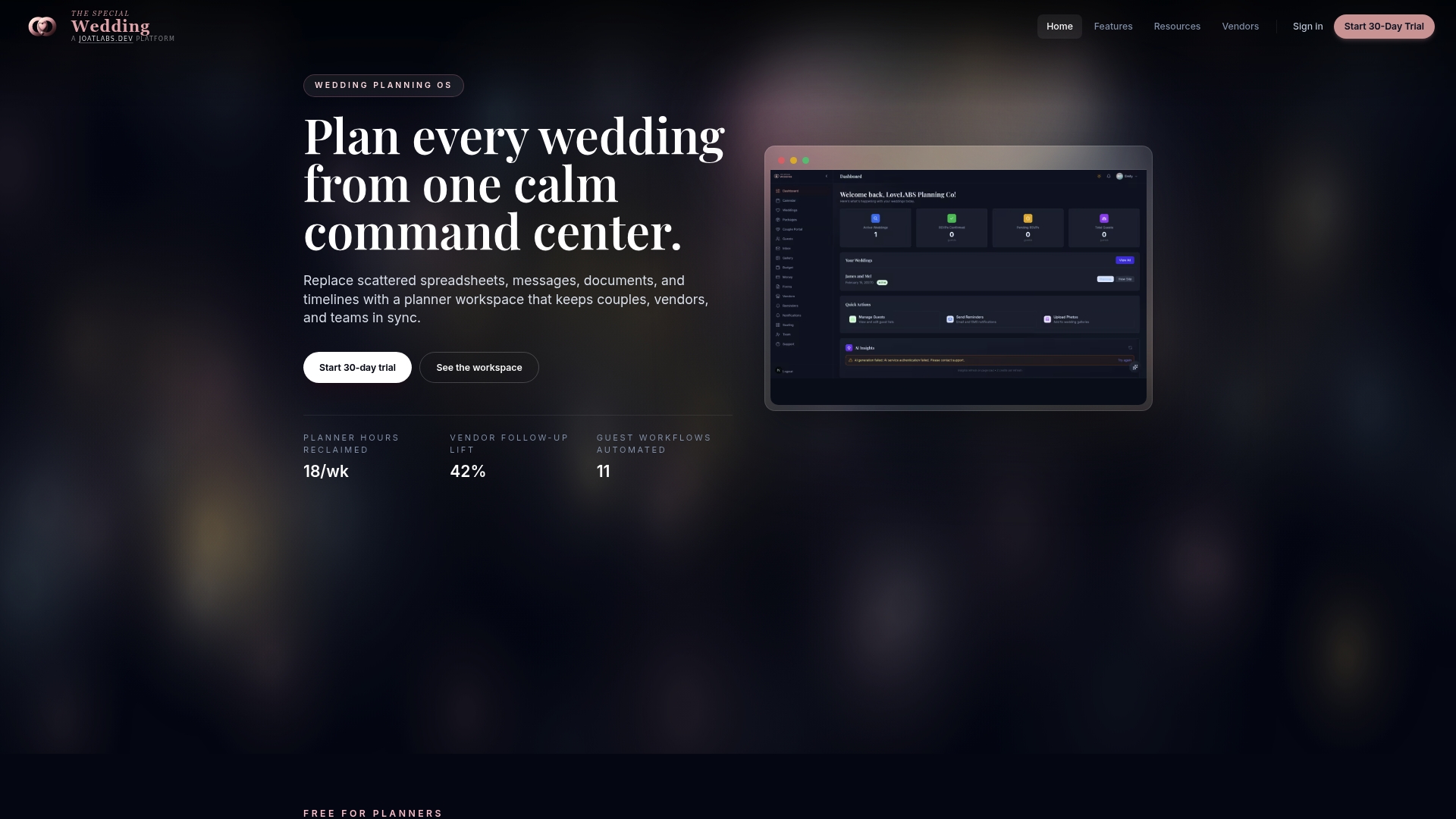
The vendor directory connects coordinators with vetted vendors who are already set up for integrated portal workflows, from DJs and decorators to caterers and rental companies. That means less onboarding friction when you add a new vendor to an active event. Thespecialwedding supports white-labeled portals, automated workflows, and team collaboration tools, making it a practical fit for solo planners and larger agencies alike.
FAQ
What is coordinator access to wedding portals?
Coordinator access is a role-based permission level inside a wedding planning platform that gives planners full control over timelines, vendor contracts, guest lists, and communication. It differs from client or venue staff access, which is more limited in scope.
When do coordinators typically start using portal access?
Coordinators begin active portal use months before the event, with involvement increasing as the wedding date approaches. Final timelines, vendor confirmations, and headcount management typically happen 1–2 months out.
How is coordinator access different from venue coordinator access?
Wedding planners use portal access to advocate for the couple, while venue coordinators use it to manage facility logistics. The two roles have distinct permission sets and should not overlap in a well-configured platform.
Do I need coordinator portal access if the venue already has a coordinator?
Yes. Venue-provided coordinator access covers only venue logistics. An independent planner’s portal access covers vendor management, guest experience, and the full event timeline, which the venue coordinator does not handle.
What does white-labeled coordinator portal access mean?
A white-labeled portal is a planning platform embedded on your own website domain under your brand name. White-labeled portals build stronger client trust than generic third-party platforms and reinforce your professional image throughout the planning process.
Recommended
- Wedding Agency Staff Role Assignments: 2026 Guide | The Special Wedding Blog
- Solo Wedding Planner Organization Tips That Work | The Special Wedding Blog
- Wedding Agency Team Management: A 2026 Guide | The Special Wedding Blog
- Why Agencies Use Wedding Software Platforms in 2026 | The Special Wedding Blog
Free wedding planner templates
Skip the blank page — these templates ship with the form fields you actually need.
Browse all 9 free templates →