Cut Wedding Check In Time 75%: QR Kiosks, Offline Mode for Planners
Cut Wedding Check In Time 75%: QR Kiosks, Offline Mode for Planners
The fastest, most reliable approach for most weddings is a centralized guest-management workspace running QR-enabled kiosk stations, with CSV import, seating integration, and offline mode all built into one system. That combination gives you speed at the door, an accurate live headcount for the caterer, and a fallback when venue Wi-Fi inevitably drops. Configuration and testing details follow below, along with what to do the moment something breaks on the wedding day.
TL;DR:
- Guest check-in systems should support offline mode, CSV import, real-time sync, and seating integration to prevent delays and data errors during weddings.
- Using a master QR code sign with staffing backup tablets optimizes flow for weddings with 75 to 200 guests, reducing staffing needs and bottlenecks.
- Rapid guest scanning, up to 75% faster than paper lists, provides live headcounts and instant seating updates, especially useful for last-minute adjustments.
- Pre-wedding setup must include consolidating RSVP data, generating scan codes, testing lighting, and running dry runs to avoid chaos on the event day.
- A centralized workspace combining RSVP tracking, seating, QR check-in, and offline mode reduces fragmented data errors and simplifies event management.
Table of Contents
- What Is a Guest Check-In System for Weddings, and Which Type Fits Your Event?
- How Much Faster Is Digital Check-In Than a Paper List?
- What Should You Require Before Choosing a Check-In Platform?
- How Do You Set Up Wedding Check-In Before the Big Day?
- How Do You Keep the Entrance Moving on the Wedding Day?
- How Does a Wedding Planning Workspace Handle All of This in One Place?
- What I’ve Learned Running Check-In at Dozens of Weddings
- Ready to Run Check-In From the Same Workspace as Your Guest List?
- Sources
What Is a Guest Check-In System for Weddings, and Which Type Fits Your Event?
A guest check-in system wedding planners rely on today usually falls into one of four categories, and picking the wrong one for your event size is the single most common setup mistake. The core distinction is between guests scanning themselves in and staff scanning guests in, and that choice cascades into everything else, from staffing to signage to how you handle latecomers.
Personal QR codes, sent individually with each invitation or RSVP confirmation, work best when you want a fast, ticketed-style entry with almost zero lookup time. Each code maps to one guest or household, so a scan confirms identity and party size in under a second. Master QR signs, by contrast, let every guest scan the same code and search their own name on a shared lookup page, which trims staffing needs dramatically since one sign can serve an entire entrance. Snap Post’s wedding check-in tool works this way, letting guests scan an invitation QR code to register or check in and appear instantly on a staff dashboard without needing a dedicated app.
Then there are staffed tablet kiosks, where a coordinator scans or searches on behalf of arriving guests, and plain manual lists, which still make sense for very small or highly informal weddings.
Match the mode to your guest count and staffing reality:
- Intimate weddings (under 75 guests): a single staffed tablet or even a manual list works fine, since traffic never bunches up.
- Mid-sized weddings (75 to 200 guests): a master QR sign with one or two staffed backup tablets handles arrival waves without overstaffing the entrance.
- Large or multi-entrance weddings (200-plus guests): run multiple kiosk stations, each with its own station code, so families don’t funnel through one bottleneck.
For hardware, iPads and Android tablets remain the standard for staff-facing stations, while master QR pages and personal codes run fine on any guest’s own smartphone browser, no app download required. Always plan a manual entry path for guests who arrive without a phone or lost their invitation. Walk-ins happen at every wedding, and your staff needs a two-tap way to add them on the spot rather than pulling up a spreadsheet.
How Much Faster Is Digital Check-In Than a Paper List?
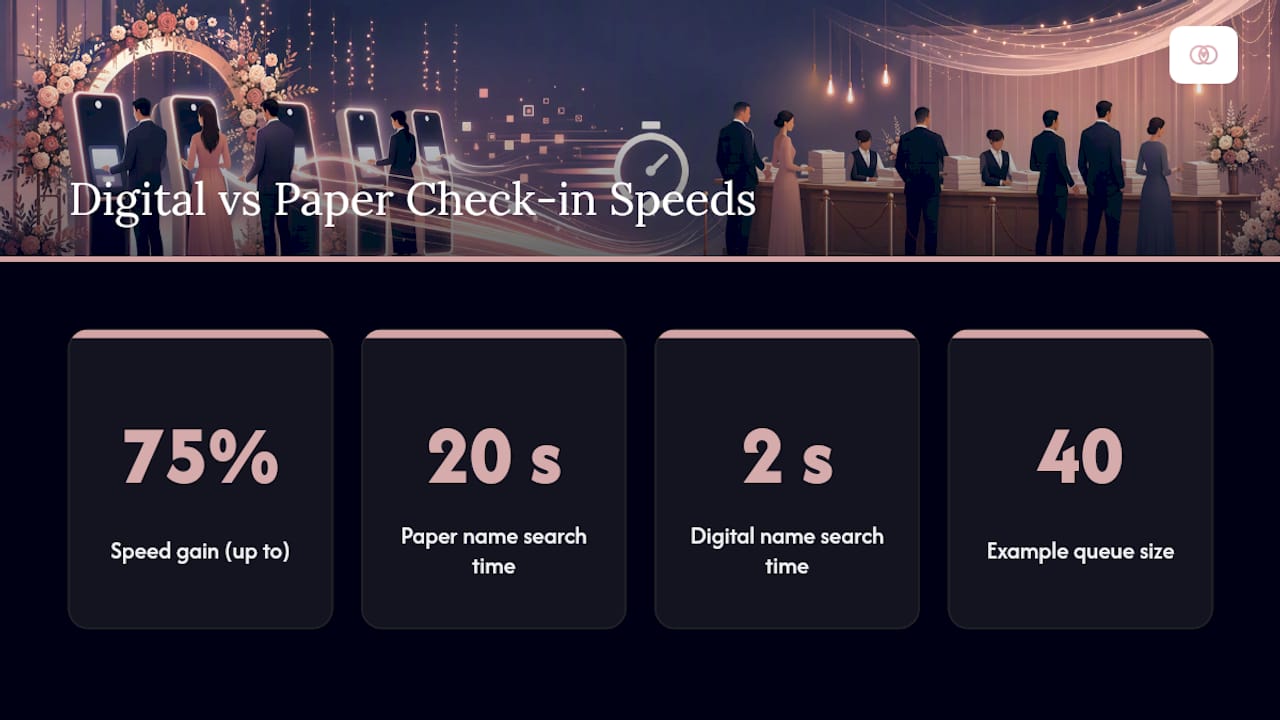
Speed is the headline benefit, and it’s not subtle. Guest Manager, an event check-in platform, advertises operations up to 75% faster than manual paper lists, driven mainly by instant search replacing the old habit of scanning a printed alphabetical list with a finger. When a name search takes two seconds instead of twenty, a queue of 40 guests clears in minutes rather than sitting backed up into the parking lot.
Pro Tip: Watch your entrance for the first 15 minutes after doors open.
The speed gain compounds with a second benefit: real-time headcounts. Instead of guessing whether 180 or 195 guests actually showed up, your catering team gets a live number the moment check-in closes, which matters when plated dinners are counted to the seat.
Seating integration removes a second friction point entirely. When check-in and seating share the same database, a guest who scans in can be shown their table instantly, and last-minute swaps (a broken engagement, a seated guest who never RSVP’d, a plus-one who showed up alone) get reflected across every station in seconds rather than requiring a runner with a marked-up floor plan.
Multi-device sync closes the loop. Platforms like ManageCheckIn build real-time sync, CSV import, and seating tools into one system so five stations all reflect the same guest list simultaneously, which means no single tablet failure or single staffer’s mistake can throw off your final numbers.
What Should You Require Before Choosing a Check-In Platform?
Not every check-in tool that looks polished in a demo holds up under real wedding-day pressure. Before you commit budget or staff training time to a platform, run it through a short list of non-negotiables.
Technical must-haves:
- Offline or kiosk mode that lets check-in continue with zero internet and syncs automatically once connectivity returns.
- CSV or Excel import for your existing guest list, with fields for party size, dietary notes, and table assignment.
- Both master and personal QR support, so you can switch modes by station if guest comfort with phones varies.
- Real-time sync across every device, not a periodic refresh.
- Seating integration, ideally with auto-assignment or a simple manual override at the door.
- Export formats covering CSV and PDF, since caterers and venues rarely want raw database access.
Beyond the feature checklist, evaluate the operational side. How long does setup actually take on the morning of the event? How many simultaneous stations does the platform support without lag? Is the staff-facing screen simple enough that a coordinator who has never seen it can run it after a five-minute walkthrough? And critically: how does it handle a guest who wasn’t on the original list?
Ask these three questions in every demo:
- Can you edit the guest list after kiosks are already live and running?
- How are check-ins recorded offline reconciled once the connection comes back?
- What exports does the system generate for the caterer and the venue coordinator?
Watch for red flags that disqualify a platform outright: no offline capability, a staff interface that requires more than two taps to check someone in, or export options limited to a single proprietary format. A tool covered in detail in what a guest management system should actually do is worth reading before you shortlist vendors, since the feature list matters less than how those features behave under pressure.
How Do You Set Up Wedding Check-In Before the Big Day?
Setup work happens in the weeks before the wedding, not the morning of, and skipping steps here is exactly what produces day-of chaos.
Weeks before the wedding:
- Consolidate every RSVP source (paper cards, a wedding website form, phone confirmations) into one master CSV. This is the step most planners underestimate, detailed further in a guide to RSVP tracking systems.
- Standardize required fields: full name, party size, dietary restrictions, and table assignment if seating is finalized.
- Dedupe the list. Duplicate entries from a couple entering the same guest twice are the single most common data error at this stage.
- Decide your check-in mode (master QR, personal codes, or staffed kiosks) based on guest count and expected phone comfort.
Days before the wedding:
- Generate master QR signs or personal codes, following print specifications: minimum print size and strong contrast matter more than most planners assume, since a poorly printed code that fails to scan under venue lighting creates the exact bottleneck you’re trying to avoid.
- Test scan distance and lighting at the actual venue if possible, not just in your office.
- Configure each device with a station code, assign staff logins with appropriate permissions, and confirm offline/kiosk mode is enabled on every tablet.
- Load the finalized guest list and confirm it synced to every device before leaving the venue.
The day before, run a full dry run. Scan a handful of test codes at each station. Simulate three or four walk-ins to confirm your manual-entry path works smoothly. Import one last CSV update to make sure late RSVP changes flow through correctly. Then pull a sample export and confirm the seating data lines up with your floor plan. This single dry run, more than any other prep step, is what prevents the kind of data incident that turns a wedding entrance into a holdup.
How Do You Keep the Entrance Moving on the Wedding Day?
Staffing ratios make or break your entrance flow. For a mid-sized wedding, plan roughly one scanning station per 75 to 100 guests during the arrival window, with a dedicated greeter directing traffic and a runner available to handle exceptions without stalling the scanning line.
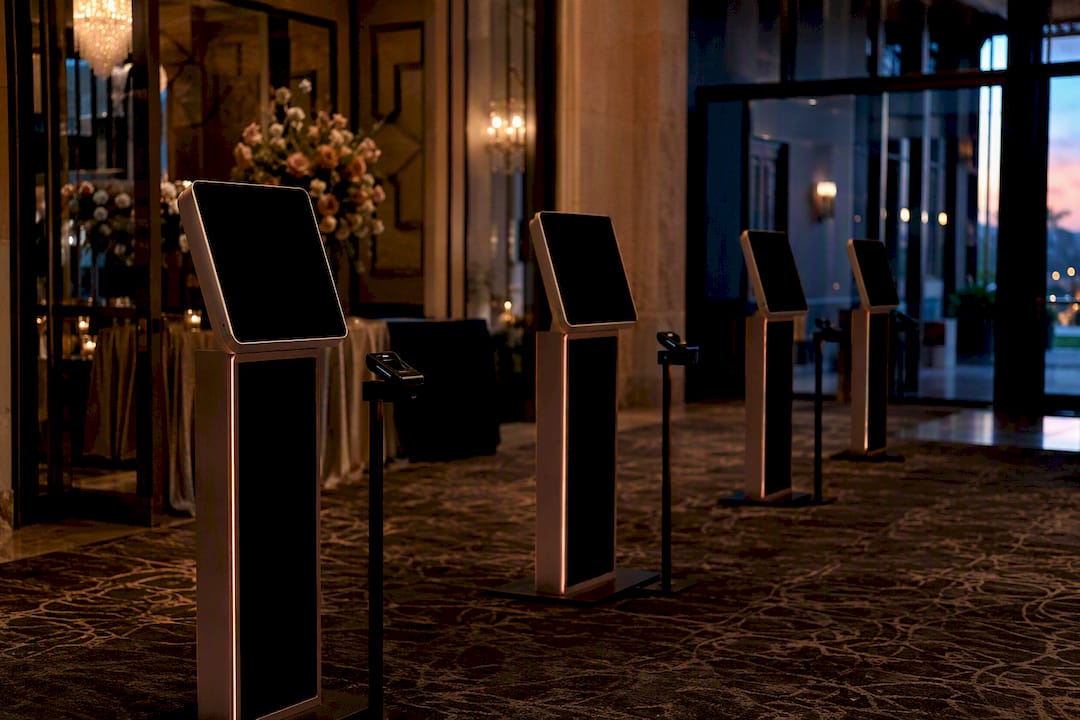
Assign clear roles: one person scans or searches, one greets and points guests toward the next open station, and one floats to solve problems (a name mismatch, a missing plus-one, a guest insisting they RSVP’d when the system shows no record).
If Wi-Fi drops, your team needs a rehearsed response, not improvisation:
- Flip affected stations into offline/kiosk mode immediately. Platforms built for weddings anticipate this, and letting staff continue checking guests in without internet and syncing once connectivity returns is exactly the safeguard that prevents lost data.
- If the platform supports it, reroute a dynamic QR code to a simpler backup lookup page rather than sending guests to a dead link.
- Assign one staffer specifically to reconcile offline check-ins once the connection returns, so nobody double-counts or misses an entry.
Pro Tip: Print a paper backup of your top 20 VIP names (wedding party, immediate family, officiant) even if you’re running a fully digital system. It costs nothing and solves the one scenario every digital tool struggles with: total device failure at the exact moment the ceremony is about to start.
For special guest categories, decide your handling rules in advance rather than improvising at the door. VIPs and wedding party members should have a distinct marker in the system so staff can flag them without asking questions publicly. Plus-ones without a name attached should get a simple “plus one of [guest name]” placeholder, and children should be counted in headcount totals but flagged separately for the caterer’s kids-meal planning.
After the last guest is seated, close out the event properly. Pull your final timestamped export, verify it against your seating chart, log any gifts or cards that were recorded at check-in, and jot down what went wrong for next time. That last step, an honest lessons-learned note while details are still fresh, does more for your next wedding than any new feature ever will.
How Does a Wedding Planning Workspace Handle All of This in One Place?
Running check-in as a bolted-on app separate from your guest list, RSVP tracker, and seating chart is where most of the failures described above actually originate. A workspace like Thespecialwedding centralizes RSVP tracking, CSV import, seating assignment, QR check-in, and offline-ready kiosk mode into a single system, so the guest list your staff scans against is the exact same list your seating chart and caterer report pull from, with no manual syncing between tools.
The recurring pattern in check-in failures isn’t bad technology. It’s fragmented technology: a guest list in one spreadsheet, a seating chart in another tool, and a check-in app that was never actually connected to either. Centralizing those three data points is what actually prevents day-of surprises, more than any single feature on its own.
That kind of centralized approach also connects directly to your digital floor plan, so a table reassignment made at the door updates the same seating map your event captain is using across the room. For planners juggling multiple weddings in the same season, that consistency is what separates a smooth Saturday from a scramble.
What I’ve Learned Running Check-In at Dozens of Weddings
Offline mode has saved more entrances than any other single feature. At one mid-sized wedding with notoriously weak venue Wi-Fi, switching stations to kiosk mode kept the line moving while staff reconciled everything an hour later, guest-side, nobody noticed a thing.
Two rules of thumb stick with me: budget one station per 75 to 100 guests during peak arrival, and never skip the pre-wedding dry run, even when you’re confident the setup works. A master QR sign, used well, can cut your required check-in staff by half at a mid-sized event, freeing your team for the problems that actually need a human.
— JOATLABS
Ready to Run Check-In From the Same Workspace as Your Guest List?
Thespecialwedding replaces the check-in app, the RSVP spreadsheet, and the seating chart with one connected workspace, so a table swap at the door updates everywhere else automatically instead of living in three disconnected files. That’s the real advantage over stitching together separate tools: one guest record, one seating map, one live dashboard, no manual reconciliation after the event.

A free trial gets you access to QR-enabled check-in, CSV import, offline kiosk mode, and seating integration in one setup, so you can run a dry run on your next wedding before committing your whole season to it. If you’d rather see the full feature set first, visit the wedding planner software platform to explore what’s included, or browse the vendor directory if you’re also lining up rental partners for the same event. Either way, the next step is simple: set up your guest list once, and let it power everything from RSVP tracking to the moment your first guest scans in.
Sources
- Wedding planner software: RSVP, AI seating and QR check-in | GuestOS
- ManageCheckIn — Guest check-in & seating, simplified.
- Event Check In App - Manage Guestlists In Realtime | Guest Manager
- Free Wedding QR Check-in - Guest Registry & Gift Tracking | Snap Post
Recommended
Free wedding planner templates
Skip the blank page — these templates ship with the form fields you actually need.
Browse all 9 free templates →