Manage wedding guest lists without staff
Manage wedding guest lists without staff

Running a wedding solo means every detail lands on your desk, and nothing tests that more than the guest list. Between tracking RSVPs, enforcing plus-one policies, managing meal choices, and hitting venue capacity limits, the complexity compounds fast. The good news: you don’t need a support team to manage wedding guest lists without staff. You need the right structure, the right data habits, and the right digital tools. This guide walks you through each step, from setting a hard guest count ceiling to verifying final numbers with your caterer.
Table of Contents
- Set your maximum guest count based on budget and venue limits
- Organize your guest list with one row per person and household grouping
- Leverage digital tools for real-time RSVP tracking and guest management
- Apply consistent plus-one policies and track multiple events within your list
- Verify and update guest list data regularly to prevent errors and last-minute chaos
- Why solo planners must embrace digital systems and strict policies early to succeed
- Streamline your solo wedding planning with The Special Wedding planner software
- Frequently asked questions
Key Takeaways
| Point | Details |
|---|---|
| Set firm guest limit | Calculate and commit to a maximum guest count early based on your budget and venue capacity to control your list size. |
| Use detailed data structure | Organize your guest list with one row per person linked to households for accurate RSVP and meal tracking. |
| Adopt digital tools | Leverage online platforms to sync RSVPs, send reminders, and integrate seating charts, reducing manual workload. |
| Apply consistent policies | Define clear plus-one and multi-event attendance rules to prevent guest list inflation and confusion. |
| Verify regularly | Keep your list updated, chase pending RSVPs, and confirm meal choices well before vendor deadlines. |
Set your maximum guest count based on budget and venue limits
Before you write a single name, you need a number. Not a rough estimate, a firm ceiling. Independent planners should start with a maximum guest count calculated by dividing the catering budget (typically 30 to 35% of the total wedding budget) by the per-person cost including service and bar. If catering runs $12,000 and the per-person cost is $120, your ceiling is 100 guests. That’s it.
Set this limit 9 to 12 months before the wedding. Waiting until invitations are nearly ready means you’re already under pressure, and pressure leads to exceptions that inflate the list. When you lock in the number early, every conversation with the couple and their families has a reference point that isn’t negotiable.
Here’s the key communication move most planners miss: present the guest count as a venue or budget fact, not a preference. “The venue holds 110 for a seated dinner” lands differently than “we’re trying to keep it small.” One is a fixed constraint. The other invites negotiation.
To manage invite priority within that ceiling, use a two-wave approach:
- A-list guests receive invitations first, typically 8 to 10 weeks before the wedding
- B-list guests are invited only as A-list declines come in
- Track both lists separately with a priority column in your spreadsheet
- Never send B-list invites until A-list RSVP windows close
- Keep B-list guests informed through informal channels if needed, but never reveal the tier system
Pro Tip: Build your guest count ceiling with a 5% buffer below the venue maximum. Venues quote capacity under ideal conditions. Real events have vendors, gifts, and extra chairs that eat into that number.
Now that you understand the importance of a strict guest count ceiling, let’s prepare your guest list data structure for efficient management.
Organize your guest list with one row per person and household grouping
The single biggest structural mistake in DIY wedding guest list management is combining multiple guests into one row. It feels efficient until you need to filter by meal choice or count confirmed attendees. Then it falls apart completely.

Use one row per person rather than one row per household, paired with a household grouping column that links related guests. This keeps families connected for envelope addressing while giving you clean, filterable data for every individual decision. Solo planners using spreadsheets consistently report wishing they’d started this way instead of reformatting under deadline pressure.
Your columns should include, at minimum:
- Guest name (first and last, separate columns)
- Household number (a shared ID for guests receiving the same invitation)
- Mailing address
- RSVP status (pending, yes, no)
- Meal choice and dietary restrictions
- Plus-one name (or “TBD” as a placeholder)
- Invitation sent date and RSVP received date
- Event attendance (ceremony, reception, rehearsal dinner)
Here’s how the two structural approaches compare in practice:
| Feature | One row per person | One row per household |
|---|---|---|
| Headcount accuracy | Exact at all times | Requires manual math |
| Meal choice tracking | One field per guest | Multiple fields or notes |
| RSVP filtering | Clean, instant | Complicated, error-prone |
| Seating chart integration | Direct | Requires splitting first |
| Plus-one management | Individual row for each | Buried in one row |
| Invitation wave management | Filter by household ID | Already grouped |
Pro Tip: Use structured spreadsheet use as a foundation, then migrate to a dedicated platform once your list exceeds 75 guests. At that scale, the filtering and cross-referencing in a basic spreadsheet becomes genuinely time-consuming.
With your list structured properly, the next step is executing the tracking and updating process effectively.
Leverage digital tools for real-time RSVP tracking and guest management
A well-structured spreadsheet is a starting point, not a finish line. When you’re managing guest RSVPs solo, manual updates are where errors enter. Someone texts a change, you forget to update the sheet, and your caterer gets the wrong count. That’s a real scenario that happens at a significant number of weddings.
Digital tools enable solo management by syncing RSVPs instantly via wedding websites or QR codes directly to seating charts and meal counts, cutting out the manual spreadsheet loop entirely. When a guest submits their RSVP online, it populates your list automatically. No transcription, no lag.
Platforms built for wedding guest list software also handle automatic reminders, which removes one of the most time-consuming tasks for solo planners: chasing non-responders. Features like RSVP dashboards give you a real-time view of confirmed, declined, and pending guests without opening a single spreadsheet.
Steps to set up digital guest list management as a solo planner:
- Import your existing spreadsheet (most platforms accept Excel or Google Sheets)
- Set up your wedding website with an integrated RSVP form
- Configure QR codes for physical invitation inserts that link to the form
- Enable automatic reminder emails at 2 weeks and 1 week before the RSVP deadline
- Connect your guest list to your seating chart builder so confirmed guests populate automatically
- Set meal choice fields in the RSVP form to feed directly into vendor-ready reports
When evaluating software for solo planners, prioritize platforms that combine RSVPs, seating, and vendor communication in one place. Jumping between separate tools for each function creates the same fragmentation you’re trying to avoid.
Pro Tip: Add a short, mobile-friendly RSVP form. Most guests respond on their phones. If the form takes more than 60 seconds to complete, response rates drop noticeably.
After setting up your guest list and tools, avoid common mistakes by applying proven policies and maintaining accuracy.
Apply consistent plus-one policies and track multiple events within your list
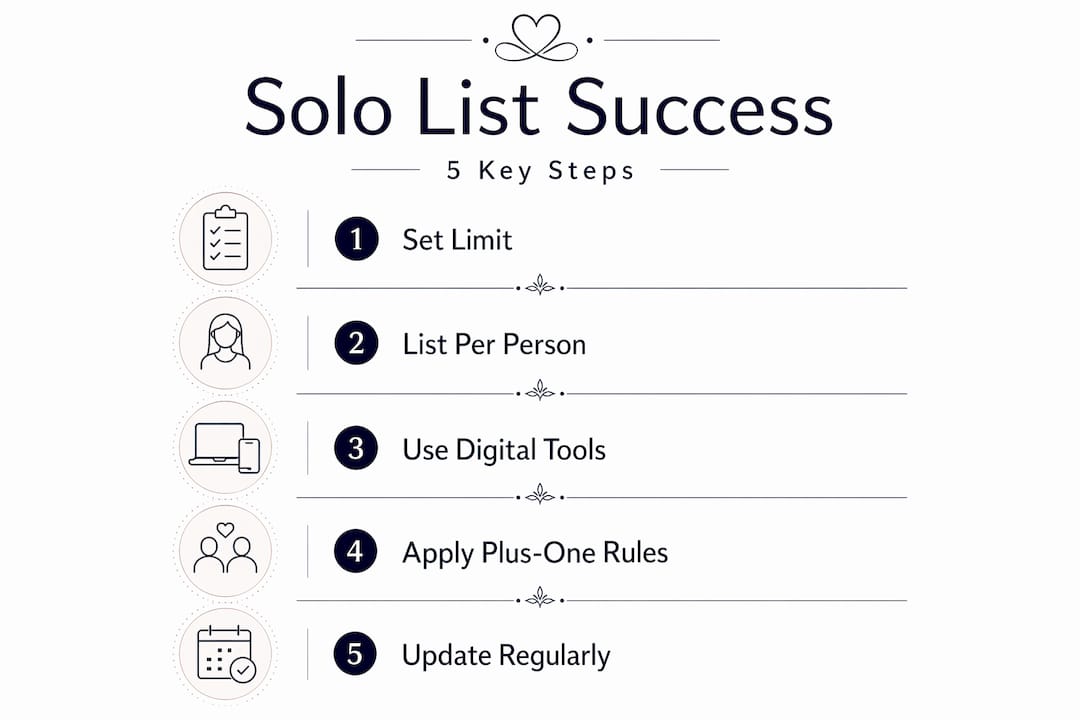
Plus-ones are where guest lists quietly balloon. A couple starts with 80 guests, applies plus-ones inconsistently across friend groups, and ends up at 110 before they’ve addressed a single envelope. Define your plus-one policy identically for all guests before listing names, because inconsistent rules inflate lists by 20 to 30% on average.
The most defensible policies tie plus-one eligibility to relationship status:
- Married or engaged guests automatically receive a plus-one
- Guests in long-term relationships (typically 1 year or more) may qualify
- Single guests receive no automatic plus-one unless the couple specifies otherwise
- Out-of-town guests sometimes receive plus-ones as a hospitality consideration
For unnamed plus-ones, create a placeholder row immediately. Use “Guest of [Name]” as a temporary entry and flag it for follow-up. This keeps your headcount accurate even before names are confirmed.
Multi-event tracking is equally important for digital guest list management. Most weddings involve at least three separate events: the rehearsal dinner, the ceremony, and the reception. Some add a morning-after brunch. Filters for per-event attendance prevent the need for separate spreadsheets and significantly improve data accuracy when coordinating with multiple vendors.
Steps to set up multi-event tracking in your guest list:
- Add a separate attendance column for each event (rehearsal dinner, ceremony, reception, brunch)
- Mark each guest’s confirmed attendance per event as RSVPs come in
- Filter by event to generate vendor-specific headcounts
- Use RSVP and meal tracking solutions that support event-level filtering natively
- Share event-specific reports with each vendor rather than the full master list
Finally, verify your guest list data and RSVPs to ensure smooth day-of execution and vendor coordination.
Verify and update guest list data regularly to prevent errors and last-minute chaos
Accuracy is a process, not a one-time setup. Your guest list is a living document from the moment the first invitation goes out until the final headcount goes to your caterer. Treating it as static is one of the most common and costly mistakes in DIY wedding guest list management.
Keep your guest list updated from the invitation mail date through the RSVP deadline, which should fall 3 to 4 weeks before the wedding. Filter pending responses weekly to identify who hasn’t responded and prioritize your follow-up.
Your regular verification checklist:
- Sort by RSVP status every Monday to catch new responses and pending guests
- Send reminder messages to non-responders at 2 weeks and 1 week before the deadline
- Confirm plus-one names and update placeholder rows as soon as names are provided
- Cross-check meal choices against dietary restriction notes for inconsistencies
- Verify final counts with your caterer using a filtered, event-specific export
Set a firm deadline for plus-ones to provide their guest’s name. Three to four weeks before the wedding is the industry standard. Communicate this clearly in the invitation and follow up directly if the deadline passes without a name.
Steps to execute your final verification:
- Run a full RSVP status filter 4 weeks before the wedding
- Contact all pending guests by phone or email within 48 hours
- Lock the plus-one name list 3 weeks before the wedding
- Generate a final meal count report and send to the caterer 2 weeks out
- Keep a change log for any updates after the caterer deadline to communicate day-of adjustments
“The guest list isn’t done when invitations go out. It’s done when the last vendor confirms the final count and you’ve verified every name matches a seat.”
Pro Tip: Use RSVP dashboard features that show a live count of confirmed, declined, and pending guests. Checking a dashboard takes 10 seconds. Filtering a spreadsheet takes 10 minutes.
Why solo planners must embrace digital systems and strict policies early to succeed
Here’s the uncomfortable truth most guest list guides won’t say directly: the stress of managing a wedding guest list without staff isn’t caused by the volume of guests. It’s caused by starting with the wrong structure and no firm policies.
Solo planners using spreadsheets consistently report regret over not starting with one row per person and linked households, because manual methods obscure crucial details and create last-minute crises that are entirely avoidable. The problem isn’t that spreadsheets are bad tools. The problem is that they require discipline to structure correctly, and most planners set them up reactively rather than proactively.
The same applies to plus-one policies and RSVP deadlines. Planners who establish these rules on day one, communicate them clearly, and enforce them without exceptions spend a fraction of the time managing guest list conflicts compared to those who handle each situation individually. Consistency isn’t just fair to guests. It’s protective of your time.
Digital guest list management removes the single biggest risk in solo planning: human transcription error. When an RSVP syncs directly to your seating chart, there’s no gap where a change can get lost. That’s not a small efficiency gain. It’s the difference between a confident final walkthrough with your caterer and a panicked recount the morning of the wedding.
The learning curve for wedding planner software is real but short. Most platforms are designed for planners who are already managing multiple tasks simultaneously. The initial setup investment, typically a few hours, pays back within the first event cycle. The emotional benefit of having a single source of truth for every guest, every meal choice, and every event attendance is genuinely significant. Control and clarity are underrated outcomes in this business.
Streamline your solo wedding planning with The Special Wedding planner software
Managing guest lists without staff requires a system that works as hard as you do. The Special Wedding planner software is built specifically for independent planners and coordinators who need to handle RSVPs, seating, vendor communication, and event timelines from a single workspace.
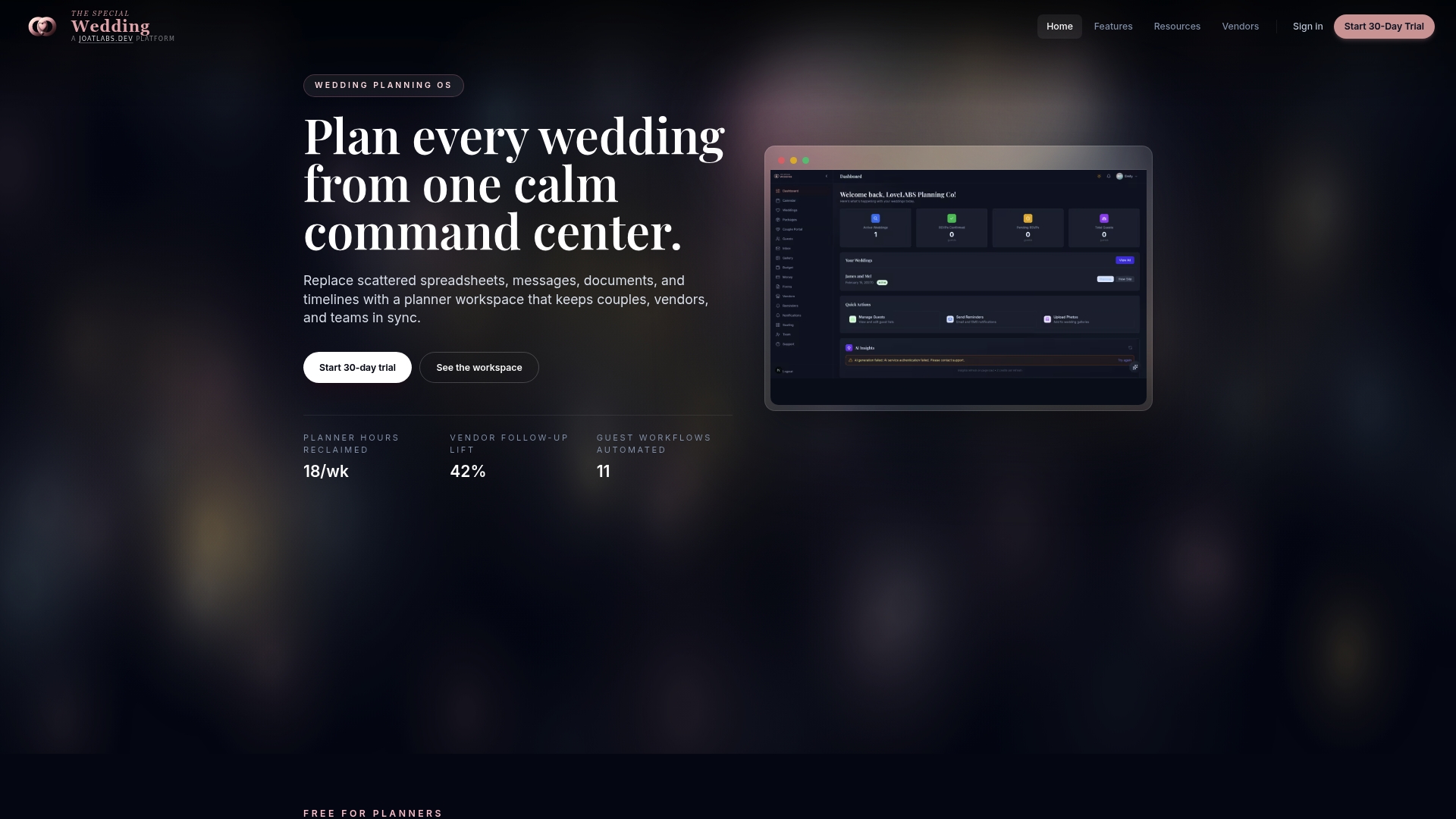
Import your existing spreadsheets directly, set up real-time RSVP dashboard features with automatic reminders, and build seating charts with drag-and-drop functionality that updates as RSVPs come in. The platform’s vendor directory connects you to trusted industry professionals, so coordination happens in one place rather than across scattered emails and messages. With tailored plans for solo planners, expert onboarding support, and a free trial to get started, there’s no reason to keep managing guest lists the hard way.
Frequently asked questions
What is the best way for a solo wedding planner to track RSVPs without additional staff?
Using digital guest list managers that sync RSVP responses in real time via wedding websites or QR codes is the most reliable approach. Digital tools enable solo management by connecting RSVPs directly to seating charts and meal counts, eliminating manual spreadsheet updates entirely.
How early should I set the maximum guest count for a wedding?
Set a firm maximum guest count around 9 to 12 months before the wedding, based on venue capacity and catering budget. Starting with a firm maximum that early guides every invitation decision and prevents last-minute list inflation.
Why is one row per person better than one row per household in guest list spreadsheets?
One row per person keeps your headcount exact, makes RSVP and meal choice filtering clean, and prevents the errors that occur when multiple guests share a single row. One row per person also integrates directly with seating chart tools without requiring reformatting.
How can I prevent guest list inflation from inconsistent plus-one policies?
Define a consistent plus-one policy for all guests before finalizing invitations, such as limiting eligibility to married or engaged couples. Inconsistent rules inflate lists by 20 to 30%, so communicating a clear, uniform policy from the start is the most effective prevention.
What are common mistakes solo planners make when managing guest lists manually?
The most frequent errors include combining multiple guests into one spreadsheet row, not tracking RSVPs in real time, skipping firm plus-one policies, and failing to update meal choices promptly. Manual methods obscure details and create last-minute crises that structured digital systems prevent entirely.
Recommended
Free wedding planner templates
Skip the blank page — these templates ship with the form fields you actually need.
Browse all 9 free templates →