Planners: Stop 15 Minute Delays Using a Multi Day Wedding Timeline
Planners: Stop 15 Minute Delays Using a Multi Day Wedding Timeline
A multi-day wedding timeline works only when it exists as one continuous, live schedule spanning every day of the event, not a stack of separate day-of sheets. It has to give each vendor a role-based view that shows only what they need, updates automatically when a ceremony time shifts, and carries contingency buffers so a fifteen-minute delay doesn’t collapse Saturday into Sunday. Platforms built specifically for wedding timeline management support exactly this structure, and the rest of this guide shows you how to build it whether you’re setting it up in software or by hand.
TL;DR:
- Complete wedding timelines must be continuous, with automatic updates and designated buffers to accommodate delays, ensuring no day affects subsequent events.
- Building the master schedule 12 to 18 months in advance confirms venue and vendor bookings, with detailed final confirmations due one month before the wedding.
- Role-based vendor views and ownership rules prevent outdated schedules and overlapping edits, maintaining real-time accuracy and accountability.
- Proper buffer sizing following the 30/5 Rule and automatic reflow software help manage delays without disrupting the entire weekend.
- Integrating transportation and accommodation into the master timeline with buffer windows and single-point updates keeps guest logistics on track and within budget.
Table of Contents
- Building the Master Timeline: Days, Runsheets, and Dependencies
- When Should You Start Building a Multi-Day Wedding Schedule?
- Keeping Vendors Aligned Without Fragmenting the Timeline
- How Do You Track Guests Across a Multi-Day Event?
- Assigning Ownership So Nobody Edits the Same Column Twice
- Sizing Buffers So One Delay Doesn’t Wreck the Weekend
- Locking the Final Timeline and Getting Signoff
- Managing Guest Transportation and Accommodation Timing
- Studio Perspective: Scaling Repeatable Multi-Day Timeline Workflows
- How TheSpecialWedding.io Puts This Workflow Into Practice
- Sources
Building the Master Timeline: Days, Runsheets, and Dependencies
A weekend wedding is not three separate events. It’s one continuous system where a late Friday load-in pushes Saturday’s flip window, and a delayed Saturday sunset shot changes Sunday’s brunch setup. Managing a three-day luxury wedding means treating vendor logistics as interconnected across the full run, not isolated per-day plans.
Your master timeline should function as one document with a minute-by-minute runsheet nested under each day. Every entry needs the same core fields, whether it’s welcome drinks on Thursday or the farewell brunch on Sunday:
- Event name, start and end time, and physical location within the venue
- Vendor point of contact with a direct phone number, not just a company name
- Load-in and load-out windows, listed separately from the event’s guest-facing time
- Buffer window before and after, sized for the specific transition
- Entrance and parking map reference for vendors arriving for the first time
Flip windows, the gaps where a room converts from ceremony to cocktail hour or reception space, deserve their own line items with a named owner. Whoever books that flip is responsible for “first in, last out”: the same person checks the room before vendors arrive and confirms it’s clear before locking up. A well-built event runsheet makes that ownership visible, instead of assumed.
When Should You Start Building a Multi-Day Wedding Schedule?
Planners typically start work on a three-day wedding 12 to 18 months out to lock the venue and top-tier vendors before calendars fill. Everything downstream depends on that early window holding.
- 12 to 18 months out. Confirm the venue for every day, book anchor vendors (catering, photography, entertainment), and set the skeleton timeline with day and event blocks only.
- 12 to 6 months out. Fill in details: room blocks for out-of-town guests, transportation contracts, extended photographer and videographer coverage across multiple days, and save-the-date mailing for the weekend format.
- 3 to 1 months out. Confirm every vendor booking in writing, run a final walkthrough, and test transitions between spaces on paper.
- 1 month out. Distribute the draft timeline to core vendors for conflict checks.
- 1 week out. Lock the final version and distribute it to the full team, wedding party, and family.
Save-the-dates for a multi-day format should go out earlier than a single-day wedding, since guests need to plan for extended travel and lodging. Invitations with the detailed weekend agenda typically follow six to eight weeks after.
Keeping Vendors Aligned Without Fragmenting the Timeline
The biggest failure point in a multi-day wedding isn’t a missed detail. It’s a vendor working from an outdated version of the schedule because someone emailed a PDF three revisions ago. Role-based timeline views solve this by giving each vendor category only the rows relevant to their job:
- Catering sees meal service times, headcounts per event, and kitchen access windows
- Transportation sees pickup locations, guest counts per shuttle run, and driver contacts
- AV and entertainment see sound checks, power access, and set change windows
- Florals and rentals see load-in slots, teardown deadlines, and storage locations
When a ceremony start time shifts by twenty minutes, that change needs to recalculate setup windows, shuttle departure times, and vendor arrival slots automatically rather than requiring a planner to manually retype six different documents. Automated live updates that push changes to every connected vendor view close that gap.
Pro Tip: Require a read receipt or short acknowledgment window on every draft you send. A vendor who never confirms they saw the updated call time is the same vendor who shows up an hour early at the wrong entrance.
Pair role-based views with a fixed check-in step: every vendor confirms arrival against the load-in map before starting setup. That single habit eliminates most on-site confusion about which entrance belongs to whom, an issue that comes up constantly across shared wedding timelines.
How Do You Track Guests Across a Multi-Day Event?
Guest headcount errors compound fast across a multi-day wedding weekend, since a single wrong RSVP status can throw off catering counts, shuttle manifests, and room blocks simultaneously. The fix is one de-duplicated master guest list with a separate RSVP column for each event on the calendar, not a separate spreadsheet per day.
- Every row gets one owner responsible for chasing that guest’s response
- Per-event RSVP columns let you pull an accurate headcount for welcome drinks, ceremony, and brunch independently
- Travel and room assignment columns key off the same master row, so a guest’s arrival date and hotel block stay attached to their RSVP status
- Set a fixed escalation point, typically two weeks before the final headcount deadline, where non-responders get a direct call instead of another email
This model prevents the classic multi-day scenario where fifteen guests confirmed for the reception but never appear on the welcome dinner list because nobody tracked per-event attendance separately.
Assigning Ownership So Nobody Edits the Same Column Twice
Most timeline breakdowns on a wedding weekend trace back to a process failure: two team members editing the same guest column, or a vendor detail nobody claimed responsibility for. The fix is an ownership model where each coordinator owns a specific column and the whole team writes to one shared dataset instead of private copies.
- Assign a guest communications owner, a vendor and venue logistics owner, and a travel and accommodation owner as three distinct roles
- Set a firm rule that only the column owner edits that data; anyone else flags a change request instead of editing directly
- Build shift coverage into the weekend schedule itself, with handoff notes at every shift change so the incoming coordinator knows what’s pending
- Apply “first in, last out” to team assignments too: the coordinator who opens a venue closes it
This structure matters more on a three-day wedding than a single-day one, because more shifts mean more handoffs, and every handoff is a chance for something to fall through. A clear time management framework for delegation keeps that risk contained.
Sizing Buffers So One Delay Doesn’t Wreck the Weekend
Experienced planners size buffers using the 30/5 Rule: treat any task that would take five minutes on a normal day as taking thirty minutes on event day. Crowds, weather, and unpredictable vendor timing turn small tasks into slow ones consistently enough that this heuristic has become standard practitioner shorthand.
- Build 15 to 30 minute transit buffers between any two events that require guest travel
- Reserve a 3-hour weather contingency window for outdoor ceremonies with an indoor Plan B
- Treat every transition (ceremony to cocktail hour, reception to after-party) as its own micro-project with a dedicated buffer, a transport manifest, and a named vendor fallback rather than improvising on-site
The real advantage isn’t just the buffer itself. It’s software-driven reflow that automatically shifts every downstream item when one key time moves, instead of forcing a coordinator to manually update a dozen dependent rows while standing in a parking lot.
Locking the Final Timeline and Getting Signoff
Distribution timing matters as much as the content itself. Send the draft timeline to core vendors roughly one month out, giving them a window to flag conflicts before anything is locked. The complete wedding weekend guide recommends this staged approach specifically to catch scheduling gaps early.
- Distribute the draft to vendors and key family members roughly one month out for conflict review.
- Collect a short round of questions with a firm cutoff, then close revisions.
- Distribute the locked final timeline to the entire team, wedding party, and vendors about one week out.
- Require a signed or digital acknowledgment from every vendor confirming they received the final version.
- Attach the final distribution packet: emergency contacts, venue maps, access times, tipping envelopes, and the teardown plan.
Skipping the acknowledgment step is how a vendor ends up “confirming” a schedule they never actually opened.
Managing Guest Transportation and Accommodation Timing
Transportation and lodging are where multi-day weddings quietly go over budget and over schedule, mostly because planners track them separately from the timeline instead of building them into it. Every shuttle run, room block, and airport pickup should sit on the same master timeline as the ceremony and reception, keyed to the same guest rows used for RSVP tracking.
Start with room blocks. Reserve them at the 12 to 18 month mark alongside the venue, since hotel inventory near popular venues disappears fast for weekend-long events. Attach a check-in and check-out date to every guest row, not just a hotel name, so you can spot conflicts between a guest’s travel dates and the events they’re attending.
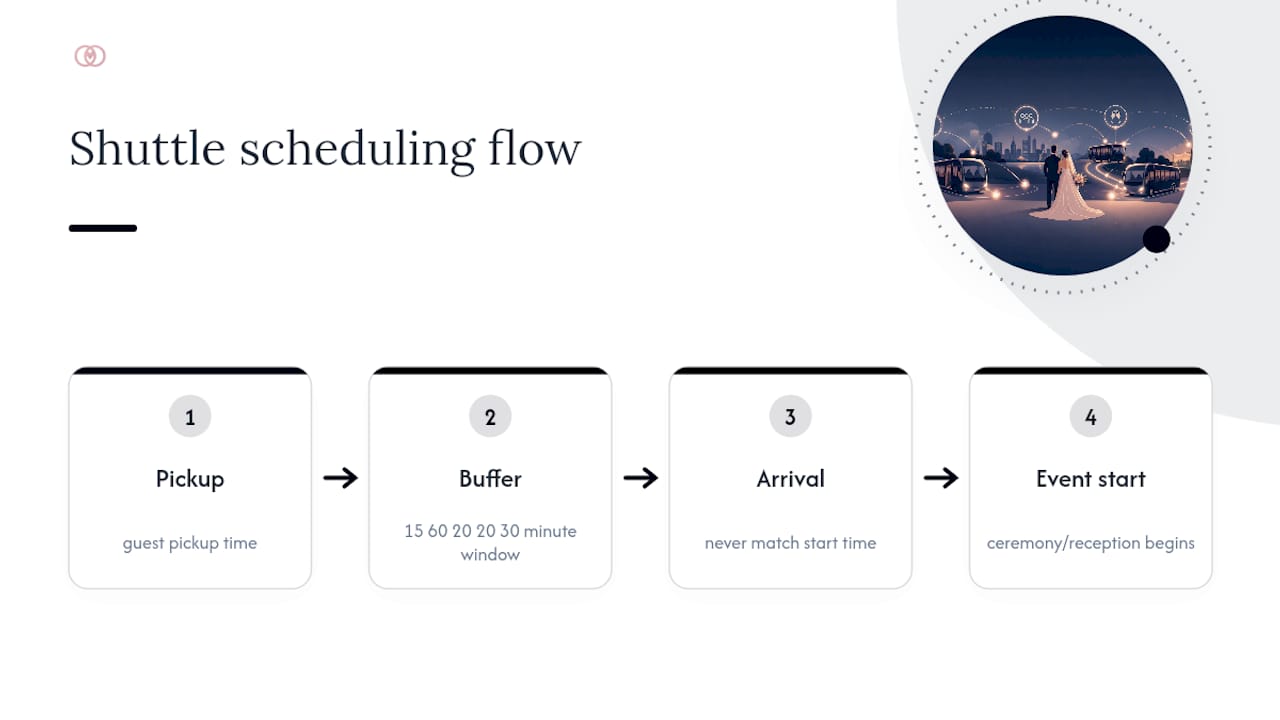
Shuttle scheduling needs the same buffer discipline as any other transition. Build 15 to 30 minute windows around every pickup and drop-off, and never schedule a shuttle’s arrival to exactly match an event’s start time. Guests move slower in groups than anyone expects, and a bus that “arrives on time” at 5:00 for a 5:00 ceremony start guarantees a late start.
Assign shuttle manifests to the same travel and accommodation owner covering hotel logistics, so one person can see the full guest movement picture across the weekend. When a flight delay pushes a guest’s arrival, that owner should be the single point of contact updating both the room block and the transportation manifest, not two separate people working from different lists.
Studio Perspective: Scaling Repeatable Multi-Day Timeline Workflows
Agencies that scale multi-day weddings profitably stop rebuilding timelines from scratch. They convert proven structures into branded templates and standardized checklists, so a new weekend onboards in hours instead of days, and junior coordinators follow the same process seniors do.
— JOATLABS
How TheSpecialWedding.io Puts This Workflow Into Practice
Everything in this guide, the master timeline, role-based vendor views, the guest data model, ownership rules, and buffer logic, reflects best practices for wedding planning software. Such platforms give your team one shared workspace instead of scattered spreadsheets, so a ceremony time shift updates every connected vendor view automatically instead of triggering a round of manual edits.

Templates can carry your standard runsheet structure into every new weekend booking, so you’re not rebuilding flip-window logic or vendor field lists from zero each time. Client portals provide a single source of truth for the schedule, and team collaboration tools help enforce ownership rules to keep two coordinators from editing the same guest column at once. Automated vendor notifications manage the reflow work this guide describes, pushing updated call times the moment a key event shifts.
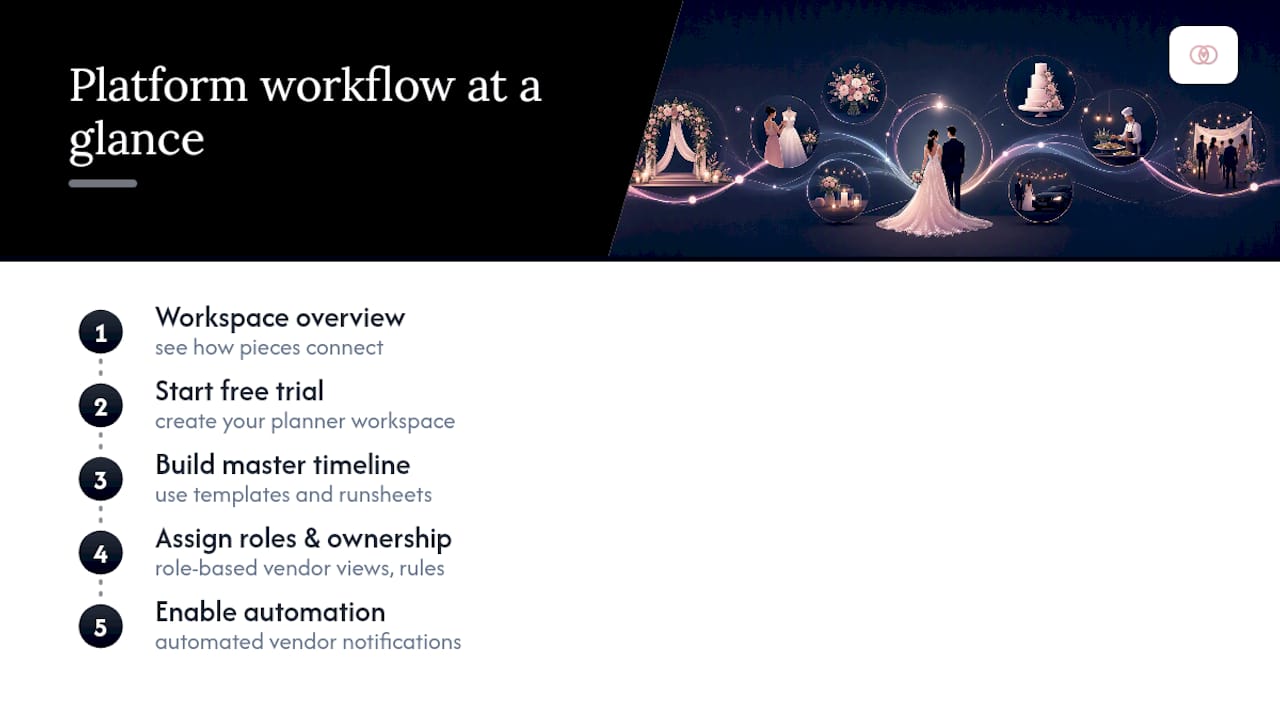
If you’re managing multiple weekend-long weddings a season, start with the wedding planner workspace overview to see how the pieces connect, then set up a free trial on the main platform to build your first master timeline this week.
Sources
- Irene Coe Events — New York wedding planner
- Dreams in Detail — Managing weekend-long luxury weddings
- Weddingkart — How wedding planners manage 500+ guests across multi-day events
Recommended
Free wedding planner templates
Skip the blank page — these templates ship with the form fields you actually need.
Browse all 9 free templates →