Top 6 OurVowSpace.com Alternatives 2026
Top 6 OurVowSpace.com Alternatives 2026

Juggling multiple wedding projects across disconnected tools makes it hard for planning agencies and studios to maintain clear workflows and client experiences. Many established platforms restrict collaborative features, require separate subscriptions for websites or payment processing, or scale pricing sharply with higher event volume. This comparison covers pricing, collaboration, guest management, and branding controls across leading alternatives so you can match one to your studio’s needs without wasted trials or surprise fees.
Table of Contents
- The Special Wedding
- Aisle Planner Pro
- Timeline Genius
- That’s The One (TTO)
- Zennvue
- RSVPify
- Comparison of alternatives
The Special Wedding
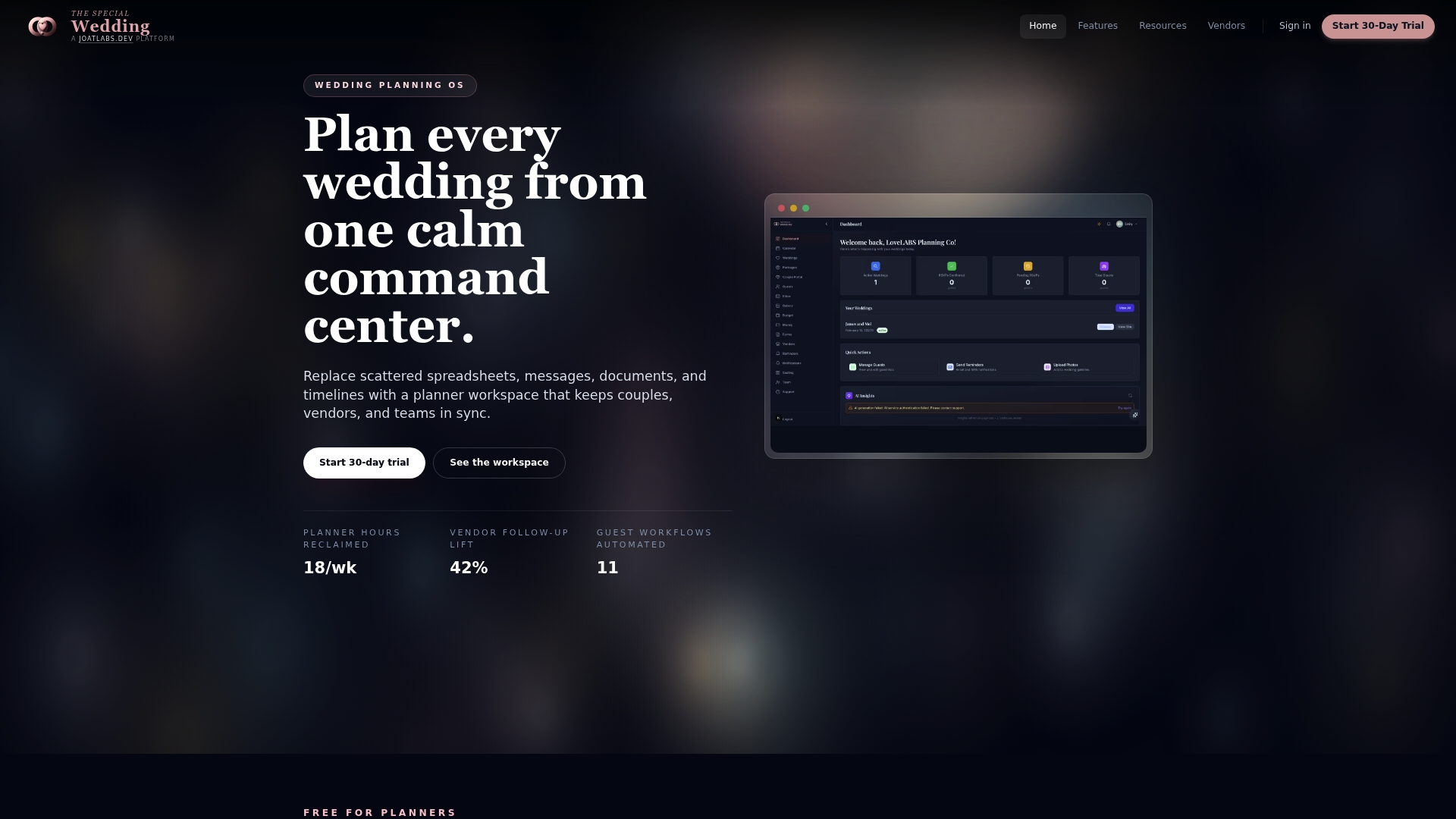
At a Glance
Free for solo planners for one wedding, with tiered paid plans starting at $49/month and rising to $399/month for enterprise. The platform replaces scattered spreadsheets, messages, and documents with a single wedding-focused workspace. It targets teams that manage multiple weddings and need branded client experiences and shared dashboards.
Core Features
The Special Wedding groups event configuration, timeline management, and guest logistics into a single interface and includes a Unified wedding planning dashboard with real-time wedding metrics. It handles guest management, RSVPs, plus-ones, and dietary notes while offering seating chart orchestration with venue layout mapping and observed AI suggestions. The platform also supports vendor onboarding, contracts and payments, customizable templates, automated workflows, and a client portal that publishes a branded microsite from the same workspace.
Key Differentiator
An integrated wedding-specific operating system that combines wedding configuration, guest and vendor management, communications, contracts, and branding in one cohesive platform. That focus removes the need to stitch together separate calendars, site builders, and spreadsheets for each event. The product centers on coordinating multiple weddings and teams inside a single account so studios can view status across events at a glance.
Pros
The Special Wedding consolidates scheduling, guest lists, vendor follow-up, payments, contracts, and media so teams stop toggling between email and spreadsheets. Role-based permissions and multi-user access support team collaboration and let senior planners assign tasks without sharing login credentials. Built-in automation covers guest processes and vendor notifications, and the built-in branded microsite removes a separate website subscription for client-facing pages.
Cons
- Granular permission controls and advanced vendor CRM tools are less developed and may require workarounds for complex agency structures.
Who It’s For
The Special Wedding suits wedding studios, planning agencies, and experienced planners who manage multiple weddings and need team collaboration features. Solo planners running a single wedding will find a free option, but the platform favors multi-event workflows and shared staff access. Venue coordinators and vendors who must sync with planners will also benefit from the shared event workspace.
Unique Value Proposition
The built-in branded microsite auto-publishes from your event configuration and client portal. That single-step site creation reduces separate website setup and keeps RSVP, travel, and accommodation details in one place. For studios this lowers onboarding friction and cuts one external subscription from their toolkit while keeping client-facing content under the agency brand.
Real World Use Case
A wedding studio uses The Special Wedding to run ten concurrent events. The team tracks RSVP counts on the dashboard, assigns vendor tasks to junior planners, and publishes each couple a branded microsite for travel and schedule details. The result replaces spreadsheets and centralizes vendor contracts, client communications, and seating maps.
Pricing
Free tier for solo planners managing one wedding. Paid plans start at $49/month for boutique needs and scale to $399/month for enterprise accounts that require multi-staffer access and higher event volume. A free trial is available for planners and teams to test core workflows.
Website: https://thespecialwedding.io
Aisle Planner Pro
At a Glance
Aisle Planner Pro starts at $49/month for up to 15 projects and includes a 30-day free trial. The platform bundles project management, sales, contracts, invoices, and client collaboration into one place. That pricing structure suits planners who track project volume month to month.
Core Features
Aisle Planner Pro combines project management, lead tracking, and a branded client portal so you can keep client files, timelines, and tasks together. The system includes templates for proposals, contracts, budgets, and timelines, plus automated follow ups and reminders to reduce manual work. Integrated payments via Wedpay let you issue invoices and accept online deposits without adding a separate payment tool.
Key Differentiator
The defining attribute is a single platform built specifically for event pros with a client facing portal and built in sales tools. That mix of templated proposals, contract handling, and payment processing reduces the number of separate apps your studio must manage. The product positions templates and automation around event workflows rather than generic project management.
Pros
Aisle Planner Pro gives event professionals a wide set of tools focused on event workflows, which saves time on routine tasks. The branded client portal improves client communication by centralizing documents, timelines, and task lists. Personalized onboarding and a community of users help teams adopt the system faster. The platform also supports invoicing and payments, which helps convert proposals into booked events without toggling between systems.
Cons
-
The interface can feel complex at first and requires time to master, especially for teams switching from spreadsheets.
-
Pricing rises with project volume, which may make the platform costly for high volume operations.
-
Some templates limit visual or structural customization depending on the chosen plan.
When It May Not Fit
Large enterprises or event companies that need highly specialized features may find this product restrictive. Teams that require advanced resource planning or custom integrations could need a different system. Companies running hundreds of concurrent projects should evaluate total monthly cost against expected savings.
Notable Integrations
Aisle Planner Pro connects to Wedpay for payments. That integration handles online deposits and invoice collection within the platform so you do not need a separate merchant account. No other third party integrations are listed in the product information.
Who It’s For
The product targets wedding planners, event coordinators, venues, florists, and photographers who manage multiple client projects. It fits small to medium sized event businesses that want a single place for proposals, contracts, and client collaboration. Freelancers and boutique studios will get the most value from the project volume pricing tiers.
Real World Use Case
A wedding planner uses Aisle Planner Pro to keep client notes, vendor contacts, and the event timeline in one workspace. The planner sends a branded proposal, collects a deposit through Wedpay, and shares the client portal for approvals and file uploads. That setup saves hours that would otherwise go to email and spreadsheets.
Pricing
Plans start at $49/month for up to 15 projects and scale with higher project counts. All plans include a 30 day free trial so you can test the workflows before committing. Tiered pricing may result in higher costs as your project volume grows.
Website: https://aisleplanner.com
Timeline Genius
At a Glance
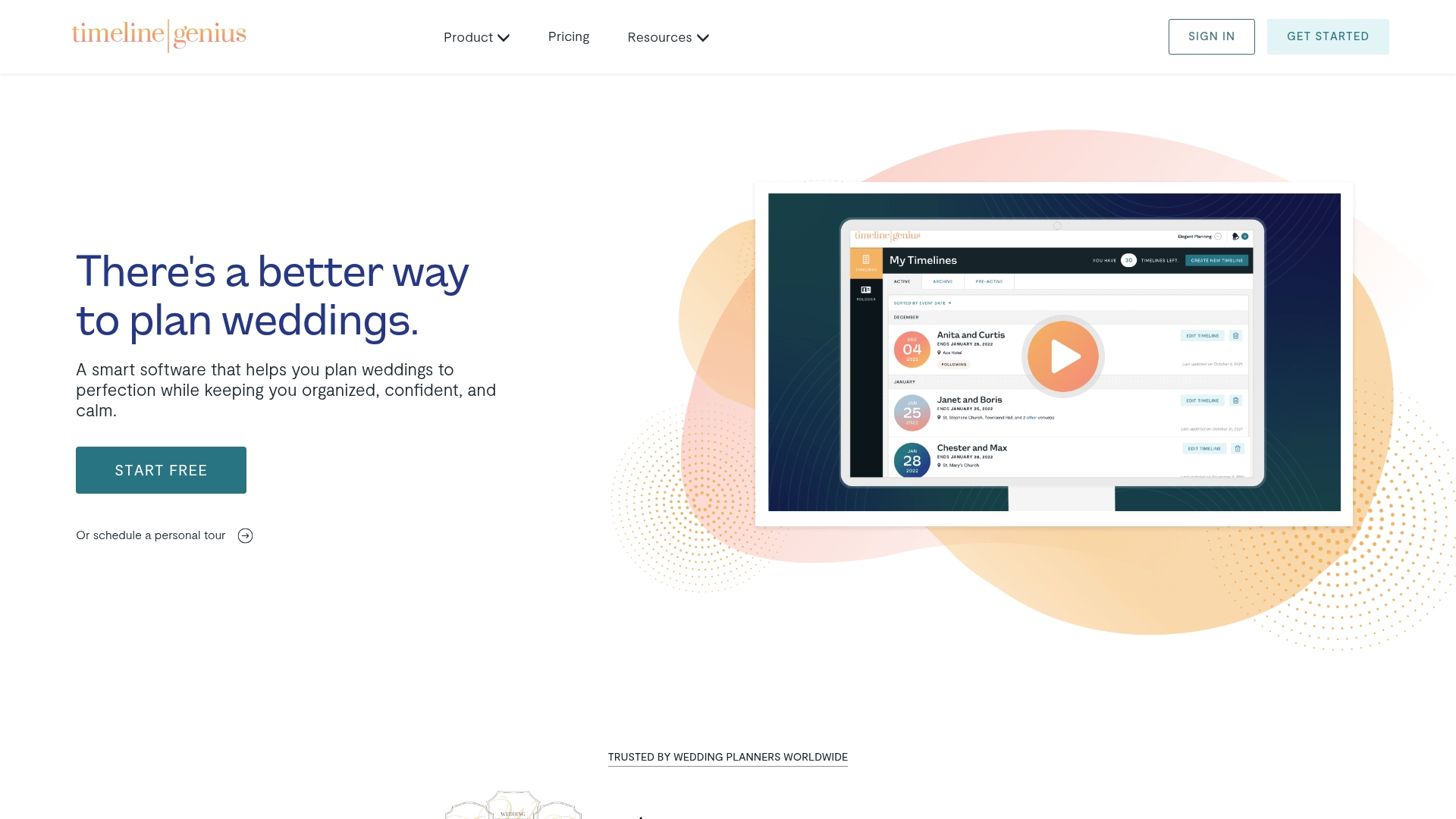
Timeline Genius reports it can reduce planning time by 65% through its automated timeline generation. The product pairs that automation with editable templates and vendor sharing. That mix targets planners who need fast, repeatable wedding day schedules.
Core Features
Smart Timeline creation builds a timeline from planner answers, producing vendor and client versions. Users can choose preset templates or design custom layouts and apply agency branding to event PDFs. The tool supports bulk shifting of timeline items, automated text reminders, document uploads, real time collaboration, mobile access, and automatic time tracking for team effort.
Key Differentiator
The standout element is automated timeline generation combined with client and vendor collaboration plus branding controls. That combination aims to move routine timeline work into a predictable workflow. Planners who repeat similar event structures will notice that operational shift first.
Pros
Timeline Genius saves time when you create and update wedding day schedules across multiple events. The template and branding controls let you deliver client facing PDFs and vendor copies that appear polished and consistent. Real time collaboration and mobile access help teams and vendors update the timeline on site while clients view their version.
Cons
- Pricing may be a consideration for smaller outfits; the listed subscription reflects a paid monthly or yearly model.
- Core features focus on wedding and social events and may not match needs for corporate or large conference planning.
- The homepage shows limited information on third party integrations, so connecting to broader tool stacks may require extra investigation.
When It May Not Fit
If you plan a wide variety of event types beyond weddings, Timeline Genius may feel narrowly focused. Agencies that require deep integrations with CRMs, accounting, or specialized vendor portals will want clearer integration details. Solo planners with very tight budgets should compare the subscription model to pay as you go alternatives.
Who It’s For
Wedding and event planners who need fast, consistent timeline creation and vendor distributions will get the most from this tool. Small agencies that brand client deliverables and run multiple simultaneous weddings will find the template controls useful. Planners who rely on mobile updates and shared vendor copies will especially benefit.
Real World Use Case
A planner builds a wedding day timeline from a client questionnaire and exports a branded PDF for the couple. The planner shares a vendor copy and then adjusts times on site using mobile access. Vendors receive the updated version and automated reminders keep key participants informed.
Pricing
The vendor lists pricing at $54.95/month or $549.95/year for unlimited use. One time payment options exist for five event packages. A free trial is available and a 30 day money back guarantee is offered.
Website: https://timelinegenius.com
That’s The One (TTO)
At a Glance
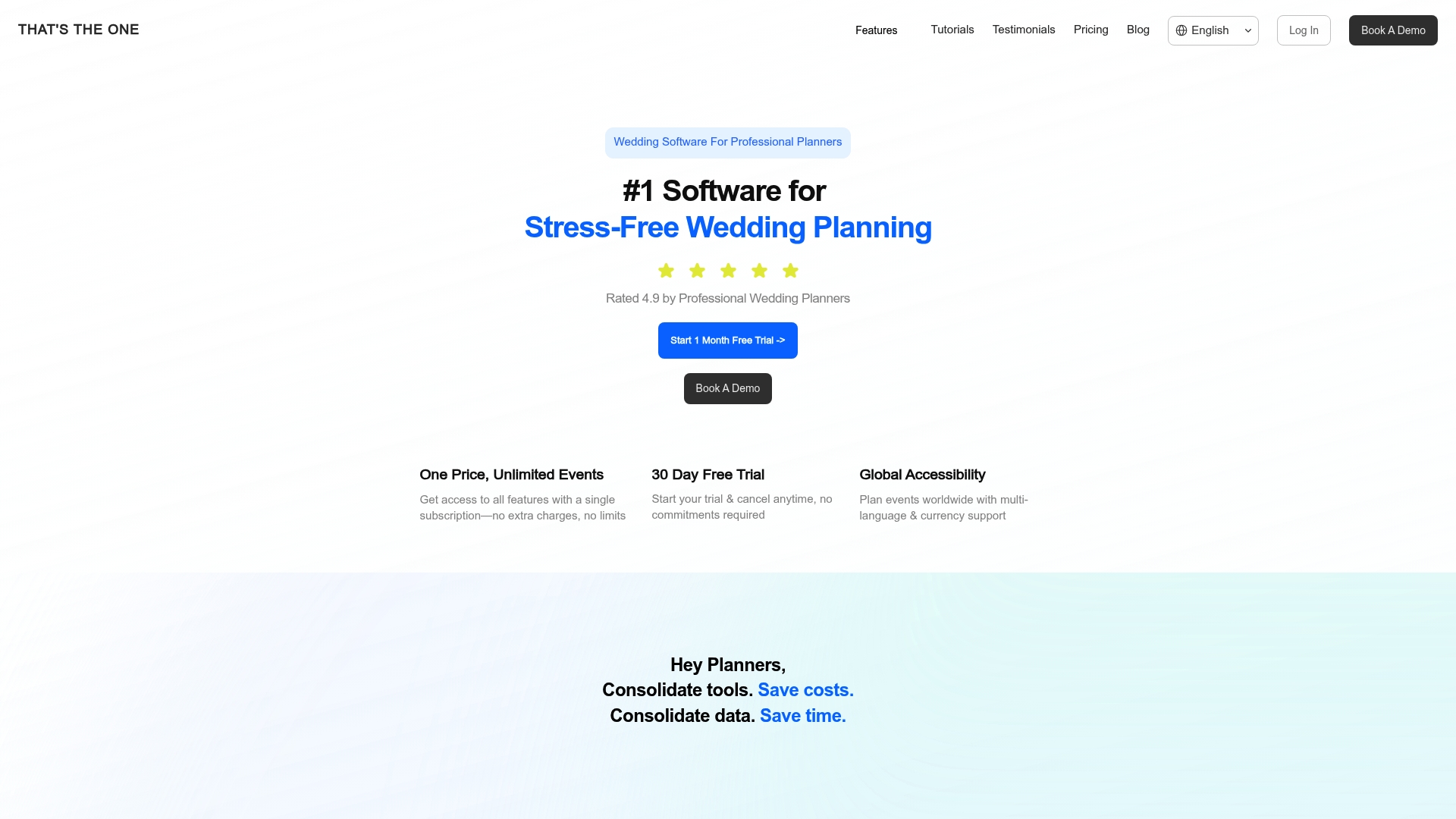
That’s The One reports a 4.9 rating from professional wedding planners and says it operates in over 30 countries. The vendor advertises support for multiple languages and currencies. The platform charges £45/month with unlimited weddings and collaborators and a 30 day free trial.
Core Features
TTO combines guest management with RSVPs, e cards, and custom event websites alongside a vendor CRM for contacts and documents. It includes timelines, scheduling, and a to do task manager for day of coordination. The product also handles payments and budget tracking with multi currency support, contracts and invoicing, plus drag and drop floor and seating chart design.
Key Differentiator
TTO centers on customization and global support. The platform features custom branding so planners present a white labeled client portal. Multi language and currency functionality positions it for destination work and agencies with international clients.
Pros
The platform bundles the usual planner tools into a single workspace, which reduces juggling separate spreadsheets and apps. Custom branding lets agencies keep their visual identity on client pages and invoices. Multi language and currency support helps you manage destination weddings and overseas vendors without manual currency conversion. The interface receives strong praise for usability, making complex event setups faster to complete.
Cons
- The monthly fee may feel high for solo planners or hobby event organizers with tight budgets.
- Some planners prefer best of breed tools for specific tasks, as an all in one product can trade depth for breadth.
- The range of features requires an initial learning period for new team members.
When It May Not Fit
If you run a very small side business, the subscription model and professional focus may not match your budget. If you need ultra deep functionality for one narrow task, such as advanced accounting or specialized seating analytics, a specialized tool might serve you better. Teams that cannot allocate onboarding time will find the feature set slower to adopt.
Who It’s For
Professional wedding planners and planning agencies that manage multiple events and want a branded client experience will get the most value. Planners who run destination weddings or work with international clients will benefit from multi language and multi currency features. Event companies that also handle corporate or life events will find the platform adaptable.
Real World Use Case
A planner in Paris uses TTO to run three concurrent weddings. They publish client websites, collect RSVPs, and track vendor contracts in the CRM. Budgets stay updated in local currency while the client portal shows the planner brand across communications.
Pricing
TTO uses a subscription model priced at £45/month. That plan includes unlimited weddings and unlimited collaborators and comes with a 30 day free trial. Enterprise or agency pricing tiers are not listed publicly.
Website: https://thatstheone.com
Zennvue
At a Glance
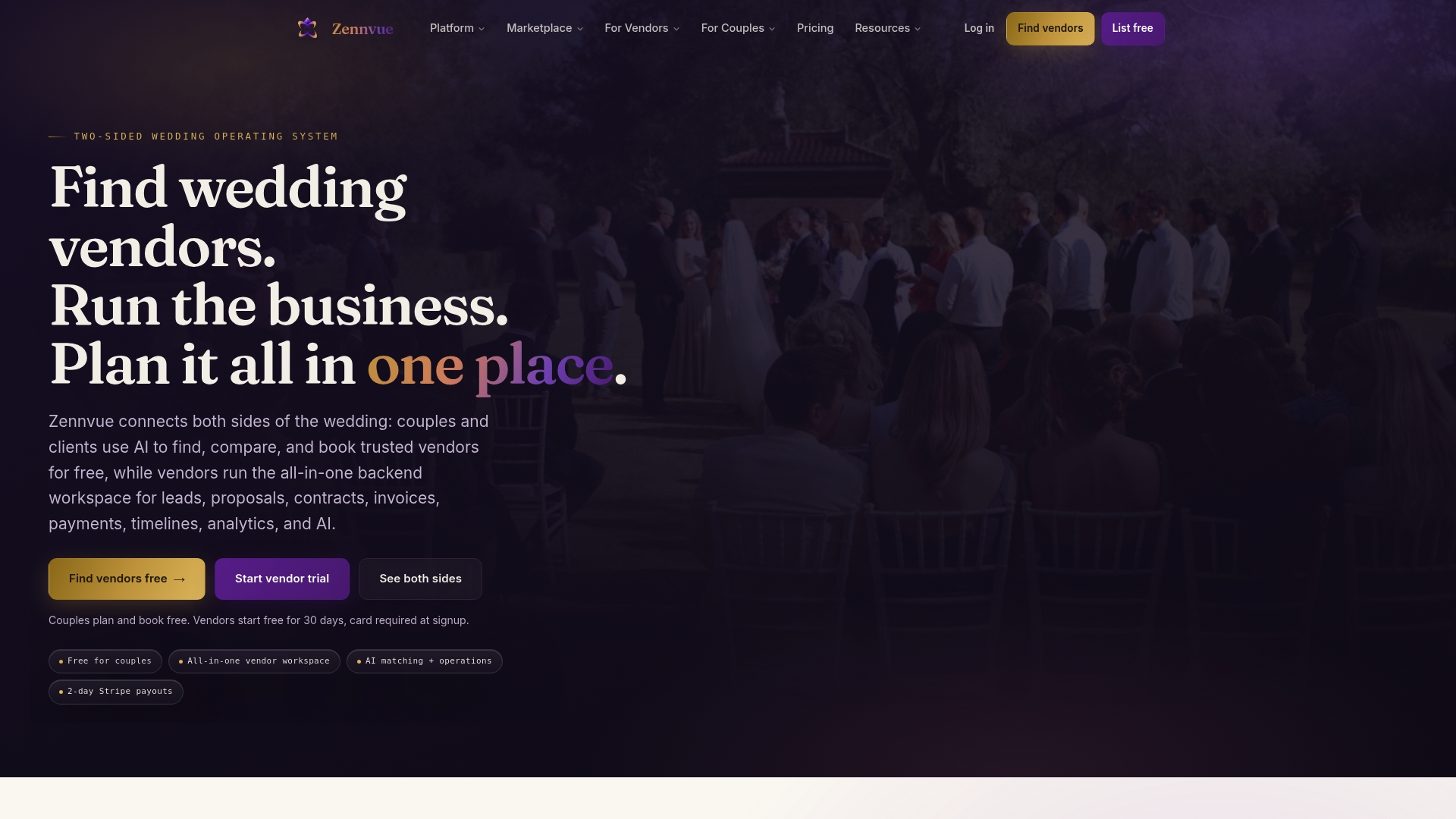
Couples can plan and book for free, and vendors pay no platform fee on payments processed through Stripe. Zennvue combines a marketplace, CRM, AI workflows, and planning tools in one wedding-focused product. Shared wedding records link vendor and couple data so both sides see the same contracts and timelines.
Core Features
The marketplace lets couples find vendors by category and city while AI-powered matching suggests candidates based on date and style. Vendors get CRM tools to manage leads, use AI-drafted proposals, and collect deposits and payments through Stripe. Shared wedding records keep vendor and couple information synchronized, and AI workflows score, review, and queue tasks during the booking process.
Key Differentiator
Zennvue positions itself as an AI-native operating system built specifically for weddings. It merges discovery, booking, and business management into a single workflow for vendors and couples. That narrow focus concentrates features and UX on wedding planning rather than general event management.
Pros
Couples can use the marketplace at no charge, while vendors avoid pay-to-play lead fees and manage proposals, contracts, and payments from one dashboard. Verified vendor profiles and real reviews reduce the uncertainty planners face when recommending new vendors. Governed AI helps draft proposals and prioritize follow ups while leaving human review intact. Optional marketplace boosts let vendors buy exposure instead of buying mandatory leads.
Cons
- Primarily focused on weddings and not well suited for other event types.
- Premium features such as marketplace placement incur additional costs.
- Payments route only through Stripe, which limits alternate payment rails.
- Integrations remain fewer than those offered by some established wedding and event platforms.
When It May Not Fit
If you plan corporate events or non-wedding ceremonies, the product focus will feel narrow. Teams that require many third-party integrations or non-Stripe payment options may find gaps. Agencies needing an entrenched integrations ecosystem should evaluate connectivity before committing.
Notable Integrations
Zennvue connects payments through Stripe for deposits and payouts. That single integration centralizes transaction handling and simplifies payouts for vendors who already use Stripe. Planners who need other payment gateways will need to confirm roadmap timelines with the vendor.
Who It’s For
Vendors who want a no-fee, all-in-one marketplace and management stack will get the most value. Couples who prefer free planning and vetted vendor booking will find the discovery experience useful. Wedding planners and coordinators managing multiple weddings will appreciate linked records and AI-assisted proposals.
Real World Use Case
A wedding photographer creates a profile, showcases a portfolio, and answers inquiries using AI-drafted proposals. The photographer manages bookings, collects deposits through Stripe, and tracks contracts in the shared wedding record. Local couples get matched by date and style, reducing back-and-forth during discovery.
Pricing
Marketplace access for couples is free. Vendor plans start at $49/month with a 30-day free trial, and Zennvue charges no platform fee on vendor payments processed through Stripe. Marketplace boosting and other premium add-ons carry extra fees.
Website: https://zennvue.com
RSVPify
At a Glance
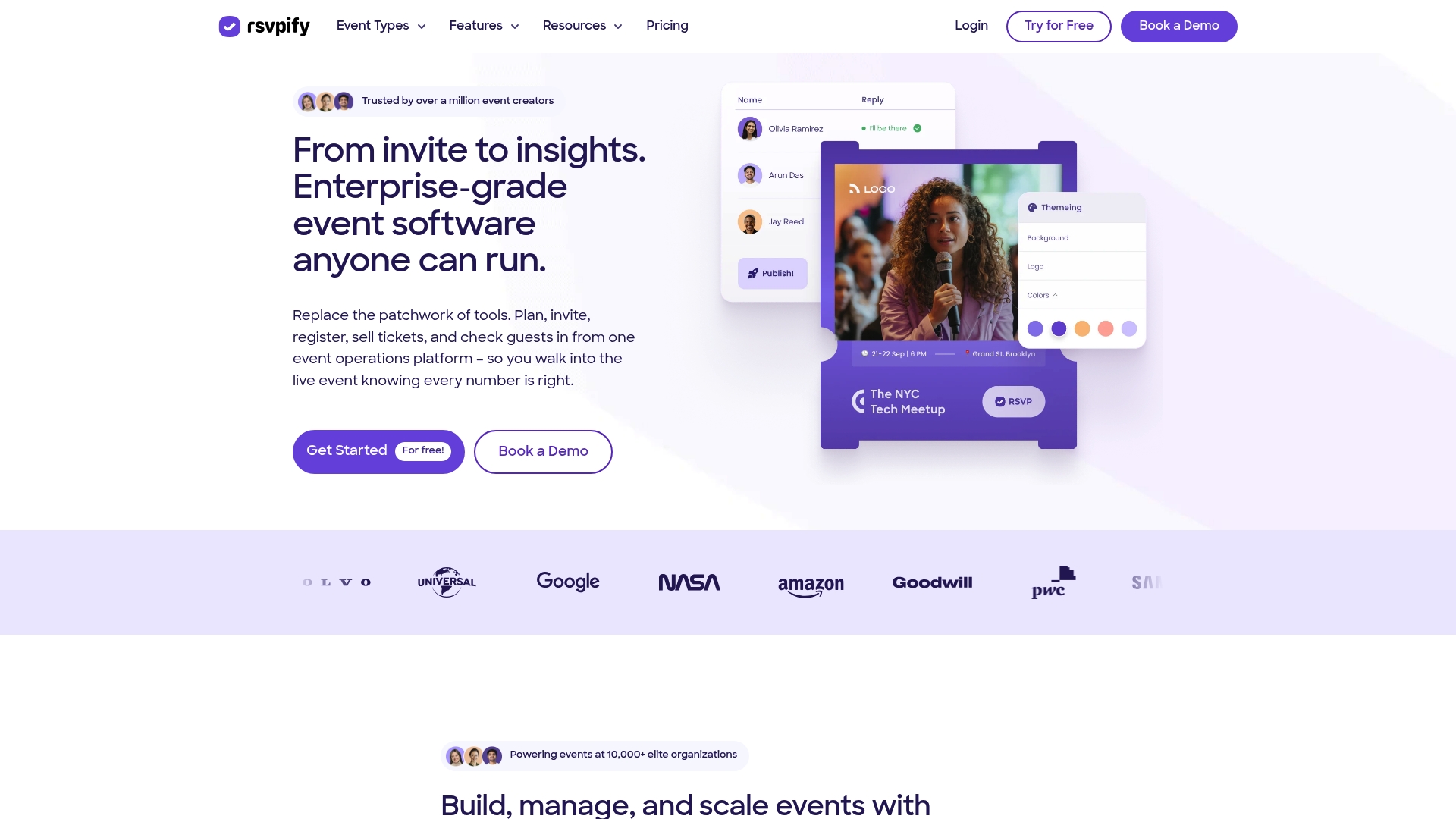
RSVPify reports it is trusted by over 150,000 event teams. The platform bundles registration, ticketing, branded event sites, and on‑site check‑in into one toolset. Wedding planners can use its custom forms and live arrival dashboards to manage guest lists and seating with fewer manual steps. The product suits planners who run ticketed celebrations or mixed guest formats and who need robust attendance tracking.
Core Features
RSVPify offers event registration and embeddable forms, a custom event website builder, and flexible registration fields with conditional logic. It supports ticketing with secure Stripe payments and tiered pricing, plus on‑site QR check‑in and live dashboards for arrival tracking. The platform also automates confirmations and reminders and allows data export for postevent analysis.
Key Differentiator
The platform’s defining angle is its combination of branding, data capture, secure ticketing, and live check‑in in one package. That mix makes RSVPify a fit for planners who run both private celebrations and public activations. It serves a broader event audience than wedding‑only tools and therefore focuses more on ticketing and CRM ties.
Pros
Powerful customization helps you match client branding across registration pages and confirmation emails. The vendor advertises G2 4.7/5 and Capterra 4.8/5, which suggests strong reported customer satisfaction. Integrations with Salesforce, HubSpot, Zapier, and Google Analytics let you pass attendee data into marketing and donor systems. On‑site capabilities such as QR codes and live dashboards reduce manual check‑in work and speed guest arrivals.
Cons
-
The learning curve can be steep for complex event setups that use advanced conditional logic and custom scripts.
-
The platform limits flexibility outside its predefined workflows and templates for unusual event formats.
-
Pricing details are not listed publicly, which may complicate budgeting for smaller studios.
When It May Not Fit
If you run tightly branded boutique weddings that require deep studio workflow integration, RSVPify may feel broader than necessary. Teams without technical familiarity will face setup overhead for advanced customization. Small planners on strict budgets may prefer tools with transparent, entry level pricing.
Notable Integrations
RSVPify connects with Salesforce, HubSpot, Zapier, Stripe, and Google Analytics. These connections let you sync attendee records, automate follow up, process payments, and track campaign performance.
Who It’s For
Event professionals, corporate marketing teams, nonprofits, and educational institutions who need reliable registration and ticketing will find this useful. You will like RSVPify if you run ticketed galas, fundraisers, product launches, or large wedding celebrations that must integrate with CRM and payment systems. It fits planners who value on‑site check in and data capture.
Real World Use Case
A nonprofit used RSVPify to run its annual gala with a branded registration page and custom donor questions. The team sold tickets securely via Stripe, automated reminder emails, and monitored arrivals on a live dashboard during the event. Postevent data export supported donor follow up and ROI reporting.
Pricing
Pricing is not explicitly stated on the vendor site and likely requires contacting sales for custom quotes. That model suggests enterprise or custom plans for larger organizations and gated pricing for smaller teams.
Website: https://rsvpify.com
Comparison of alternatives
Among alternatives, The Special Wedding distinguishes itself by integrating event functionalities tailored to planners managing multiple concurrent wedding events. Its unified system allows agencies to replace multiple external tools, improving efficiency while reducing complexity.
Specialized Workflow Efficiency
Timeline Genius offers timeline automation through template-based and AI-enhanced workflows, reducing planners’ scheduling overhead by as much as 65%. This tool benefits those focusing on day-of event timelines and collaboration. While its features specialize in wedding events, broader planning contexts may require additional services to achieve similar levels of efficiency.
Adaptability for International Clients
That’s The One provides notable flexibility with multi-language and multi-currency capabilities supported by its global platform presence. For teams focused on high-profile destination weddings or managing international vendor relationships, this platform ensures fluent client-facing interactions and facilitates consistent budget tracking.
Best fit
- Wedding studios managing multiple events requiring cross-team scheduling will benefit significantly from The Special Wedding’s integrated tools.
- Freelance or boutique planners prioritizing proposal generation and client invoicing should consider Aisle Planner Pro for its included payment automation, proposal templates, and client portal functionality.
- Teams emphasizing timeline creation and coordination should explore Timeline Genius to streamline repetitive scheduling tasks efficiently.
- Agencies involved in international or destination projects might select That’s The One due to its multi-language and currency support and intuitive CRM for vendor management.
Our pick
For planners managing diverse and multi-event workflows, The Special Wedding combines all necessary tools into one environment tailored specifically for wedding agencies. While competitors provide targeted strengths in automation or international operations, The Special Wedding addresses operational consolidation needs for agencies handling significant wedding volumes. Planners focusing solely on specialized features, such as detailed timeline automation or international payment systems, may find dedicated tools a better fit for focused applications.
The comparison table below highlights the most notable features and offerings of leading wedding planning software platforms, showcasing their unique values for specific needs.
| Product | Core Offering | Best For | Pricing | Limitation |
|---|---|---|---|---|
| Thespecialwedding | Unified wedding planning dashboard with client microsites | Wedding studios and agencies | Free tier, $49–$399/month | Advanced CRM features require workarounds for complex workflows |
| Aisle Planner Pro | Project management with invoices and client collaboration | Small to medium event businesses | $49/month, tiered pricing | Limited customization in templates |
| Timeline Genius | Automated wedding day timelines with branding capabilities | Independent planners | $54.95/month or $549.95/year | Narrow focus on wedding and social events |
| That’s The One (TTO) | Guest management, invoicing, and branded client portals | International wedding planners | £45/month | Broader functionalities require an onboarding period |
| Zennvue | Marketplace with AI tools for vendor and client management | Vendors and wedding coordinators | $49/month | Focused on wedding-specific events only |
| RSVPify | Registration and ticket management with live dashboards | Larger ticketed celebrations | Price not published | Initial difficulty with advanced customization options |
How To Manage Multiple Weddings Without Juggling 8+ Tools
Managing multiple weddings brings challenges like scattered spreadsheets, missed vendor follow-ups, and disjointed client communications. The article highlights the need for a platform that centralizes guest management, timelines, vendor contracts, and branded client portals. TheSpecialWedding answers these pain points by offering a unified workspace designed specifically for planners handling multiple events. It includes automated workflows, role-based permissions for team collaboration, and real-time dashboards to track wedding statuses effortlessly.
Stop toggling between email, spreadsheets, and separate websites. With TheSpecialWedding, you gain a single platform that grows with your agency, improving efficiency and client engagement. Visit TheSpecialWedding now to simplify wedding planning across your portfolio. Import your current event data and start viewing consolidated timelines and vendor statuses immediately.
FAQ
What features make Thespecialwedding suitable for managing multiple weddings?
Thespecialwedding excels in managing multiple weddings by providing a unified dashboard with real-time wedding metrics. This feature allows teams to track guest management, RSVPs, and vendor tasks in one place. Users managing several weddings will find this centralization greatly simplifies their workflow.
How does Thespecialwedding compare to Aisle Planner Pro for proposal handling?
Aisle Planner Pro is known for its strong project management and templated proposals tailored to event workflows. In contrast, Thespecialwedding focuses on integrating guest and vendor management with a more streamlined approach to wedding planning. This makes Thespecialwedding better for planners wanting a cohesive platform with event overview.
Can I access guest management features in Thespecialwedding if I am a solo planner?
Solo planners can access guest management features in Thespecialwedding through its free tier for one wedding. This provides a basic but complete set of tools for tracking guest RSVPs and dietary notes. As your planning needs grow, upgrading to a paid plan opens up additional capabilities.
What is the pricing structure for Thespecialwedding?
Thespecialwedding starts with a free tier for solo planners managing one wedding, and its paid plans begin at $49/month. This competitive pricing allows planners to scale their usage as their business grows, with a maximum of $399/month for enterprise accounts.
Does Thespecialwedding provide a branded client portal?
Yes, Thespecialwedding includes a branded microsite that publishes automatically from the event configuration. This feature allows planners to present a professional face to clients without juggling separate website subscriptions. Users can configure their portal to align closely with their agency branding.
Recommended
- Top 6 Knot.com Wedding Planning Alternatives 2026 | The Special Wedding Blog
- Top 6 nuptialapp.com Alternatives for Wedding Planning 2026 | The Special Wedding Blog
- Top 3 wedplannerpro.com Alternatives in 2026 | The Special Wedding Blog
- Top 5 HoneyBook Software Alternatives 2026 | The Special Wedding Blog
Free wedding planner templates
Skip the blank page — these templates ship with the form fields you actually need.
Browse all 9 free templates →