Client Reporting for Wedding Agencies: Prove Value Monthly
Client Reporting for Wedding Agencies: Prove Value Monthly

Client reporting is your agency’s primary retention and trust tool. When done right, it proves your value every single month, prevents scope creep before it starts, and turns satisfied clients into referral sources. Agencies that lose clients rarely lose them over the wedding itself. They lose them over silence, surprise invoices, and the feeling that nobody was in charge.
Every effective reporting program needs five things working together:
- An outcomes-first executive summary clients can read in 90 seconds
- KPI cards tied directly to the client’s stated goals
- Open items with named owners and ETAs so nothing falls through
- A risk register with a recovery plan for anything off track
- Next-step recommendations with dates so the client always knows what to approve
“A report’s purpose is strategic: demonstrate understanding of client goals, proactively manage risks, and show monthly evidence that the agency is earning its fee — shifting reporting from admin to retention work.” — 1ClickReport, 2026
Table of Contents
- Why does client reporting matter so much for wedding agencies?
- What core reports should every wedding agency produce?
- What cadence and format should you use for client updates?
- How do you report underperformance honestly without losing client trust?
- Which tools and integrations make reporting scalable for multi-event agencies?
- How does Thespecialwedding support the reporting workflow end to end?
- Templates and a one-page checklist you can copy right now
- Who owns reporting inside the agency?
- How do you measure whether your reporting is actually working?
- What privacy and record-retention practices should US agencies follow?
- Your 30/60/90-day plan to upgrade reporting
- Key Takeaways
- What better reporting actually does for client relationships
- Thespecialwedding puts this reporting framework to work for you
- Useful sources and further reading
Why does client reporting matter so much for wedding agencies?
Retention and trust are the business case. Poor communication and unclear reporting are widely cited by agencies as leading causes of client churn. Agencies with 15 clients spend 30–75 hours per month on manual reporting.
The financial argument is just as direct. Automated reporting cuts reporting time by 75–85% and achieves roughly 25% higher profit margins, with 40% less time spent on administrative tasks. That’s not a technology story; it’s a capacity story. Hours recovered from manual status updates go back into vendor coordination, creative problem-solving, and client relationships.
Reporting also controls scope. When clients receive a clear budget-vs.-actual update every month, they make decisions with accurate information. Without it, they approve changes verbally, forget the cost implications, and then dispute the final invoice. A structured report creates a paper trail that protects both sides.
“Agencies that address underperformance with an actionable recovery plan build stronger client trust than those that hide bad results.” — ZapDigits, 2026
What core reports should every wedding agency produce?
Five report types cover the full planning lifecycle. Each one enables a specific decision.

| Report Type | Primary Decision It Enables | Required Fields |
|---|---|---|
| Budget/Status | Approve spend or reallocate | Budget vs. actual, variance %, open invoices, forecast to complete |
| Timeline/Milestones | Confirm schedule or adjust | Milestone name, planned date, actual/forecast date, variance, owner |
| Vendor Deliverables | Release payment or escalate | Vendor name, deliverable, due date, status, contract value, notes |
| Decisions Log | Confirm approvals on record | Decision, date, who approved, impact on budget/timeline |
| Guest/RSVP Status | Finalize headcount and seating | Total invited, confirmed, declined, pending, meal choices, dietary flags |
Each report needs four universal fields regardless of type: the metric or item, its target or planned value, its current status, and the next action with a named owner and date. Leadership needs the commercial summary; day-to-day contacts need the operational detail. Mixing both levels in one document generates ad-hoc questions that eat your team’s time. Tailor depth by stakeholder communication level from the start.
For guest coordination specifics, the guest communication guide covers RSVP field standards worth adopting directly in your templates.
What cadence and format should you use for client updates?
The short answer: live dashboards for on-demand checks, monthly narrative reports for decisions, and milestone summaries for contract-critical approvals. Neither dashboards nor narrative reports alone suffice; each serves a different cognitive need.
| Report Type | Recommended Frequency | Delivery Format |
|---|---|---|
| Budget/Status | Monthly | Narrative PDF + dashboard link |
| Timeline/Milestones | At each milestone + monthly | Email summary + portal |
| Vendor Deliverables | Weekly during active phases | Dashboard or shared tracker |
| Decisions Log | Ongoing / updated in portal | Client portal (live) |
| Guest/RSVP Status | Weekly in final 60 days | Dashboard + email digest |
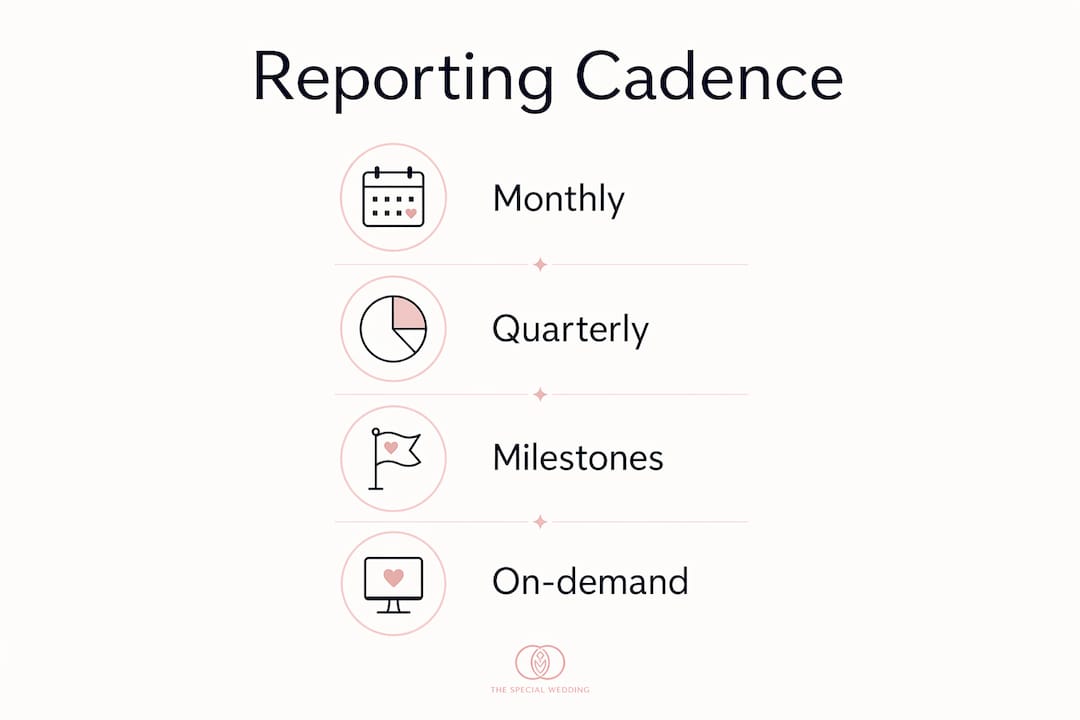
Client portals give couples and stakeholders 24/7 access without generating support requests. Dashboard benefits for planners are well documented: real-time visibility reduces the “just checking in” emails that fragment your team’s focus. Scheduled PDFs still matter for formal reviews and contract milestones where a signed-off document is the deliverable.
How do you report underperformance honestly without losing client trust?
Lead with impact, not excuses. Clients who receive a clear problem statement, a root cause, and a concrete recovery plan consistently respond better than clients who receive a polished summary that buries the issue. Transparency about underperformance is the single most trust-building move an agency can make.
Step-by-step framework for a bad-news report:
- State the impact in the first sentence: “Floral delivery is currently 12 days behind the contracted timeline.”
- Show the root cause in one sentence: “The vendor’s primary supplier experienced a regional shortage in March.”
- Present the recovery plan with specific actions, owners, and dates.
- Assign a single named owner for the recovery.
- Set measurable checkpoints: “We will confirm the replacement order by [date] and update you within 48 hours.”
Recovery plan template fields:
- Issue description (one sentence)
- Root cause
- Recovery action(s) with owner and deadline
- Client impact if recovery succeeds vs. fails
- Next checkpoint date and communication method
Clients don’t expect perfection. They expect to be treated as partners. A recovery plan with real names and real dates does exactly that.
Which tools and integrations make reporting scalable for multi-event agencies?
Automate data aggregation first. Keep human time for narrative and recommendations. AI-powered connectors can update budgets, trigger timeline-risk alerts, and surface anomalies in real time, but the interpretation still requires a planner who knows the client.
Implementation priorities:
- Connect your core data sources: CRM, accounting tool, and project-management system.
- Build a central dashboard that pulls from all three automatically.
- Set anomaly alerts (budget variance over 10%, milestone slippage over 5 days).
- Automate recurring narrative drafts using client-specific context, not generic templates.
Pro Tip: Before generating any AI narrative draft, inject the client’s stated priorities, budget tier, and any open risks into the prompt. Generic AI copy reads generic. Client-specific context produces a draft that sounds like your agency wrote it.
For a deeper look at which AI tools actually fit wedding planning workflows, the AI in wedding planning guide covers practical integrations worth evaluating.
How does Thespecialwedding support the reporting workflow end to end?
Thespecialwedding centralizes client intake, vendor onboarding, event timelines, budgets, and guest management in one workspace, then surfaces that data through client portals and real-time dashboards. The platform’s value in reporting is that the data is already there; you’re not aggregating from five separate tools before you can write a single status update.
| Platform Feature | Report Type It Feeds |
|---|---|
| Budget tracker | Budget/Status report |
| Timeline module | Milestone/Timeline report |
| Vendor directory + contract status | Vendor Deliverables report |
| Decisions log (shared portal) | Decisions Log report |
| Guest manager + RSVP tool | Guest/RSVP Status report |
A typical workflow: a couple completes intake, which auto-populates the guest list, budget baseline, and vendor directory. As the event progresses, the timeline module flags milestone variances and the budget tracker updates actuals from vendor invoices. The planner reviews the dashboard, adds narrative context, and distributes the monthly report through the client portal, all without touching a spreadsheet.
“Automated reporting reduces manual reporting time from many hours to 1–2 hours monthly and leads to 20–30% fewer client escalations when implemented.” — AI Business OS
Templates and a one-page checklist you can copy right now
Every monthly report should answer three questions: What happened? Why? What next? Structure every report around those three anchors and clients will stop asking for clarification calls.
Monthly report checklist:
- [ ] 90-second executive summary (outcomes vs. goals, one risk, one win)
- [ ] KPI card: budget vs. actual, timeline variance, vendor status count
- [ ] Top 3 risks with recovery plan and named owner
- [ ] Open items table: item, owner, ETA, status
- [ ] Next steps with specific dates and responsible party
Copyable executive summary line: “This month we confirmed [X] vendors, kept the budget within [Y]% of plan, and resolved [Z] open items. One risk remains open: [issue]. Recovery plan and owner are detailed in Section 3.”
Copyable recovery-plan bullet: “[Issue]: [Root cause]. [Owner] will [specific action] by [date]. Client impact if resolved on time: [outcome]. Next checkpoint: [date].”
For client communication templates that complement these report structures, Thespecialwedding’s blog covers wording and cadence in detail.
Who owns reporting inside the agency?
Designate role ownership before the first report goes out. Last-minute data chases happen when nobody knows whose job it is to pull the numbers.
| Role | Responsibility | SLA |
|---|---|---|
| Account Owner | Narrative, client relationship, final approval | Draft to client 48 hrs before review |
| Project Manager | Data collection, open items, milestone tracking | Data locked before report date |
| Finance Lead | Budget vs. actual, invoice reconciliation | Invoices reconciled within 7 days of receipt |
| Vendor Lead | Vendor status updates, deliverable confirmation | Status updated weekly during active phases |
A dedicated client inbox, separate from personal email, keeps report distribution clean and auditable. Multi-client email management practices reduce the ad-hoc requests that fragment reporting workflows. For agencies managing multiple events, a multi-event workspace guide covers capacity and handoff patterns worth adopting.
How do you measure whether your reporting is actually working?
Client retention is the primary metric. If clients renew, refer, and rarely call with “just checking in” questions, your reporting is doing its job. Decision velocity, how fast clients approve next-step recommendations, is the leading indicator.
Practical metrics to track:
- Report open rate (client portal analytics)
- Time-on-report (engagement signal)
- Action acceptance rate (% of recommendations approved without revision)
- Number of ad-hoc data requests per month (should fall as reporting matures)
- NPS or satisfaction score tied specifically to reporting clarity
Sample feedback survey questions:
- “After reading this month’s report, did you feel confident about the next decision you need to make?” (Yes/No + comment)
- “Was there anything missing that you wanted to see?” (Open text)
- “How long did it take you to read and understand the report?” (Under 5 min / 5–10 min / Over 10 min)
Short surveys sent within 24 hours of report delivery get the highest response rates. Use wedding questionnaire templates as a starting point for structuring feedback forms.
What privacy and record-retention practices should US agencies follow?
Minimize stored personally identifiable information in report exports. Guest dietary restrictions, contact details, and payment data are sensitive. Keep them in a secure client portal, not in emailed PDF attachments that can be forwarded without control.
Operational checklist:
- [ ] Use encrypted, password-protected links for any export containing guest PII
- [ ] Store vendor invoices and contracts in the portal, not in email threads
- [ ] Set a record-retention window (3–7 years is standard for US business contracts)
- [ ] Restrict vendor team access to only the data they need for their deliverable
- [ ] Audit portal access permissions quarterly
Pro Tip: Use least-privilege access for every vendor login. A florist needs delivery confirmation fields, not the full guest list or budget tracker. Scope access at setup, not after a breach.
“You possess the data — you can view and export it — but you don’t own it operationally unless it lives in a system you control. Guest lists, RSVP data, and vendor contracts stored on third-party servers create liability you need to account for.” — RapidDev, 2026
A separate client inbox for report distribution also creates a clean audit trail, which matters if a contract dispute ever requires you to prove what was communicated and when.
Your 30/60/90-day plan to upgrade reporting
Start with a time audit. Before changing anything, measure how many hours your team spends on reporting per client per month. That baseline is your ROI benchmark.
- Day 0: Audit current reporting time cost and identify the top three client complaints about communication.
- Days 1–30: Connect your CRM, accounting tool, and project-management system. Standardize the five core report templates. Pilot with 2–3 clients only.
- Days 31–60: Build a central dashboard. Automate anomaly alerts. Draft the first AI-assisted narrative using client-specific context.
- Days 61–90: Roll out to all active clients. Collect feedback using the three survey questions above. Measure decision velocity and ad-hoc request volume.
Keep your original manual templates as a rollback option during the pilot. Changing reporting formats mid-event creates confusion; pilot only with clients at the start of a new engagement.
Key Takeaways
Structured client reporting is the most direct lever wedding agencies have for improving retention, reducing scope disputes, and proving value every month.
| Point | Details |
|---|---|
| Reporting drives retention | 89% of agencies cite poor reporting as a leading cause of client churn. |
| Automate data, not narrative | Automated platforms cut reporting time by 75–85%; human time goes to interpretation. |
| Five core report types | Budget/Status, Timeline, Vendor Deliverables, Decisions Log, and RSVP Status cover the full lifecycle. |
| Honest recovery plans build trust | Transparent bad-news reports with named owners outperform polished spin every time. |
| Thespecialwedding centralizes it all | The platform feeds all five report types from one workspace, reducing manual aggregation to near zero. |
What better reporting actually does for client relationships
The agencies that see the biggest retention lift from upgrading reporting share one pattern: they stopped treating reports as a monthly admin task and started treating them as the primary client communication channel. Fewer ad-hoc calls. Faster approvals. Clients who feel informed rather than managed.
The concrete change that moves the needle most is assigning a named owner to every open item in every report. Not “the team” or “TBD.” A real name and a real date. That single shift, more than any dashboard or automation, is what clients notice. It signals accountability, and accountability is what keeps a client from shopping around.
Thespecialwedding puts this reporting framework to work for you
Every step in this guide, connecting data sources, running dashboards, delivering client portals, standardizing templates, maps directly to what Thespecialwedding is built to do. The platform replaces the spreadsheet-and-email stack with an integrated workspace where client intake, vendor tracking, timelines, budgets, and guest management all feed the same reporting layer automatically.

Agencies using Thespecialwedding spend their reporting time on narrative and recommendations, not on pulling numbers from five different places. Vendor pages like V2 Events at Vast and the full vendor directory show how the platform tracks deliverables and contract status in real time, feeding directly into your vendor deliverables report. If you’re ready to move from manual reporting to a program that proves your value every month, explore the platform at thespecialwedding.io.
Useful sources and further reading
- Client Reporting for Agencies 2026: Complete Guide — 1ClickReport: The most thorough quantitative case for automated reporting; covers churn data, time savings, and margin impact.
- Client Reporting Best Practices — ZapDigits: Practitioner-focused guidance on recovery plans and honest underperformance reporting.
- Automating Reports and Analytics in Wedding Planning with AI — AI Business OS: Covers real-time data bridges, alert automation, and the operational impact on client escalations.
- Build Marketing Reports Around Client Decisions — Aethera: The best framework for designing reports as decision tools rather than data dumps.
- Mastering Client Communication — Second Society: Practical wording and workflow templates for client-facing communication in event services.
Recommended
- Wedding Agency Team Management: A 2026 Guide | The Special Wedding Blog
- Wedding Agency Staff Role Assignments: 2026 Guide | The Special Wedding Blog
- How to Price Your Wedding Planning Services in 2026 | The Special Wedding Blog
- Wedding Agency Capacity Planning: A 2026 Guide | The Special Wedding Blog
Free wedding planner templates
Skip the blank page — these templates ship with the form fields you actually need.
Browse all 9 free templates →