Best ThatSTheOne.com Alternatives for Planners in 2026
Best ThatSTheOne.com Alternatives for Planners in 2026

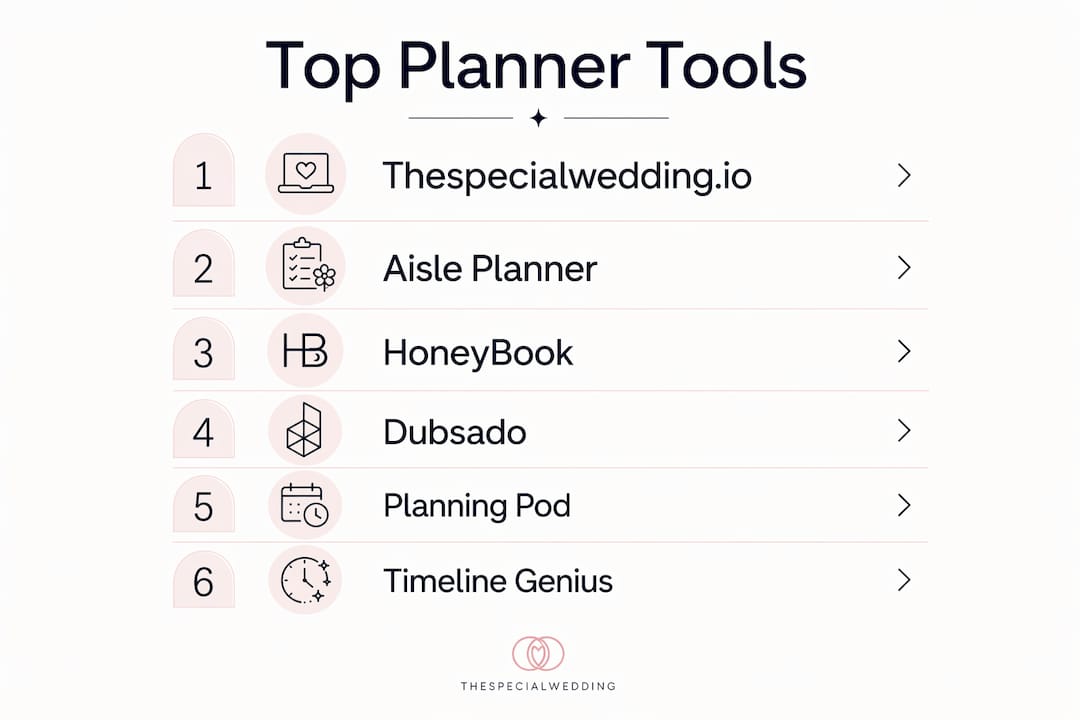
For professional wedding planners in the U.S., the strongest all-around alternative to That’s The One is Thespecialwedding.io, followed closely by Aisle Planner for wedding-native depth and HoneyBook for polished client booking flows. Your best fit depends on whether your priority is multi-event operations, deep planning tools, or a frictionless client experience.
Quick shortlist by planner type:
- Thespecialwedding.io — Best for multi-event operations and agencies replacing a scattered tool stack
- Aisle Planner — Best for full-service planners who need timeline and seating depth built in
- HoneyBook — Best for solo planners and day-of coordinators who prioritize fast booking and client communication
- Dubsado — Best for planners who want deep automation and predictable, locked-in pricing
- Planning Pod — Best for venue-based operations and high-volume event teams
- Timeline Genius — Best as a standalone timeline tool for planners already happy with their CRM
All six are available in the U.S., support USD payments, and can handle multiple concurrent events at the right tier.
Table of Contents
- Which thatstheone.com alternatives compare best on features and price?
- Per-tool profiles: what each platform actually does for planners
- How Thespecialwedding.io replaces That’s The One for U.S. planners
- How do you choose the right replacement for That’s The One?
- Key Takeaways
- When should you pick an all-in-one versus a best-of-breed stack?
- Thespecialwedding.io: a direct replacement worth evaluating
Which thatstheone.com alternatives compare best on features and price?
| Tool | Best for | Pricing shape | Core wedding features | Client portal / e-sign | Invoicing & payments | Team & roles | Mobile app | Scalability |
|---|---|---|---|---|---|---|---|---|
| Thespecialwedding.io | Multi-event agencies | Tiered SaaS plans | Timelines, guest list, seating, budget, checklists | Yes, branded | Yes, ACH + card | Yes, roles & permissions | Yes | High |
| Aisle Planner | Full-service planners | Per-project tiers ($69.99–$229.99/mo) | Timelines, seating, vendor portal, design boards | Yes | Yes | Yes | Yes | Medium–High |
| HoneyBook | Solo planners, day-of coordinators | Flat tiers, unlimited projects | Basic project tools; no native seating/timeline | Yes, smart files | Yes, ACH + card | Limited on Starter | Yes | Medium |
| Dubsado | Automation-focused planners | Flat per-user; free trial (3 clients) | Workflows, proposals, contracts; limited wedding-native | Yes | Yes | Yes | Limited | Medium |
| Planning Pod | Venues and large teams | Per-seat, custom quote | Timelines, floor plans, F&B, BEOs | Yes | Yes | Yes, granular | Yes | High |
| Timeline Genius | Timeline-only add-on | Per-user subscription | Timeline builder only | No | No | No | Yes | Low |
Pricing callout: Payment-processing fees on some platforms range from typical industry rates per transaction, and platform surcharges on top of processor rates can meaningfully cut your take-home revenue on large wedding payments. Model your actual transaction volume before committing to any platform.
Per-project pricing models, like Aisle Planner’s, can spike during peak season when active-project counts push you into the next tier. Archiving finished events proactively is the standard workaround experienced firms use to control costs.

Per-tool profiles: what each platform actually does for planners
Thespecialwedding.io
Thespecialwedding.io is built specifically for professional planners managing multiple weddings at once. It replaces the spreadsheet-and-email stack with a single collaborative workspace covering client intake, vendor onboarding, timelines, guest management, seating, and branded client portals.
Pros:
- All-in-one workspace purpose-built for wedding agencies, not adapted from a generic CRM
- Real-time dashboards and automated workflows reduce repetitive admin across every event
- Scales from solo planners to large agencies with team roles and branding options
- Strong multi-event operations support with a wedding planner workspace designed for concurrent projects
Cons:
- Newer platform, so the third-party integration library is still growing
- Requires initial setup time to configure templates and workflows to your agency’s process
Migration effort: Medium. Data import from spreadsheets and CSV exports is supported; team onboarding for a boutique studio typically runs one to two weeks.
Aisle Planner
Aisle Planner is the go-to for full-service planners who need wedding-native planning tools like timeline creation, seating charts, vendor portals, and design boards in one place. It is widely considered one of the most complete wedding-specific platforms on the market.
Pros:
- Timeline builder, guest list, seating, vendor collaboration, and design studio all native
- Every pricing tier includes the full feature set; you pay more only for more active projects
- Strong community and planner-specific templates
Cons:
- Per-project pricing ($69.99–$229.99/month) can escalate quickly during busy seasons
- Client booking flow is less polished than HoneyBook’s smart file approach
Migration effort: Low–Medium. CSV export available; most planners are operational within a week.
HoneyBook
HoneyBook’s strength is its smart file booking flow that combines proposal, contract, and payment into a single client-facing document. For day-of coordinators and planners who handle multiple event types, it reduces friction at the point of booking better than most planning-native tools.
Pros:
- Unlimited projects on all paid tiers; no per-project cost creep
- Polished client experience with automated reminders and payment scheduling
- Strong financial reporting and QuickBooks integration on Premium
Cons:
- No native timeline builder or seating chart; most planners need a second tool for event-day logistics
- Automation and scheduler features locked behind higher-tier plans
Migration effort: Low. HoneyBook’s onboarding is well-documented; most solo planners go live within a few days.
Dubsado
Dubsado wins on automation depth and pricing predictability. Its free trial covers up to three clients with no time limit, which is genuinely useful for testing workflows before committing. Planners who want total control over their client journey and can invest time in setup often find it the most cost-effective long-term option.
Pros:
- Highly customizable workflows, forms, and client portals
- Flat pricing with no per-project caps; predictable monthly cost
- Free trial with no expiration (limited to three clients)
Cons:
- Steep learning curve; complex setup can take weeks to configure properly
- No wedding-native planning tools (timeline, seating, guest list)
Migration effort: Medium–High. Workflow setup is time-intensive; plan for two to four weeks before going fully live.
Planning Pod
Planning Pod targets venues and larger event teams that need floor plans, banquet event orders (BEOs), food and beverage tracking, and granular staff permissions alongside standard CRM features. It is overkill for a solo planner but well-suited to a venue coordinator managing dozens of events monthly.
Pros:
- Floor plan builder and BEO tools built in, rare among wedding CRMs
- Granular team permissions for large staff structures
- Strong timeline and checklist tools
Cons:
- Pricing is custom-quoted per seat, which makes budgeting harder upfront
- Interface is dense; onboarding takes longer than simpler platforms
Migration effort: High. Custom onboarding is typically required; budget three to six weeks for a full team transition.
Timeline Genius
Timeline Genius does one thing well: building detailed, shareable wedding-day timelines. It is not a CRM or a full planning platform, so it belongs in a modular stack rather than as a standalone replacement for That’s The One. Planners who already have a CRM they love often add Timeline Genius specifically for day-of coordination documents.
Pros:
- Best-in-class timeline builder with vendor-specific views and sharing
- Simple, low learning curve
Cons:
- No guest list, seating, invoicing, or client portal features
- Adds a separate subscription cost to your stack
How Thespecialwedding.io replaces That’s The One for U.S. planners
Thespecialwedding.io maps directly to the core workflows professional planners need when moving away from That’s The One. The feature alignment is straightforward:
| TTO workflow | Thespecialwedding.io equivalent |
|---|---|
| Client intake and lead capture | Customizable intake forms and lead pipeline |
| Vendor communication | Vendor onboarding portal with automated follow-up |
| Event timeline | Built-in timeline builder with real-time updates |
| Guest list and RSVPs | Guest management module with RSVP tracking |
| Seating arrangements | Seating chart tool with drag-and-drop layout |
| Invoicing and payments | Invoicing with ACH and card support |
| Client portal | Branded client portal with document sharing |
Onboarding timeline for a boutique studio (two to five planners): Initial workspace setup and template configuration typically takes three to five days. Team member onboarding and workflow customization adds another three to seven days. Most boutique agencies are fully operational within two weeks. A solo planner can typically go live in under a week.
“The ROI of wedding-focused platforms is often realized through branded client portals and automated administrative touchpoints — reducing time-to-sign and repetitive admin work that eats into a planner’s billable hours.” — FirmTools HoneyBook analysis
Pro Tip: If your primary bottleneck is vendor follow-up speed and multi-event coordination rather than client booking friction, Thespecialwedding.io is the stronger operational fit. If your bottleneck is the initial client booking experience, layer HoneyBook’s smart file approach into your stack first.
For a deeper look at how the platform replaces your entire tool stack, the platform’s own resource library covers the transition in detail.
How do you choose the right replacement for That’s The One?
Work through this checklist before committing to any platform:
- Map your core bottleneck. Is it timeline and vendor coordination, client booking friction, payment collection, or multi-event visibility? Your answer eliminates half the shortlist immediately.
- Score each candidate on your top three priorities — timeline fidelity, client portal quality, payment fee structure, multi-event scaling, and per-project versus per-seat cost.
- Ask vendors these questions during demos: Can I export all my data as CSV at any time? What are your exact transaction fees, and can I pass them to clients? Do you support contractor payouts or 1099 reporting? What are the mobile app’s offline capabilities? How granular are team permissions?
- Watch for these red flags: No CSV export option, hidden transaction surcharges beyond processor rates, project caps that force tier upgrades mid-season, and no dedicated onboarding support.
- Run a 14–21 day pilot on one live client. Keep your current tool running in parallel. Export your existing data first (guest lists, vendor contacts, timelines as CSV or PDF), then rebuild one active event in the new platform. Evaluate daily: is the new tool saving time or adding friction?
- Decide on full migration when the pilot event runs more smoothly than your current workflow and your team can answer client questions without switching back to the old tool.
Pro Tip: Per-seat pricing models become cheaper than per-project models once your agency runs more than eight to ten concurrent active events. Run the math on your peak-season project count before choosing a pricing structure.
For planners evaluating the broader field of wedding software platforms, the trade-offs between all-in-one and modular stacks are worth understanding before you sign anything.
Key Takeaways
Thespecialwedding.io is the strongest direct replacement for That’s The One for U.S. professional planners managing multiple events, while Aisle Planner and HoneyBook serve distinct planner profiles based on workflow priority.
| Point | Details |
|---|---|
| Match tool to bottleneck | Choose by your core pain point: timeline depth, booking flow, payment fees, or multi-event scale. |
| Watch transaction fees | Platform surcharges range from roughly 2.7%–3.4% per transaction; model your volume before committing. |
| Per-project pricing spikes | Archive finished events proactively to avoid cost increases during peak season on project-based platforms. |
| Pilot before migrating | Run a 14–21 day parallel pilot on one live client; export CSV data from your old tool first. |
| Thespecialwedding.io fit | Best for agencies replacing a scattered stack: covers timelines, seating, vendor portals, and payments in one workspace. |
When should you pick an all-in-one versus a best-of-breed stack?
The honest answer depends on how your business actually runs, not how you want it to run.
A solo planner handling ten to fifteen weddings a year rarely needs the full depth of an all-in-one platform. A well-chosen CRM for booking and payments, paired with Timeline Genius for day-of documents, often costs less and requires less maintenance than a single premium platform. The modular stack approach works precisely because planning-native tools and business operations tools have different development priorities.
A boutique agency scaling toward twenty to fifty events per year hits a different wall. At that volume, the time cost of switching between tools, reconciling data across platforms, and onboarding new team members to a patchwork system starts to outweigh the subscription savings. That is where an all-in-one platform pays for itself, not in features, but in hours recovered per week.
Venues and large-team operations are a third scenario entirely. They need floor plans, BEOs, and granular staff permissions that most CRMs do not offer natively. Planning Pod or a custom enterprise stack tends to serve them better than any of the solo-planner-focused platforms.
The trap most planners fall into is buying a horizontal CRM that handles general business admin well but still requires add-on project tools for actual event work. Wedding-native software removes that stacked subscription cost. The question is whether the all-in-one platform you choose is genuinely native to wedding workflows or just a general CRM with a wedding-themed marketing page.
Thespecialwedding.io: a direct replacement worth evaluating
If you have been running That’s The One and need a platform that covers the same ground without stitching together separate tools, Thespecialwedding.io is built for exactly that transition. It handles client intake, vendor onboarding, timelines, seating, guest lists, and branded client portals in one workspace, with team roles and automated workflows that scale as your agency grows.

Demo checklist for your evaluation call:
- Confirm CSV data import from your current tool
- Test the timeline builder with a real upcoming event structure
- Review the client portal branding options
- Ask about ACH payment support and transaction fee pass-through
- Check team permission granularity for your current staff size
You can also browse the vendor directory to see how Thespecialwedding.io connects planners with vetted vendors across the U.S. To book a demo or start a trial, visit thespecialwedding.io and request access directly from the platform’s landing page.
Sources and further reading
| Source | What it covers |
|---|---|
| Aisle Planner vs HoneyBook (Greco Labs) | Feature-by-feature comparison of planning-native vs. general CRM workflows |
| Aisle Planner Review (MakerStack) | Pricing tiers, project-based cost model, and archiving strategies |
| HoneyBook Pricing (Agiled) | Plan breakdown, transaction fees, and per-seat vs. per-project cost analysis |
| HoneyBook Analysis (FirmTools) | ROI of branded portals and automation for package-based planners |
| Thespecialwedding.io platform overview | Feature map and onboarding overview for the platform |
| Multi-event workspace guide | Multi-event operations and team workspace design |
| Wedding software platforms for agencies | Agency trade-offs between all-in-one and modular stacks |
| Wedding agency alternatives roundup (Atavia) | External perspective on wedding software alternatives and evaluation criteria |
Recommended
- Top 3 wedplannerpro.com Alternatives in 2026 | The Special Wedding Blog
- Top 6 OurVowSpace.com Alternatives 2026 | The Special Wedding Blog
- Top 6 Knot.com Wedding Planning Alternatives 2026 | The Special Wedding Blog
- Top 6 nuptialapp.com Alternatives for Wedding Planning 2026 | The Special Wedding Blog
Free wedding planner templates
Skip the blank page — these templates ship with the form fields you actually need.
Browse all 9 free templates →