Best TheWeddingPlanner.ai Alternatives for Planners 2026
Best TheWeddingPlanner.ai Alternatives for Planners 2026
Thespecialwedding.io is the top pick for professional planners, while a two-tool AI stack (ChatGPT plus Canva) covers most DIY couples at minimal cost. The three strongest TheWeddingPlanner.ai alternatives right now are Thespecialwedding.io, Nupt.ai, and a curated AI assistant stack, and 87% of couples planning a 2026 wedding are already using at least one AI tool, so the question is not whether to adopt AI but which platform actually fits your workflow.
Quick picks by profile:
- Professional planners: Thespecialwedding.io — full-platform hub with client portals, vendor CRM, team permissions, and multi-event dashboards. No spreadsheet juggling.
- DIY couples: ChatGPT + Canva stack — covers timeline drafts, vow writing, and design at near-zero cost.
- Budget planners: Nupt.ai or Google Gemini — lightweight AI assistance without a subscription commitment.
One-line verdicts for each option:
- Thespecialwedding.io — Best for professional planners managing multiple weddings; replaces scattered tools with one collaborative workspace. (Recommended for pros)
- TheWeddingPlanner.ai — Decent AI assistant for solo couples; limited team and vendor workflow features. (Context baseline)
- Nupt.ai — Purpose-built for couples; strong on AI-generated timelines and checklists, lighter on vendor management.
- ChatGPT (OpenAI) — Flexible general-purpose assistant; excellent for drafts, speeches, and vendor emails when prompted well.
- Google Gemini — Strong for research, budget comparisons, and itinerary drafts; integrates with Google Workspace.
- Canva — Design-first tool for invitations, seating charts, and mood boards; not a planning hub.
- Anyword — AI copywriting tool for planners who need polished vendor proposals and client communications.
- MarketingBlocks — All-in-one content generation for planners marketing their services; not a planning operations tool.
Table of Contents
- How do these TheWeddingPlanner.ai alternatives compare side by side?
- Profiles: what each alternative actually does for you
- How do you pick the right alternative for your situation?
- How we selected and evaluated these alternatives
- When should you use a full platform instead of a lightweight AI assistant?
- Key Takeaways
- What most planners get wrong when evaluating these tools
- Thespecialwedding.io gives professional planners one place to run everything
- Useful sources and further reading
How do these TheWeddingPlanner.ai alternatives compare side by side?
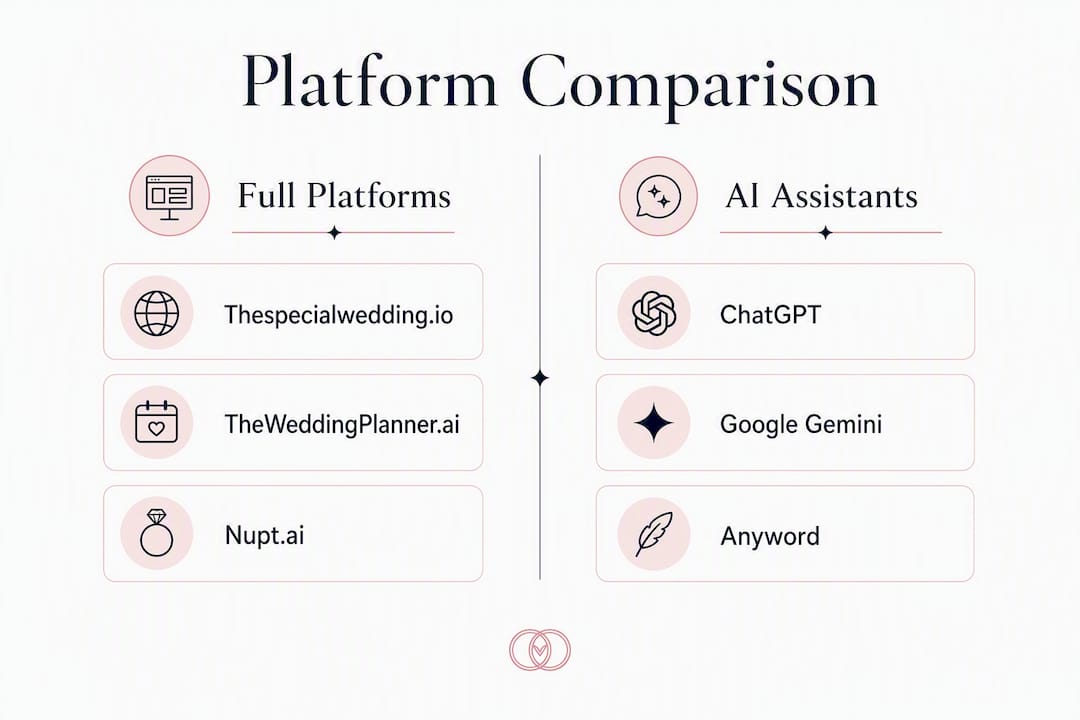
| Tool | Best for | Pricing / free tier | Core AI features | Event management | Team & client collaboration | Integrations | Ease of use | US availability |
|---|---|---|---|---|---|---|---|---|
| Thespecialwedding.io | Professional planners & agencies | Free starter + paid tiers | AI automation, workflow templates, timeline generation | Guest lists, seating, vendor CRM, timelines, dashboards | Client portals, multi-user access, team permissions | Calendar sync, payments, vendor tools | Moderate onboarding; high payoff | Full US support |
| TheWeddingPlanner.ai | Solo couples & early-stage planners | Free trial; subscription | AI assistant, checklist generation | Basic guest list, budget tracker | Limited; no team portals | Limited third-party integrations | Very easy | US-available |
| Nupt.ai | Couples wanting AI-guided planning | Free tier available | AI timeline builder, checklist AI | Guest management, budget tools | Minimal collaboration features | Basic calendar | Easy | US-available |
| ChatGPT (OpenAI) | Drafting, research, vendor emails | Free (GPT-4o with limits); Plus $20/mo | General-purpose AI; no wedding-specific logic | None native | None | API/Zapier for custom stacks | Very easy | Full US support |
| Google Gemini | Research, itinerary drafts, budget analysis | Free; Advanced $19.99/mo | General AI; Google Workspace integration | None native | Google Docs/Sheets sharing | Google Workspace, Gmail, Drive | Very easy | Full US support |
| Canva | Invitations, mood boards, seating charts | Free; Pro $15/mo | AI image generation, Magic Write | None | Team sharing, brand kits | Limited planning integrations | Very easy | Full US support |
| Anyword | Vendor proposals, client copy | Free trial; paid from $49/mo | AI copywriting, tone optimization | None | Team workspaces | CMS integrations | Easy | Full US support |
| MarketingBlocks | Planner marketing content | One-time or subscription | AI content, video, graphics generation | None | Limited | Limited | Moderate | US-available |
Pricing callouts worth noting:
- Thespecialwedding.io offers a free starter tier and a 30-day free trial on paid plans, making it low-risk to test before committing.
- ChatGPT’s free tier (GPT-4o with usage limits) handles most couple use cases; the $20/month Plus plan removes limits for heavy users.
- Google Gemini Advanced runs $19.99/month and bundles 2 TB of Google One storage, which matters if you store contracts and vendor files in Drive.
- Canva Pro at $15/month is the most cost-effective design upgrade for planners who already use the free version.
Pro Tip: If you are a professional planner, prioritize the “Team & client collaboration” and “Event management” columns first. If you are a couple planning your own wedding, focus on “Core AI features” and “Ease of use” — those two columns will tell you whether a tool saves real time or just adds another login.

Profiles: what each alternative actually does for you
Thespecialwedding.io
A full-platform SaaS built specifically for professional planners and agencies. It replaces spreadsheets, scattered messages, and disconnected documents with one collaborative workspace covering client intake, vendor onboarding, timelines, guest and seating management, contract workflows, and branded client portals. The multi-event dashboard lets you run several weddings simultaneously without losing track of any.
Pros:
- Multi-wedding dashboards with real-time data across events
- Branded client portals and team permission controls
- Vendor CRM with quote negotiation and contract workflows
Cons:
- Steeper onboarding than a simple AI chatbot
- Overkill for a couple planning a single wedding
Best for: Professional planners, studios, and agencies managing multiple events. Pricing band: Free starter + paid subscription tiers. Key integrations: Calendar sync, payment workflows, vendor tools.
TheWeddingPlanner.ai
An AI-assisted planning tool aimed at couples and solo planners. It generates checklists, timelines, and basic budget guidance through a conversational interface. Capterra lists it as a recognized tool in the wedding software category, though user reviews note limited team features and thin vendor management.
Pros:
- Very low barrier to entry; no learning curve
- AI-generated checklists and timelines out of the box
- Accessible pricing for individual couples
Cons:
- No client portals or team collaboration
- Limited integrations with third-party vendor or payment tools
Best for: Couples who want AI guidance without committing to a full platform. Pricing band: Free trial + subscription. Key integrations: Minimal.
Nupt.ai
Purpose-built for couples, Nupt.ai focuses on AI-generated wedding timelines, vendor checklists, and budget tracking. The interface is clean and approachable, making it one of the faster tools to get started with.
Pros:
- AI timeline builder tailored to wedding milestones
- Intuitive guest management and RSVP tracking
- Free tier covers core planning needs
Cons:
- No vendor CRM or contract workflows
- Not designed for planners managing multiple clients
Best for: Engaged couples who want structured AI guidance without paying for a full platform. Pricing band: Free tier + optional upgrades. Key integrations: Basic calendar.
ChatGPT (OpenAI)
ChatGPT is a general-purpose AI assistant, not a wedding platform. Its value in a planning workflow comes from what you ask it to do: draft vendor inquiry emails, write ceremony scripts, build budget spreadsheets, or generate seating chart logic. Paired with a calendar or project tool, it covers a surprising amount of ground.
Pros:
- Handles virtually any writing or research task when prompted well
- Free tier is genuinely useful; Plus plan removes friction for heavy use
- No lock-in; works alongside any other tool
Cons:
- No native wedding-specific features or event data
- Requires the user to know what to ask; output quality depends on prompts
Best for: Couples or planners who want a flexible AI writing and research assistant to layer into an existing workflow. Pricing band: Free (GPT-4o with limits); $20/month for Plus. Key integrations: API and Zapier for custom stacks.
Google Gemini
Gemini’s edge is its deep integration with Google Workspace. If your planning files live in Google Docs, Sheets, and Drive, Gemini can summarize vendor contracts, draft budget comparisons, and build itineraries without leaving that ecosystem. The free tier is capable; Advanced adds more context and 2 TB storage.
Pros:
- Native Google Workspace integration (Docs, Sheets, Gmail, Drive)
- Strong for research, budget analysis, and itinerary drafts
- Free tier handles most couple use cases
Cons:
- No wedding-specific logic or vendor database
- Collaboration is limited to Google’s sharing model, not a client portal
Best for: Couples or planners already working in Google Workspace who want AI assistance without switching tools. Pricing band: Free; $19.99/month for Advanced. Key integrations: Google Docs, Sheets, Gmail, Drive.

Canva
Canva is a design tool, not a planning platform. Its role in a wedding workflow is producing invitations, save-the-dates, seating charts, mood boards, and social content. The AI features (Magic Write for copy, AI image generation) are useful for quick creative tasks. Canva Pro’s brand kit and team-sharing features make it practical for planners who produce client-facing design assets regularly.
Pros:
- Enormous template library for wedding stationery and graphics
- AI image generation and Magic Write for quick copy
- Team sharing and brand kits on Pro plan
Cons:
- No event management, guest lists, or vendor tools
- Not a substitute for a planning hub
Best for: Planners or couples who need polished design assets without hiring a graphic designer. Pricing band: Free; Pro at $15/month. Key integrations: Limited planning integrations; strong social and print workflows.
Anyword
Anyword is an AI copywriting platform with performance scoring built in. For planners, its practical use is drafting vendor proposals, client welcome packets, and marketing copy with a consistent tone. The performance predictor scores copy before you send it, which is useful when writing outreach at scale.
Pros:
- AI copy with tone optimization and performance scoring
- Team workspaces for collaborative drafting
- Useful for planners who handle their own marketing
Cons:
- No event management or planning features
- Pricing starts at $49/month, which is steep for occasional use
Best for: Planners who produce a high volume of client communications and marketing content. Pricing band: Free trial; paid from $49/month. Key integrations: CMS and content workflow integrations.
MarketingBlocks
MarketingBlocks generates marketing content — landing pages, ad copy, video scripts, and graphics — from a single prompt. For planners running their own business, it can accelerate content production for social media and lead generation. It is not a wedding operations tool.
Pros:
- Generates diverse content types (video, graphics, copy) in one place
- Useful for planners building a marketing presence
- One-time purchase option available
Cons:
- No planning, guest, or vendor management features
- Output quality varies; requires editing before client-facing use
Best for: Planners who want to produce marketing content faster without hiring a content team. Pricing band: One-time or subscription. Key integrations: Limited.
How do you pick the right alternative for your situation?
The right tool depends on who you are and what you actually need to manage. A professional planner running eight weddings a year has completely different requirements than a couple planning their own single event.
Decision checklist by profile:
- Professional planner: Do you need client portals, team permissions, and multi-event dashboards? If yes, a full platform like Thespecialwedding.io is the only category that covers all three. AI assistants handle drafts; they do not manage workflows.
- DIY couple: Are you planning one wedding with a budget under $30,000? A two-tool stack (ChatGPT for writing and research, Canva for design) covers most tasks at near-zero cost. Add Nupt.ai if you want structured timeline guidance.
- Destination or out-of-region couple: Confirm that any AI vendor-matching tool covers your specific market. US-centric algorithms frequently produce irrelevant vendor matches for international or destination weddings, so verify local data coverage before committing.
Questions to ask during any free trial:
- Can I export all my data (guest lists, timelines, vendor contacts) if I leave?
- Does the platform charge vendors a commission or placement fee that could bias recommendations?
- Is there a US-based support team, and what are the response hours?
- How many users can access the account, and what permissions can I set?
- What happens to client data if I cancel my subscription?
Red flags to watch:
- Hidden vendor commissions that skew which vendors appear in search results
- No data export option (a significant lock-in risk)
- No US support contact or only async chat with multi-day response times
- “Free” plans that monetize through vendor upsells rather than transparent subscription fees
Typical selection and onboarding timeline:
- Week 1: Identify your profile (pro planner vs. couple), shortlist two or three tools, and start free trials simultaneously.
- Week 2: Run one real planning task in each tool (build a timeline, add a vendor, draft a client email). Evaluate friction.
- Week 3: Choose your primary tool and begin migrating existing data (guest lists, vendor contacts, timelines).
- Week 4: Onboard your team or partner, set permissions, and run a full dry-run on an upcoming event.
Pro Tip: Never evaluate a platform on its demo data. Import your own guest list and one real vendor contact during the trial. That single test reveals more about usability than any feature checklist.
How we selected and evaluated these alternatives
Every tool in this comparison was evaluated against a consistent set of criteria applied across all entries.
Selection criteria:
- Feature coverage: Does the tool address core planning tasks (timelines, guest management, vendor coordination, budgeting)?
- Team collaboration: Can multiple users access, edit, and communicate within the platform with defined permissions?
- AI capabilities: Does the AI feature add genuine workflow value (timeline generation, content drafts, outreach automation) or is it a surface-level chatbot?
- Pricing transparency: Are subscription tiers, free limits, and any vendor fees clearly disclosed on the product page?
- US availability and support: Is the tool fully available to US-based planners and couples, with accessible customer support?
- Third-party reviews: Are there verified user reviews on directories such as Capterra or comparable platforms that reflect real-world use?
Research for this comparison drew on vendor product pages, published feature documentation, and industry review sources. The research was completed in 2026. Tools were excluded if they lacked transparent pricing, had no verifiable US user base, or were primarily template marketplaces rather than active planning platforms.
One pattern worth flagging: many apps market as “free” but monetize through vendor placement fees or upsells. That business model can bias the vendor recommendations couples receive. Transparency on how a platform makes money is a legitimate evaluation criterion, not a minor detail.
The industry is also moving toward unified platforms that provide real-time shared data across couples, vendors, and planners — replacing the version confusion that comes from emailing spreadsheets back and forth. That operational standard shaped how heavily team collaboration features were weighted in this comparison.
When should you use a full platform instead of a lightweight AI assistant?
The honest answer: if you are managing more than two weddings at a time, a lightweight AI assistant will eventually create more work than it saves.
AI tools like ChatGPT and Gemini are genuinely strong at administrative automation — drafting vendor emails, generating timeline outlines, writing ceremony scripts. What they cannot do is maintain a live vendor CRM, track contract status across six simultaneous events, or give a client a branded portal to review their seating chart. Those are platform functions, and no prompt engineering substitutes for them.
Consider two scenarios. A solo planner using ChatGPT to draft vendor inquiry emails saves real time on writing. But when that same planner needs to track which vendors have responded, which contracts are signed, and which payments are outstanding across four weddings, a chat interface becomes a liability. A platform with a vendor CRM and automated workflow triggers handles that without manual follow-up.
The second scenario: a couple using Nupt.ai for their own wedding gets a clean timeline and checklist. That is exactly the right tool for that job. They do not need team permissions or a client portal. The mistake is when a professional planner tries to use Nupt.ai or TheWeddingPlanner.ai for client work and discovers there is no way to give clients a branded view of their own event.
What full platforms provide that AI assistants do not:
- Multi-event dashboards with status tracking across all active weddings
- Branded client portals where couples review timelines, approve vendors, and sign contracts
- Team permissions so associates and coordinators access only what they need
- Vendor CRM with quote tracking, follow-up automation, and contract storage
- Revenue and workflow reporting for agency-level business management
Pro Tip: Use Thespecialwedding.io as your operational hub and layer in AI assistants (ChatGPT, Gemini, Anyword) for content production. The platform handles the workflow; the AI handles the writing. That combination covers what neither does alone.
Switching away from wedding planning spreadsheets is the single highest-leverage operational change most planners can make. Spreadsheets fail as event complexity grows because they lack real-time collaboration, automated triggers, and version control. A unified platform removes that friction permanently.
Key Takeaways
Thespecialwedding.io is the strongest TheWeddingPlanner.ai alternative for professional planners, while a ChatGPT-plus-Canva stack covers most DIY couples at minimal cost.
| Point | Details |
|---|---|
| Pros need a full platform | AI assistants handle drafts; only a full platform manages multi-event workflows, client portals, and vendor CRM. |
| Couples can use a two-tool stack | ChatGPT for writing and research plus Canva for design covers most single-wedding planning tasks at near-zero cost. |
| Verify US data coverage | US-centric AI tools produce poor vendor matches for destination or international weddings; confirm local coverage before committing. |
| Watch for hidden vendor fees | Platforms that monetize through vendor placement can bias recommendations; demand transparent pricing before signing up. |
| Thespecialwedding.io for pros | Free starter tier plus a 30-day trial makes it low-risk to test as your primary planning hub before committing to a paid plan. |
What most planners get wrong when evaluating these tools
The conventional wisdom says to pick the tool with the longest feature list. That is almost always the wrong frame.
The real question is: where does your workflow break down today? For most professional planners, the answer is not “I need better AI writing.” It is “I lose time tracking vendor responses, chasing contract signatures, and switching between eight different apps to get a single event across the finish line.” A feature-rich AI chatbot does not fix any of those problems. A platform with automated follow-ups, a vendor CRM, and a client portal does.
The other mistake is evaluating tools in isolation. ChatGPT is not a planning platform. Canva is not a planning platform. But both are genuinely useful when they sit inside a workflow anchored by a real platform. Planners who get the most out of AI are not the ones who replaced their platform with a chatbot. They are the ones who kept the platform and added AI assistants for the tasks that benefit from them: drafting, research, and client communications.
One more thing worth saying plainly: the “free” label on many wedding apps is not what it appears. Platforms that earn revenue through vendor placement fees have a financial incentive to surface certain vendors over others. That is not a conspiracy; it is just a business model. Knowing how a platform makes money tells you a lot about whose interests it is actually optimizing for.
Thespecialwedding.io gives professional planners one place to run everything
Running a wedding planning business means managing client expectations, vendor relationships, team coordination, and event logistics simultaneously. Thespecialwedding.io was built for exactly that operational reality, not for couples planning a single event.

The platform covers client intake, vendor onboarding, guest and seating management, contract and payment workflows, branded client portals, and team collaboration under one subscription. You can manage multiple weddings from a single dashboard, set team permissions so associates see only what they need, and give each couple a branded portal to review their own event details. Vendor profiles like event decorating partners and planning services are integrated directly into the platform’s CRM, so follow-ups and quote tracking happen inside your workflow rather than across separate inboxes.
The free starter tier lets you test the platform with real client data before committing. Paid plans scale by seat count and feature access, with a 30-day free trial on every tier. Start your trial at thespecialwedding.io and run one active wedding through the platform during that window. That single test will tell you more than any feature comparison.
Useful sources and further reading
- TheWeddingPlanner.ai on Capterra — Third-party user reviews and feature listings for TheWeddingPlanner.ai; useful for verifying real-world planner and couple feedback.
- Ivory Lane: Best AI Wedding Planning Tools for 2026 — Source for the statistic that 87% of couples planning a 2026 wedding are using at least one AI tool; also covers US-centric algorithm limitations for destination weddings.
- Everly AI Wedding Planner — Product page detailing AI vendor outreach capabilities and the industry shift toward unified real-time platforms; cited for the “free app monetization” transparency point.
- Plannerd: The Ultimate Online Wedding Planner — Source for expert observations on AI strengths (administrative tasks) versus human planner strengths (negotiation, day-of decisions); also cited for the collaboration and version-confusion argument.
- Why replace wedding planning spreadsheets in 2026 — Internal resource explaining the operational case for switching from spreadsheets to a unified platform; recommended reading for planners still on manual systems.
- How AI is changing wedding planning — Internal resource on practical AI use cases for planners and which tools pair best with a full-platform workflow.
- Top 6 Knot.com wedding planning alternatives 2026 — Additional alternative coverage for planners evaluating options beyond this shortlist.
Recommended
- Best ThatSTheOne.com Alternatives for Planners in 2026 | The Special Wedding Blog
- Top 3 wedplannerpro.com Alternatives in 2026 | The Special Wedding Blog
- How AI Is Changing Wedding Planning (And What Planners Should Actually Use) | The Special Wedding Blog
- Top 6 nuptialapp.com Alternatives for Wedding Planning 2026 | The Special Wedding Blog
Free wedding planner templates
Skip the blank page — these templates ship with the form fields you actually need.
Browse all 9 free templates →