Vendor Portals in Wedding Planning: A 2026 Guide
Vendor Portals in Wedding Planning: A 2026 Guide
Vendor portals are centralized digital platforms that connect wedding planners, vendors, and clients within a single shared workspace. The role of vendor portals in wedding planning has grown from a convenience into a professional standard, replacing scattered email threads, spreadsheets, and text chains with one organized hub. Planners who manage multiple events simultaneously need a system where contracts, timelines, payments, and messages live in one place. Without that structure, vendor miscommunication causes day-of failures that no amount of charm can fix.
What functionalities do vendor portals offer for wedding planners?
Vendor portals, also called vendor management systems in the broader event industry, deliver a specific set of tools that address the most common pain points in wedding coordination. Advanced portal features include payment tracking, budget oversight, contract storage, and timeline management, all integrated within one platform. That integration matters because switching between separate apps for each function creates gaps where details fall through.
The core features planners rely on most include:
- Centralized messaging: One communication thread per vendor, visible to the full planning team, replaces fragmented text and email chains.
- Task and timeline management: Planners assign deadlines, track deliveries, and flag overdue items without chasing vendors individually.
- Document storage: Contracts, invoices, insurance certificates, and vendor agreements stay in one searchable location.
- Payment tracking: Planners monitor deposit schedules, outstanding balances, and payment confirmations in real time.
- Calendar integration: Portal timelines sync with external calendars, reducing the risk of scheduling conflicts across multiple events.
The shared digital folders and primary communication channels that top planners rely on are exactly what a well-built portal formalizes. The difference is that a portal enforces structure rather than relying on individual discipline.
Pro Tip: Set up a vendor profile inside your portal before the first call. Pre-loading contact details, contract dates, and payment milestones means your first conversation focuses on creative collaboration, not administrative setup.

How do vendor portals enhance vendor communication and collaboration?
Clear and intentional communication creates the trust and collaboration that smooth weddings require. Effective vendor communication prevents misunderstandings and reduces day-of stress for both planners and clients. Portals make that clarity structural rather than personal, which means it holds up even when a team member is unavailable.
Portals improve collaboration in several concrete ways. Notification systems alert vendors when timelines update, when documents need signatures, or when a planner posts a question. That removes the “I never saw that email” excuse. Vendors who receive consistent, written updates through a shared system perform better because their roles and deadlines are never ambiguous.
“Professional planners treat vendors as collaborators, providing explicit, written confirmation of roles and timelines. That approach fosters creative solutions and proactive problem-solving among the entire vendor team.”
Vendor feedback mechanisms inside portals also change how planners manage relationships. When a florist flags a delivery window conflict through the portal, the planner sees it immediately and can adjust the timeline before it becomes a crisis. That kind of structured communication produces better event outcomes than reactive phone calls ever will.
Respecting vendor communication boundaries is another area where portals help. Agreed-upon response expectations reduce vendor burnout and keep teams responsive through the final weeks before an event. A portal lets you post updates at midnight without expecting an immediate reply, because the message is logged and visible whenever the vendor next checks in.
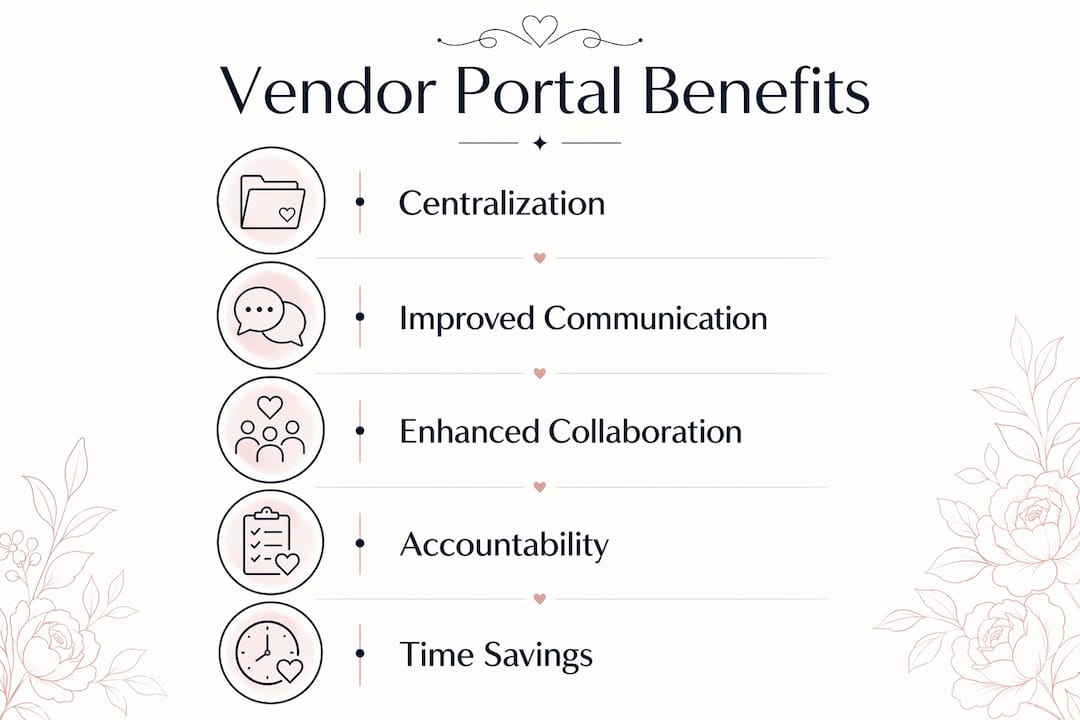
Understanding the coordinator’s role in vendor scheduling becomes much clearer when all scheduling activity runs through one shared system.
What are best practices for wedding planners using vendor portals?
Getting the most from a vendor portal requires deliberate habits, not just access to the software. Planners who treat the portal as their primary workspace, rather than a backup system, see the biggest gains in efficiency and vendor accountability.
- Onboard vendors early. Invite every vendor to the portal at contract signing, not two weeks before the event. Early onboarding gives vendors time to familiarize themselves with the system and upload their own documents.
- Keep timelines current. Update the shared event timeline every time a detail changes. Frequent, structured updates through vendor portals significantly reduce misalignments between vendors and planners.
- Designate a point of contact. Assign one team member as the portal administrator for each event. That person owns notification management and vendor follow-up, preventing duplicate messages or missed alerts.
- Use portal reports. Many platforms generate progress reports showing which vendors have confirmed timelines, signed contracts, or submitted invoices. Review these weekly, not the day before the event.
- Log every verbal conversation. After any phone call or in-person meeting with a vendor, post a written summary to the portal. This creates a vendor communication log that protects both parties if disputes arise.
Pro Tip: Create a portal message template for your standard 30-day pre-event check-in. Send it to every vendor simultaneously with one click. It confirms access times, load-in logistics, and final headcounts without a single individual phone call.
Learning how to share event timelines with vendors through your portal is one of the highest-return skills you can build as a coordinator.
What challenges might planners face with vendor portals?
Vendor portals solve many problems, but they introduce a few of their own. Alert fatigue and vendors neglecting to check updates regularly are the two most common failure points. A portal only works if every party actually uses it.
The most frequent challenges and their solutions:
- Vendor non-adoption: Some vendors, particularly small independent operators, resist new platforms. Solve this by choosing a portal with a simple vendor-facing interface and offering a short walkthrough call at onboarding.
- Notification overload: Too many alerts cause vendors to ignore all of them. Configure your portal to send only high-priority notifications, and batch routine updates into a weekly digest.
- Incomplete data entry: Portals become unreliable when planners skip logging details. Assign data entry as a non-negotiable step in your workflow, not an optional task.
- Over-reliance on technology: Portals do not replace relationships. Combining portal communication with periodic personal contact maintains engagement and accountability.
| Challenge | Practical solution |
|---|---|
| Vendors not checking the portal | Schedule weekly check-in reminders via email or text |
| Alert fatigue | Limit notifications to critical updates only |
| Incomplete vendor profiles | Use an onboarding checklist before the first event meeting |
| Resistance to new technology | Provide a one-page portal guide at contract signing |
Integrating your portal with other wedding event management systems reduces the friction of managing multiple tools and keeps your workflow consistent across events.
Key Takeaways
Vendor portals are the most effective tool for reducing miscommunication, improving vendor accountability, and keeping wedding operations organized across every stage of planning.
| Point | Details |
|---|---|
| Centralized communication | Portals replace fragmented email and text chains with one organized, searchable thread per vendor. |
| Early vendor onboarding | Invite vendors to the portal at contract signing to maximize adoption and reduce last-minute confusion. |
| Structured feedback loops | Logging vendor feedback and verbal conversations inside the portal protects both parties and improves outcomes. |
| Scheduled check-ins | Weekly portal reviews and pre-event check-in templates prevent misalignments from becoming day-of crises. |
| Technology plus relationships | Portals work best when combined with personal contact, not used as a substitute for it. |
What I’ve learned about portals after years of coordinating vendors
The conversation around vendor portals often focuses on features. Planners ask which platform has the best timeline tool or the cleanest invoice tracker. Those questions miss the point. The real value of a portal is that it makes your standards visible to every vendor, every time.
When I started using a centralized vendor workspace, the first thing I noticed was not efficiency. It was accountability. Vendors who previously sent vague confirmations started providing specific, written responses because the portal created a record. Nobody wants to be the vendor whose “I thought you meant 3 PM” moment is documented in a shared log.
The second thing I noticed was how much time I stopped spending on follow-up. Chasing vendors for contract signatures, payment confirmations, and timeline approvals is a real cost. A portal with automated reminders handles that work without a single phone call. That time goes back into client relationships, creative problem-solving, and growing the business.
The uncomfortable truth is that many planners resist portals because they feel impersonal. They worry that moving communication into a system will damage the warm, collaborative relationships they have built with their vendor teams. The opposite is true. When administrative friction disappears, conversations with vendors become more creative and more productive. You stop talking about logistics and start talking about the event.
Treat your portal as the operational backbone of every event. Use it to set expectations, document decisions, and track progress. Then use your personal relationships to do what no software can: inspire vendors to bring their best work to your clients’ most important day.
— JOATLABS
How Thespecialwedding supports your vendor management workflow
Professional wedding planners need more than a portal. They need a vetted network of vendors to fill it with.

Thespecialwedding gives planners access to a trusted vendor directory covering venues, decorators, rental companies, stationery vendors, and more. Every listing is organized to support the kind of structured vendor management that portals make possible. When you find a vendor through Thespecialwedding, you already have the contact details, service category, and location data you need to build their portal profile from day one. That cuts onboarding time and gets your team coordinating faster. For planners who want to build a reliable vendor network alongside a strong operational system, Thespecialwedding is the place to start.
FAQ
What is a vendor portal in wedding planning?
A vendor portal is a centralized digital platform where wedding planners manage communication, contracts, timelines, and payments with all vendors in one shared workspace. It replaces scattered email threads and spreadsheets with a single organized system.
Why does vendor miscommunication cause wedding issues?
Vendor miscommunication creates ambiguity around roles, timelines, and access logistics, which leads to day-of failures that are difficult to recover from. Clear, written confirmation of every detail through a shared system prevents most of these problems.
What is a vendor communication log in wedding planning?
A vendor communication log is a written record of every interaction between a planner and a vendor, including phone call summaries, email confirmations, and portal messages. It protects both parties and creates a clear reference point if disputes arise.
How often should planners communicate with vendors through a portal?
Planners should post updates whenever a timeline or detail changes, and conduct a formal check-in at least 30 days before the event. Frequent, structured updates significantly reduce misalignments between vendors and planners.
Can vendor portals replace personal vendor relationships?
Vendor portals handle administrative communication but do not replace the personal relationships that drive vendor performance. Combining portal-based updates with periodic direct contact produces the best results for both accountability and collaboration.
Recommended
- Coordinator Access to Wedding Portals: A Pro Guide | The Special Wedding Blog
- Wedding Planning Dashboard Benefits for Pros in 2026 | The Special Wedding Blog
- Why Agencies Use Wedding Software Platforms in 2026 | The Special Wedding Blog
- Types of Wedding Event Management Systems in 2026 | The Special Wedding Blog
Free wedding planner templates
Skip the blank page — these templates ship with the form fields you actually need.
Browse all 9 free templates →