Stop Wedding Calendar Conflicts and Scale Your Planning Studio Systems
Stop Wedding Calendar Conflicts and Scale Your Planning Studio Systems
Prevent and resolve wedding calendar conflicts by owning one master event calendar with vendor runsheets, named owners, buffer rules, and a clear day-of escalation process. The two highest-leverage artifacts are the production timeline and the vendor scorecard, both used to catch clashes before they reach the wedding day. Studios building this system often pull templates and workflow tools from platforms like TheSpecialWedding.io, alongside operational frameworks from firms like JOATLABS.
TL;DR:
- A master event calendar with specific fields and version control reduces mismatch risks caused by outdated vendor timelines.
- Implementing a production timeline, vendor scorecard, and post-event debrief significantly decreases recurring scheduling conflicts as studios scale.
- Real-time conflict detection relies on automated alerts for overlaps and manual signals like vendor ETAs, with clear roles assigned before vendors arrive.
- Scheduling staff based on confirmed demand and real-time availability prevents double-bookings, especially during peak seasons, unlike static shift templates.
- Documenting every incident and applying scoped, version-controlled communication helps resolve day-of conflicts quickly and prevents repeated issues.
Table of Contents
- What causes wedding calendar conflicts in a multi-event studio?
- Which operational artifacts stop conflicts from repeating?
- How do you catch conflicts before they become day-of emergencies?
- How should you schedule staff across multiple weddings without double-booking?
- What is the fastest response for the five most common day-of conflicts?
- Why operational artifacts matter more than individual planner skill
- How TheSpecialWedding.io keeps every wedding on one calendar
- Templates and frameworks worth bookmarking
- Sources
What causes wedding calendar conflicts in a multi-event studio?
Wedding calendar conflicts rarely start as double-bookings. They start as version drift. One vendor works off a timeline from three weeks ago, another got the update, and nobody flagged the mismatch until the florist showed up before the venue cleared the room. Fixing this starts with a single master event record that every vendor-specific runsheet pulls from.
Your master schedule needs specific fields, not vague time blocks:
- Vendor contact name and direct phone line (not a company switchboard)
- Arrival, setup, and teardown windows, each with a hard start and hard stop
- Equipment and access requirements (loading dock, freight elevator, power drops)
- Dependencies: what must finish before this vendor can begin
- Named owner who confirms readiness at each handoff
Build the timeline backward from fixed milestones, not forward from vendor arrival times. Start with ceremony start, first dance, and last call, then work backward to figure out when the florist needs the room and when the DJ needs sound check finished. A vendor schedule listing arrival, setup, service, and teardown becomes the central reference that stops overlaps before they happen, especially when every vendor works from a role-scoped copy instead of the full master document.
Buffer time is not padding. It is risk management. Here’s when to widen the buffer:
- Shared access points (one loading dock, multiple vendors)
- Room flips between ceremony and reception
- Venues with strict elevator or freight schedules
- Any vendor whose previous job runs late on a regular basis
Version control matters as much as the schedule itself. Every update needs a version number, a timestamp, and an acknowledgment workflow so you know who has seen the latest cut. Distributing a shared wedding timeline with role-specific views, rather than one dense document, cuts the noise vendors have to sort through to find their piece.
Which operational artifacts stop conflicts from repeating?
Most studios move through three stages of operations maturity. Stage one is ad hoc: every wedding gets rebuilt from scratch, and conflicts get solved by whoever picks up the phone first. Stage two is repeatable: templates exist, but they live in one planner’s head or inbox. Stage three is scaled: the studio has documented artifacts that any team member can pick up, and institutional knowledge survives staff turnover.
The jump from stage one to stage three depends on three artifacts:
- Production timeline. The master document that sequences every vendor action against fixed milestones.
- Vendor scorecard. A systematic rating of on-time arrival, communication responsiveness, and issue frequency, tracked per vendor per event.
- Post-event debrief. A short structured review, held within 48 hours, that feeds lessons back into the templates before the next wedding.
Programs that adopt fixed artifacts like these and name senior production leadership before each event see measurably fewer repeated scheduling conflicts, according to research on event operations maturity. The pattern holds because conflicts that get documented once stop recurring; conflicts that only live in someone’s memory come back every season.
Pro Tip: Pilot new templates on your two or three lowest-risk weddings first. Roll them studio-wide only after you have measured whether on-time delivery improved and repeat vendor issues dropped.
How do you catch conflicts before they become day-of emergencies?
Real-time conflict detection depends on watching for two kinds of signals. Automated signals include overlap alerts when two vendors are scheduled into the same access window, and missing acknowledgments when someone has not confirmed the latest timeline version. Manual signals include vendor ETA reports and venue staff flagging a delayed room turnover.
Day-of roles need to be assigned before the first vendor arrives, not improvised in the moment:
- One single coordinator holds final authority on schedule changes
- A named approver signs off on any timeline deviation over 15 minutes
- A vendor liaison handles direct communication so the coordinator is not fielding ten phone calls at once
When a conflict surfaces, three fixes usually resolve it without disrupting the guest experience: stage deliveries into shorter windows instead of one large block, pull a float staff member into the gap, and broadcast an updated timeline scoped only to the roles affected. Broadcasting the full document to everyone creates more confusion, not less.
Pro Tip: Every day-of incident, no matter how small, gets logged. That log feeds directly into the vendor scorecard and the post-event debrief, so the same vendor delay does not surprise you again next season.
How should you schedule staff across multiple weddings without double-booking?
Staff double-booking usually happens because scheduling starts from the calendar instead of from confirmed demand. The better approach reads your confirmed bookings first, checks who is actually available and compliant (certifications, contracted hours, rest requirements), and only then publishes shifts. Demand-led scheduling like this prevents the constant rota rebuilding that rigid shift templates tend to cause once you are running more than a handful of events a month.
A few rules keep this from breaking down during peak season:
- Two-way calendar sync between your scheduling system and each team member’s personal calendar
- Hard blocking rules that prevent a staff member from being assigned to two wedding days at once
- Minimum rest windows between events for anyone working back-to-back weekends
- A float team specifically built to absorb last-minute gaps without pulling staff off another live event
Spreadsheets tend to fail once you are coordinating more than three or four simultaneous weddings, because nobody notices a conflict until two tabs get compared manually. A scheduling platform built for wedding teams should flag overlaps automatically and show availability in real time, not after someone remembers to check.
What is the fastest response for the five most common day-of conflicts?
Most day-of conflicts fall into five categories: vendor no-show or late arrival, room-flip delays, double-booked access points, weather-driven timeline shifts, and staff illness. Each one responds to the same three-step pattern: diagnose the actual cause fast, apply a workaround that protects the guest-facing timeline, and communicate the change only to the roles it affects.
- Diagnose. Confirm what is actually delayed and by how much, not what someone assumes.
- Workaround. Apply the smallest fix that keeps the ceremony or reception on schedule.
- Communicate. Send a scoped update to affected vendors only, through the acknowledged version-controlled channel.
Authorization matters here. Only the named approver signs off on schedule changes past a set threshold, and every handoff between coordinator, approver, and vendor liaison should be explicit rather than assumed. Vague authority during a live conflict is how a fifteen-minute delay turns into a missed first dance.
Document every incident the same day. Feed it into the vendor scorecard and flag it for the post-event debrief, because the studios that reduce repeat conflicts season over season are the ones that treat every incident as data, not just as a fire they put out.
Why operational artifacts matter more than individual planner skill
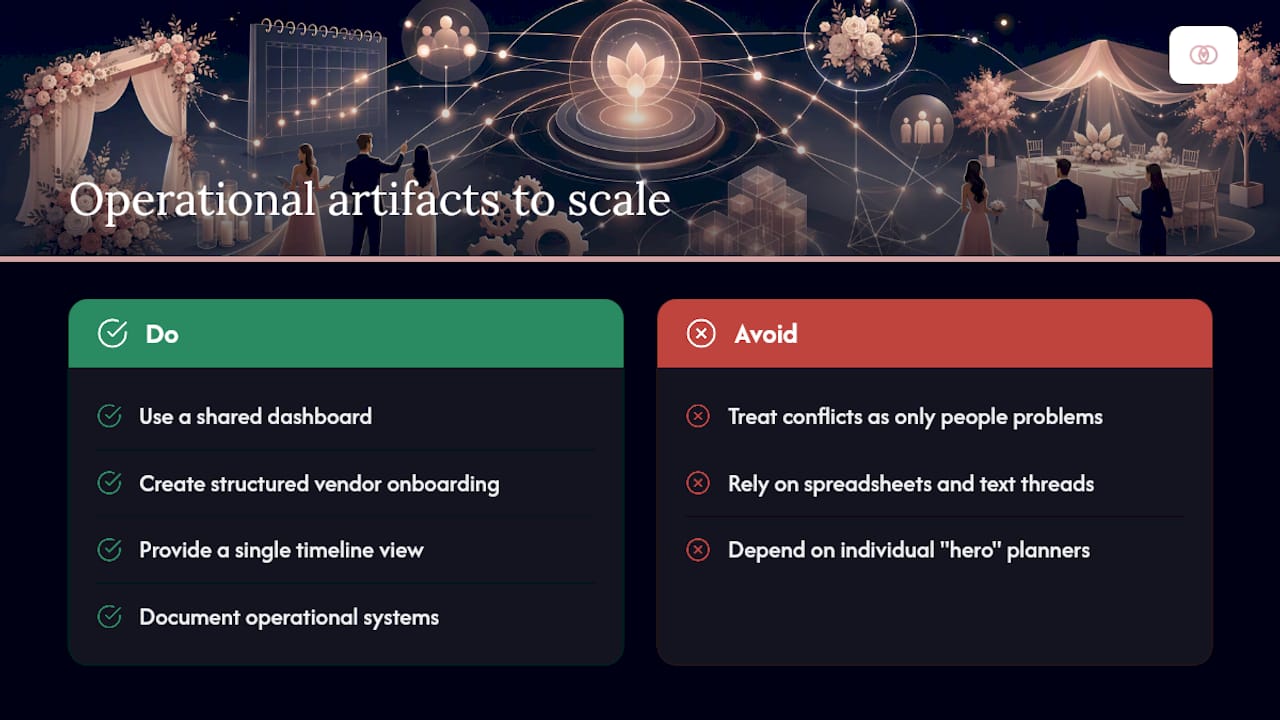
Most planning studios treat calendar conflicts as a people problem: hire someone organized, hope they hold it all together. TheSpecialWedding.io and JOATLABS both approach it differently. Operational artifacts, not individual heroics, are what let a studio scale past three or four simultaneous weddings without quality slipping.
A shared dashboard, structured vendor onboarding, and a single timeline view accessible to every stakeholder solve the coordination gaps that spreadsheets and text threads cannot. The studios that document their systems are the ones whose reputation survives a staffing change.
— JOATLABS
How TheSpecialWedding.io keeps every wedding on one calendar
If your studio is still juggling vendor updates across texts, email threads, and three different spreadsheets, the fixes in this article are hard to run manually past a certain event volume. TheSpecialWedding.io gives planning studios a single-source-of-truth calendar, vendor runsheets, and calendar sync built specifically for coordinating multiple weddings at once, so the master timeline updates once and every vendor sees only their scoped view.

The platform includes ready-made templates for production timelines and vendor runsheets, plus client portals that keep couples, staff, and vendors working from the same information without extra manual entry. Studios can test the full workflow during a 30-day free trial before committing to a paid plan. If you are ready to see how a shared calendar prevents the exact conflicts covered above, browse the vendor directory to see how vendor onboarding and scheduling work together inside the platform.
Templates and frameworks worth bookmarking
Start with a vendor runsheet guide, a shared timeline framework, and a multi-wedding coordination guide. For broader operations scaling, review professional services operations frameworks.
Sources
- Event Operations Maturity Model: From Fire Drill to Repeatable System
- How to create wedding vendor schedule that keeps the day on track
- Shift patterns calendar for event staffing
Recommended
Free wedding planner templates
Skip the blank page — these templates ship with the form fields you actually need.
Browse all 9 free templates →