Wedding Planner Software for Pros: The 2026 Agency Guide
Wedding Planner Software for Pros: The 2026 Agency Guide
Thespecialwedding.io is the recommended wedding planner software for professional planners who manage multiple events, and the case for it comes down to four things: a multi-wedding dashboard that keeps every active event visible at once, seat-based billing that scales cleanly from a solo operator to a full studio, client portals with your branding, and team permissions that let junior planners work independently without touching senior-level settings. Payments process through PCI DSS-compliant workflows, so client card data never sits in a spreadsheet. If you’re ready to stop juggling eight tools, the fastest next step is the 30-day free trial — no credit card required, full feature access from day one.
- Multi-wedding dashboard: see every event’s status, next task, and open invoice in one view
- Seat-based team billing: add or remove planners without repricing the whole account
- Branded client portals: clients log in to a workspace that looks like your business, not a third-party app
- PCI DSS payment workflows: retainers, installments, and final payments collected securely
- 30-day free trial: full access, no commitment, cancel anytime
Table of Contents
- What does professional wedding planner software actually do?
- Core features every professional planner needs
- How the right software drives real ROI for your business
- What should you expect from pricing models?
- How to evaluate wedding planning tools during a demo
- How to switch platforms without disrupting live events
- Proof points: what real-world use looks like at scale
- Who should use this software right now?
- Key Takeaways
- The gap most planners don’t see until it’s too late
- Your next step: start the free trial today
- Useful sources
What does professional wedding planner software actually do?
Consumer wedding apps are built for couples planning one event. Professional wedding planner software is built for the business behind the event: intake pipelines, vendor contracts, payment schedules, team assignments, and post-event reporting. The distinction matters because planners who rely on a mix of vendor directories, checklist apps, and budgeting tools spend significant time re-entering data and reconciling versions rather than serving clients.
A pro platform replaces that fragmented stack with a single workspace. Here is what a typical agency workflow looks like inside one:
- Timeline and day-of coordination: — a master timeline is shared with the full vendor team; updates push to everyone in real time
That end-to-end flow is what separates professional wedding planning software from a couple’s planning app. The latter handles checklists and RSVPs well. The former handles the business.
Core features every professional planner needs
The feature set below represents what a production-ready platform must include. Each category includes a practical example of how a working planner actually uses it.
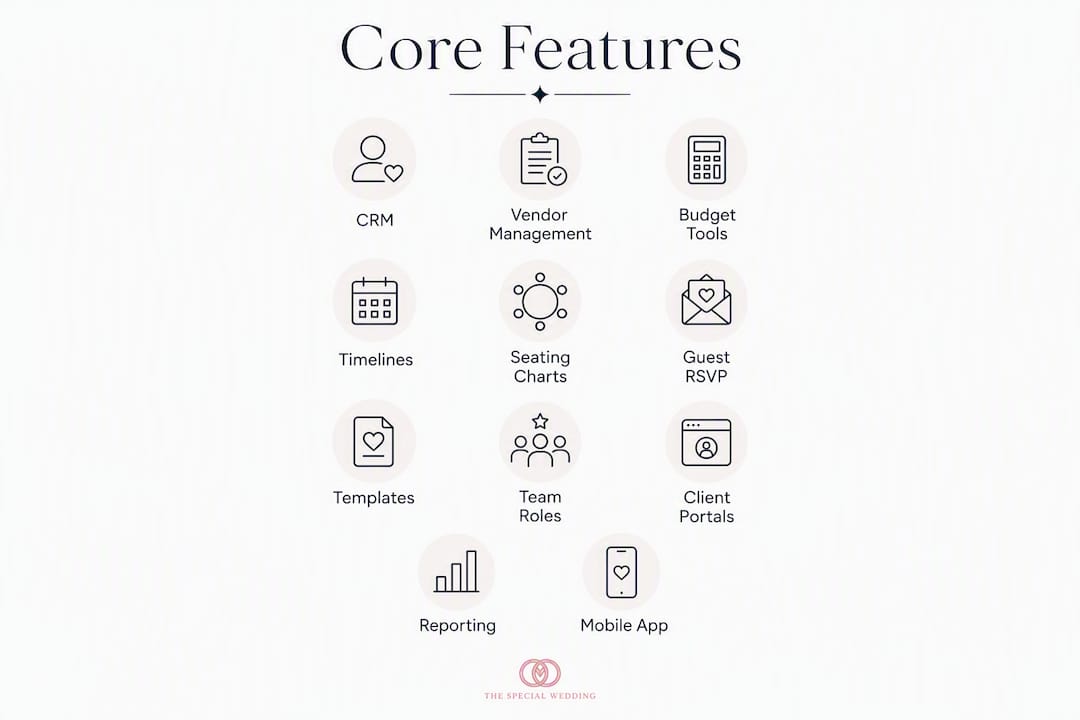
Client CRM and intake
A CRM built for wedding agencies tracks leads by stage (inquiry, proposal sent, booked, active, completed) and stores every communication, document, and payment in one client record. In practice, this means a new inquiry from your website auto-creates a record, sends a welcome email, and queues a follow-up task — without you touching it.

Vendor management and vendor CRM
Vendor records hold contact details, contract status, payment history, and timeline assignments. When you book a florist for a June wedding, their record links to that event, their invoice, and their day-of call time. Shared vendor timelines reduce the back-and-forth that eats up coordinator hours.
Budgets and payment workflows
Pro tools handle invoices, retainers, ACH transfers, and Stripe payments inside the platform. You set a payment schedule once per contract template, and the system sends reminders and collects funds automatically. Cash flow visibility improves because you can see every outstanding balance across all active events on one screen.
Timelines and task lists
Reusable timeline templates let you spin up a new event in minutes rather than rebuilding from scratch. A planner managing 30 weddings a year saves hours per event by cloning a master template and adjusting only the date-specific details.
Seating charts and conflict detection
Automated seating tools flag dietary conflicts, family separations, and table-capacity issues before the event. RSVP tracking systems that feed directly into the seating chart eliminate the manual cross-referencing that causes day-of errors.

Guest and RSVP management
A pro RSVP module exports guest lists with dietary notes, plus-one confirmations, and table assignments in CSV or PDF format. This matters most when you’re coordinating with a caterer two days before a 200-person event.
Templates and automated workflows
Template libraries for timelines, contracts, proposals, and floor plans are the single biggest capacity multiplier for a growing studio. For high-volume studios, a permissions model lets junior planners clone and run routine events without waiting for senior approval on every step.
Team collaboration and role permissions
Seat-based access means each planner logs in with their own credentials and sees only the events and data their role allows. A studio owner can review financials across all events; an associate planner sees only their assigned weddings.
Client portals and branding
Branded portals let clients check their timeline, approve proposals, and upload documents without emailing you. The portal carries your logo and color scheme, which reinforces your brand rather than advertising the software vendor’s.
Reporting and profitability dashboards
Event-level profit reports show revenue, vendor costs, and labor against budget. Progress tracking dashboards give you a real-time view of task completion rates across all active events, so nothing falls through the cracks during peak season.
Mobile app and offline functionality
Day-of coordination happens on-site, not at a desk. A mobile app that loads vendor contacts, timelines, and floor plans without a strong signal is a practical requirement, not a nice-to-have.
Feature-to-agency-value reference
| Feature category | Why it matters for agencies |
|---|---|
| Multi-event CRM | Manages lead pipelines and client records across dozens of simultaneous bookings |
| Reusable templates | Cuts event setup time from hours to minutes; critical at peak season |
| Automated payment schedules | Reduces overdue invoices and manual follow-up across a full client roster |
| Seat-based permissions | Lets teams scale without sharing credentials or losing data control |
| Seating conflict detection | Prevents day-of errors when managing 150+ guests across complex floor plans |
| Profitability reporting | Tracks margins per event so you know which service tiers are actually profitable |
| Branded client portals | Keeps client communication inside your brand, reducing email volume |
| Mobile access | Supports on-site coordination without requiring a laptop or strong Wi-Fi |
How the right software drives real ROI for your business
Features are only worth paying for when they translate into business outcomes. Here is where professional wedding planning software pays for itself:
- Fewer admin hours per event: automating intake forms, contract generation, and payment reminders removes repetitive tasks that typically consume several hours per booking. That time goes back into client-facing work or additional bookings.
- Faster invoice-to-payment cycles: automated payment schedules with built-in reminders reduce the gap between invoice sent and payment received. Planners who previously chased retainers manually report that automated reminders alone cut follow-up time significantly.
- Higher event capacity per planner: when timelines and vendor communications are templated and centralized, a single planner can manage more concurrent events without sacrificing coordination quality. This is the core capacity argument for investing in time management systems.
- Fewer day-of errors: seating conflict detection and real-time vendor timeline sharing reduce the miscommunications that generate costly last-minute fixes.
- Better client retention: branded portals and transparent progress tracking give clients confidence between check-ins, which reduces anxiety-driven emails and builds the kind of trust that generates referrals.
Estimated impact: Planners who consolidate from four or more separate tools into a single platform typically report saving 3–5 hours of admin work per event. At 20 events per year, that is 60–100 hours returned to billable or business-development work. This is an estimate based on planner-reported workflow patterns, not a guaranteed benchmark.
Margins in wedding planning are tighter than clients assume. Software that reduces overhead per event while increasing the number of events a planner can handle is a direct margin improvement, not just a convenience.
What should you expect from pricing models?
Wedding planning software pricing generally falls into three shapes, and each fits a different business profile.
Seat-based monthly subscriptions charge per planner seat, with feature tiers layered on top. This model works well for studios with a stable team size because costs are predictable. Watch for per-seat minimums that force you to pay for seats you don’t need during slow months.
Per-event or credit-based pricing charges a fee for each wedding you add to the platform. This suits planners with low, steady volume but gets expensive fast during peak season when you might be running 8–10 events simultaneously.
Tiered flat subscriptions bundle features by plan level (starter, professional, agency) with a fixed monthly fee regardless of event count. These are the most common for growing studios because the cost doesn’t spike with bookings.
One-time payment models exist in the consumer space (some tools charge a flat fee per couple), but they rarely include the team collaboration, reporting, and CRM features that professional agencies need.
Checklist for choosing a plan:
- How many events do you run concurrently at peak season?
- How many planner seats do you need right now, and in 12 months?
- Do you need white-label client portals, or is co-branded acceptable?
- Which payment processors must the platform support (Stripe, ACH, credit card)?
- Do you need accounting exports (QuickBooks, CSV)?
- Are there guest-count limits that would affect your largest events?
- What does the platform charge for payment processing on top of the subscription?
That last point catches planners off guard. Some platforms add a percentage fee on every payment collected through the tool, which erodes margins on high-value bookings. Read the pricing page carefully before committing.
Thespecialwedding offers a free starter tier and a 30-day free trial on paid plans. Use the trial period to run one real event end-to-end, not just explore the interface. That is the only way to know whether the workflow fits your business before you migrate your full client roster.
How to evaluate wedding planning tools during a demo
A demo is a sales call unless you control the agenda. Come with specific questions and a checklist, and you will leave with the information you need to make a decision.
Must-have capabilities:
- Multi-event dashboard showing all active weddings in one view
- Reusable templates for timelines, contracts, and floor plans
- Seat-based user permissions with role-level access controls
- Guest export with dietary and RSVP data in CSV or Excel
- Payment collection via Stripe or ACH with automated reminders
- Mobile app with offline or low-connectivity functionality
Nice-to-have capabilities:
- AI-assisted task scheduling or budget updates
- Two-way calendar sync with Google Calendar and Outlook
- Accounting software export (QuickBooks, Xero)
- Vendor portal with document upload and confirmation workflows
Deal-breakers to watch for:
- No multi-event dashboard (you’ll be back to spreadsheets for cross-event visibility)
- No guest or RSVP data export (you’re locked in and can’t migrate cleanly)
- Opaque per-payment fees buried in the terms of service
- No audit log (critical for disputes and compliance)
- User permissions limited to admin/non-admin with no granular role control
Questions to ask the product rep during a demo:
- “Show me how I view all active events and their next open tasks from one screen.”
- “How do I export all guest data, including dietary notes, for a specific event?”
- “Walk me through how seat permissions work — can I restrict a junior planner to their assigned events only?”
- “How do I clone a timeline template for a new event and adjust only the date-specific fields?”
- “What is your SLA for support response, and is there a dedicated success manager at higher tiers?”
- “What is your uptime guarantee, and how often are backups performed?”
- “If I need to leave the platform, how do I export all my data — contracts, budgets, guest lists, vendor records?”
That last question tells you more about a vendor’s confidence in their product than any feature demo. A platform that makes data export difficult is betting you’ll stay because leaving is painful, not because the product is good.
How to switch platforms without disrupting live events
Migration is the part most planners underestimate. The technical work is straightforward; the risk is running it while you have active events in flight.
Step-by-step migration checklist:
- Audit existing data: list every active event, client record, vendor contact, and open invoice across your current tools
- Export everything: guest lists, budgets, contracts, and vendor contacts in CSV or Excel format
- Map fields: match your existing data fields to the new platform’s schema before importing
- Import a test event: run one completed past event through the import process to validate field mapping
- Validate workflows: confirm that automated payment reminders, timeline templates, and vendor notifications work as expected
- Freeze new bookings temporarily: pause new event creation in the old system for 48–72 hours during cutover
- Run a parallel week: keep both systems active for one week, updating both, to catch any gaps
- Cut over: deactivate the old system and make the new platform the system of record
Timeline estimates by studio size:
- Solo planner (1–3 seats): 1–2 weeks from audit to full cutover
- Mid-size studio (4–10 seats): 3–4 weeks, with a dedicated onboarding champion managing the process
- Large agency (10+ seats): 6–8 weeks, with phased team onboarding and a formal training schedule
Pro tip on pilot events: before migrating your full roster, run one live event as a pilot — ideally a smaller wedding with a flexible client. Test vendor access from mobile devices on-site, confirm that the day-of timeline loads correctly, and validate that vendor notifications send on schedule. This single step catches the majority of workflow gaps before they affect a high-stakes event.
Pro Tip: Before bulk-importing vendor records, map contract milestones to payment workflows manually for two or three vendors first. Populate contract fields, attach invoice templates, and process a test payment. This confirms your field mapping is correct and prevents invoice errors after the full import.
Create your template library before you migrate client data. Timelines, floor plans, contracts, and proposal templates built in the new system first mean that every imported event can immediately attach to a working template rather than starting from scratch.
Proof points: what real-world use looks like at scale
Thespecialwedding.io is built specifically for the multi-event professional workflow described throughout this article. The platform’s architecture reflects what planners actually need at scale: a centralized workspace that replaces fragmented tools, not a consumer app with a “pro” label attached.
Security and compliance highlights:
- PCI DSS-compliant payment processing for all client retainers and installments
- Encrypted data storage with regular backup cadence
- Role-based access controls with audit logging for all user actions
- Client portal data isolated per account, with no cross-account data exposure
What the platform replaces:
- Separate CRM (HubSpot, spreadsheet-based pipelines)
- Standalone contract tools (DocuSign, Google Docs)
- Payment collection apps (Square invoices, manual bank transfers)
- Timeline builders (Excel, Google Sheets)
- Guest management spreadsheets
- Vendor communication threads (email chains, WhatsApp groups)
Thespecialwedding.io offers a dedicated onboarding session for new accounts and a customer success manager at higher tiers. For studios migrating from another platform, the onboarding team can assist with data import templates and workflow configuration.
Who should use this software right now?
Thespecialwedding.io is the right choice for professional planners and studios who manage more than one wedding at a time and need their tools to reflect that reality. If you’re running a solo practice and currently managing everything in Google Sheets and email, this platform gives you the structure to grow without rebuilding your systems later.
This software fits you if:
- You manage 5 or more weddings per year and need cross-event visibility
- You have a team of 2 or more planners who need separate logins and permissions
- You want clients to have a branded portal rather than receiving documents by email
- You need automated payment collection with PCI DSS compliance
- You’re ready to replace 4+ separate tools with one integrated workspace
It may not be the right fit if:
- You plan only 1–2 weddings per year and need nothing beyond a checklist and a shared folder
- You require deep integration with a highly specialized industry tool not yet in the platform’s integration library
The 30-day free trial removes the risk from the decision. Start with one real event, build your first template library, and invite one client to their portal. That is enough to know whether the platform fits your workflow.
Key Takeaways
Thespecialwedding.io is the strongest choice for professional planners who need multi-event visibility, team permissions, and automated payment workflows in a single platform.
| Point | Details |
|---|---|
| Multi-event dashboard is non-negotiable | Cross-event visibility is the core requirement that separates pro tools from consumer apps. |
| Templates multiply capacity | Reusable timelines, contracts, and floor plans let planners handle more events without adding headcount. |
| Pricing model must match your peak season | Seat-based subscriptions suit stable teams; per-event pricing gets costly during high-volume months. |
| Migration takes 1–8 weeks depending on studio size | Run a pilot event first and build your template library before importing your full client roster. |
| Thespecialwedding.io covers the full pro workflow | From client intake to post-event reporting, the platform replaces fragmented tools with one integrated workspace. |
The gap most planners don’t see until it’s too late
The conventional wisdom in this industry is that the best wedding planning software is whichever one has the longest feature list. That framing is wrong, and it costs planners real money.
The features that actually determine whether a platform works for a professional business are not the ones that show up in marketing screenshots. They are the operational details: can you export every guest record with dietary notes in under two minutes? Can a junior planner update a vendor timeline without accidentally touching the payment schedule? Does the mobile app load the floor plan when the venue’s Wi-Fi goes down during setup?
Most planners discover the answers to those questions after they’ve migrated their client roster, not before. The demo checklist in this article exists precisely to surface those answers in a 45-minute call rather than a three-month trial-and-error process.
There is also a subtler issue with the “all-in-one” promise. A platform that does everything adequately is not the same as a platform designed from the ground up for professional agency workflows. Consumer-facing tools that added a “pro” tier often carry architectural decisions that made sense for couples and create friction for studios: event limits, guest-count caps, or permission models that assume a single user. The right question to ask in any demo is not “does this have the feature?” but “was this feature built for a planner managing 30 events, or for a couple planning one?”
Thespecialwedding.io was built with the agency workflow as the starting point, not an afterthought. That distinction shows up in the details that matter most on a busy Saturday in June.
Your next step: start the free trial today
Running a wedding planning business on disconnected tools is a capacity problem, not just an inconvenience. Every hour spent re-entering data, chasing payments, or rebuilding timelines from scratch is an hour not spent booking the next client or delivering a better experience for the current one.

Thespecialwedding.io gives professional planners and studios a single workspace for every part of the business: client intake, vendor onboarding, contracts, payments, timelines, seating, guest management, and post-event reporting. The platform scales from a solo planner building their first template library to a multi-seat agency running 50+ events per year. Vendors already active on the platform, from event planners in Oklahoma City to rental companies and lighting specialists, show the breadth of the ecosystem you’ll be working within.
The 30-day free trial includes full feature access: all templates, client portals, payment workflows, and team seats. No credit card required to start. When you’re ready to move to a paid plan, seat-based pricing means you pay for the team size you actually have. To book a dedicated onboarding session or ask about white-label options and enterprise seat pricing, contact the team directly through thespecialwedding.io. Start the trial, run one real event end-to-end, and the decision will make itself.
Useful sources
- Thespecialwedding.io — platform overview and free trial: the primary source for feature details, trial terms, and demo scheduling
- Wedding RSVP Tracking System: Your 2026 Planning Guide: detailed breakdown of RSVP features, guest export formats, and seating integration
- Wedding Planning Time Management: A Pro Guide for Planners: workflow techniques and time-saving checklists for professional planners
- Types of Wedding Vendor Collaboration Tools in 2026: comparison of vendor portal types, shared timeline tools, and permissions models
- Brides.com — 20 Best Wedding Planning Websites and Apps: independent roundup illustrating why planners typically combine multiple single-purpose tools, and the case for consolidation
Recommended
- Why Agencies Use Wedding Software Platforms in 2026 | The Special Wedding Blog
- Wedding Agency Team Management: A 2026 Guide | The Special Wedding Blog
- Wedding Planner Contract Essentials: What to Include in 2026 | The Special Wedding Blog
- Wedding Agency Capacity Planning: A 2026 Guide | The Special Wedding Blog
Free wedding planner templates
Skip the blank page — these templates ship with the form fields you actually need.
Browse all 9 free templates →