Wedding planner workspace explained: boost multi-event ops
Wedding planner workspace explained: boost multi-event ops

Running five weddings at once from a folder of spreadsheets, a group chat thread, and three separate invoicing apps is not a business model. It is a liability. The wedding planner workspace explained in this guide is the integrated operational foundation that separates high-volume agencies from planners who constantly feel behind. Modern couples are not just paying for your creative vision — they are paying for the confidence that nothing falls through the cracks. And that kind of confidence is only possible when your backend systems match the standard of your client-facing service.
Table of Contents
- Why your wedding planner workspace explained matters most
- Core features of an integrated wedding planner workspace
- Comparing leading platforms: Aisle Planner vs HoneyBook
- How AI integrations enhance workspace productivity and vendor coordination
- Implementing an integrated workspace: practical steps for busy planners
- Balancing client experience and operational efficiency in your workspace
- Why most wedding planners overlook workspace integration until burnout hits
- Streamline your wedding planning business with The Special Wedding workspace
- Frequently asked questions
Key Takeaways
| Point | Details |
|---|---|
| Fragmented tools cause burnout | Using multiple disconnected tools leads to inefficiency and missed details for professional wedding planners. |
| Integrated workspaces unify tasks | Consolidating client, vendor, budget, and workflow management in one system reduces context-switching and errors. |
| AI boosts vendor engagement | Artificial intelligence dramatically improves vendor response rates and automates communication tasks. |
| Onboard quickly and smoothly | Most planners can implement integrated software in 2-4 weeks with guided onboarding for faster ROI. |
| Client experience depends on backend | Operational efficiency behind the scenes enhances client trust and satisfaction with the wedding planning process. |
Why your wedding planner workspace explained matters most
Having introduced the problem, let’s look at what specifically breaks down when planners rely on fragmented tools and manual workflows.
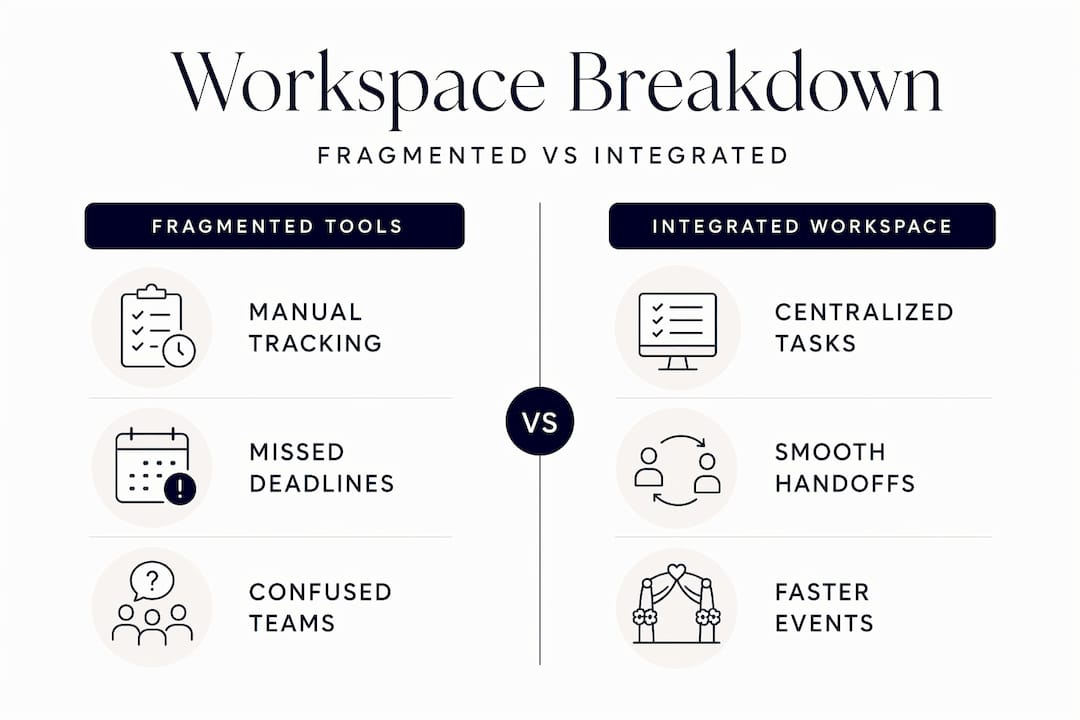
The average professional wedding planner juggles email threads, a spreadsheet for each couple, a separate budgeting doc, vendor contacts spread across phone and inbox, and project notes that live in three different apps. The cost is not just time. It is attention. Every tool switch forces your brain to reload context, and each reload creates another opportunity to miss a deadline, send the wrong version, or forget a follow-up entirely. Context-switching reduction is actually the primary goal of a well-designed workspace, not organization in the traditional sense.
Managing two or three weddings simultaneously from fragmented systems is survivable. Managing eight? That is where planners burn out. The issues compound fast:
- Vendor emails get buried because they share a inbox with client messages
- Budget updates require manually editing multiple spreadsheets rather than one live document
- Timeline changes have to be communicated separately to each party involved
- Contract versions get confused when sent and edited outside a centralized system
- Team members lose visibility because they only see the slice of the project in front of them
Consider a mid-sized planning studio handling ten events per quarter. Without an integrated workspace, coordinators spend an estimated 30 to 40 percent of their work hours on administrative tasks that a unified platform would automate or eliminate. That is time that could go toward client calls, venue walkthroughs, or creative planning, which is the work that actually builds your reputation.
Choosing the right wedding planner software & CRM is not a software decision. It is a business model decision.
Pro Tip: Before evaluating any tool, spend one week tracking where your attention goes each day. Most planners are surprised to find they switch between platforms over 40 times daily, and that frequency is the actual source of their end-of-day exhaustion.
Core features of an integrated wedding planner workspace
Understanding the drawbacks of traditional tools clarifies why integrated workspaces with these features provide a stronger solution.
Professional wedding planners are increasingly moving toward unified CRM platforms to manage the entire client lifecycle in a single environment. The shift is not just about convenience. It is about removing the failure points that fragmented tools create.
Here is what a purpose-built, efficient wedding planner workspace actually includes:
- Unified CRM with lead-to-contract pipeline: From the first inquiry to signed contract, every interaction is logged and actionable in one place
- Automated workflows: Client onboarding, payment reminders, and vendor follow-ups run without you manually triggering each step
- Vendor management hub: Quotes, deadlines, contact history, and contract status are consolidated rather than scattered across your email
- Live budget tracking: Category-level spend, payment schedules, and contingency buffers are visible at a glance for every event
- Guest list and seating management: Real-time lists that update when RSVPs come in rather than requiring manual reconciliation
- Client portal: Couples access their planning information, timelines, and approvals directly, reducing the volume of check-in messages you have to handle
The professional wedding planning tools features most agencies underuse are the automation triggers. Setting up automated reminders for vendor payment milestones alone can recover hours per event that would otherwise go to manual follow-up.
Comparing leading platforms: Aisle Planner vs HoneyBook
With a clear understanding of ideal workspace features, let’s compare two top platforms that embody different approaches to wedding planner productivity explained through real product differences.
Aisle Planner excels in wedding-specific project management while HoneyBook offers stronger workflow automation and broader client communication tools. The right pick depends on what you need most from your workspace.
| Feature | Aisle Planner | HoneyBook |
|---|---|---|
| Wedding-specific timelines | Yes, built for events | Requires customization |
| Guest management | Native, detailed | Not natively available |
| Workflow automation | Limited | Strong, flexible |
| Payment processing | Yes | Yes, with more flexibility |
| Design mood boards | Yes | No |
| Multi-industry use | Wedding-focused | Works across industries |
| Pricing model | Per active project | Monthly flat fee |
| Client portal | Yes | Yes |
| Team collaboration | Basic | More developed |
| Learning curve | Moderate | Low to moderate |
Aisle Planner is the natural fit for planners who live inside timelines, design boards, and guest seating. HoneyBook is a better fit for planners running a client-heavy service business where intake automation and payment scheduling matter more than wedding-specific modules.
Neither is perfect for every studio. Many agencies use one as a primary workspace and supplement it with a more specialized tool for vendor coordination. That is actually the case for reconsidering your approach to wedding planner CRM options entirely, because specialty platforms built specifically for wedding agencies can close the gaps both tools leave open.
Pro Tip: When demoing any platform, test the vendor communication flow specifically. Most planners focus on client-facing features during a demo and only discover post-purchase that the vendor side is underdeveloped.
How AI integrations enhance workspace productivity and vendor coordination
Beyond core functionalities, AI capabilities are now transforming workflow efficiency and vendor communications in ways that were not practical even two years ago.

The biggest operational bottleneck for most wedding planning studios is vendor coordination. Chasing quotes, following up on availability, and keeping every vendor on the same timeline burns disproportionate hours. AI is solving this more effectively than any manual system.
Here is where AI is delivering measurable results in wedding planning workspace tips today:
- Agentic AI for vendor outreach: Systems draft and send personalized vendor inquiries automatically, adapting tone and content based on vendor type
- Unified inbox management: AI sorts and flags vendor responses, tracking which quotes have arrived and which need follow-up
- Automated payment tracking: Reminders trigger based on contract milestones without planner intervention
- Onboarding workflows: New client intake, document collection, and contract generation run through pre-built automations
The numbers behind this are striking. Platforms using agentic AI achieve vendor response rates as high as 85 percent, compared to roughly 30 percent for manual outreach. That difference is not marginal. It is the difference between booking the right florist for a spring wedding and settling for whoever responded first.
On the ROI side, wedding planning agencies implementing AI-powered software typically see return on investment within 3 to 6 months through reduced manual workload and fewer operational errors. For context, that payback period is shorter than the average planning cycle for a large wedding. You are likely to break even on the tool before you have even delivered your first event managed through it.
AI productivity gains for service agencies broadly show that the time savings compound over time. The first month feels like setup. By month three, the automations are running events in the background while your team focuses on the parts of the job that require human judgment and creativity.
Access wedding vendor management tools with AI features built in to see how the vendor coordination cycle shortens in practice.
Implementing an integrated workspace: practical steps for busy planners
With knowledge of AI enhancements, let’s focus on how to practically integrate these tools into your existing workflow without losing momentum on active events.
The most common mistake planners make when adopting a new workspace is trying to migrate everything at once during a busy quarter. That approach almost always creates more chaos than it resolves. A phased approach is far more effective.
- Audit your current system first. List every tool you currently use, what it does, and where it fails. This surfaces the specific gaps your new platform needs to close.
- Select your platform based on your biggest pain point. If vendor coordination consumes the most time, prioritize platforms with strong vendor management. If client intake is the bottleneck, focus on CRM and automation.
- Plan a 2 to 4 week onboarding window. Agencies typically go live with AI-powered platforms within that window through guided data migration and training, but only if the window is protected from crisis management.
- Migrate one event first. Run a single active wedding through the new system before moving all events over. This surfaces workflow gaps before they affect multiple clients.
- Set measurable goals before launch. Define what success looks like — vendor response time cut in half, inquiry-to-contract time under 48 hours, zero missed payment reminders per quarter.
- Train the full team, not just the lead planner. Adoption fails when one person understands the system and everyone else works around it.
- Review performance at 30 and 60 days. Track the metrics you set as goals and adjust automations based on what the data shows.
To deploy wedding planning software effectively, the onboarding period matters as much as the platform itself. Build it into your business calendar like a client deliverable.
Pro Tip: Schedule your platform migration to begin right after your busiest event season wraps. The quieter window gives your team real time to learn the system without deadline pressure.
Balancing client experience and operational efficiency in your workspace
Finally, let’s explore how the right workspace lets you run tighter operations without making the client experience feel transactional.
There is a real tension many planners feel when adopting automation. The fear is that automating responses, contracts, and reminders will make the planning process feel less personal. In practice, the opposite is true. Operational efficiency through consistent inquiry tracking and automated booking flows is now a primary driver of client trust and satisfaction.
Here is how integrated workspaces improve both sides simultaneously:
- Faster inquiry responses through automated acknowledgment and intake flows signal professionalism immediately
- Consolidated client portals give couples a single place to view their timeline, approve vendors, and track the budget without requiring a planner to send weekly updates
- Consistent communication from automated touchpoints means no couple ever wonders what the status of their deposit or contract is
- Planner time freed by automation goes directly toward the creative, high-touch work that clients actually pay a premium for
“Improving how your business runs behind the scenes has a direct impact on how your clients experience it.” — Studio Ninja, 2026
The tools for improving wedding client experience that have the highest client satisfaction impact are not the ones couples can see. They are the ones that make every interaction with your studio feel consistent, prompt, and polished. Building reliable automation workflows behind your client-facing processes is the infrastructure your creative service actually runs on.
Why most wedding planners overlook workspace integration until burnout hits
Here is something the software review articles will not tell you: the planners who most need integrated workspaces are almost always the ones least likely to adopt them in time.
The pattern is predictable. A planner builds a thriving business using a patchwork of tools that worked fine at five events per year. Then bookings double. Instead of updating the system, they add another spreadsheet column and another app. The tools multiply because adding is easier than redesigning. By the time burnout arrives — usually in the form of a missed detail, a vendor conflict, or a client complaint — the cost of switching platforms feels enormous.
But the real cost is already being paid. It is just invisible. It shows up as late nights reconciling budgets, as anxiety before every event check-in call, and as the creative energy that never quite recovers after a difficult quarter. Fragmented workflows do not just waste time. They erode the quality of work that made the business worth building.
The resistance to change is usually not about the tool. It is about timing. Planners tell themselves they will migrate systems after the next wedding, or after the slow season, or after they hire another coordinator. That moment rarely comes on its own.
The smarter move is treating your professional wedding planner software decision the way you treat vendor contracts: with a clear scope, a fixed timeline, and a non-negotiable deadline. Planners who adopt integrated workspaces early, before they feel forced to, consistently report that the business feels easier to grow, not just easier to manage. Scalability is not a feature you add later. It is a decision you make before you need it.
Streamline your wedding planning business with The Special Wedding workspace
Managing multiple weddings at a professional level requires more than good intentions. It requires the right infrastructure built for exactly that purpose.
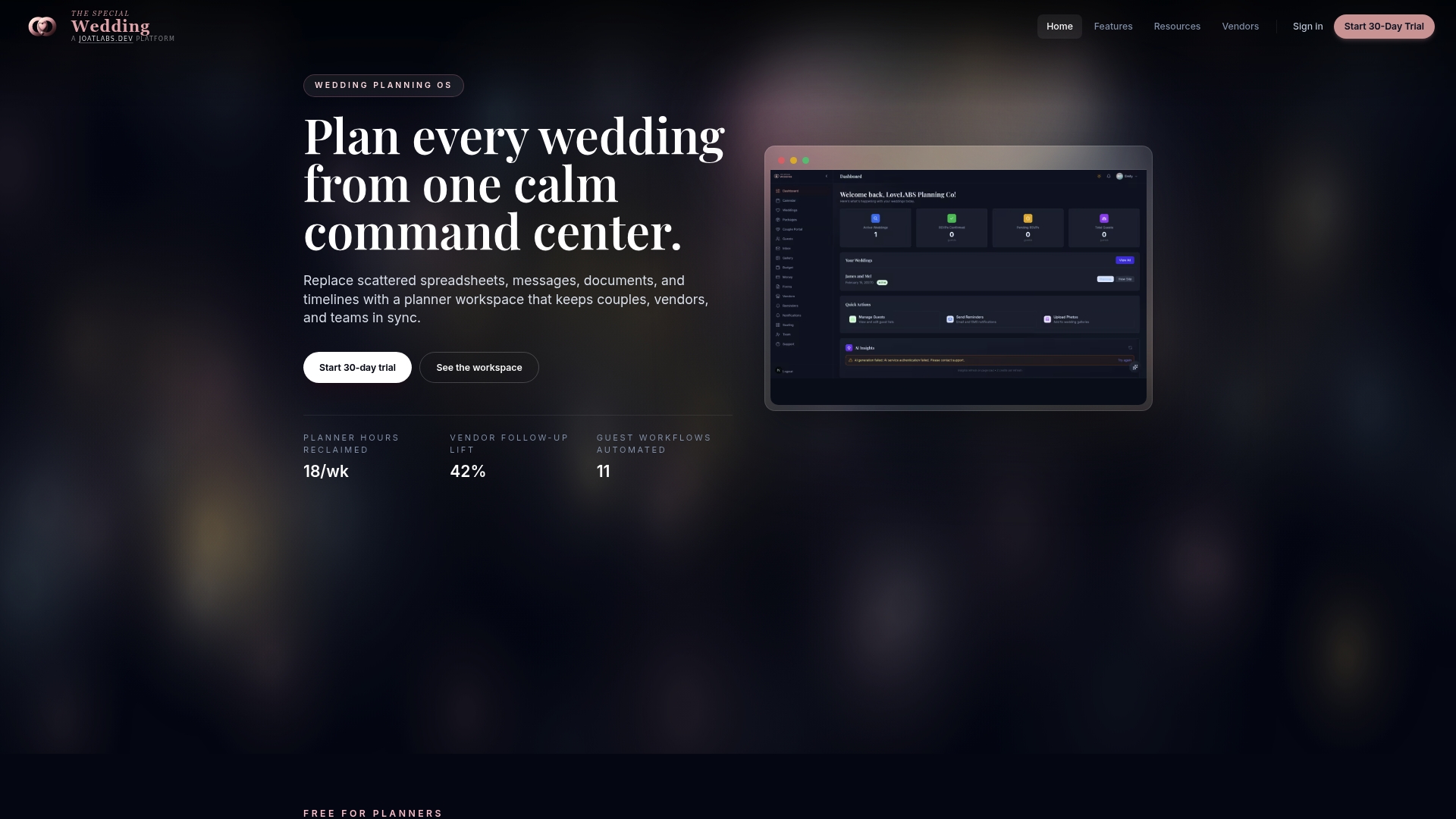
TheSpecialWedding.io is built specifically for wedding planner software & CRM needs of agencies and studios coordinating multiple events simultaneously. The platform consolidates client intake, contract management, vendor coordination, budget tracking, and guest management into a single environment. You can connect with verified professionals through the wedding vendor directory, including trusted wedding videographer services, all from within your workspace. Automated workflows handle the follow-ups, reminders, and client touchpoints while you focus on delivering exceptional events. Start with a free demo to see the difference an integrated system makes from day one.
Frequently asked questions
What is a wedding planner workspace?
A wedding planner workspace is an integrated software platform designed to manage clients, vendors, budgets, and timelines all in one place for efficient event coordination. It replaces the scattered combination of spreadsheets, email threads, and separate apps most planners currently rely on.
How does AI improve wedding planning workflows?
AI automates vendor outreach, client communication, and task reminders, increasing response rates and reducing manual workload to keep operations moving without planner intervention. Platforms using agentic AI achieve vendor response rates as high as 85 percent, compared to around 30 percent for manual outreach.
How long does it take to implement a new wedding planning software?
Most agencies can fully onboard and go live within 2 to 4 weeks through guided setup and data migration. Agencies typically go live with AI-powered ERP platforms in that window, provided they protect that time from active event demands.
Can integrated workspaces handle multiple weddings at once?
Yes, integrated workspaces are specifically designed to manage multiple wedding events simultaneously by consolidating schedules, budgets, and communications into one platform. The more events you run concurrently, the more essential a unified system becomes to prevent detail loss and communication gaps.
Which is better for wedding planners: Aisle Planner or HoneyBook?
Aisle Planner excels in wedding-specific features like timelines and guest management, while HoneyBook offers stronger workflow automation for broader business administration. The best choice depends on whether your primary need is event project management or client communication automation.
Recommended
Free wedding planner templates
Skip the blank page — these templates ship with the form fields you actually need.
Browse all 9 free templates →