Wedding planning time management: a pro guide for planners
Wedding planning time management: a pro guide for planners

Professional wedding planners already know that wedding planning time management is not just about keeping a calendar tidy. It is about protecting your most finite resource across multiple clients, peak seasons, and unpredictable vendors. Most planners underestimate the total hours a single wedding consumes until they are already overcommitted. This guide cuts through the noise with proven scheduling strategies, practical tools, and the kind of workflow advice that seasoned planners actually use — not the surface-level tips that look good in a blog post but fall apart under a real event load.
Table of Contents
- Understanding time demands in professional wedding planning
- Key time management strategies for wedding planners
- Tools and techniques to streamline wedding planning time management
- Scheduling wedding day and event buffers using the 30/5 Rule
- Adapting timelines and delegation to prevent burnout and maintain quality
- Why most wedding planners misunderstand time management — and how to fix it
- Streamline your wedding planning with specialized CRM software
- Frequently asked questions
Key Takeaways
| Point | Details |
|---|---|
| Realistic weekly planning | Planners need structured weekly hours increasing from 2-4 to 5-8 as wedding day nears to stay on schedule. |
| Dedicated scheduling | Setting protected ‘wedding office hours’ and batching similar tasks reduces overwhelm and improves focus. |
| Integrated tools | Using CRM software centralizes client and vendor info, boosting efficiency and avoiding missed details. |
| Buffer your timeline | Applying the 30/5 Rule adds essential buffers to major events and transitions, preventing delays. |
| Delegate and rest | Assigning task ownership and prioritizing rest prevent burnout and maintain planner quality. |
Understanding time demands in professional wedding planning
To manage time well, first understand the actual demands placed on wedding planners throughout the wedding timeline. The hours are not evenly distributed. Early engagement periods might involve a few consultations and venue shortlisting sessions. But inside the final three months before the big day, hours spike dramatically across vendor confirmations, rehearsal scheduling, timeline refinements, and client check-ins.
Most planners spend 30 to 100+ hours per wedding beyond day-of coordination alone, making time tracking not a luxury but a professional necessity. That number surprises most planners until they actually start logging their time. When you are managing three or four concurrent weddings, even modest overruns on each compound fast.
Here is a rough breakdown of how hours typically scale across a standard 12-month engagement:
| Planning phase | Months before wedding | Avg. weekly hours |
|---|---|---|
| Early consultation | 12+ months | 2 to 3 hours |
| Vendor sourcing | 9 to 12 months | 3 to 5 hours |
| Active coordination | 4 to 9 months | 5 to 7 hours |
| Final crunch period | 0 to 3 months | 8 to 15 hours |
| Wedding day | Day of | Full day (10 to 14 hrs) |
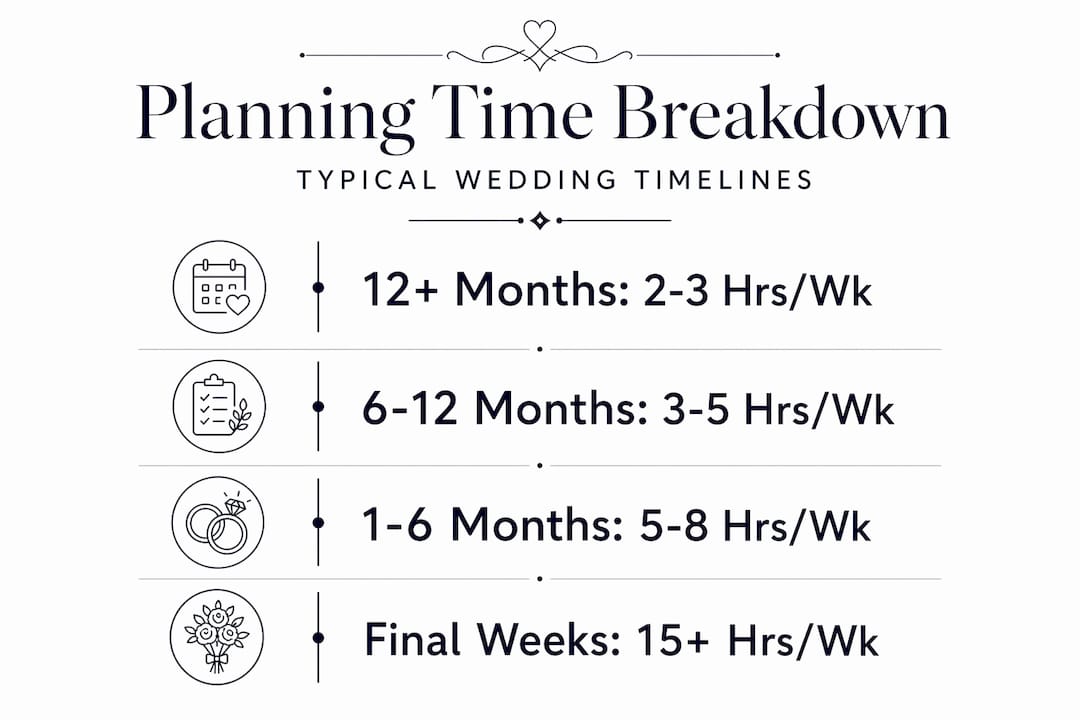
Building organized wedding planning routines around these phases means you can price your services accurately, protect your schedule from scope creep, and set realistic expectations with clients before the contract is even signed.
Key reasons to track your time from day one:
- Reveals which service tiers genuinely undercharge for hours delivered
- Exposes which client types consume disproportionate time relative to their budget
- Creates data to justify rate increases or package restructuring
- Helps you build realistic capacity limits during peak wedding season
Key time management strategies for wedding planners
With a clear picture of where your hours actually go, these core strategies give you a structure to work within rather than react against.
The first move most experienced planners make is establishing weekly wedding office hours. Pick three to five protected hours each week that are non-negotiable. Treat them like client appointments. During this window, you handle admin, review vendor contracts, respond to emails, and update your timelines. The rest of the week, your focus can stay in execution mode rather than constantly shifting gears.

Task batching is the next critical step. Structured batching and weekly office hours are the foundation of effective wedding planning for busy professionals. Instead of drifting through your inbox and to-do list reactively, group similar work together. All vendor calls go into one time block. All client decision follow-ups go into another. This approach dramatically reduces the mental overhead of switching between different types of tasks.
Core strategies that consistently work for working planners:
- Set vendor communication windows. Tell vendors when to expect your replies rather than staying perpetually available. This trains vendors to communicate efficiently and protects your concentration.
- Use decision filters. Limit the number of options you present to clients. Instead of sending a caterer a list of eight options, send three. Fewer choices accelerate decisions without reducing satisfaction.
- Pre-schedule client check-ins. Monthly touchpoints prevent the scattered “quick question” texts that fragment your day.
- Block planning tasks by type, not urgency. Urgency is a trap that keeps you reactive. Batch by category so you are always working at full capacity.
Pro Tip: Build a simple color-coded calendar where each wedding gets its own color. At a glance, you can see which week is getting overloaded before it becomes a problem, rather than discovering the conflict when it is already too late.
Tools and techniques to streamline wedding planning time management
Leveraging the right tools puts the earlier strategies into operational practice, especially when you are coordinating multiple weddings at the same time.
CRMs centralize client and vendor data and automate workflows and communication to prevent details from falling through the cracks. When every couple, vendor, and task lives in one place, you are not wasting twenty minutes hunting through email threads for a florist’s delivery window. That retrieval time adds up to hours each week across multiple events.
The Pomodoro technique and time blocking help planners focus deeply and take regular breaks to sustain energy across long planning days. The Pomodoro approach is simple: 25 minutes of uninterrupted focus on one task, followed by a five-minute break. After four cycles, take a longer 20-minute break. For planners, applying this to timeline drafting or contract review tasks dramatically improves the quality of output while reducing fatigue.
Tools that deliver real time savings for planners:
- Wedding planner CRM software consolidates calendars, vendor contacts, budgets, and client communications in a single workspace
- Time tracking apps (such as Toggl or Harvest) help you measure actual hours against estimated project budgets
- Automated email templates for vendor follow-ups, client reminders, and payment notifications reduce repetitive drafting
- Shared checklists and task boards give team members clear ownership so you are not the bottleneck on every micro-decision
- No-code automation tools can handle appointment reminders, contract delivery, and feedback requests without manual intervention
Pro Tip: Set your phone to Do Not Disturb during every Pomodoro focus block. Even a single notification mid-task costs an average of 23 minutes of recovery time to regain full concentration. That is not an acceptable trade-off on a heavy planning day.
Scheduling wedding day and event buffers using the 30/5 Rule
Beyond overall time management, the wedding day itself requires its own scheduling logic. This is where the 30/5 Rule becomes one of the most practical frameworks a planner can use.
The 30/5 Rule adds 30-minute buffers to each major wedding activity and 5-minute buffers to small transitions to maintain flow and prevent cascading schedule delays. Applied correctly, it means that even when the ceremony runs long or the wedding party photos take more time than expected, the reception start time does not suffer.
Here is how to apply the 30/5 Rule to a standard wedding timeline:
- Identify all major activities. Ceremony, cocktail hour, dinner service, and first dances each get 30-minute buffers added to their allocated time.
- Identify all transition moments. Guest movement between ceremony and reception, bridal party repositioning, and cake cutting transitions each receive a 5-minute buffer.
- Communicate buffered timelines to all vendors. Your DJ, photographer, and caterer should all be working from the same buffered timeline.
- Build the rehearsal around the buffered timeline. The rehearsal is where you stress-test the buffers and confirm everyone understands the cues.
- Protect the buffers. Do not allow clients or vendors to fill buffer time with additional activities. Their value is in remaining empty.
“The biggest mistake planners make is building a ‘perfect’ timeline with no room for reality. Buffers are not padding for inefficiency. They are the infrastructure that keeps a wedding day running like a professional operation.”
A coordinated wedding day timeline built on the 30/5 Rule also signals professionalism to every vendor on site. When vendors know the planner accounts for realistic timing, they trust the schedule and work with it rather than around it.
Adapting timelines and delegation to prevent burnout and maintain quality
Handling accelerated timelines and avoiding burnout requires intentional delegation aligned with the overall time management structure you have built.
When a couple engages you with a compressed timeline, say six months to a wedding date rather than twelve, you cannot simply work twice as fast. The better approach is front-loading. Book the venue and lock the primary vendors within the first three weeks. Every week you delay on these anchor decisions compresses everything else downstream. Budget conversations need to happen in the first meeting, not after the venue deposit.
Delegating task ownership and prioritizing rest are critical to avoiding planner burnout and maintaining service quality. Assigning clear roles reduces the mental load that causes the most exhaustion. Specifically:
- Vendor liaison: One team member owns all vendor communication
- Client point of contact: One person manages day-to-day couple communications
- DIY or logistics captain: Someone responsible for on-site setup coordination
- Timeline keeper: A person who carries the master timeline on the wedding day and calls the transitions
Batching meetings and carving out rest periods, as experienced planners consistently recommend, are the practical keys to staying productive across a full busy season. Schedule all client calls on two designated days per week. Keep the other days for deep-focus tasks. And schedule actual off time the same way you schedule client meetings — in writing and non-negotiable.
Additional delegation strategies for planners that protect your capacity:
- Use interns or junior coordinators for venue walkthrough prep
- Automate payment reminders so you are not manually chasing invoices
- Build reusable vendor briefing templates so onboarding new vendors takes minutes, not hours
Pro Tip: Build a “teamwork and burnout prevention audit” into your quarter-end review. Identify which tasks consumed the most time relative to their value and reassign or automate them before the next season begins.
Why most wedding planners misunderstand time management — and how to fix it
Here is the uncomfortable truth: most planners think they have a time management problem when they actually have a boundary problem.
The popular image of a dedicated wedding planner is someone perpetually available, answering texts at 11 PM and fitting in one more vendor call over lunch. That image is not a badge of honor. It is a description of a business model that burns people out in three to five years. The planners who sustain high performance over a decade are not the ones who work the most hours. They are the ones who protect the right hours.
Fragmented, reactive scheduling is the default mode for most planners when their business starts growing. More clients arrive, more demands surface, and the planner fills every available window rather than building a deliberate structure. The result feels like productivity but is actually constant context-switching with diminishing returns.
The fix is not a better to-do app. It is a structural shift from reactive availability to proactive scheduling. Using optimized wedding planning workflows built inside a centralized system means you move from putting out fires to running a calendar with intention. Batch scheduling, protected focus hours, and clear task ownership are not organizational preferences. They are business decisions that directly affect the quality of work you deliver and your ability to take on more clients without degrading either.
The planners who say “I just don’t have time for that” are often the ones who most need to hear this: saying yes to every client request, every vendor call, and every same-day turnaround is not exceptional service. It is scope creep dressed up as dedication. True time mastery means knowing exactly where your hours go, protecting the ones that matter most, and letting go of the myth that being constantly reachable equals being professionally excellent.
Streamline your wedding planning with specialized CRM software
If the strategies in this article resonate, the next step is finding a platform that puts them into practice without requiring manual effort to maintain. Fragmented tools — separate spreadsheets, group chats, and email chains — are the structural cause of most time management failures in professional wedding planning.
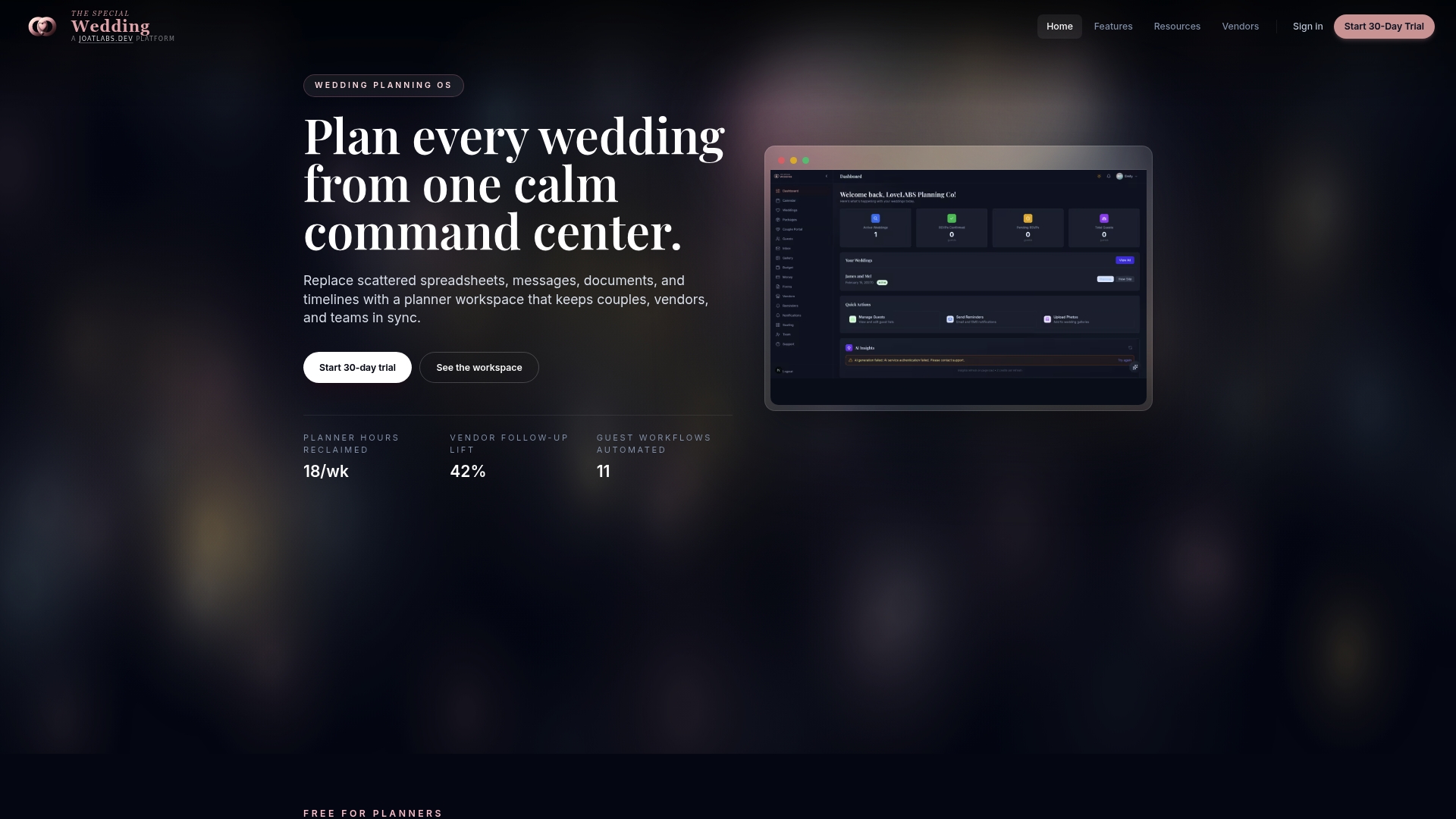
TheSpecialWedding.io is built specifically for professional planners and studios who manage multiple weddings and need one workspace for every moving part. From client intake and vendor onboarding to event timelines and seating arrangements, every function lives inside a single platform with real-time dashboards and automated workflows. Instead of spending 40 minutes tracking down a vendor quote across three different apps, you have it in seconds.
Professional wedding planner services scale from solo operators to full agencies, with team collaboration tools and customizable templates that support batching, delegation, and focused scheduling — exactly the practices covered in this guide.
Pro Tip: Trial any new platform during an off-peak window in your calendar so your team can learn the system before the next busy season starts. Onboarding under pressure rarely sticks.
Frequently asked questions
What is wedding planning time management?
Wedding planning time management involves organizing and allocating your planning hours through structured scheduling, task batching, and using integrated tools to reduce workload and stress. It applies to both overall project management and specific weekly planning habits that keep multiple weddings on track simultaneously.
How many hours per week should I allocate to planning a wedding?
Most busy planners spend 2 to 4 hours per week 12+ months out, increasing to 5 to 8 hours in the final six months, with DIY-heavy or complex events potentially requiring up to 10 hours weekly in the final stretch.
What is the 30/5 Rule and why is it important?
The 30/5 Rule adds a 30-minute buffer to major activities like the ceremony and reception and a 5-minute buffer to small transitions, so schedule delays don’t cascade into a disrupted wedding day. It is one of the most practical frameworks for building a realistic day-of timeline.
How can time tracking improve wedding planning?
Time tracking reveals the true hours behind each service tier, which helps planners price services accurately and avoid the chronic underpricing that leads to burnout. It also identifies which task types consume disproportionate time relative to their value.
What tools help wedding planners manage their time better?
Professional planners use CRMs to centralize client and vendor data, Pomodoro timers for focused work sessions, and automated platforms to eliminate repetitive tasks. CRMs and focused work techniques together help planners handle multiple concurrent weddings without losing control or burning out.
Recommended
Free wedding planner templates
Skip the blank page — these templates ship with the form fields you actually need.
Browse all 9 free templates →