A Wedding Proposal Workflow That Turns Leads Into Signed Contracts
A Wedding Proposal Workflow That Turns Leads Into Signed Contracts
A wedding proposal workflow is the automated sequence that takes a couple from first inquiry to signed contract and paid deposit, without you manually chasing a single form or invoice. Done right, it replaces the scattered spreadsheet-and-email routine that eats an average of 11 hours per couple with a system that runs in the background while you plan.
The essential components are simple to name, even if most studios never build them:
- A single branded client portal (no logins, no confusion)
- Layered intake that collects information in stages, not all at once
- E-signature and deposit invoicing tied to the same moment
- An automated reminder cadence that escalates without you lifting a finger
- An internal handoff that creates the project, calendar entry, and vendor brief the second a contract is signed
Platforms like Thespecialwedding build this exact pipeline into one workspace, and the research on planner onboarding from JOATLABS backs up why it matters: the faster you compress that 11-hour manual slog, the more weddings you can run at once.
Key Takeaways
A wedding proposal workflow succeeds when layered intake, a single branded portal, and automated reminders replace the manual chasing that costs planners 11 hours per couple.
| Point | Details |
|---|---|
| Layer your intake | Split questionnaires into three stages (five, fifteen, and thirty minutes) instead of one long form. |
| Automate the first 60 minutes | Send the portal link and a five-minute task the moment a couple signs. |
| Escalate reminders on schedule | Follow the Day 2, Day 5, Day 8 cadence instead of chasing manually. |
| Trigger deposits on signature | Tie invoicing directly to the e-sign moment so no invoice gets forgotten. |
| Use an integrated platform | TheSpecialWedding.io maps portals, templates, e-sign, and dashboards to this exact workflow. |
Table of Contents
- What Is a Wedding Proposal Workflow, Exactly?
- Building the Workflow Step by Step
- What a 30-Day Onboarding Timeline Looks Like
- Templates and Rules You Can Copy Today
- Measuring Whether Your Workflow Actually Works
- Your Weekend MVP for Shipping This Fast
- How to Personalize a Proposal Without Slowing It Down
- Common Roadblocks and How to Clear Them
- What Planners Get Wrong About Automating This
- Where TheSpecialWedding.io Fits Into This Workflow
- Frequently Asked Questions
- Sources
What Is a Wedding Proposal Workflow, Exactly?
Six stages make up the pipeline, and each one has a clear automation lever.
- Lead capture. A new inquiry lands, and the system tags source, event date, and budget range automatically.
- Proposal drafting. You build the proposal from a saved template rather than starting from a blank document.
- Delivery and tracking. The couple gets a trackable link, and you see exactly when they open it.
- Contract and e-sign. The proposal converts into a legal document couples can sign from their phone.
- Deposit and payment. Invoicing triggers automatically the moment the signature lands.
- Internal handoff. Your team creates the project file, syncs the calendar, and drafts the vendor brief without a second data entry.
The biggest return sits in stages three through six. Manual tracking and re-typing signed details into a project folder are where most studios bleed hours, and where automation pays for itself fastest.
Building the Workflow Step by Step
Start with layered intake. Instead of one intimidating 80-question form, split the questionnaire into three sittings: a five-minute basics layer, a fifteen-minute vision layer, and a thirty-minute logistics layer spread over roughly two weeks. Trigger Layer 2 only after Layer 1 is complete, and trigger Layer 3 after Layer 2. This staged approach is what industry onboarding research points to as the difference between a form that gets abandoned and one that gets finished.
Your proposal composition checklist should live as reusable snippets, not a document you rebuild every time. At minimum, save templates for scope descriptions, pricing tiers, and standard add-ons, and pull from your client questionnaire process to populate the details automatically.
The contract and payment flow should fire in one motion. When a couple signs, deposit invoicing should generate immediately, referencing the exact package they approved, with no separate step where someone on your team has to remember to send an invoice.

Reminder rules matter as much as the forms themselves. A gentle nudge on Day 2, a specific request naming the missing field on Day 5, and an escalation with a phone call or secondary contact on Day 8 is the cadence that high-performing planners use to avoid manual chasing.
Fields worth capturing at each stage: guest count, venue address, vendor preferences, budget ceiling, and dietary flags. Feed these directly into your proposal line items and contract merge fields so nobody re-types them later.
Pro Tip: Set your Layer 3 trigger to fire only after a couple views their signed contract at least once. That single condition catches people who signed on a phone and never actually reviewed the details you need for planning.
What a 30-Day Onboarding Timeline Looks Like
Within 60 minutes of signing, the couple should receive their portal link, one five-minute micro-task, and your internal system should have already created the project record. That first task matters more than it looks. A quick win in the first hour taps into the same completion psychology that makes to-do lists satisfying to finish, and it drives measurably higher follow-through on everything that comes after.
Miss the 60-minute window and you lose the momentum that makes the rest of this timeline work.
Templates and Rules You Can Copy Today
A proposal skeleton that converts well needs five parts: a headline naming the couple and date, a scope summary, priced line items broken out by service, a moodboard or visual reference, and a clear “next steps” block with a signature button.
Your contract clause checklist should cover:
- Payment terms and deposit percentage
- Cancellation and refund conditions
- Scope-change process for added guests or services
- Communication boundaries, including expected response windows
That last point matters more than planners expect. Setting response-time expectations early, outside the contract itself, in a short portal note, heads off the “why haven’t you answered my text” friction that eats into your evenings.
Reminder copy works best when it names the exact gap: “Just missing your guest count, this takes 90 seconds,” beats a generic “please complete your form.” Internal triggers should fire the moment a contract is signed: create the project folder, assign a team owner, and sync the wedding date to your calendar automatically.
Pro Tip: Write your Day 8 escalation message to reference a phone call, not another email. By day eight, couples have usually stopped reading reminder emails entirely.
Measuring Whether Your Workflow Actually Works
Three numbers tell you if the system is working: onboarding hours per couple, proposal view-to-signature rate, and time-to-deposit after signing.
If manual onboarding costs you 11 hours per couple and you run 20 weddings a year, that’s 220 hours spent on paperwork instead of design work. Cutting that number even in half frees up five full workweeks.
Pull these figures from your portal or CRM dashboard monthly, not annually. Review the workflow every quarter, since seasonal booking surges tend to expose whatever step is weakest.
Your Weekend MVP for Shipping This Fast
You don’t need a six-month rollout to see results. Build these five pieces this weekend:
- One branded portal link that replaces your current email-and-form patchwork.
- Three proposal templates covering your most common package tiers.
- A contract template with e-signature built in.
- Deposit invoicing that triggers automatically on signature.
- One reminder sequence covering Day 2, Day 5, and Day 8.
Assign an owner for each piece, even if that owner is you. Test the sequence on your next real inquiry within seven days, and track whether the couple completes Layer 1 intake faster than your last five clients did manually.
Pro Tip: Don’t build Layer 3 logistics forms until Layer 1 and 2 are live and working. A perfect three-layer system you never finish beats nothing, but a working two-layer system beats both.
How to Personalize a Proposal Without Slowing It Down
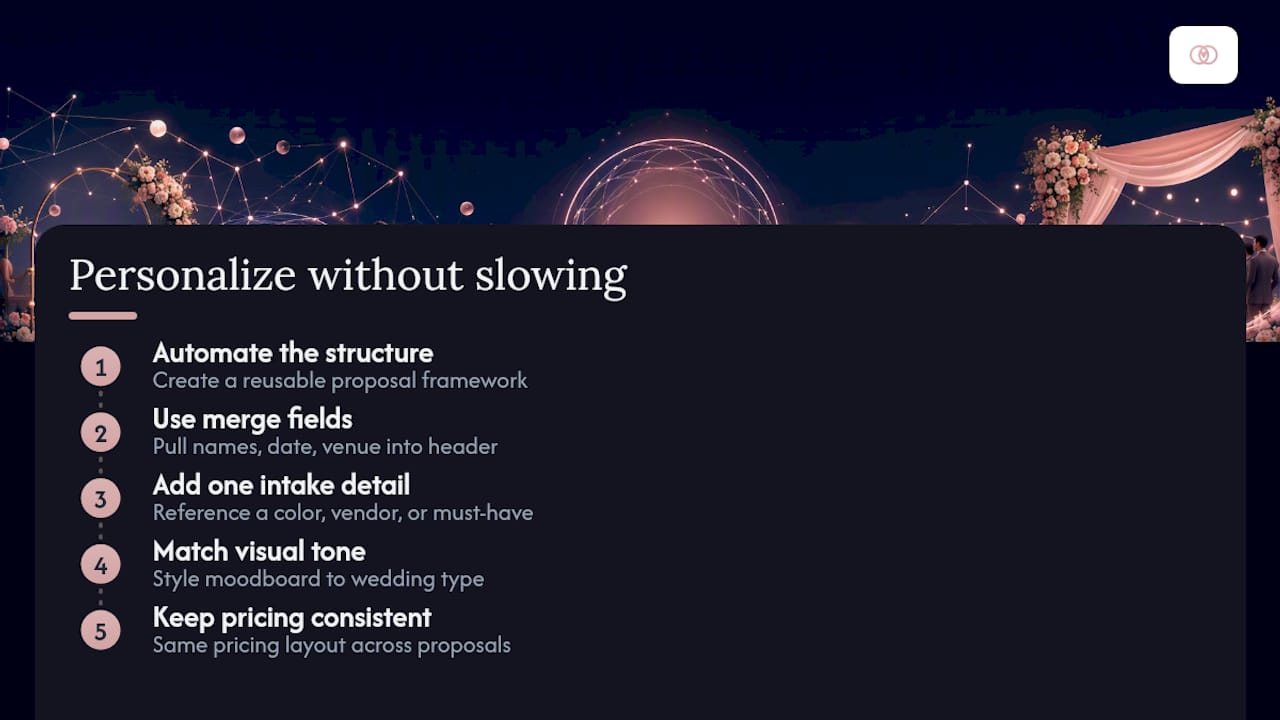
Personalization and automation aren’t opposites, they’re sequential. Automate the structure, then personalize the content that sits inside it.
Pull the couple’s names, wedding date, and venue directly into the proposal header using merge fields, so it never reads like a copy-pasted template. Reference something specific from their intake, a color palette they mentioned, a must-have vendor, in the opening paragraph rather than the pricing table. That single detail signals attention without costing you extra drafting time.
Match your proposal’s visual tone to the wedding style the couple described in Layer 1. A rustic barn wedding and a downtown rooftop event shouldn’t get the same moodboard treatment, even if the pricing structure underneath is identical.
Keep your pricing presentation consistent across every proposal you send, even as the creative details change. Couples comparing planners often flip between multiple proposals, and a familiar structure with personalized content reads as more professional than a fully bespoke document that takes you three extra hours to build.
Common Roadblocks and How to Clear Them
The most frequent failure point is intake abandonment, usually because the first form is too long. If completion rates drop below your target, check your Layer 1 length before you touch anything else. Anything past five minutes for that first sitting tends to lose people.
Missing fields at the contract stage almost always trace back to skipped intake questions upstream, not a broken contract template. Fix the source, not the symptom, by adding a conditional field that blocks contract generation until required data is present.
Deposit delays after signature usually mean your invoice isn’t firing automatically, or the payment terms buried in the contract weren’t surfaced clearly in the portal. Surface the deposit amount and due date visibly on the portal dashboard, not just in the contract’s fine print.
Slow proposal turnaround under deadline pressure is where reusable snippets save you. If you’re rebuilding scope language from scratch every time, that’s the bottleneck to fix first.
What Planners Get Wrong About Automating This
The most common mistake isn’t picking bad software, it’s building an intake form so long that couples abandon it before layer two. The second is relying on memory instead of an escalation schedule, which means “chasing” becomes a daily task instead of a system. The third, and most damaging, is skipping the internal handoff step entirely, so a signed contract sits disconnected from the calendar, the vendor brief, and the team member who’s supposed to own it.
Automation done well doesn’t make the client experience feel robotic. It makes the studio feel more responsive, because reminders go out on schedule and nothing falls through email threads. That consistency is what lets a two-person studio take on a fifth simultaneous wedding without dropping a ball.
Where TheSpecialWedding.io Fits Into This Workflow
Every stage described above maps directly onto features inside Thespecialwedding: the branded portal replaces your login-free intake link, saved proposal templates replace your snippet library, built-in e-signature and deposit invoicing replace the manual contract chase, and real-time dashboards replace the KPI spreadsheet you’d otherwise have to maintain by hand.

Studios using scattered tools spend those 11 hours per couple stitching spreadsheets, email threads, and separate e-sign apps into something that resembles a system. Thespecialwedding is the alternative to that patchwork for planners who want the entire proposal-to-onboarding pipeline running inside one branded workspace, with vendor profiles like JAM Events and Productions already structured for the internal handoff step described above. If you’re ready to see the layered intake, contract, and reminder cadence built into a single portal, start a trial at Thespecialwedding and run your next inquiry through it before your busy season hits.
Frequently Asked Questions
What is the difference between a proposal and a contract in this workflow? A proposal outlines scope and pricing for the couple to review; the contract is the legal document that converts once they approve it, typically triggering deposit invoicing the same moment.
How long should a wedding proposal workflow take from lead to signed contract? With automation in place, many studios compress the process to well under a week, compared to the 11 hours of manual onboarding work spread over several back-and-forth emails.
Do I need separate software for e-signature and deposit invoicing? Not if your platform combines them. Integrated tools like TheSpecialWedding.io trigger invoicing automatically when a contract is signed, removing the need for a second app.
What’s the biggest mistake planners make when building this workflow? Sending one long intake form instead of layering it. Couples abandon lengthy forms far more often than short, staged ones.
Sources
- Client Onboarding for Wedding Planners: The Stress-Free System That Wows Couples (Without Drowning You in Email) | OnboardMap
- The Best Wedding Planner Onboarding Workflow | Wedding Coach
Recommended
- From Wedding Quote to Signed Contract: A Planner’s Workflow Guide | The Special Wedding Blog
- Wedding Lead Capture Forms: Templates and Best Practices | The Special Wedding Blog
- Wedding Quote Approvals: A Workflow Guide for Planners | The Special Wedding Blog
- Wedding Workflow Automation for Pros: A Practical Guide | The Special Wedding Blog
Free wedding planner templates
Skip the blank page — these templates ship with the form fields you actually need.
Browse all 9 free templates →