Wedding RSVP Tracking System: Your 2026 Planning Guide
Wedding RSVP Tracking System: Your 2026 Planning Guide

Most couples assume RSVP tracking means keeping a list of who said yes or no. Then reality hits. A 150-person wedding can generate 300 to 400 data points covering meal preferences, plus-ones, dietary restrictions, and last-minute changes. Managing all of that manually across texts, emails, and sticky notes is how critical details fall through the cracks. A wedding RSVP tracking system fixes that by centralizing every response, automating follow-ups, and producing clean data your vendors can actually use.
Table of Contents
- Key Takeaways
- What a wedding RSVP tracking system actually is
- Digital tools vs. hybrid approaches
- How to set up and manage your RSVP system
- Post-deadline workflows and vendor coordination
- Common RSVP tracking challenges and how to handle them
- My take on why RSVP tracking is harder than couples expect
- Take RSVP tracking off your plate with the right tools
- FAQ
Key Takeaways
| Point | Details |
|---|---|
| Centralize all responses | Use one master system to collect and update guest data, avoiding duplicate or missing entries. |
| Set deadlines strategically | Schedule your RSVP deadline 3 to 4 weeks before the wedding to give vendors time for final counts. |
| Digital tools reduce errors | Real-time dashboards and automated reminders replace manual data entry and cut costly mistakes. |
| Hybrid methods work well | Pairing paper invitations with QR codes covers guests of all tech comfort levels. |
| Assign follow-up roles | One person handling reminders with pre-written messages keeps the process efficient and low-stress. |
What a wedding RSVP tracking system actually is
A wedding RSVP tracking system is a centralized platform or tool designed to collect, organize, and continuously update guest responses throughout your wedding planning process. Think of it as your single source of truth for everything guest-related. It goes far beyond a simple “attending or not” checkbox.
A solid system captures:
- Guest names and contact information
- Attendance confirmation (yes, no, or pending)
- Meal selections and dietary restrictions
- Plus-one details and names
- Special accommodation needs
- Notes from phone or in-person confirmations
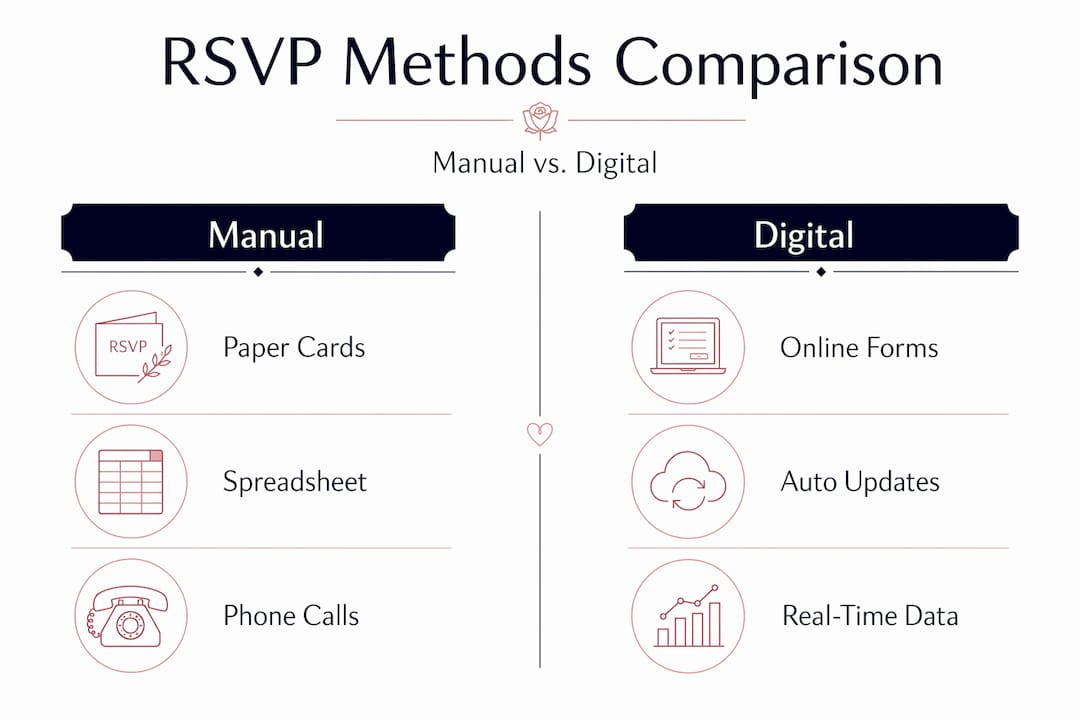
The difference between a tracking system and a basic spreadsheet is automation and integration. Modern RSVP platforms like Zola, The Knot, and QuikRSVP replace manual data entry with digital syncing, automated reminders, and exportable reports. When a guest submits their response online, the data flows directly into your dashboard with no manual copying required.
Compare that to the traditional approach, where you collect paper cards by mail, manually enter each response into a spreadsheet, and chase down non-responders by phone. That method works for a 30-person dinner party. For a wedding of any real size, it creates confusion, duplicate entries, and missed updates.
Pro Tip: Set up your tracking system before you send a single invitation. Having the infrastructure in place first means every response gets captured from day one, not retroactively sorted later.
| Method | Data accuracy | Effort required | Real-time updates |
|---|---|---|---|
| Manual spreadsheet | Low to medium | High | No |
| RSVP software (digital) | High | Low | Yes |
| Hybrid (paper + QR code) | Medium to high | Medium | Partial |
Digital tools vs. hybrid approaches
Knowing what a wedding RSVP tracking system is means understanding which format actually fits your wedding. You have two main categories to choose from, and both have real tradeoffs.
Fully digital platforms handle everything online. Guests receive a link, complete a form, and their response updates your dashboard instantly. Platforms like The Knot and Zola include built-in reminder emails, response summaries, and export functions for vendor reports. QuikRSVP takes this further with QR code integration and day-of check-in features.
The advantages are significant:
- Real-time response visibility from any device
- Automated reminder emails to non-responders
- One-click exports for caterers and venue coordinators
- Reduced risk of data entry errors
The limitation? Not every guest is comfortable with online forms. Older relatives or guests with limited tech access may simply skip the process, which means you still end up making phone calls.
Hybrid approaches solve this by mailing paper invitations with QR codes that direct guests to an online form. Guests who prefer traditional methods can mail back a physical card, while tech-comfortable guests complete everything digitally. A designated person then enters the paper responses into the central system.
Hybrid RSVP methods honor etiquette for less tech-savvy guests while still capturing digital efficiencies for the majority. If your guest list spans multiple generations, this is usually the smarter choice.
Pro Tip: Test your digital RSVP form before launching it. Submit a test response yourself and confirm the data appears correctly in your dashboard. Then ask one tech-unfamiliar person to try it and watch where they get confused.
If you want professional-quality printed materials for a hybrid setup, event ticket printing services can produce QR-coded inserts that match your invitation design.
How to set up and manage your RSVP system
Setting up a wedding RSVP tracking system takes planning. Here is a step-by-step approach that works regardless of which platform you choose.
- Choose your platform early. Select your RSVP tool at least three months before the wedding date. Build your guest list inside the system before invitations go out.
- Set a firm RSVP deadline. You should set your deadline 3 to 4 weeks before the wedding. This gives you a two-week buffer before your caterer and venue typically need final headcounts.
- Define exactly what data you need. At minimum, collect full name, attendance status, meal choice, plus-one name, and dietary restrictions. Avoid adding fields you will not actually use.
- Assign clear roles. Decide who owns response entry and who handles follow-ups. Splitting this between partners works when each has a defined lane.
- Communicate RSVP instructions clearly. Include your deadline and response instructions on the invitation, the envelope insert, and your wedding website. Repetition prevents confusion.
- Send reminders proactively. Do not wait for the deadline to chase responses. Send a reminder at the midpoint between invitation send-date and deadline.
- Handle non-responders firmly and kindly. Industry experts estimate 15 to 20 percent of guests will need follow-up reminders after the official deadline. Reach out once directly, then move on.
Your tracking document or dashboard should always reflect the most current status for every guest. If you receive a response by phone or text, log it immediately. Using multiple tracking systems simultaneously increases the risk of missing information, so keep one system as your definitive record.
Pro Tip: Add a “Notes” column or field to your tracking system. Use it to log how a response was received (phone call, email, text) and any verbal commitments that differ from the official form response. This protects you when discrepancies arise later.

Post-deadline workflows and vendor coordination
Once your RSVP deadline passes, the tracking system becomes your operational backbone. The data you have collected now needs to leave your dashboard and reach the right vendors in the right format.
Here is where most couples discover why organizing this carefully matters so much. Post-RSVP workflows require multiple tailored exports for different vendors. Your caterer needs meal counts and dietary restrictions. Your DJ needs guest names for a do-not-play list or personalized announcements, but does not need allergy information. Your venue coordinator needs total headcount and table assignments. Each vendor gets only what is relevant to them.
A few ways a strong RSVP tracking system supports your post-deadline work:
- Generate filtered exports by meal type for catering
- Produce seating chart data that integrates directly with seating software
- Create a day-of check-in list sorted alphabetically or by table number
- Flag guests marked as “maybe” or unconfirmed for final outreach
- Summarize plus-one counts separately for accurate per-person billing
QR code check-in at the reception adds another layer of precision. Guests scan their code at the door, which confirms their arrival in real time and automatically updates seating assignments. This removes the bottleneck of a manual sign-in sheet and speeds up the entry process significantly.
Pro Tip: Lock your tracking data 48 hours before the wedding. Communicate a hard cutoff to family members who might still be passing along last-minute changes. Late additions create downstream errors in your vendor files.
Common RSVP tracking challenges and how to handle them
Even with a solid system in place, you will run into friction. Understanding the most common challenges ahead of time means you are not caught off guard.
Guests who simply do not respond are the most universal pain point. You send the invitation. You send a reminder. Nothing. Experts recommend assigning follow-up tasks to one partner with pre-written scripts that are warm but clear. This takes the emotional charge out of the interaction and keeps the communication consistent.
Tracking across multiple systems is another common mistake. You start with a spreadsheet, then someone starts logging responses in a group chat, and another person updates a different document. Within two weeks, no one knows which version is current. Pick one system and enforce it with everyone involved in the planning process.
Late RSVP acceptance is a boundary issue as much as a logistical one. It is standard practice to set an internal final deadline one week after the official RSVP date, then treat non-responders as “no.” If guests contact you after that point, it is completely acceptable to decline additions. Your venue and caterer have requirements that depend on accurate numbers, and honoring those matters more than accommodating last-minute indecision.
“If guests do not respond even after follow-ups, assume ‘no’ and maintain firm boundaries for final counts.” (helloprenup.com)
Inaccurate plus-one and dietary data creates real problems the day of the wedding. When collecting this information, ask for the plus-one’s full name, not just “guest.” For dietary needs, ask guests to specify rather than offering a checkbox. The specificity matters when your caterer is preparing individual plates.
Pro Tip: Create a “confirmed no response” category in your system. Instead of leaving non-responders in a gray “pending” status, actively mark them as assumed “no” after your internal deadline. This keeps your headcount accurate and prevents last-minute confusion.
My take on why RSVP tracking is harder than couples expect
I’ve worked alongside enough couples and planners to say this with confidence: RSVP management is the most underestimated task in wedding planning. Not venues. Not catering. Guest tracking.
When I see couples start with a shared spreadsheet and a Google Form, I understand the instinct. It feels manageable at first. Then the responses start coming in through five different channels simultaneously, a relative RSVPs for six when the invitation said four, and someone sends a dietary restriction via Instagram DM that never makes it into the sheet. Suddenly, the “simple” system is broken.
What I’ve learned is that digital RSVP tools do not just save time. They protect your peace of mind. The emotional toll of chasing responses is real. Every unanswered follow-up carries a small weight of social anxiety, and it accumulates fast.
My contrarian view: firm RSVP deadlines are an act of kindness, not rudeness. Guests who genuinely want to attend will respond. Those who do not respond by the deadline were unlikely to make the logistics easy in other ways either.
And here is the part most planning guides skip: you can overcollect data. I’ve seen couples build tracking forms with 12 fields per guest, then spend three days analyzing information they never actually needed. Keep it simple. Collect what your vendors require and nothing more. The best tracking system is the one you will actually maintain consistently through the chaos of the final weeks.
— JOATLABS
Take RSVP tracking off your plate with the right tools
Managing wedding RSVPs manually takes hours you do not have. Thespecialwedding brings guest management, vendor coordination, and RSVP tracking into one organized workspace so nothing gets lost between spreadsheets and group chats. Whether you are planning your own wedding or working with a professional planner, the right software makes the difference between scrambling the week before and walking into your wedding day with every detail confirmed.
Explore Thespecialwedding’s planning platform to see how integrated guest management and real-time dashboards replace the scattered tools most couples rely on. You can also browse the vendor directory to connect with local pros who are already familiar with digital coordination workflows, making the entire planning process faster and less stressful.
FAQ
What is a wedding RSVP tracking system?
A wedding RSVP tracking system is a centralized platform or tool that collects, organizes, and updates guest responses, including meal choices, plus-ones, and dietary needs, in one place. It replaces manual spreadsheets with automated data management and vendor-ready exports.
How early should I set my RSVP deadline?
Set your RSVP deadline 3 to 4 weeks before your wedding date to give vendors enough time to finalize headcounts and meal orders. This builds in a two-week buffer before most venue and catering cutoffs.
What should I do if guests do not respond?
Send one direct reminder, then set an internal deadline one week after your official cutoff. After that, assume non-responders are not attending and finalize your numbers. It is acceptable to decline late RSVPs that arrive after vendor counts are submitted.
Is a digital RSVP system better than paper?
Digital systems offer real-time updates, automated reminders, and clean vendor exports that paper cannot match. A hybrid approach, pairing paper invitations with QR codes, works best when your guest list includes people who are less comfortable with online forms.
How do I handle RSVP data for different vendors?
Export tailored reports for each vendor based on what they specifically need. Caterers need meal counts and dietary details, venues need total headcount, and DJs need guest names. Sharing only relevant data with each vendor reduces confusion and keeps your coordination accurate.
Recommended
Free wedding planner templates
Skip the blank page — these templates ship with the form fields you actually need.
Browse all 9 free templates →