Wedding Seating Arrangement Software Comparison for Agencies
Wedding Seating Arrangement Software Comparison for Agencies

For professional wedding studios managing multiple events simultaneously, Thespecialwedding.io is the recommended agency-grade platform. It consolidates seating, guest management, vendor CRM, client portals, and milestone workflows into one workspace, so your team stops losing time to version drift across spreadsheets and disconnected apps.
Three reasons it earns that position:
- Multi-event scalability: manage concurrent weddings from a single dashboard with role-based access and reusable templates
- Integrated seating and guest management: seating arrangement tools tied directly to live RSVP data, dietary tags, and accessibility notes
- Security and compliance: PCI DSS-compliant payment flows and ADA-aligned accessibility tracking built into the guest record
Table of Contents
- What features should agency-grade seating software include?
- What do agencies actually need from seating and guest management tools?
- How should your agency structure team collaboration across multiple weddings?
- How accurately can seating software map a real physical venue?
- Which integrations does an agency seating platform need?
- How do you calculate the ROI of agency seating software?
- How do you migrate an agency from spreadsheets to a new platform?
- What questions should you ask during a vendor demo?
- How does Thespecialwedding.io support agency seating workflows?
- Key Takeaways
- What the agency software market gets wrong about seating tools
- Thespecialwedding.io: start your pilot with one wedding
- Sources and further reading
What features should agency-grade seating software include?
Before you book a demo, run every candidate platform against this checklist. A tool that cannot check every box is a consumer product wearing agency clothes.
Core platform capabilities:
- Integrated floorplan editor with true-scale venue imports
- Guest management with dietary restrictions, accessibility flags, and plus-one rules
- Vendor CRM with contract storage, COI tracking, and purchase order workflows
- Client portals with isolated visibility (couples see budgets and floor plans; internal notes stay hidden)
- Multi-event templates and reusable workflow structures
- Role and permission controls (owner, producer, coordinator, vendor guest access)
- API access and webhooks for custom integrations
- Mobile on-site mode with offline editing capability
Quick must-have checks:
- CSV/Excel guest list import with custom field mapping
- Custom table shapes (rounds, rectangles, banquets, cocktail clusters)
- Automated RSVP-to-seat sync when registrations change
- Group-assignment logic for families and VIP blocks
- Audit logs that record every seating change with timestamps
Ask your sales contact to demonstrate each of these live. If they redirect you to a help article instead of showing it in the product, that is a red flag worth noting.
What do agencies actually need from seating and guest management tools?
Consumer seating apps solve one problem: placing names on a chart. Agency workflows are fundamentally different. Seating software for professional planners must handle multi-event concurrency, complex family dynamics, dietary and accessibility tagging, reserved sponsor and VIP zones, and a full audit trail that protects you if a client disputes a change.
A typical agency workflow looks like this: a proposal converts to a project, the seating plan attaches automatically, RSVPs sync in real time as guests respond, and the couple can review table assignments in their portal without seeing your internal notes or vendor commissions. That last piece, what practitioners call “isolated transparency,” is where most platforms fall short. Couples want visibility into their event; they do not need to see your margin on the florist.

Pro Tip: Before your demo, ask the vendor to show you the client portal view alongside the internal planner view simultaneously. The gap between those two screens tells you more about the platform’s isolation controls than any feature list.
Live seating systems eliminate version drift by keeping every team member, vendor, and client working from a single source of truth rather than circulating static PDFs.
Seat-management capabilities to verify:
- Round, rectangular, and custom table shape support
- Seat assignment rules (block seats for sponsors, allow couple edits to general assignments)
- Visibility controls per user role
- Change logs with user attribution and timestamps
- Export to printable BEO tied to the live plan
How should your agency structure team collaboration across multiple weddings?
A multi-event dashboard is the operational center of any agency running more than three weddings concurrently. You need to see all active projects, upcoming milestones, and resource conflicts without opening each event individually.
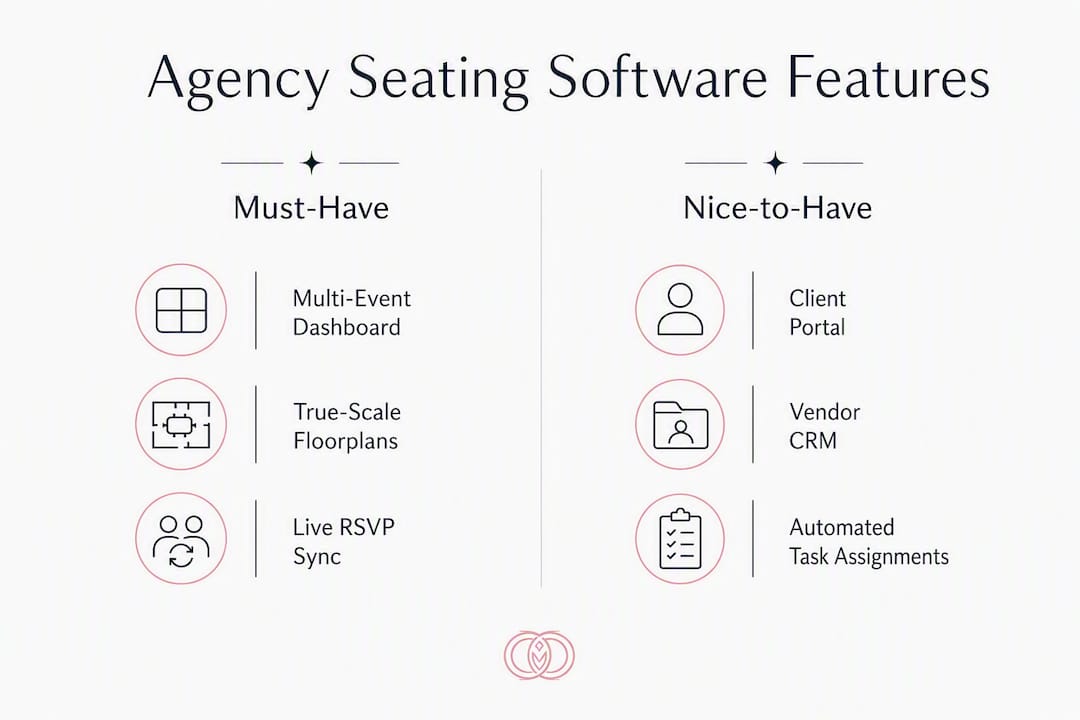
Project templates and role-based portals cut repetitive setup and consolidate approvals in one place, which matters when your team is managing 10–14 vendors per wedding across timelines that stretch 6–18 months.
Role structures worth asking about during a demo:
- Owner/admin: full access to billing, team settings, and all events
- Producer/lead planner: full event access, internal notes, vendor commissions
- Coordinator: task and communication access, no financial data
- Vendor guest access: limited to their deliverables and relevant run-of-show items
- Client portal: couple-facing view with seating, budget summary, and approval workflows
When a contract converts to a project, the platform should auto-create milestones, assign tasks, and open the client portal with the seating plan attached. That single automation removes the back-and-forth email gap between proposal acceptance and the first venue walkthrough. Read more about multi-event workspace setup to see how this plays out in practice.
How accurately can seating software map a real physical venue?
Floorplan fidelity is where agency-grade tools separate from everything else. Consumer tools treat complex venues as a simple grid; agency platforms must reflect physical reality, including aisle widths, sightlines, stage risers, and fire-exit clearances.
| Capability | What to verify in demo |
|---|---|
| True-scale import | DXF or measured PDF import with scale confirmation |
| Multi-layer support | Separate layers for floor, riser, stage, and outdoor areas |
| Custom table shapes | Rounds, rectangles, banquets, cocktail clusters, and head tables |
| Measurement tools | On-screen distance measurement to confirm aisle widths |
| Offline editing | Changes saved locally when venue Wi-Fi is unavailable |
| Printable BEO export | Live plan exports to a print-ready BEO for venue staff |
Pro Tip: When importing a legacy venue PDF, always ask the venue for the original CAD file or a dimensioned drawing. PDFs exported from presentation software lose scale data, and a 10% scale error on a 300-person ballroom moves tables by several feet.
For a practical walkthrough of building accurate digital floor plans, the digital floor plans guide covers common import errors and how to catch them before the day of the event.
Which integrations does an agency seating platform need?
Seating becomes a workflow asset, not just a chart, when it connects to your contracts, payments, and vendor records. APIs and webhooks reduce manual data entry and allow automation of routine tasks like sending COI requests or syncing RSVP changes directly to the seating plan.
Integration checklist for your demo:
- Payment processor with PCI DSS-compliant flow (Stripe, Square, or equivalent)
- Calendar sync with Google Calendar and Outlook
- Registration system integration for automated RSVP-to-seat updates
- Accounting tool connection for invoice reconciliation
- Single sign-on (SSO) support for agency team accounts
- Webhooks and open API for custom workflow automation
On the vendor CRM side, look for contact records that store COIs, rate sheets, and preferred contact methods. Vendors should be linkable to specific event roles, and the platform should automate COI renewal requests and purchase orders. When a client approves the seating plan, that approval should record in the audit log and trigger the next milestone invoice automatically.
How do you calculate the ROI of agency seating software?
The simplest ROI framework for studio leadership: multiply the hours saved per wedding by your average hourly rate, then multiply by your annual event volume. For example, if your team currently spends several hours per wedding reconciling guest lists, updating seating charts, and chasing vendor confirmations, and you run many weddings per year at a blended rate of tens of dollars per hour, this can add up to significant recoverable labor annually. Add the cost of the four to six separate subscriptions an all-in-one platform replaces, and the math typically favors consolidation within the first quarter.
Common pricing levers to ask about:
- Per-seat vs. per-studio vs. flat-agency plans
- Event-volume tiers and overage fees for additional events
- White-label and custom branding add-ons
- API access as a premium tier feature
- SLA and dedicated support as enterprise add-ons
Thespecialwedding.io offers a free starter tier and paid monthly subscriptions scaled by seat count and feature access, with a 30-day free trial on paid plans.
How do you migrate an agency from spreadsheets to a new platform?
Migration risk is real, but it is manageable with a structured runbook. The agencies that struggle are the ones that try to migrate everything at once.
- Inventory your data sources: list all active guest lists, vendor contracts, venue PDFs, and legacy seating charts
- Clean guest data: standardize dietary tags, accessibility notes, and contact fields before import
- Import guest lists: use CSV/Excel import with field mapping; validate row counts after import
- Import venue floorplans: request CAD or dimensioned PDFs from venues; test scale accuracy before placing tables
- Set up templates: build your standard wedding workflow template before piloting
- Pilot one wedding: run a single active event on the new platform while keeping the old system as backup
- Train staff by role: train producers first, then coordinators, then introduce client portals to one couple
- Full cutover: migrate remaining active events after the pilot completes without issues
A small studio (one to three planners) can complete this process in two to three weeks. A mid-size agency (five to ten planners, 30+ concurrent events) should budget four to six weeks and involve the lead planner, an IT contact for SSO setup, and at least one vendor for integration testing.
What questions should you ask during a vendor demo?
Eight questions that should be pass/fail gates, not nice-to-haves:
- Scalability: “Show me the multi-event dashboard with five or more active weddings.”
- Seat import: “Import this venue PDF at scale and place 20 tables.”
- Role depth: “Show me the difference between what a coordinator sees and what a client sees.”
- API/webhooks: “What does your webhook payload look like for an RSVP change event?”
- Mobile/offline: “What happens to seating edits made when there is no internet connection?”
- Client portal controls: “Can I hide vendor commissions and internal notes from the couple’s view?”
- Onboarding support: “What does your migration support include, and who is my point of contact?”
- Security/compliance: “Are your payment flows PCI DSS-compliant, and where is guest data stored?”
Red flags that should disqualify a vendor: no true-scale floorplan import, single-event-only workflow structure, opaque per-event pricing with hidden overages, no client-portal isolation, no audit logs, and a vendor CRM that is just a contact list with no contract or COI storage. For a deeper look at how agency-grade and consumer-grade tools compare, the HoneyBook vs. Aisle Planner analysis walks through these trade-offs in a real platform context.
How does Thespecialwedding.io support agency seating workflows?
A mid-size studio that moves from spreadsheets and a separate client portal to Thespecialwedding.io typically consolidates seating, vendor CRM, and invoicing into one workspace within the first month. The workflow change that planners notice first is the proposal-to-project conversion: when a contract is signed, the platform creates the project, attaches the seating plan, and opens the client portal automatically.
Outcomes agencies report seeking when evaluating platforms like this include reduced admin hours per wedding, fewer on-site seating errors from version drift, and faster contract-to-project conversion. The on-site seating coordination guide documents specific tactics for managing last-minute changes on event day.
What agencies gain from consolidated seating and project management:
- Single source of truth for every seating change, visible to the whole team
- Client portal that shows couples their floor plan and budget without exposing internal data
- Vendor CRM with COI tracking linked to event roles and milestone payments
- Reusable templates that cut new-event setup time significantly
Key Takeaways
Agency planners need an integrated SaaS that connects seating, guest management, vendor CRM, and client portals in one workspace, and Thespecialwedding.io is built specifically for that workflow.
| Point | Details |
|---|---|
| Integrated seating is non-negotiable | Live RSVP-to-seat sync eliminates version drift and on-site errors from circulating static charts. |
| Isolated transparency drives adoption | Client portals must show couples their floor plan and budget while hiding internal notes and commissions. |
| ROI calculation is straightforward | Hours saved per wedding × hourly rate × annual event volume quantifies labor recovery for leadership. |
| Migration needs a pilot phase | Run one active wedding on the new platform before full cutover to reduce risk for your whole team. |
| Thespecialwedding.io | Recommended agency-grade platform combining seating, vendor CRM, client portals, and milestone workflows in one subscription. |
What the agency software market gets wrong about seating tools
Most platforms marketed as “wedding software” are built for couples, then retrofitted for planners. The seating module is usually the clearest tell. A couple needs to place 80 guests once. Your agency needs to manage 300-guest events across multiple concurrent projects, with dietary constraints, sponsor blocks, accessibility requirements, and a client who wants visibility without access to your margins.
The platforms that get this right treat seating as a workflow node, not a standalone chart. When a guest RSVP changes, the seating plan updates. When the seating plan is approved, the next invoice is triggered. When a vendor is assigned to a table zone, their COI status is visible in the same record. That chain of connected events is what separates a professional tool from a polished consumer app.
Practitioners also warn against over-tooling: enterprise platforms that impose rigid structures can slow creative agencies down as much as spreadsheets do. The right agency tool offers professional-grade features while staying agile enough for the reality that no two weddings are identical. Evaluate for flexibility, not just feature count.
Thespecialwedding.io: start your pilot with one wedding
Running one wedding through Thespecialwedding.io before committing to a full migration is the lowest-risk way to validate fit. The free starter tier lets you explore the platform without a credit card, and the 30-day trial on paid plans includes dedicated onboarding support to get your first guest list imported and your first floorplan scaled correctly.

Your pilot setup takes less than a day: import your guest list, upload your venue floor plan, assign your vendor contacts, and open the client portal for one couple. From there, you can see exactly how seating, vendor CRM, and milestone invoicing connect in a live workflow. Vendors like Castle Event Rentals are already listed in the Thespecialwedding.io marketplace, so rental assignments to tables and BEO exports are ready to test from day one.
Schedule your demo at thespecialwedding.io and bring the eight-question checklist from this article to the call.
Sources and further reading
- Role of Seating Arrangement Tools for Wedding Planners | Thespecialwedding.io Blog
- Digital Floor Plans for Wedding Events: A Planner’s Guide | Thespecialwedding.io Blog
- Seating Chart Strategy: Beyond Drag-and-Drop | Thespecialwedding.io Blog
- Why Agencies Use Wedding Software Platforms in 2026 | Thespecialwedding.io Blog
- What Is Event Seating Software and Why Event Planners Need It | MapdEvents
- Project Management for Wedding Planners in 2026 | Plutio
- 10 Best Project Management Software for Event Planners 2026 | Agiled
- 10 Benefits of Using Event Management Software | Zkipster
Recommended
- Role of Seating Arrangement Tools for Wedding Planners | The Special Wedding Blog
- Why Agencies Use Wedding Software Platforms in 2026 | The Special Wedding Blog
- HoneyBook vs Aisle Planner: Which Is Better for Wedding Planners? | The Special Wedding Blog
- Wedding Event Seating Coordination Tips That Work | The Special Wedding Blog
Free wedding planner templates
Skip the blank page — these templates ship with the form fields you actually need.
Browse all 9 free templates →