WeddingBills.com Alternatives for Planners & Studios 2026
WeddingBills.com Alternatives for Planners & Studios 2026
For professional studios managing multiple weddings, Thespecialwedding.io is the recommended agency-grade alternative: a single operational hub covering client intake, vendor CRM, timelines, guest and seating management, contracts, payments, and branded client portals. If you need a shortlist right now:
- Thespecialwedding.io — built specifically for multi-event agencies; replaces spreadsheets with a unified workspace, automated workflows, and real-time dashboards.
- Aisle Planner — strong timeline and design tools; better suited to boutique planners than growing studios.
- HoneyBook — polished client-facing CRM with reliable payment processing; limited guest management depth.
The fastest next step: book a 30-minute demo with Thespecialwedding.io and run a live pilot on a couple of active events before committing.
Table of Contents
- How do the top wedding planning platforms compare for agencies?
- What features should you test in every platform demo?
- How do you choose the right platform for your studio?
- What does a realistic migration and onboarding timeline look like?
- What should you budget, and what ROI can you expect?
- Why Thespecialwedding.io stands out for agency workflows
- What do users say about each platform’s reputation?
- How flexible are these platforms for different studio sizes and niches?
- How do these platforms connect with accounting software?
- What do US planners actually experience after switching platforms?
- Key Takeaways
- The tool you pick shapes the business you can build
- Thespecialwedding.io gives multi-event studios a single place to run everything
- Useful sources and next steps
How do the top wedding planning platforms compare for agencies?
The table below covers the dimensions that matter most when you’re running a multi-event studio, not a single wedding.
| Dimension | Thespecialwedding.io | Aisle Planner | HoneyBook | Planning Pod | Dubsado | The Knot (Knot.com) |
|---|---|---|---|---|---|---|
| Best for | Multi-event agencies & studios | Boutique planners | Small CRM-first firms | Mid-size studios | Freelancers & solos | Vendor marketplace + basic tools |
| Core features | Intake, timelines, vendor CRM, guest/seating, portals | Timelines, design boards, checklists | Proposals, contracts, invoicing | Timelines, budgets, guest lists | Contracts, invoicing, forms | Vendor search, checklists, budgets |
| Team & collaboration | Multi-seat, roles, permissions | Limited team seats | Basic team access | Team tasks, roles | Solo-focused | Not designed for teams |
| Automation & workflows | AI-driven intake, reminders, contract/payment flows | Basic reminders | Workflow automation | Task automation | Strong form/workflow automation | Minimal |
| Client portal & branding | Branded portals + wedding websites | Client-facing checklists | Polished client portal | Client portal | Client portal | Couple-facing only |
| Integrations | Calendar, accounting, payment processors, vendor portals | Google Calendar, Stripe | QuickBooks, Stripe, Zapier | Google, Stripe, QuickBooks | Stripe, Zapier, QuickBooks | Limited |
| Data migration | Spreadsheet import, vendor/client history | Manual import | CSV import | CSV import | CSV import | Not applicable |
| Support & onboarding | Dedicated onboarding, concierge migration | Email support | Chat + email | Chat + email | Community + email | Self-serve |
| Pricing model | Tiered SaaS, free starter tier | Per-user subscription | Tiered subscription | Per-event or subscription | Subscription | Free with paid upgrades |
| Security & compliance | PCI-compliant payments, data controls | Standard | PCI-compliant payments | Standard | Standard | Standard |
Key tradeoffs for studios: Thespecialwedding.io and Planning Pod offer the deepest multi-event operations. HoneyBook wins on client-facing polish but lacks guest management. Dubsado suits solos who want heavy form customization. Aisle Planner shines for design-forward boutique planners. The Knot is primarily a vendor marketplace with planning tools bolted on.
Recommended demo order: Start with Thespecialwedding.io. Its agency-first architecture means you’ll see the collaboration and automation features that matter most before evaluating narrower tools.
Pro Tip: Ask every vendor to show you a live cross-event search — type a guest name and see if it surfaces across all active weddings simultaneously. Most platforms fail this test.
What features should you test in every platform demo?
The wedding planning software categories break into all-in-one platforms, lightweight wedding-specific tools, and specialist tools paired with a CRM. Your demo checklist should stress-test whichever category you’re evaluating.
Core feature groups to cover:
- Structured client intake and CRM: submit a test inquiry and watch how the platform routes, tags, and assigns it
- Contract and payment automation: trigger a contract from a template, add a payment schedule, and confirm automated reminders fire correctly
- Repeatable project templates and timeline builder: create a new event from a saved template in under five minutes
- Vendor CRM and outreach: send a vendor availability request and check whether replies are parsed back into the record
- Guest list and seating module: import a 150-row spreadsheet and run a seating assignment
- Branded client portal and wedding website: publish a test portal and confirm the couple sees only their event
- Reporting and financial reconciliation: pull a revenue summary across three simultaneous events
- Mobile app: complete a vendor task and update a timeline from a phone
Three pilot experiments that surface most platform gaps quickly: import a real client spreadsheet, run an invoice flow for an upcoming payment milestone, and test vendor outreach automation end-to-end. These three tests reveal data-mapping issues and automation gaps faster than any sales demo.
Pro Tip: Simulate 10 active events simultaneously and attempt a cross-client guest search. If the platform slows or can’t return results, it will bottleneck your busiest season.
How do you choose the right platform for your studio?
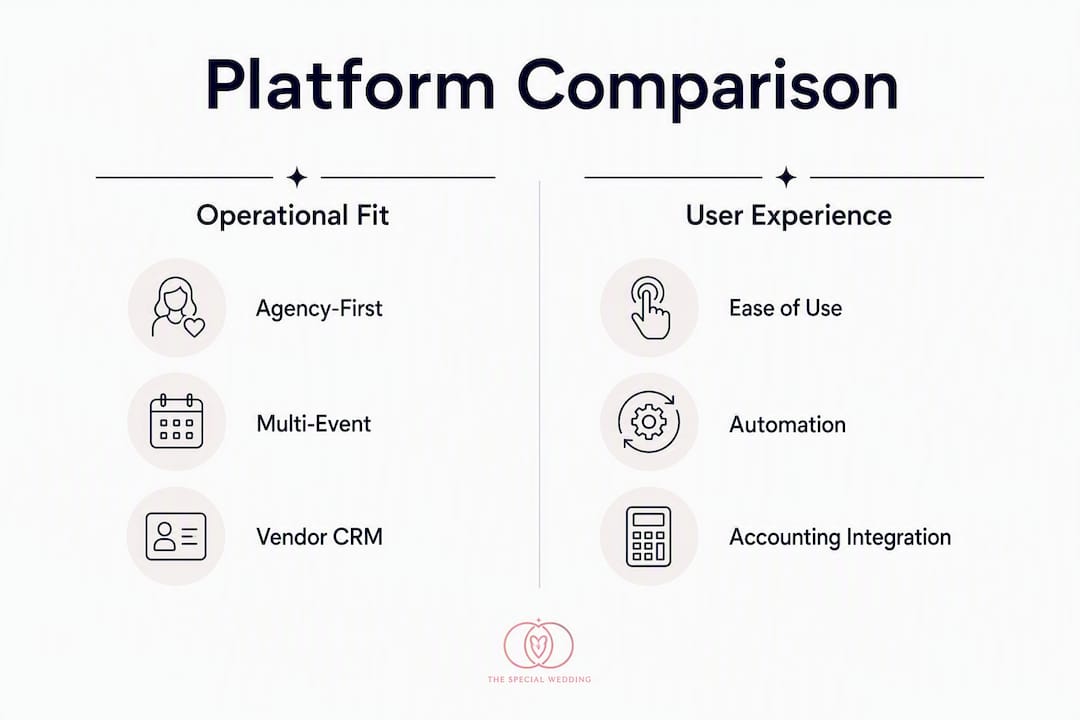
Score vendors on two axes: operational fit (how closely the platform maps to your documented process) and economic fit (subscription cost versus margin per event). Operational fit should carry more weight early; a cheap tool that forces you to rebuild your process costs more in lost hours than a pricier one that slots in cleanly.
Simple scoring rubric (weight each 1–5):
- Core feature coverage vs. your workflow checklist
- Integration depth with your accounting and calendar tools
- Total cost of ownership including onboarding and migration fees
- Dedicated onboarding support and SLA clarity
- Security and compliance posture (PCI-compliant payments, data export rights)
Demo questions worth asking directly:
- “Show me how multi-event templates work when two weddings share a vendor.”
- “Demonstrate a live vendor availability outreach and how the reply gets logged.”
- “Can you export the complete financial history for every client, in what format, and how quickly?”
- “What is your SLA for support tickets during peak season?”
Red flags to walk away from:
- No data export or export locked behind an enterprise tier
- Vague SLA language (“we respond as soon as possible”)
- Per-event fees that compound as your volume grows
- No sandbox or training environment for new team members
- Platforms that require TCPA consent for automated texts but offer no built-in consent logging
What does a realistic migration and onboarding timeline look like?
A typical agency can evaluate, pilot, and onboard a single planner in several weeks to a few months. The range depends on data complexity and team size, not platform difficulty.
| Stage | Duration | Key actions |
|---|---|---|
| Evaluate | 1–2 weeks | Run demos, score rubric, check integrations |
| Pilot | 2–4 weeks | Import one real client, test invoice flow, vendor outreach |
| Data migration & mapping | 1–3 weeks | Clean spreadsheets, map accounting fields, export from old tool |
| Team training & rehearsal | 1–4 weeks | Build templates, run mock events, test permissions |
| Live cutoff & support window | 1 week | Go live, run parallel portals, confirm open AR transfers |
Migration preparation steps:
- Audit and clean your client and vendor spreadsheets before importing anything.
- Document every internal workflow you currently run, even informal ones. Mapping your process before migration prevents digitizing a broken workflow.
- Export all financial records and open payment schedules from your current tool.
- Confirm your new platform can ingest your accounting field structure before you sign.
- Preserve active payment schedules by running both systems in parallel for the final week.
Pro Tip: Keep both client portals live during the last week of cutover. Couples mid-planning should never experience a broken link or a missing document.
What should you budget, and what ROI can you expect?
Pricing for professional planner platforms typically follows a per-seat or team-tiered subscription model. Choose per-seat if your team grows incrementally; choose team-tiered if you add planners in cohorts.
| Studio size | Typical monthly range | Notes |
|---|---|---|
| Solo planner | an entry-level monthly subscription | Entry-tier, limited automation |
| Small studio (2–5 seats) | a mid-range monthly subscription | Mid-tier, full workflow automation |
| Mid-size agency | a higher-tier monthly subscription | Agency tier, dedicated onboarding |
ROI example: AI-assisted inquiry triage can lift inquiry-to-booking conversion from around 8% to 22% and save planners an average of 12 hours per wedding on guest, seating, and run-of-show tasks. For a studio booking multiple weddings per year at an average planner hourly rate, saved time results in significant recovered capacity annually. Automation can also increase operational capacity by about 20% without new hires, enabling planners to handle more weddings with the same team.
Hidden costs to watch for:
- One-time concierge migration fees (can range from a few hundred to several thousand dollars)
- Per-integration fees for accounting connectors
- Overage charges if your event volume exceeds the plan tier
Why Thespecialwedding.io stands out for agency workflows
Before a unified platform: a typical studio juggles separate tools for CRM, contracts, timelines, guest lists, and vendor communication. Planners spend hours reconciling data across systems, and clients experience inconsistent communication.

After migrating to Thespecialwedding.io: client intake flows directly into vendor onboarding tasks, timelines auto-populate from templates, and the client portal gives couples a single branded view of their event. The platform’s agency-focused architecture covers client intake, vendor CRM, timeline management, guest and seating management, contract and payment workflows, and reporting in one workspace.
Feature highlights mapped to agency needs:
- Multi-event dashboard with cross-client visibility
- Repeatable project templates that cut new-event setup time
- Vendor CRM with outreach tracking and availability logging
- Branded client portals and wedding websites
- Contract and payment automation with PCI-compliant processing
- Team roles and permissions for studios of any size
- Reporting and financial reconciliation across all active events
Pro Tip: Start automation with inquiry auto-replies, then layer in contract templates, then payment reminders. This sequencing keeps client experience smooth while your team adjusts to the new workflow.
What do users say about each platform’s reputation?
Thespecialwedding.io is positioned as an agency-first hub, with user feedback highlighting the cross-event visibility and vendor coordination tools as primary differentiators. Aisle Planner earns consistent praise for its design tools and timeline depth, though users managing more than 10 simultaneous events note that team collaboration features feel constrained. HoneyBook holds strong ratings for its client-facing experience and payment reliability; the recurring gap in reviews is the absence of a native guest management module. Planning Pod users appreciate the breadth of features but occasionally flag a steeper learning curve during onboarding. Dubsado has a loyal solo-planner following for its form and workflow customization, though agency teams report that the per-user model becomes costly at scale. The Knot’s planning tools receive mixed feedback from professionals: couples find them accessible, but planners managing multiple events typically treat it as a lead source rather than an operational platform.
How flexible are these platforms for different studio sizes and niches?
The market divides into all-in-one platforms, lightweight wedding-specific tools, and specialist tools paired with a CRM. Each is a defensible strategy depending on your studio’s priorities.
Thespecialwedding.io scales from a solo planner on a free starter tier to a large agency on a custom plan, with branding options and team permissions that adjust to the business. Boutique planners focused on luxury design work often prefer Aisle Planner’s visual tools. Studios that prioritize client communication above all else gravitate toward HoneyBook. Agencies with complex financial workflows sometimes pair a lightweight CRM with a dedicated accounting tool rather than forcing one platform to do everything at market-leading depth.
The right flexibility question to ask: “Can I add a team member, a new event type, or a custom intake form without contacting support?” If the answer requires a ticket, the platform will slow you down as you grow.
How do these platforms connect with accounting software?
Accounting integration is where many wedding platforms fall short for agencies. The tools that matter most for US studios are QuickBooks Online, Xero, and FreshBooks, with Stripe as the standard payment processor.
HoneyBook and Planning Pod both offer direct QuickBooks Online connectors, which means invoices and payments sync without manual export. Dubsado connects via Zapier, which works but adds a dependency. Thespecialwedding.io supports calendar sync, payment processor integrations, and accounting connections that keep financial data flowing into your books without manual reconciliation. Always confirm the exact sync direction (one-way vs. two-way) and whether historical data migrates during onboarding, since a one-way sync that only pushes new invoices will leave your accountant reconciling the gap manually.
What do US planners actually experience after switching platforms?
Studios that documented their workflows before migrating to an all-in-one platform consistently report faster new-event setup and fewer client communication gaps. The pattern holds across studio sizes: the planners who struggled post-migration were those who imported their old process without auditing it first.
The operational gains that show up most often in US agency contexts are reduced vendor follow-up time, faster contract turnaround, and a measurable drop in “where are we on X?” client messages once a branded portal is live. Choosing tools that handle repetitive heavy lifting frees planners to focus on the creative and client-facing work that actually drives referrals and repeat business.
Key Takeaways
For professional studios, the strongest all-in-one wedding planning SaaS alternatives combine agency-grade operations (multi-event dashboards, vendor CRM, guest/seating, contract and payment automation) with a 30–90 day evaluation and migration path that preserves client experience throughout.
| Point | Details |
|---|---|
| Lead with operational fit | Score platforms on how well they map to your documented process before comparing price. |
| Automation sequencing matters | Start with inquiry auto-replies, then contracts, then payment reminders for the smoothest rollout. |
| Migration takes several weeks to a few months | Budget time for data cleaning, team training, and a parallel-portal cutover week. |
| ROI is measurable | Saving 12 hours per wedding at a $75/hour rate returns $27,000 annually for a 30-wedding studio. |
| Thespecialwedding.io | Covers client intake through financial reporting in one workspace, with a free starter tier and dedicated onboarding. |
The tool you pick shapes the business you can build
The conventional wisdom says to find the platform with the longest feature list. That’s the wrong frame. A platform with 200 features you can’t configure without a support ticket will slow a growing studio faster than a focused tool with 40 features your team actually uses.
What matters more than feature count is whether the platform treats your agency’s process as the primary unit, not the individual wedding. Most tools are designed around a single event. The ones worth your time are designed around a business that runs dozens of events simultaneously, each at a different stage, with different vendors, different clients, and different financial schedules.
The five highest-ROI automations for planners are inquiry triage, AI moodboards, contract automation, vendor coordination, and guest/seating automation. A platform that handles all five natively is worth more than one that handles two brilliantly and forces you to stitch together the rest with Zapier.
One more thing: the platforms that grow with you are the ones that let you export everything, any time, without a support request. That single capability tells you more about a vendor’s confidence in their product than any demo ever will.
Thespecialwedding.io gives multi-event studios a single place to run everything
Running a studio across dozens of weddings per year means your platform needs to think in portfolios, not individual events. Thespecialwedding.io is built for exactly that: client intake flows into vendor onboarding, timelines auto-populate from templates, and every client sees a branded portal with their event only.

The platform covers the full agency workflow: structured intake, vendor CRM with outreach tracking, guest and seating management, contract and payment automation with PCI-compliant processing, team roles and permissions, and financial reporting across all active events. A free starter tier lets you test the core features before committing, and dedicated onboarding support means your team isn’t learning alone. You can also browse vendor partners like Komplete Event Rentals already listed on the platform to see how vendor coordination works in practice.
Start your 30-day free trial at Thespecialwedding.io and run a live pilot on a couple of active events this week.
Useful sources and next steps
- Thespecialwedding.io — platform home; start a free trial or book a demo directly.
- AI for Wedding Planners: A Practical 2026 Guide | Tommaso Maria Ricci — practical automation sequencing and capacity-increase benchmarks.
- How to Use AI for a Wedding Planning Business in 2026 | Happycapy Guide — ROI figures, TCPA compliance checklist, and the five highest-value automations.
- How to Scale a Wedding Planning Business: Case Study | WellBalanced Business — workflow mapping and template-building before migration.
- Complete Wedding Planner Software Stack Guide | SoftwareWorld — market category breakdown and feature/pricing comparisons.
- Why Agencies Use Wedding Software Platforms in 2026 | Thespecialwedding.io Blog — agency-specific case for a unified platform over a tool stack.
- Types of Wedding Event Management Systems in 2026 | Thespecialwedding.io Blog — helps you decide between hub and specialist-tool approaches.
Reminder: during your pilot, always test the data export function before you sign a contract. Download your full client and financial history in a standard format (CSV or JSON) and confirm it opens cleanly in your accounting software. That test takes five minutes and prevents a costly lock-in.
Recommended
- Top 3 wedplannerpro.com Alternatives in 2026 | The Special Wedding Blog
- Top 6 nuptialapp.com Alternatives for Wedding Planning 2026 | The Special Wedding Blog
- Best ThatSTheOne.com Alternatives for Planners in 2026 | The Special Wedding Blog
- Top 6 Knot.com Wedding Planning Alternatives 2026 | The Special Wedding Blog
Free wedding planner templates
Skip the blank page — these templates ship with the form fields you actually need.
Browse all 9 free templates →