Best WeddingHouse.app Alternatives for Agencies
Best WeddingHouse.app Alternatives for Agencies
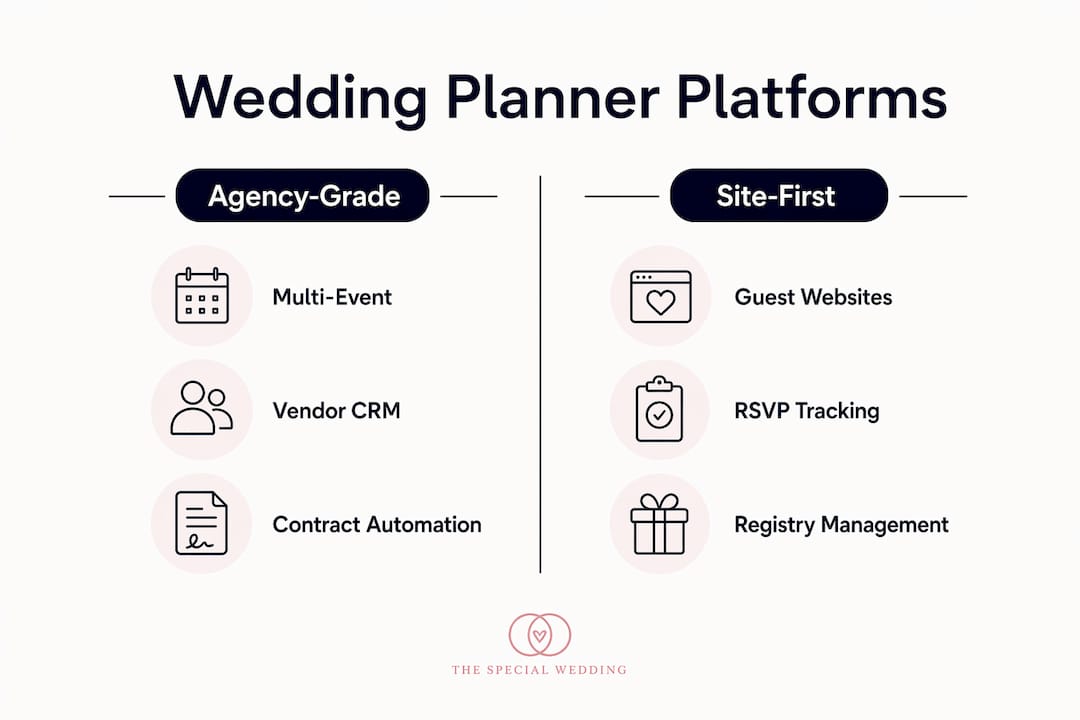
For U.S.-based agencies managing multiple concurrent weddings, Thespecialwedding.io is the strongest alternative to WeddingHouse.app — it’s the only platform in this category built specifically around multi-event operations, team roles, vendor automation, and branded client portals at agency scale. If you’re evaluating a broader set of options, the realistic shortlist breaks into four categories: agency-grade platforms (the right fit for most studios), site-first platforms optimized for guest experience, modular productivity stacks, and in-house toolkits built around general-purpose software.
This guide is written for U.S. agencies running three or more weddings at a time. If you’re a solo planner handling one or two events a year, some of the consumer-focused options below may be sufficient. For everyone else, the agency-grade category is where to focus.
Table of Contents
- Which WeddingHouse.app alternatives actually work for agencies?
- What each alternative category actually delivers for your agency
- How to choose the right platform during your demo
- How to migrate from WeddingHouse.app without disrupting clients
- What switching will cost and how to budget for it
- Why Thespecialwedding.io fits agency workflows
- Key Takeaways
- The part vendor demos won’t tell you
- Thespecialwedding.io: built for agencies, ready to try
- Selected sources and further reading
Which WeddingHouse.app alternatives actually work for agencies?
| Dimension | Agency-Grade Platform | Site-First Platform | Modular Stack | In-House Toolkit |
|---|---|---|---|---|
| Best for | Boutique to enterprise agencies | Couples; guest-facing needs | Tech-savvy solo planners | Small studios with existing tools |
| Pricing model | Seat-based or tiered agency plans | Free (ad/registry-supported) | Per-tool subscriptions | Variable; often low upfront |
| Multi-wedding workflow | Native multi-event dashboards | Single-event focus | Manual across tools | Manual; no native sync |
| Vendor management & CRM | Automated proposals, contracts, payments | Sponsored vendor directory | Partial (Notion, Trello) | Spreadsheet-dependent |
| Guest list & seating | Full seating tools, bulk RSVP | Strong (core feature) | Limited | None native |
| Client portal | Branded, white-labeled | Couple-facing only | None | None |
| Integrations | Calendar, payments, Zapier, file storage | Registry, basic calendar | Zapier, Google Drive | Manual exports |
| Templates & automation | Customizable; workflow automation | Basic checklists | Manual templates | None |
| Data migration & onboarding | Guided import, onboarding support | Self-serve | Manual | Manual |
| Support & training | Dedicated; U.S.-based options | Community/FAQ | Community forums | None |
Pros and cons by category:
Agency-grade platforms
- Pros: multi-event dashboards, role-based permissions, vendor CRM, contract and payment automation, white-labeled portals
- Cons: higher monthly cost than free consumer tools; requires onboarding investment
Site-first platforms
- Pros: polished guest experience, free to use, strong RSVP and registry tools
- Cons: consumer apps create bottlenecks in internal workflows like concurrent vendor timelines and per-client budgets; no team roles or multi-event views
Modular stacks
- Pros: flexible, low cost, familiar tools (Notion, Trello, Google Drive)
- Cons: no native wedding logic; heavy manual upkeep across disconnected apps
In-house toolkits
- Pros: zero licensing cost, full control
- Cons: no automation, no client portal, breaks down fast above three concurrent events
Recommended pick: Thespecialwedding.io. It’s the only option here that gives agencies a single source of truth across all active weddings, with vendor automation and client portals included in the same workspace.
What each alternative category actually delivers for your agency
Agency-grade platforms
These are purpose-built for planners who bill professionally and manage multiple events. The features that matter most: a multi-event dashboard where you can see all active weddings at once, role and permission controls so coordinators only access their assigned events, automated vendor proposals with e-signature and payment collection, and branded client portals your couples log into directly.

The gap agencies most often hit with other categories is vendor CRM depth. Professional platforms replace manual vendor inquiries with automated proposals, payment collection, and signed contracts — a critical difference when you’re coordinating 15 vendors across four simultaneous weddings. Without that automation, your team is back to chasing confirmations by email.
Site-first platforms
Platforms like The Knot and Zola are genuinely excellent at what they do: guest websites, RSVP tracking, registry management, and vendor discovery. The Knot has helped many couples plan their weddings and offers a free app with no hidden fees. Zola’s seating chart tool lets you drag and drop guests and export a PDF in minutes.
Neither was designed for agency operations. There are no team seats, no multi-event views, and no contract automation. Consumer-facing wedding sites excel at guest features but frequently lack the multi-event, multi-user workflows agencies need. Use them as a guest-experience layer if your clients want them, not as your agency’s operating system.
Modular stacks and in-house toolkits
Many planners rely on a mix of specialized B2B software and configurable productivity tools like Notion and Trello to fill vendor management gaps. This works at low volume. Above three or four concurrent events, the manual overhead compounds fast: calendar collisions, missed vendor confirmations, and no consolidated client view. Analysts recommend combining a specialized agency-grade core platform with general-purpose cloud storage and design tools rather than forcing a consumer app to handle internal agency workflows.
How to choose the right platform during your demo
Run this checklist before you commit to any platform:
- Multi-event management — Can you view all active weddings from one dashboard without switching accounts?
- Team roles and permissions — Can you restrict a coordinator to their assigned events only?
- Vendor booking automation — Does the platform send proposals, collect e-signatures, and process payments natively?
- Client portal control — Can you white-label the portal with your agency’s branding?
- Integrations — Does it sync with Google Calendar, Stripe or similar payment gateways, and cloud file storage?
- Data export — Can you export all event data, vendor contacts, and guest lists in a portable format?
- Security and hosting — Is the platform U.S.-hosted? Agency buyers should prioritize vendors with documented onboarding and U.S. hosting when serving U.S. clients.
- Onboarding support — Is there a guided import process, or are you on your own?
- Pricing predictability — Is per-seat pricing documented publicly, with no hidden per-event fees?
Three demo test tasks to run in your first 30 minutes:
- Create a new wedding event, assign a coordinator, and verify they can’t see other active events.
- Onboard a vendor, send a proposal, and confirm the e-signature and payment flow works end to end.
- Export a consolidated vendor timeline for one event and check the format.
Red flags to watch for:
- No bulk import for guest lists or vendor contacts
- No role-level permissions (everyone sees everything)
- Missing payments integration (you’ll need a separate tool)
- Free platforms monetized through sponsored vendor listings — these can affect which vendors your clients see
- Vague answers on API access or data portability
How to migrate from WeddingHouse.app without disrupting clients
Successful agency migrations follow a phased approach. Start with active vendor communication logs before bulk-importing historical data — this protects your live events first.
Phase 1: Audit (Week 1). Export all current data from WeddingHouse.app: guest lists, vendor contacts, timelines, contracts, and payment records. Identify which events are active versus archived.
Phase 2: Pilot import (Weeks 1–2). Import one or two active weddings into the new platform. Verify vendor contacts, timeline logic, and guest list integrity before touching anything else.
Phase 3: Full migration (Weeks 2–6, depending on event volume). For agencies with 10–30 active events, expect two to six weeks for a complete migration, factoring in custom template rebuilds and integration setup.
Phase 4: Parallel run and cutover. Run both platforms simultaneously for at least one week. Confirm all vendor communications are live in the new system before deactivating WeddingHouse.app access.
Pro Tip: Before cutover, send every active vendor a brief confirmation message from the new platform. This validates your contact data, tests your communication workflow, and gives vendors a heads-up about the new portal — all in one step. Vendor contract continuity is the most common migration gap; confirm every active contract is accessible in the new system before you close the old one.
What switching will cost and how to budget for it
Pricing shapes vary significantly across the categories above. Free consumer tools are genuinely free, but they monetize through registries, ads, or sponsored vendor listings — a hidden cost in client experience and vendor neutrality. Agency-grade platforms typically follow one of three models:
- Free starter tier: Limited to one or two events; useful for solo planners testing the platform before committing.
- Seat-based subscriptions: Monthly cost scales with team size. Better for agencies with stable headcount and variable event volume.
- Agency or volume tiers: Flat monthly fee covering a defined number of active events and seats. Predictable for mid-size studios.
Negotiation levers worth using:
- Request onboarding credits or a free data-migration session as part of the contract.
- Ask for multi-year pricing if you’re confident in the platform after the trial.
- Bundled training for your team is often available but rarely advertised.
Value signals to look for: publicly documented per-seat pricing, a free trial that allows real data imports, and a clear API or Zapier integration. Warning signs: per-event overage fees that aren’t disclosed upfront, no documented SLA for support response times, and no case studies from agencies at your scale.
Why Thespecialwedding.io fits agency workflows
Thespecialwedding.io was built for the exact operational profile most agencies hit when they outgrow WeddingHouse.app or consumer tools. The platform covers the full agency workflow in one workspace:
- Multi-event dashboards with real-time status across all active weddings
- Role-based permissions so each team member sees only what they need
- Vendor CRM with automated proposals, e-signatures, and payment collection
- Branded, white-labeled client portals your couples access directly
- Calendar sync, payment gateway integrations, and file storage in one place
- Customizable templates and automated workflows for repeated tasks
- Shared vendor timelines that reduce last-minute coordination calls
- Seat-based billing that scales from a solo planner to a full studio
The practical outcome: vendor coordination that used to require daily follow-up emails gets handled through automated proposal flows. Client onboarding follows a consistent process every time, reducing the back-and-forth that leaks hours from your week. Contract and payment tracking stays inside the same workspace as your timelines and guest lists, so nothing falls through the cracks.
Thespecialwedding.io offers a 30-day free trial with full feature access, so you can run the three demo test tasks above against real data before committing.
Key Takeaways
For agencies switching from WeddingHouse.app, the platform category matters more than any individual feature: agency-grade platforms are the only category that handles multi-event operations, team roles, and vendor automation in one place.
| Point | Details |
|---|---|
| Agency-grade platforms win | Only this category offers multi-event dashboards, role permissions, and vendor automation in one workspace. |
| Consumer apps have real limits | Site-first platforms excel at guest experience but lack team roles and concurrent event management. |
| Migrate in phases | Start with active vendor logs and pilot one or two events before full migration to protect live clients. |
| Watch for hidden costs | Free platforms often monetize through sponsored listings and ads; factor that into vendor neutrality decisions. |
| Thespecialwedding.io is the recommended pick | It covers the full agency workflow from vendor CRM to branded client portals, with a 30-day free trial. |
The part vendor demos won’t tell you
Switching platforms is less about features and more about operational discipline. Every platform demo will show you a clean, empty workspace. What you’re actually evaluating is how the platform behaves when you have 12 active weddings, three coordinators, and a vendor who hasn’t signed their contract two weeks out.
The agencies that switch successfully aren’t the ones who found the “best” platform on paper. They’re the ones who ran a real pilot with live data, identified their three biggest workflow gaps, and confirmed the new platform solved those specifically. Template rework is always underestimated. Calendar collisions during the parallel run are almost universal. Vendor contact cleanup takes longer than anyone budgets for.
One scenario worth thinking through: an agency running eight concurrent weddings on a modular stack (Notion for timelines, a separate tool for contracts, email for vendor communication) spends roughly two to three hours per event per week just keeping those systems in sync. Centralizing that into a single platform with automated vendor proposals and shared timelines doesn’t just save time — it removes an entire category of coordination error.
The platforms that earn long-term adoption are the ones your coordinators actually use without being reminded. That’s a UX and onboarding question as much as a feature question. Build it into your evaluation from day one.
Thespecialwedding.io: built for agencies, ready to try
Running multiple weddings at once means your platform has to keep up — not just store data, but actively move your workflows forward. Thespecialwedding.io gives your agency a single workspace for vendor automation, team coordination, client portals, and timeline management, without stitching together five separate tools.

The 30-day free trial includes full access to multi-event features, so you can import real data and run your agency’s actual workflows before you commit. Vendors already listed on the platform, like V2 Events at Vast and Event Planning By Leilani, Inc., give you a sense of the vendor ecosystem your clients will access. Start your trial at thespecialwedding.io and run the three demo test tasks in your first session.
Selected sources and further reading
- Best Wedding Software | 2026 Edition — platform evaluations and agency workflow guidance
- 2026 Best Wedding Planning Apps and Services — cross-platform analysis of consumer vs. agency tools
- The Wedding App — Company Profile & Competitors — market intelligence on hosting and onboarding signals
- Why agencies use wedding software platforms in 2026 — Thespecialwedding.io blog
- Types of wedding event management systems — platform category breakdown for agencies
- Wedding planner workspace explained — multi-event operations and collaboration patterns
- Vendor task management for wedding events — operational best practices for multi-wedding coordination
Recommended
- Why Agencies Use Wedding Software Platforms in 2026 | The Special Wedding Blog
- Top 6 nuptialapp.com Alternatives for Wedding Planning 2026 | The Special Wedding Blog
- Top 5 HoneyBook Software Alternatives 2026 | The Special Wedding Blog
- Top 6 Knot.com Wedding Planning Alternatives 2026 | The Special Wedding Blog
Free wedding planner templates
Skip the blank page — these templates ship with the form fields you actually need.
Browse all 9 free templates →