What Is a Digital Wedding Planning Workspace?
What Is a Digital Wedding Planning Workspace?
A digital wedding planning workspace is defined as a unified online platform that consolidates budgeting, guest lists, RSVPs, vendor communication, seating charts, and event timelines into one real-time collaborative environment. The industry term for this concept is “integrated wedding workspace,” and it replaces the fragmented approach of juggling five or six separate tools simultaneously. A typical wedding involves 10–14 vendors and 50–100+ milestones spanning 6–18 months, which makes a single coordinated platform far more practical than scattered spreadsheets and email chains. Thespecialwedding is built precisely around this need, giving both professional planners and couples a centralized command center for every stage of the planning process.
What is a digital wedding planning workspace and what does it include?
A digital wedding planning workspace consolidates all planning functions into one platform, eliminating the need for separate budgeting spreadsheets, email threads, and standalone guest list apps. The core modules work together, so a budget update in one area automatically reflects across vendor payment records and timeline milestones. This real-time syncing is what separates a true integrated workspace from a simple checklist app.
The main features found in a full-featured platform include:
- Budget tracker: Links directly to vendor payments, deposit schedules, and cost updates so you always see the live total.
- Guest management: Tracks RSVPs, dietary restrictions, and seating assignments in one place, with changes syncing instantly to the seating chart.
- Automated task checklists: Generates a wedding planning checklist customized to your wedding date, with deadlines auto-calculated from the event date backward.
- Vendor communication hub: Stores contracts, correspondence, and milestone approvals linked to each vendor record.
- Client portal and wedding website: Gives guests and clients a branded, live view of event details without requiring access to the full planning workspace.
Pro Tip: Do not treat the guest portal as optional. Couples who activate it early report far fewer repetitive questions from family members about logistics and venue details.
How does an integrated workspace improve collaboration?

The biggest communication problem in wedding planning is version confusion. When a planner updates the guest count in a spreadsheet but forgets to tell the caterer, the seating chart, and the venue coordinator, three separate “truths” exist simultaneously. A digital workspace eliminates that by creating a single source of truth that every collaborator sees in real time.
Here is how collaboration improves at each level:
- Role-based access controls let planners share the workspace with clients and vendors without exposing sensitive budget figures or contract terms. Role-based permissions prevent accidental data exposure while keeping everyone informed.
- Live budget and seating sync means a guest addition on the RSVP tracker immediately flags a seating conflict, rather than surfacing the problem the week before the wedding.
- Built-in client portals reduce the volume of “Where are we on the florist?” messages. Clients log in, see the current status, and move on.
- Shared task ownership assigns specific checklist items to specific people, so no task falls through the gap between planner and couple.
Integrated dashboards shift planning from reactive problem-solving to intentional decision-making. That shift matters most in the final 60 days before the wedding, when the pace of decisions accelerates sharply.
Pro Tip: Set client portal access permissions during onboarding, not after a miscommunication occurs. Establishing clear visibility rules from day one prevents awkward conversations about what clients can and cannot see.
What does the setup process look like for planners and couples?
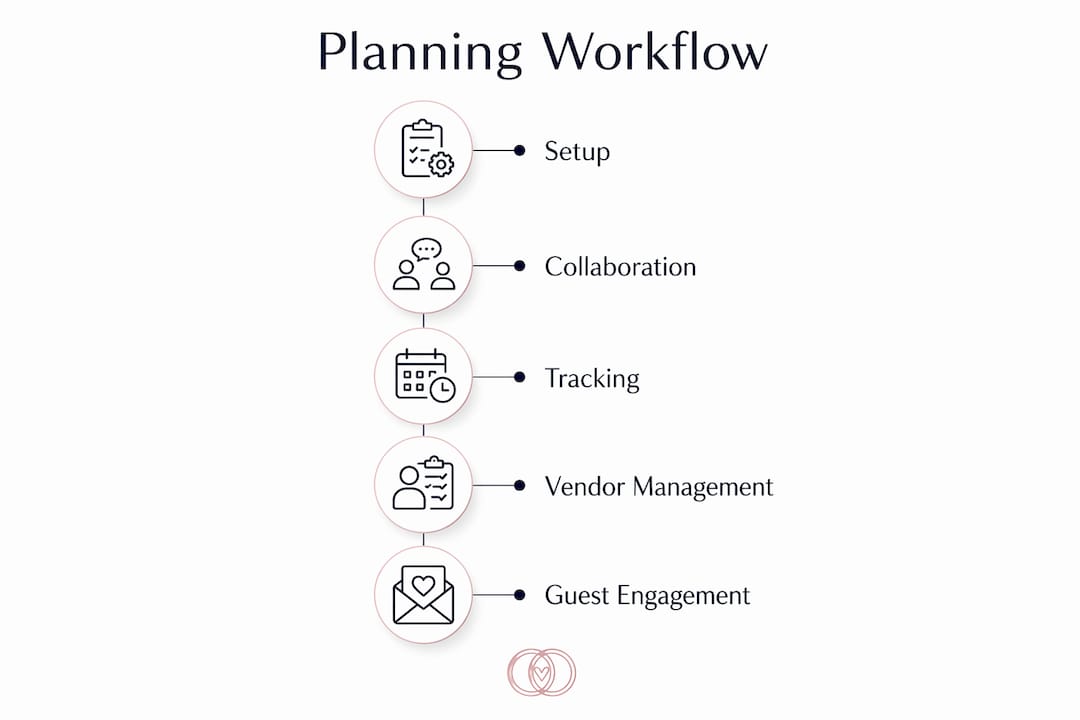
Getting started with a digital wedding planning workspace is faster than most planners expect. Most platforms enable setup in under five minutes, with over 200 tasks auto-generated based on the wedding date. That auto-generation alone saves hours of manual checklist building.
The typical onboarding sequence follows these steps:
- Account creation: Enter basic event details (date, guest count, location) and the platform builds the initial project structure.
- Template import: Choose from pre-built templates for different wedding sizes and styles, or customize a blank workspace from scratch.
- Collaborator invitations: Send secure links to co-planners, clients, and key vendors so they can access their relevant sections immediately.
- Communication centralization: Move all vendor correspondence into the platform’s messaging or notes system, ending the habit of searching through email inboxes for contract details.
- Ongoing task management: Automated reminders notify the right person when a deadline approaches, without requiring manual follow-up.
The table below compares the setup experience between a traditional scattered approach and an integrated workspace:
| Planning Element | Traditional Method | Integrated Workspace |
|---|---|---|
| Budget tracking | Manual spreadsheet, updated separately | Live tracker linked to vendor records |
| Guest management | Separate app or spreadsheet | Synced with seating and RSVP in one view |
| Vendor communication | Email threads across multiple inboxes | Centralized hub with contract storage |
| Task deadlines | Manually set calendar reminders | Auto-generated from wedding date |
| Client updates | Phone calls and status emails | Live client portal with real-time status |
How do professional planners benefit compared to traditional methods?
Professional planners gain the most measurable advantage from switching to an integrated workspace. Planners save approximately 250–300 hours annually by automating administrative tasks like vendor follow-ups and milestone invoicing. That is the equivalent of six to seven full work weeks returned to billable work or client development.
The efficiency gains show up in several specific areas:
- Multi-event dashboards let a planner manage several weddings simultaneously without switching between separate folders, apps, or email accounts. Each wedding lives in its own workspace, but the planner sees all active projects from one view.
- Vendor contract linking connects tasks directly to vendor contracts and milestone payments, so a payment trigger fires automatically when a task is marked complete.
- White-labeled client portals let agencies present a branded experience to clients, reinforcing their professional identity rather than exposing a third-party tool’s interface.
- Reduced communication friction means planners spend less time answering status questions and more time on creative and logistical work that clients actually pay for.
Wedding-specific platforms also handle couple approval workflows and vendor contract management in ways that generic project tools like standard task managers cannot replicate. That distinction matters when a planner needs a client to formally approve a seating arrangement or a vendor change order. A generic tool requires workarounds. A dedicated wedding workspace handles it natively.
Freemium tiers cover core tools for couples, typically limited to about 75–80 guests, while professional planners pay monthly fees ranging from $19 to $120 for advanced multi-event and white-labeled portals. That pricing range reflects the difference between personal use and running a professional planning business.
What should you look for when choosing a platform?
Choosing the right digital wedding planning workspace comes down to whether the platform’s core functions are genuinely integrated or just loosely connected. A budget tool that does not sync with the guest count is not an integrated workspace. It is just another tab to manage.
Evaluate any platform against these criteria before committing:
- Full integration: Budget, guest management, vendor tracking, and seating must update each other automatically. Partial integration defeats the purpose.
- Real-time syncing: Changes made by one collaborator must appear instantly for all others. Delayed syncing causes the same version confusion that spreadsheets create.
- Role-based permissions: You need granular control over who sees what. Clients should not see vendor cost negotiations. Vendors should not see client personal notes.
- Scalability: A couple planning one wedding needs different features than an agency managing 20 simultaneous events. Confirm the platform scales to your actual workload.
- Pricing model: Freemium options work for personal use. Professional planners need subscription tiers that include multi-event dashboards, automation, and white-label portals.
Platforms that merge planning tools with guest-facing features in one suite reduce the number of apps couples and guests juggle, which directly improves adoption and satisfaction across the entire planning team.
Key Takeaways
A digital wedding planning workspace is the single most effective tool for reducing planning errors, saving time, and improving communication between planners, couples, and vendors.
| Point | Details |
|---|---|
| Core definition | An integrated workspace unifies budget, guests, vendors, and timelines in one real-time platform. |
| Time savings | Professional planners save 250–300 hours annually by automating admin and vendor coordination. |
| Collaboration clarity | Role-based access and client portals eliminate version confusion and repetitive status questions. |
| Setup speed | Most platforms auto-generate 200+ tasks from the wedding date in under five minutes. |
| Choosing wisely | Full integration, real-time syncing, and scalable pricing are the three non-negotiable criteria. |
The part most planners get wrong about digital workspaces
The most common mistake I see is treating the workspace as a secondary system. A planner sets it up, then keeps a “backup” spreadsheet running alongside it. That habit destroys the entire value of the platform. Maintaining parallel spreadsheets causes version conflicts and defeats the efficiency gains the workspace was adopted to create.
The second mistake is under-using automation. Most planners configure the basics and stop there. The real time savings come from setting up automated vendor follow-up sequences, payment triggers tied to milestone completion, and deadline reminders that fire without any manual input. Those features exist in most professional-tier platforms. Most planners never activate them fully.
My strongest recommendation is to onboard your clients and vendors into the workspace during the first planning meeting, not after you have been using it solo for a month. When everyone enters the system at the same time, the platform becomes the natural communication channel from day one. Retrofitting collaboration onto an existing workflow is harder than building it in from the start. The learning curve is real but short. The long-term payoff in client satisfaction and reduced admin hours is not even close.
— JOATLABS
Find the right vendors to complement your digital planning workspace
A well-organized digital workspace tells you what needs to happen. Finding the right vendors makes it happen. Thespecialwedding connects you with a curated vendor directory covering venues, planners, decorators, rental companies, and more, all in one place.

Whether you are looking for a venue like V2 Events at Vast in Oklahoma City or event styling from specialists like Event Planning By Leilani, Inc., Thespecialwedding makes vendor discovery as organized as your planning workspace. Browse by category, location, and service type to build a vendor team that fits your vision and your timeline.
FAQ
What is a digital wedding planning workspace?
A digital wedding planning workspace is an integrated online platform that consolidates budgeting, guest management, vendor communication, seating charts, and event timelines into one real-time collaborative environment. It replaces five or six separate tools with a single system where all updates sync automatically.
How is it different from a regular project management tool?
Wedding-specific platforms manage vendor contracts, couple approval workflows, and milestone payments natively, which generic project tools cannot replicate without custom workarounds. They also include guest-facing features like RSVP tracking and client portals that standard task managers do not offer.
How long does it take to set up a digital wedding workspace?
Most platforms complete initial setup in under five minutes and auto-generate over 200 tasks based on the wedding date. Importing vendor contacts and inviting collaborators typically adds another 15–30 minutes.
Can both the couple and the planner use the same workspace?
Yes. Role-based access controls let planners share the workspace with clients and vendors while restricting visibility of sensitive data like budget negotiations or contract terms. Each collaborator sees only what they need to see.
What does a professional planner subscription typically cost?
Professional planner subscriptions range from $19 to $120 per month, depending on the platform and feature tier. These paid tiers unlock multi-event dashboards, automation tools, and white-labeled client portals that free plans do not include.
Recommended
- Digital Wedding Planning Checklists: A Couples’ Guide | The Special Wedding Blog
- Wedding planner workspace explained: boost multi-event ops | The Special Wedding Blog
- Wedding Planner Software & CRM for Pros — The Special Wedding
- Wedding Planning Dashboard Benefits for Pros in 2026 | The Special Wedding Blog
Free wedding planner templates
Skip the blank page — these templates ship with the form fields you actually need.
Browse all 9 free templates →