Top 3 wedplannerpro.com Alternatives in 2026
Top 3 wedplannerpro.com Alternatives in 2026

Coordinating wedding logistics through outdated tools or multiple platforms leads to missed tasks, duplicated work, and confusing client communication. Many wedding planning software options lock workflow automation, timeline editing, or branded client portals behind expensive tiers or skip features teams need to run studio-scale operations. This guide compares leading wedding planning platforms so you can choose software that centralizes team workflows, automates repetitive tasks, and fits your studio or solo practice without starting from scratch.
Table of Contents
The Special Wedding
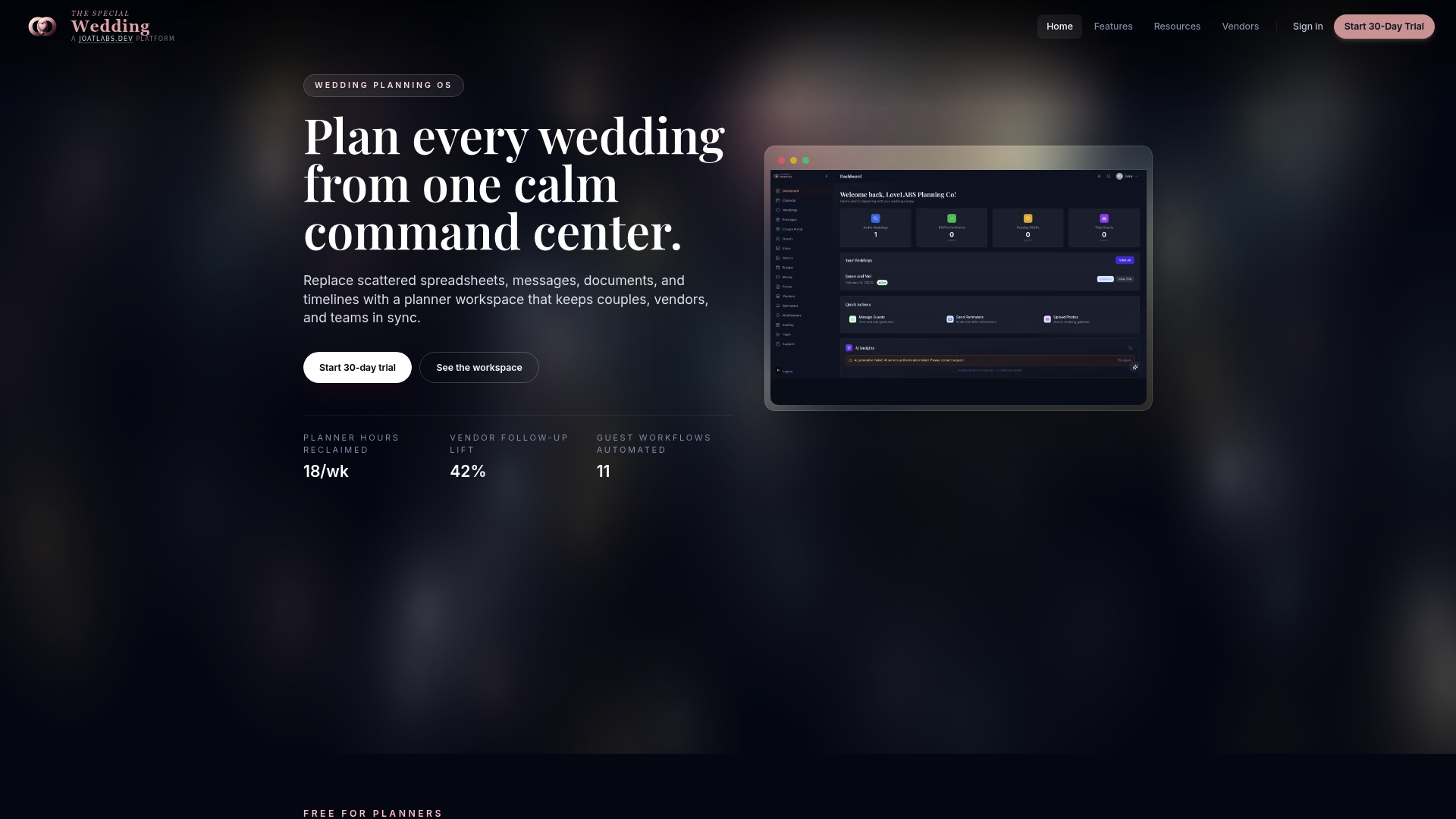
At a Glance
Free for solo planners, with paid tiers starting at $49 per month for boutique studios. The platform centralizes guest lists, vendor CRM, contracts, payments, and live timelines so teams stop juggling spreadsheets and fragmented messages during planning and on the day.
Core Features
- Real-time dashboard that keeps every wedding record in sync across timelines, guest lists, and vendor tasks.
- Wedding microsite auto publishing with branded, live updating sites tied directly to the planning record.
- Pre-made templates for client intake, vendor onboarding, and checklists available without an account.
- AI-driven insights that flag vendor follow ups and provide basic financial forecasting.
- Role based team management with granular permissions and audit logs for studio workflows.
Key Differentiator
A wedding first operating system that synchronizes all planning surfaces in real time. That single design choice replaces the usual mix of spreadsheets, chat threads, and document versions with one live source of truth for clients, vendors, and planning teams.
Pros
-
Centralizes workflows so your team updates one record and every surface reflects the change. That reduces repeated edits and missed items across timelines and guest lists.
-
The built in wedding microsite publishes live details for couples and guests. When you change the timeline or RSVP list the site reflects it automatically.
-
Pre-made templates let junior planners follow the studio’s checklist without rebuilding intake forms or vendor packs for every client.
-
Vendor CRM plus contract signing and payment handling keeps vendor follow ups and billing inside the same workspace rather than scattered across email.
-
Team permissions and audit logs give studios control over who edits what, which helps with handoffs between lead planners and assistants.
Cons
- Integrations with external event or broader CRM tools are limited, which can force manual exports if your studio depends on other enterprise systems.
Who It’s For
Wedding planning studios that manage multiple weddings and need a single operational workspace. Solo planners who want a free entry point will find the platform capable. Coordinators who require deep integrations with enterprise tools may find gaps.
Unique Value Proposition
Built in wedding microsites that stay live updating with the planning record. That capability turns public client communication into a read only mirror of your work rather than a separate maintenance task, saving hours on manual site edits and repeated guest updates for each event.
Real World Use Case
A boutique studio migrates ten active weddings into the system. The team centralizes guest lists, seats guests using the platform chart, and routes vendor invoices through the vendor CRM. The studio reports fewer missed vendor follow ups and faster client updates on timelines and RSVPs.
Pricing
Free for solo planners. Paid tiers start at $49 per month for boutique studios, move to $149 per month for growing studios, and top out at $399 per month for enterprise level teams.
Website: https://thespecialwedding.io
Aisle Planner Pro

At a Glance
Includes a free 30 day trial and plans starting at $49/month. Aisle Planner Pro bundles CRM style lead tracking, project management, branded client portals, and online payments under a single login to help event teams manage sales and delivery.
Core Features
- Event planning and project management tools including timelines, checklists, budgets, and reusable templates for recurring event types.
- CRM style lead tracking with follow up automation to capture prospects and schedule outreach.
- Branded client portals for document sharing, approvals, and secure payments.
- Automated proposals, invoices, and online payment collection.
- Customizable workflows, checklists, and timelines to map repeatable processes.
Key Differentiator
Aisle Planner Pro focuses on combining sales and event delivery inside the same workspace. Its emphasis on customizable workflows and integrated client portals lets you link lead status to the exact checklist that runs the event. That coupling reduces handoffs between sales, operations, and vendors.
Pros
- Consolidates planning, proposals, and client communication in one place so files and timelines do not live in separate apps.
- Automation for proposals and invoices speeds billing cycles and keeps follow up consistent across leads.
- Flexible plans let small businesses start affordably and add projects and features as they grow.
- The client portal presents a branded view for clients to review documents, approve items, and pay online.
- A free 30 day trial lets you test workflows with real projects before committing.
Cons
- Mixed user feedback on usability and interface clarity; some planners report a non trivial learning curve for first time users.
- Some users complain about frequent or poorly timed email notifications and communication quirks that create noise for clients.
- A portion of users criticise platform polish and ease of use, and reports about support responsiveness vary across accounts.
When It May Not Fit
If you want a dead simple checklist app that takes minutes to set up, Aisle Planner Pro may feel heavy. If your process depends entirely on in person approvals and spreadsheets or you run only a handful of events per year, the client portal and automation may add overhead rather than savings.
Who It’s For
Event professionals and small to medium sized event businesses: wedding planners, venue managers, caterers, and florists who handle multiple events and want a single system for leads, proposals, and delivery. Teams that need branded client access will see the most value.
Real World Use Case
A wedding planner uses Aisle Planner Pro to track leads, send proposals, manage timelines and budgets, and give clients secure access to planning documents. The planner moves approvals out of email and into the portal and shortens the sales to booking timeline.
Pricing
Plans start at $49/month for the Sales Essentials plan. Higher tiers unlock more projects, advanced features, and stronger branding options. The vendor offers a free 30 day trial so you can evaluate the platform with live client work.
Website: https://aisleplanner.com
Timeline Genius
At a Glance
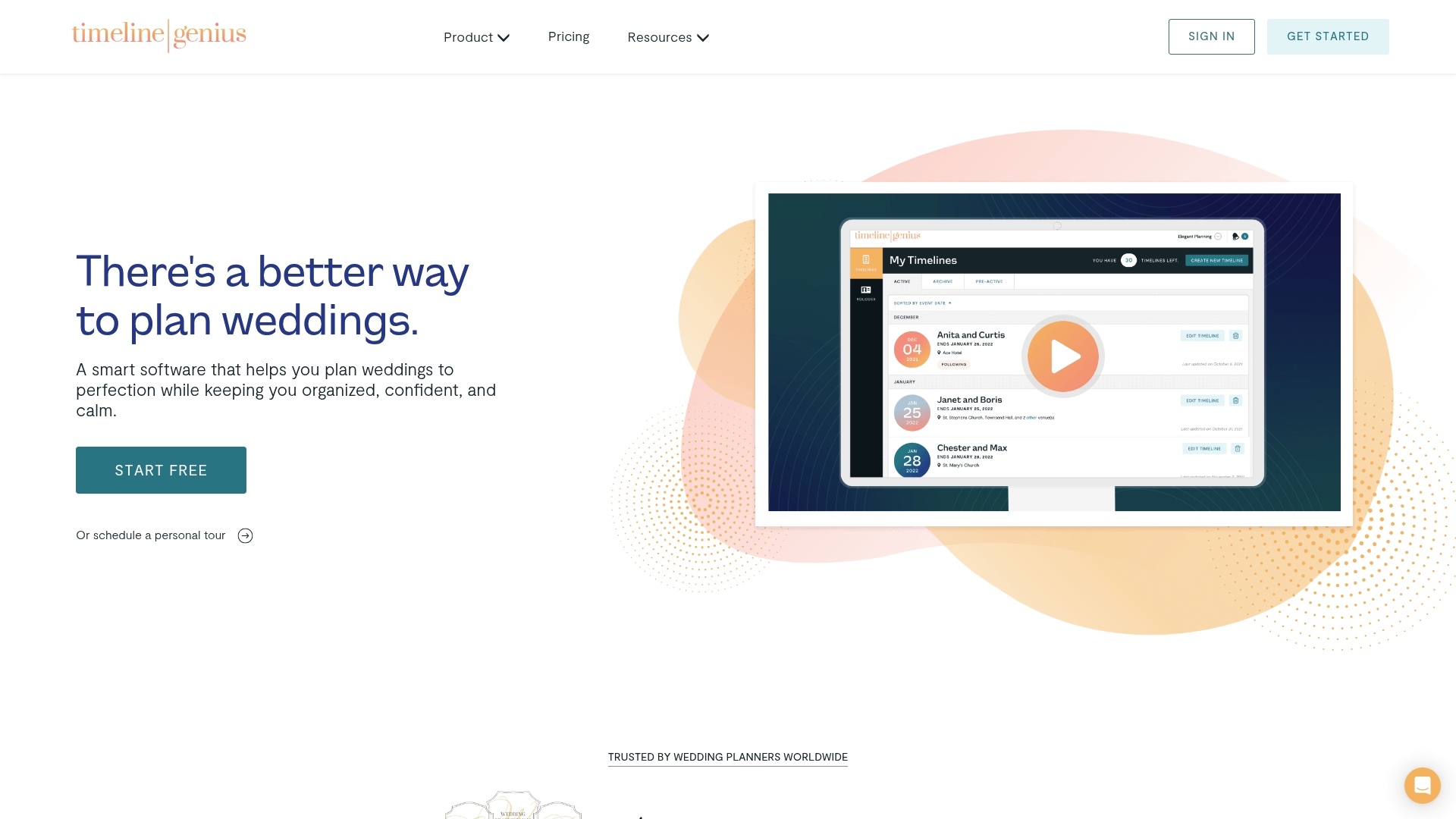
Timeline Genius’s marketing materials claim planners can produce wedding day timelines and checklists in 65% less time. The product focuses on speed plus polished presentation, pairing smart initial timeline generation with branded PDFs, mobile access, and automatic time tracking.
Core Features
- Smart timeline creation that generates an initial draft you then refine.
- Custom and preset templates so you reuse consistent layouts across clients.
- Bulk shifting to move multiple items when a ceremony or reception runs behind.
- Automated vendor and client sharing with PDF export and email delivery.
- Uploads for floor plans and documents, mobile access, and automatic time tracking.
Key Differentiator
The platform automates timeline creation while keeping the result highly customizable. That combo reduces setup time and preserves agency branding, letting planners share vendor-only or client-facing versions of the same timeline without manual edits.
Pros
-
Saves repetitive work. The smart generation plus templates reduce manual entry and let you reuse a proven structure across events.
-
Professional client deliverables. Branded PDFs and selective sharing help planners present a polished schedule to couples and vendors.
-
Flexible edits at scale. The bulk shifting feature handles schedule drift faster than editing dozens of line items by hand.
-
Mobile friendly for on-the-go updates. You can adjust times or attach a floor plan while on site and push changes to vendors.
-
Built-in time tracking captures hours per event, which helps with internal reporting and later billing.
Cons
-
The product data does not list integrations with other event systems. If you need two-way syncing with a CRM or accounting tool, that gap matters.
-
One of the listed cons notes there were no third-party review-based pros or cons identified in available materials, so external validation is limited.
-
Feature depth beyond timelines is unclear. The materials emphasize timelines and checklists rather than larger studio operations like invoicing or contracts.
Who It’s For
Wedding planners and event professionals who prioritize quick, professional timelines and vendor coordination. Solo planners, small teams, and studios that want branded delivery and mobile edits will get the most value.
Real World Use Case
A planner generates an initial timeline from the smart builder, customizes a branded PDF for the couple, then shares a vendor-only version with staggered call times. On the wedding day the planner shifts multiple items after a delayed setup and the updated PDFs go out in minutes.
Pricing
A free tier is available. Paid options include an unlimited monthly plan at $54.95/month, an annual plan at $549.95/year, and a one-time 5-event package at $194.95.
Website: https://timelinegenius.com
Wedding Planning Software Comparison
Discover which wedding planning software offers the best features and suitability for your planning needs.
| Product | Core Feature | Key Differentiator | Best For | Pricing | Notable Limitation |
|---|---|---|---|---|---|
| Thespecialwedding | Centralized event operational workspace | Live-updating operational sync | Studios managing multiple events | Free for solo planners; $49+/month | Limited integration with external enterprise tools |
| Aisle Planner Pro | Combined CRM and project management | Integrated client portals and sales tracking | Event businesses needing CRM and project integration | $49/month with a 30-day trial | Mixed user feedback on usability and interface clarity |
| Timeline Genius | Automated, professional timeline generation | Branded client and vendor-facing materials | Planners prioritizing schedule and communication clarity | $54.95/month; free tier available | Lack of broader studio operation tools beyond timeline focus |
Discover a Strong Alternative to wedplannerpro.com with Thespecialwedding
Are you seeking wedplannerpro.com alternatives that bring clarity and control to your wedding planning workflow? Thespecialwedding eliminates the frustration of juggling spreadsheets and scattered messages by offering a single, real-time dashboard that synchronizes guest lists, vendor tasks, and timelines. Designed for studios managing multiple weddings, it empowers you with automated workflows, a vendor CRM, and built-in live wedding microsites that update instantly as plans evolve.
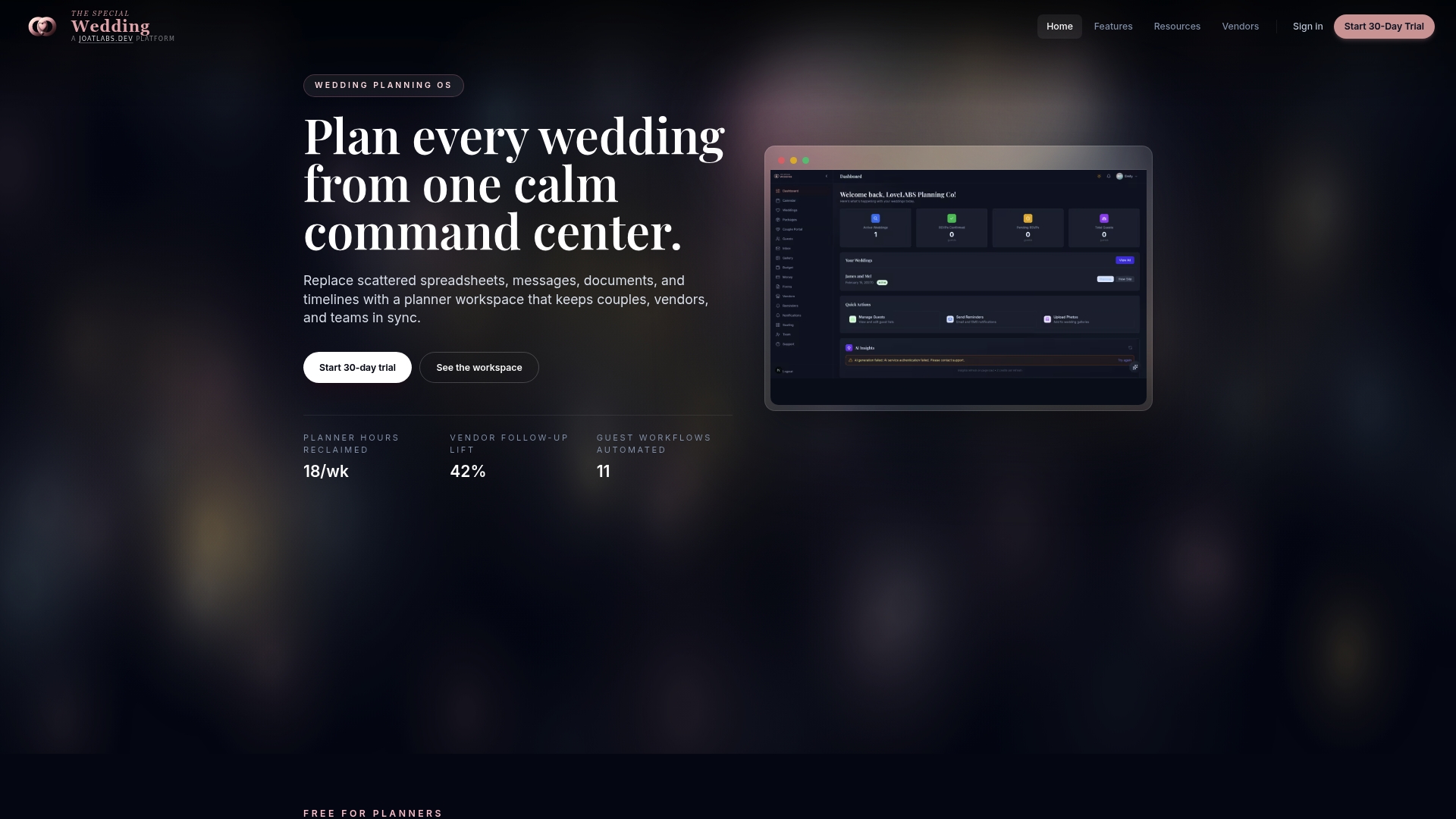
Experience how Thespecialwedding can transform your wedding operations by centralizing all key aspects under one roof. Visit Thespecialwedding.io and take control of your client intake, vendor onboarding, and guest management. Import your existing projects and see your entire wedding planning process reflected live and accurately without repetitive data entry.
Frequently Asked Questions
How does Thespecialwedding simplify the wedding planning process for teams?
Thespecialwedding centralizes workflows so teams update one record that reflects changes across timelines and guest lists. This feature reduces repeated edits and missed items, making coordination smoother for planners. Consider using Thespecialwedding to enhance team collaboration effectively.
What is the difference between Thespecialwedding and Aisle Planner Pro regarding client communication?
Aisle Planner Pro excels in providing branded client portals for document sharing and approvals. In contrast, Thespecialwedding features a live updating wedding microsite that automatically reflects changes made during planning, reducing the need for manual updates. If you seek seamless communication with clients, Thespecialwedding may better fit your needs.
Which platform offers better automation for financial tasks, Thespecialwedding or Aisle Planner Pro?
Aisle Planner Pro is known for its automation of proposals and invoice generation, which speeds up billing cycles. Thespecialwedding, while offering simplified payment handling through its vendor CRM, does not emphasize the same level of financial automation. You might prefer Aisle Planner Pro if automated billing is a priority for your studio.
Can I manage multiple weddings effectively with Thespecialwedding?
Thespecialwedding is specifically designed for wedding planning studios handling multiple weddings and offers features like real-time dashboards for better management. This focus makes it a suitable choice for studios requiring centralized management solutions. Consider starting with Thespecialwedding if you’re looking for an efficient way to juggle numerous events.
How does Thespecialwedding’s real-time dashboard improve planning efficiency?
Thespecialwedding’s real-time dashboard keeps every wedding record in sync, which ensures that timelines, guest lists, and vendor tasks are all updated simultaneously. This centralization helps prevent missed items and improves overall efficiency. If efficiency is essential for your planning team, Thespecialwedding could provide significant benefits.
Recommended
Free wedding planner templates
Skip the blank page — these templates ship with the form fields you actually need.
Browse all 9 free templates →