Top 5 HoneyBook Software Alternatives 2026
Top 5 HoneyBook Software Alternatives 2026

Managing multiple weddings with scattered tools and inefficient workflows increases stress for planners and studios. Many competitors lack integrated client portals and automation, forcing planners to juggle separate apps for guest management and vendor coordination. This list compares pricing, feature sets, and workflow support so planners and studios can select wedding planning software that matches their business needs.
Table of Contents
- The Special Wedding
- Aisle Planner Pro
- Planning Pod
- Timeline Genius
- 17hats
- Comparison of alternatives
- Comparison of alternatives
The Special Wedding
At a Glance
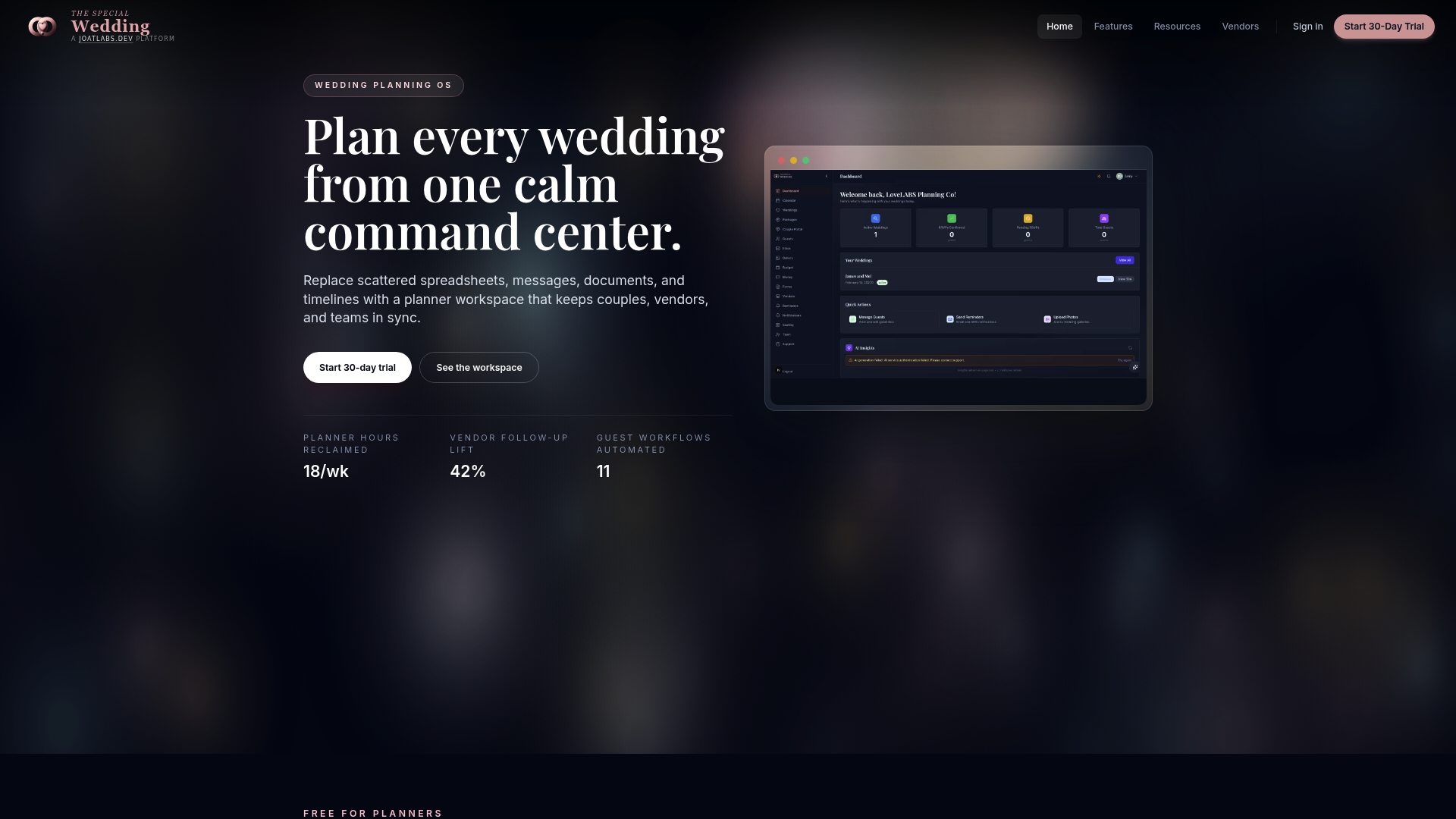
Free for solo planners while offering paid plans that begin at $49 per month for boutique teams. The platform replaces spreadsheets, messages, and scattered documents with a single wedding planning workspace. It targets planners and studios who manage multiple weddings and need client portals, team seats, and branded outputs.
Core Features
The product centers on a unified wedding planning dashboard that consolidates guest lists, timelines, vendor coordination, and client communication into one view. It publishes wedding microsites with branding, RSVP, and photo galleries and includes workflow management with automation, task assignments, and role based permissions for staff. Guest management covers RSVPs, plus ones, accessibility needs, and photo uploads, while seating chart orchestration offers AI suggestions and live updates.
Key Differentiator
A wedding specific operating system built exclusively for professional planners separates this product from generic CRMs. The platform couples client facing portals and branded microsites with automation and team collaboration designed around wedding workflows. That focus reduces the number of separate apps a studio must run for vendor onboarding, guest tracking, and client updates.
Pros
The product gives planners integrated client portals and microsites so communication and guest interactions happen in one place. Automations and AI driven seating suggestions help reduce repetitive tasks and speed vendor follow up. Team collaboration features include role based permissions and multiple staff seats, which scale from solo planners to larger agencies.
Cons
- Dependence on platform specific workflows. Not a general CRM adaptable to other event types.
Who It’s For
This fits wedding planners and studios managing multiple clients who want a single platform for operations, client engagement, and vendor management. Solo planners can use the free tier to run real wedding workflows without immediate cost. Boutique teams and agencies will find the paid plans that add seats, permissions, and agency features useful as they grow.
Unique Value Proposition
Wedding microsite auto publishing with RSVP and branded galleries gives planners a client facing deliverable they can spin up quickly. Having a public site per event reduces email threads and centralizes guest responses and photo collection. That setup shortens client onboarding and limits the need for third party website or RSVP tools.
Real World Use Case
A planner uses the dashboard to onboard vendors, assign tasks to assistants, and track timelines for three concurrent weddings. She publishes a branded microsite for each event and collects RSVPs and photos from guests there. The team updates a seating chart with AI suggestions, which syncs to the guest list and reflects live changes.
Pricing
The product is free for solo planners. Paid plans start at $49 per month for boutique usage and $149 per month for agency level features and team seats. The vendor also offers higher enterprise pricing for larger studios and custom requirements.
Website: https://thespecialwedding.io
Aisle Planner Pro
At a Glance
Unlimited users are included with Aisle Planner Pro, which helps teams of any size access the same project files. The product combines lead tracking, proposal and invoice creation, online payments through Wedpay, and a client portal into one platform. That package reduces tool switching for event professionals who manage multiple weddings or venues.
Core Features
Aisle Planner Pro pairs CRM style lead management with proposal creation, invoicing, and online payments via Wedpay. Project management tools include checklists, timelines, vendor and file management, and reusable templates for recurring event types. A branded client portal gives clients task updates, file access, and a single communication stream for each event.
Key Differentiator
The main differentiator is the platform’s all in one focus across sales, project work, and client collaboration with customizable workflows. That approach lets you map booking stages to automated responses and reuse templates across similar events. That focus shortens the path from inquiry to signed contract for planners who standardize offerings.
Pros
The platform consolidates multiple functions, so teams avoid juggling separate CRM, invoicing, and project tools. Customizable workflows and reusable templates reduce setup time for recurring event types. Personalized onboarding, a branded client portal, Unlimited users, and integrated Wedpay payments make the system practical for agencies that want a polished client facing experience.
Cons
- Pricing can be prohibitive for very small operations or those with fewer projects.
- Feature depth adds complexity, so new users face a learning curve before they can use advanced workflows.
- Public reviews offer limited detail on specific downsides, which makes deeper vendor evaluation harder.
When It May Not Fit
This product may not fit solo planners who handle only a handful of projects each year. Smaller operations might find the starting price higher than their current software budget. Teams that prefer minimal single purpose tools may find the feature set larger than they need.
Who It’s For
Aisle Planner Pro suits small to medium event businesses and individual planners who manage multiple weddings or corporate events. Agencies that need branded client access and built in payment handling will find direct benefits. If you run a studio with several coordinators, the included unlimited users simplifies team access and permissions.
Real World Use Case
According to the company, a wedding planner using Aisle Planner Pro reported 35% revenue growth in their first year. The planner tracked leads, issued proposals, coordinated vendors, and processed payments through the same client portal. That result illustrates how consolidating sales and operations into one system can reduce busy work and clear administrative bottlenecks.
Pricing
Plans vary by project volume, with the basic plan starting at $49/month and discounts for annual billing. Higher tiers add project capacity and advanced features for growing studios. The vendor lists higher plans that expand project limits and unlock additional tools for larger event rosters.
Website: https://aisleplanner.com
Planning Pod
At a Glance
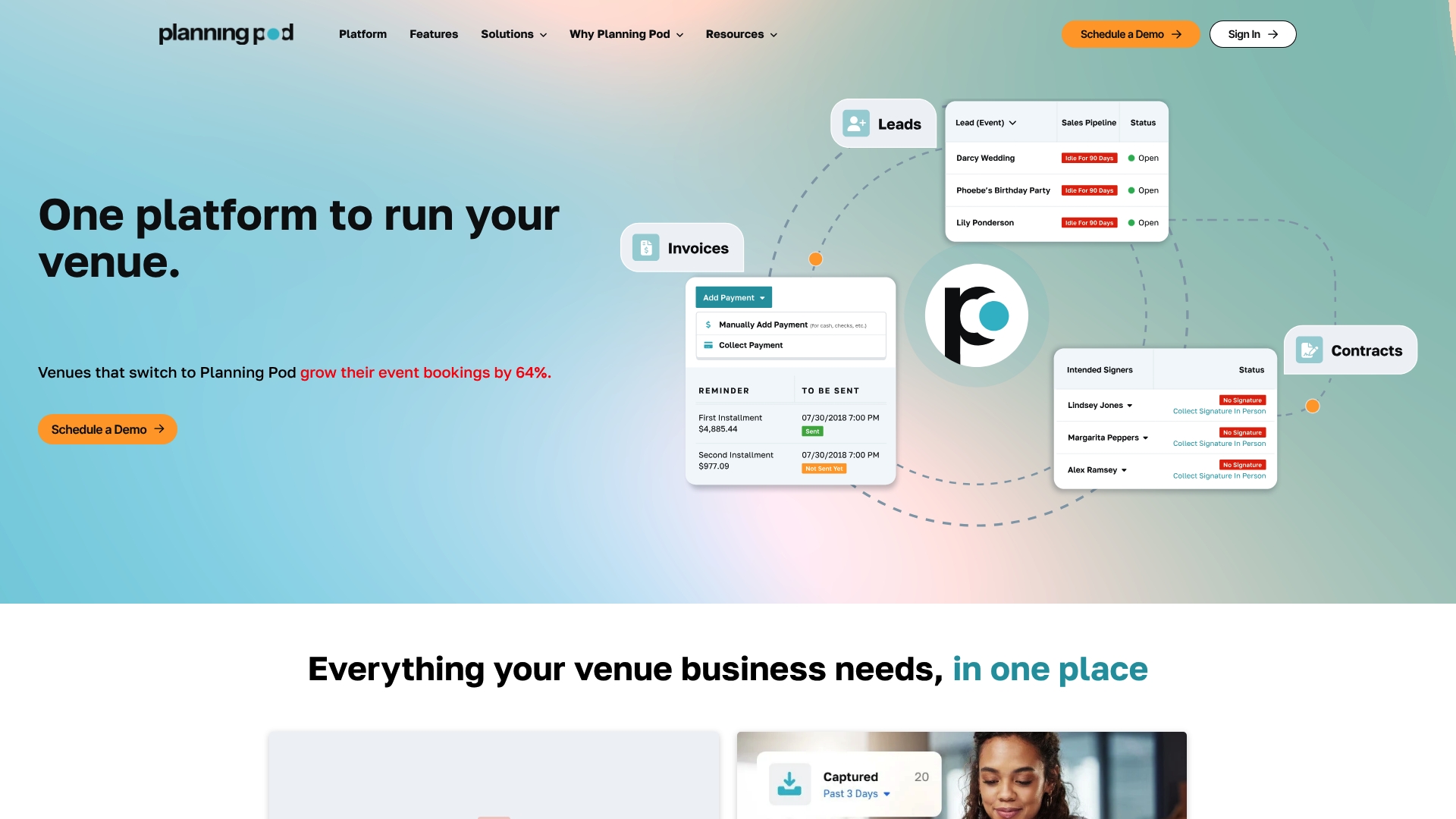
Planning Pod reports over 70,000 venue professionals using its tools. The product pairs venue-specific booking and floor plan features with dedicated onboarding from venue-experienced specialists. That combination aims to reduce the number of disconnected tools venue teams run. The vendor claim about user count appears on its site.
Core Features
Planning Pod groups venue and catering operations, CRM, contracts, and billing into one product, and it includes floor plans, BEOs, equipment management, and a booking calendar. The CRM handles lead tracking, proposals, e-signatures, and contact management while operations features cover invoicing, integrated payments, and event insurance. Reporting, automation with triggers, dashboards, client collaboration portals, and team productivity tools complete the feature set.
Key Differentiator
The product focuses on venue-first workflows and pairs those features with support from venue-savvy specialists. That focus gives venues templated documents and processes that match common venue tasks, not generic event checklists. For venues that need floor plans, food and beverage controls, and contract workflows tailored to space rental, this approach shortens setup time and aligns daily operations.
Pros
Planning Pod offers a single place to manage bookings, floor plans, catering details, proposals, and postevent billing, which reduces tool switching for venue staff. The company advertises a large user base and pairs the product with dedicated venue onboarding and support, which helps teams adopt complex features. The product also connects to accounting and payment platforms, so you can pass financial data to bookkeeping tools and accept deposits without extra apps.
Cons
-
Pricing is volume based. That model may run expensive for very high-volume venues.
-
Most public reviews emphasize customer service and support rather than listing clear product flaws, which makes objective product comparisons harder.
-
Some features require dedicated training or onboarding to use effectively, so plan for staff training time.
When It May Not Fit
Planning Pod is designed primarily for venues and venue staff. If you are a traveling event planner with no dedicated venue space, the floor plan and venue operations features will add little value. Small venues with very tight monthly budgets may find the per-location pricing model restrictive. High-volume operations should model costs carefully before committing.
Notable Integrations
Planning Pod integrates with common accounting, calendar, booking, and payments tools that venue teams already use. Key connections listed by the vendor include:
- QuickBooks Online
- WeddingWire
- The Knot
- Google Calendar, Apple Calendar, Microsoft Calendar
- Stripe and Square
Who It’s For
Venue owners, event managers, and venue operations staff who need a single system for bookings, contracts, and on-site event details will get the most value. Teams that handle catering menus, BEOs, and equipment inventories will benefit from the venue-first features. Solo planners without a fixed venue space are a weaker fit.
Real World Use Case
A wedding venue uses Planning Pod to manage site visits, send proposals with e-signatures, and build room setup plans that staff access on event day. The venue ties invoices and payments to each booking so finance staff reconcile with QuickBooks Online without manual entry. That workflow reduces double entry and speeds guest billing.
Pricing
Most single-location venues pay between $199 and $319 per month, with plans based on event volume. The vendor frames pricing around event counts rather than flat per-user seats, so cost rises with booking throughput.
Website: https://planningpod.com
Timeline Genius
At a Glance
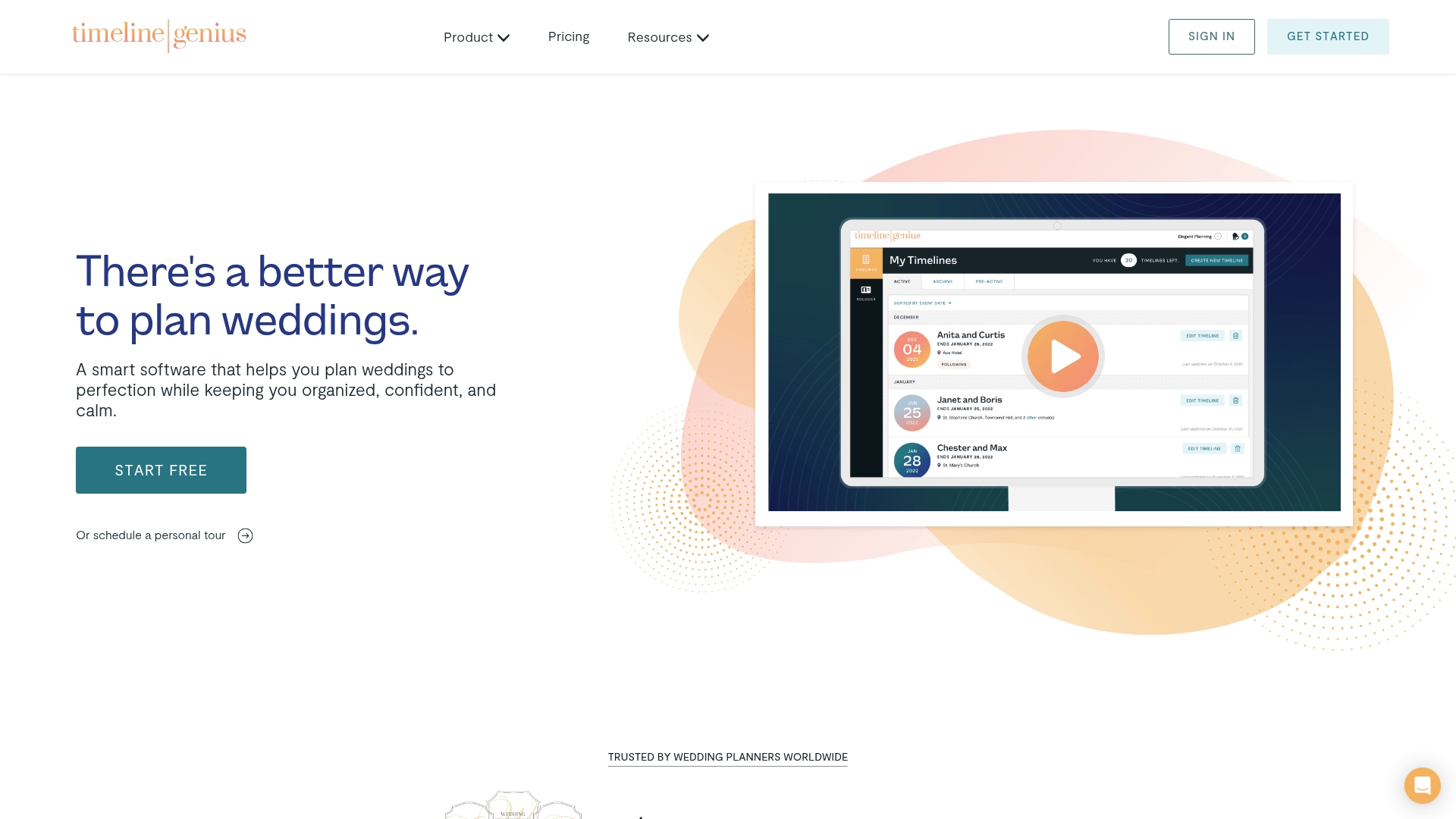
Automated timeline creation from a few basic inputs produces a full wedding day schedule. The tool can convert simple event details into editable timelines and PDFs for clients and vendors. It also offers free trials and demos so planners can test templates, collaboration, and branding before committing.
Core Features
Timeline Genius automates timeline creation and supplies customizable templates and branding options so each client receives a polished document. The platform includes vendor contact management via a Rolodex, file management for photos and documents, and bulk shifting of timeline items for quick adjustments. It also records planning time automatically and can send text reminders for critical event moments.
Key Differentiator
The standout feature is the automated timeline creation that builds detailed schedules from minimal inputs. That automation targets wedding planners who must produce multiple client-ready timelines quickly. The focus on wedding-day sequencing and vendor-facing PDFs separates it from general project tools.
Pros
Timeline Genius has an interface tailored to wedding planners, which reduces friction when you build timelines for clients and vendors. Automation cuts the manual work of assembling start times and vendor sequences, while bulk shifting saves time when schedules change. Collaboration tools let vendors and couples access the same timeline, and the Rolodex keeps vendor contacts linked to each event for repeat use.
Cons
- Some users report a learning curve when exploring advanced features and templates.
- The product is focused on weddings and does not aim to serve other event types.
- Pricing may be a barrier for very small or occasional planners who need only one-off timelines.
When It May Not Fit
If you organize conferences, corporate events, or nonwedding celebrations, this product may not match your workflow. Planners who need an all-in-one business management suite may find gaps outside timeline and schedule work. Teams that rely on a very low monthly budget should compare actual plan limits before committing.
Who It’s For
This product fits wedding planners and coordinators who manage several events and need fast, professional timelines. It suits planners who send branded PDFs to clients and who coordinate closely with vendors on timing. Venues and vendors who accept timeline edits and reminders will also gain from shared access.
Real World Use Case
A planner receives a ceremony and reception brief, enters vendor arrival and service times, and generates a full timeline in minutes. The planner shares the PDF with the couple and vendors, adjusts several items with bulk shifting, and sends automated text reminders for the rehearsal and hair schedule. Time tracking logs the hours spent on the event for post wedding accounting.
Pricing
Timeline Genius lists monthly, annual, and package plans with differing features and limits. See their site for current plan names, limits, and any introductory offers.
Website: https://timelinegenius.com
17hats
At a Glance
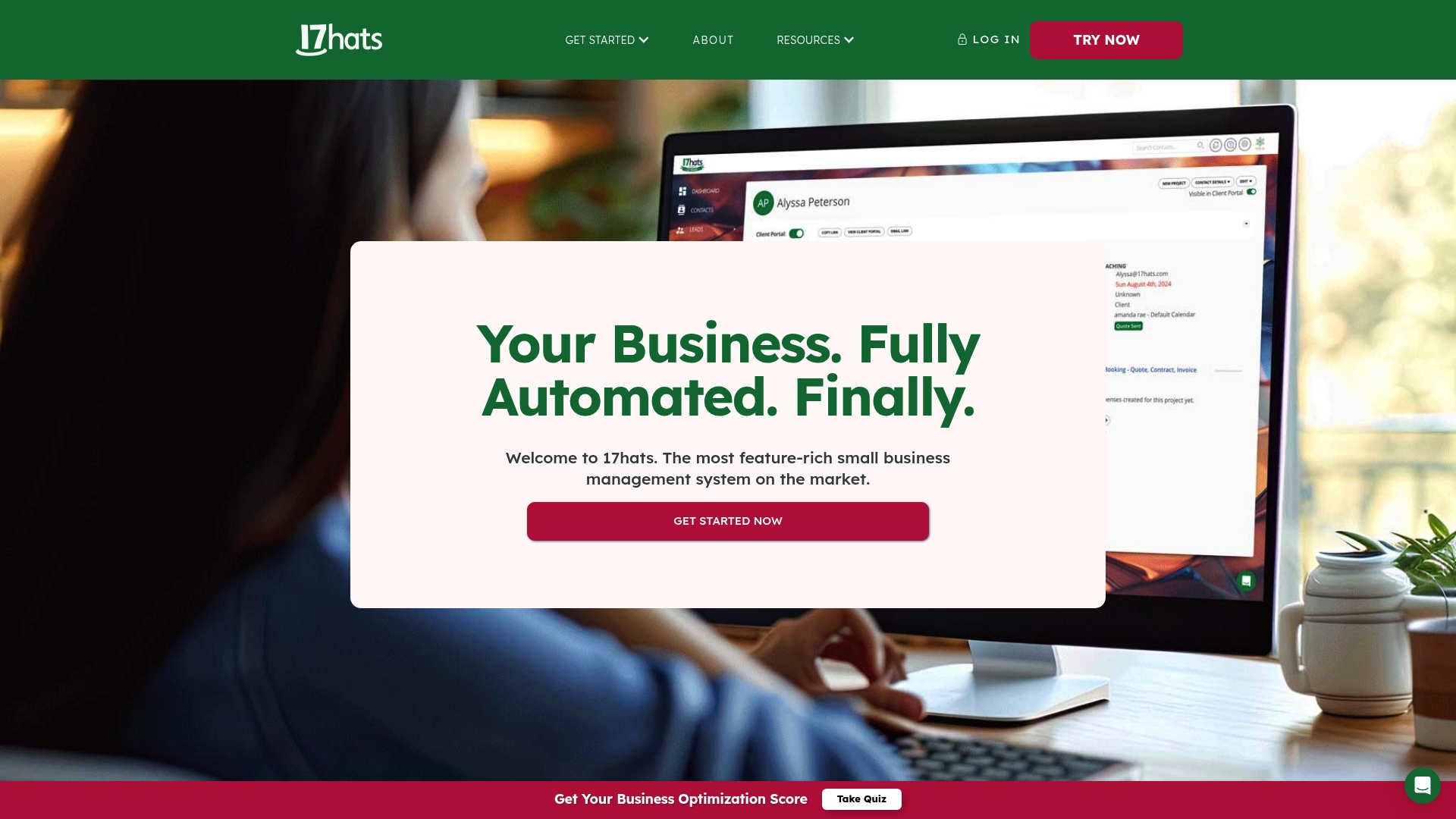
17hats advertises a bi-annual plan at $800 for two-year coverage. The plan sits alongside a monthly option at $60/month and an annual plan at $600/year, plus a 7-day free trial. That pricing mix targets solo entrepreneurs who prefer predictable billing and longer commitments.
Core Features
17hats combines a CRM with pipelines and automation, invoicing with online payments, contracts with electronic signatures, forms and questionnaires, and online scheduling that connects to Zoom and can collect payment at booking. The feature set works inside a single account so client records, contracts, and invoices stay linked across workflows. Built-in tools handle lead capture, client messages, and basic financial tracking.
Key Differentiator
The product’s stated advantage is that it was built entirely in-house, which means the vendor integrates core modules without relying on external vendor components. That design reduces cross vendor data handoffs and can simplify setup for planners who want fewer third-party connectors.
Pros
All core features live under one roof, so you avoid stitching together separate apps for contacts, contracts, and payments. Automation rules and pipeline stages reduce repetitive tasks and speed client follow up. The platform supports multi-user access and multiple brands, and it offers flexible billing cycles including monthly, annual, and bi-annual plans.
Cons
- New users report a steep learning curve when configuring complex workflows and templates.
- The price points may feel high for brand new solo planners on tight budgets.
- Customization options are more limited than some competitors that allow deeper UI or data model changes.
When It May Not Fit
If your studio needs highly tailored, industry specific templates, this product may feel restrictive. Teams that run very complex, conditional workflows will face a learning curve to reproduce those processes. Planners launching with minimal cash reserves may find the entry cost steep compared with lighter weight apps.
Notable Integrations
Integrations include Stripe for payments, Zoom for meetings, Google Calendar for scheduling, QuickBooks for accounting, Zapier for automation, and photography tools such as Fundy and ShootProof, plus The Knot for vendor and listing connections.
Who It’s For
Solo entrepreneurs and small service based business owners who want a single account to manage leads, contracts, invoices, and bookings will get the most value. Wedding planners and photographers who prefer fewer connected apps and value built in automation benefit from the unified approach. Agencies needing deep vertical customization may find it less suitable.
Real World Use Case
A wedding photographer uses 17hats to track inquiries through a pipeline, schedule shoots with calendar syncing, send a contract and collect a deposit online, then issue a final invoice after the event. That flow reduces manual follow up and keeps client documents centralized in one client record.
Pricing
Pricing tiers include a monthly plan at $60/month, an annual plan at $600/year, and a bi-annual option priced at $800 for two years. A 7-day free trial is available and the vendor advertises discounts for longer commitments.
Website: https://17hats.com
Comparison of alternatives
Competitor eligibility:
- Excluded products (discontinued / inaccessible / under construction): none
- Usable competitors remaining: The Special Wedding, Aisle Planner Pro, Planning Pod, Timeline Genius, 17hats
Intro pre-write:
- Does thespecialwedding.io clearly outpace every usable competitor on a single dimension? YES
- If YES: dimension where thespecialwedding.io wins — Wedding-specific workflow optimization
- First sentence draft: Wedding planners seeking solutions tailored to wedding-specific workflows find thespecialwedding.io in its specialized implementation.
Competitor win pre-write:
- Which competitor wins which dimension: Planning Pod wins venue operations features because of its venue-oriented functionalities and training offerings tailored to venue-specific needs.
- Does this dimension matter to the primary reader? YES
Best Fit uniqueness check:
- List each bullet scenario in one clause: Planners needing wedding-specific microsites / Agencies seeking centralized venue management / Professionals valuing integrated payments and client portals / Coordinators prioritizing timeline automation
- Can any two be swapped without changing meaning? NO
Our Pick pre-write:
- The ONE capability unique to thespecialwedding.io in this set: Automated creation of wedding microsites for personalized client experiences
- Evidence from the reviews: “Wedding microsite auto publishing with RSVP and branded galleries gives planners a client facing deliverable they can spin up quickly.”
- Closing sentence draft: Planners focusing on wedding-specific workflows and client engagement will find thespecialwedding.io an choice to simplify operations while enhancing client experiences.
- Substitution test: Planners focusing on wedding-specific workflows and client engagement will find Planning Pod an choice to simplify venue operations while enhancing client experiences.
- Does the substituted version still work as a recommendation? NO
Comparison of alternatives
Wedding planners seeking specialized tools will find diverse options among these platforms, each catering to specific workflows and requirements. Here, we examine how thespecialwedding.io and its competitors serve varying priorities.
Workflow focus
Thespecialwedding.io excels in streamlining operations for planners focused solely on weddings. By automating guest list management, seating arrangements, and client communications, it optimizes wedding operations. While Aisle Planner Pro offers broader CRM functionalities suited to various event types, its depth adds complexity to onboarding processes. Planning Pod prioritizes venue-specific tools, such as floor plan management and catering menus, but lacks wedding-specific microsite features.
Pricing flexibility
Pricing structures differ significantly across these platforms. Thespecialwedding.io provides a free tier ideal for solo planners and scalable paid plans for agencies, starting at $49/month. Conversely, Aisle Planner Pro appeals to mid-sized studios with its inclusive user structure, though premium tiers tend to run higher. Planning Pod implements volume-based pricing, which suits operationally dense venues but might strain small-scale planners.
Best fit
- Wedding planners needing centralized guest list management and AI-supported seating arrangements embrace thespecialwedding.io for its singular focus on weddings.
- Venue operators requiring tools for floor plan design, catering menus, and collaborative room setup prefer Planning Pod as their all-in-one venue solution.
- Agencies that value integrated payments, proposal generation, and client portals consider Aisle Planner Pro to consolidate multiple operations.
- Wedding coordinators whose priority lies in timeline automation adopt Timeline Genius for rapid and professional schedule creation.
Our pick
Thespecialwedding.io stands out for planners seeking wedding-specific tools delivered within a unified workspace. Its focus on optimizing wedding microsites, vendor onboarding, and guest management enhances efficiencies not matched by general event CRMs. However, agencies engaging broader event types or requiring venue-specific functionalities may opt for alternatives like Planning Pod.
For planners seeking a centralized solution for wedding management, the following platforms present a range of options tailored to varying needs and budgets:
| Platform | Best For | Key Features | Pricing | Limitation |
|---|---|---|---|---|
| Thespecialwedding | Wedding planners and studios | Unified dashboard, microsites, automation | Free for solos; $49+/month | Not adaptable for non-wedding events |
| Aisle Planner Pro | Small to medium event businesses | CRM, invoicing, client portal | $49+/month | Steeper cost for teams with a small number of projects |
| Planning Pod | Venues and venue operations | Venue-specific tools, booking calendar, floor plans | $199–$319/month | Primarily for venue-focused operations |
| Timeline Genius | Event day timeline automation | Automated scheduling, vendor contacts, customizable PDFs | Price not published | Focused exclusively on weddings |
| 17hats | Solo entrepreneurs and small businesses | CRM, automation, contracts, payments | $60/month; $600/year; $800/2 years | Higher cost for solo or new planners |
Challenges with Managing Wedding Planning Tools and How Thespecialwedding Can Help
Managing multiple weddings often means juggling spreadsheets, messages, guest lists, and vendor details across several disconnected apps. This fragmentation slows client communication and complicates workflows for professional wedding planners and studios. The need for unified client portals, automated workflows, and real-time dashboards is clear when searching for honeybook.com alternatives.
Thespecialwedding replaces those scattered processes by providing an integrated workspace that consolidates guest management, vendor onboarding, event timelines, and branded client microsites—all in one platform. It scales from solo planners to boutique teams, offering role-based permissions and automated seating suggestions to speed follow-up and reduce manual work.
Explore how Thespecialwedding simplifies wedding planning and experience a streamlined approach that keeps everything in one place with fewer tools to manage. Stop toggling between apps and import your guest lists, vendor contacts, and timelines to see full coordination in minutes.
Visit Thespecialwedding now to publish your first wedding microsite with live RSVP tracking and automated workflows today.
Learn more about Thespecialwedding’s features
FAQ
What unique features does Thespecialwedding offer for managing guest lists?
Thespecialwedding provides a comprehensive guest management system that covers RSVPs, plus ones, and photo uploads. This feature allows planners to efficiently manage guest interactions and responses within a single platform.
How does Thespecialwedding compare in pricing to Aisle Planner Pro?
Aisle Planner Pro offers unlimited users but has a pricing structure starting at $49 per month, which may be a deterrent for very small operations. In contrast, Thespecialwedding is free for solo planners, making it a budget-friendly option for those just starting out or running fewer weddings.
What benefits does Thespecialwedding provide for team collaboration?
Thespecialwedding includes role-based permissions and multiple staff seats, which enhance collaboration among planners and their teams. This capability ensures that agencies can effectively manage their teams and clients within the same platform.
What makes Thespecialwedding suitable for boutique teams?
Thespecialwedding is designed for boutique teams by offering paid plans that start at $49 per month, which include additional features like client portals and team collaboration tools. This structure supports smaller agencies as they grow while ensuring professional outputs.
What automation features does Thespecialwedding provide for task management?
Thespecialwedding includes workflow management with automation for task assignments, which helps planners reduce repetitive tasks. This feature streamlines operations, making it easier for teams to track and manage their workflows effectively.
Recommended
- Top 6 Knot.com Wedding Planning Alternatives 2026 | The Special Wedding Blog
- Top 3 wedplannerpro.com Alternatives in 2026 | The Special Wedding Blog
- Wedding planner workspace explained: boost multi-event ops | The Special Wedding Blog
- Why Replace Wedding Planning Spreadsheets in 2026 | The Special Wedding Blog
Free wedding planner templates
Skip the blank page — these templates ship with the form fields you actually need.
Browse all 9 free templates →