Why Replace Wedding Planning Spreadsheets in 2026
Why Replace Wedding Planning Spreadsheets in 2026

Replacing wedding planning spreadsheets is necessary only when they create workflow bottlenecks that spreadsheet tweaks cannot fix, specifically poor mobile access, manual RSVP tracking, collaboration conflicts, and seating chart complexity. Platforms like Planivia, Kaiplan, and Zola now handle these exact pain points with purpose-built features that no formula can replicate. The decision to switch is situational, not automatic. If your spreadsheet works well and your partner can use it independently, there is no compelling reason to migrate. But when the spreadsheet becomes the bottleneck, it is costing you more than time.
Why replace wedding planning spreadsheets: the core limitations
Spreadsheets handle static data well. A fixed vendor contact list, a one-time budget summary, a locked-in timeline — these are tasks where a well-built Google Sheet performs reliably. The problem is that weddings are not static. Guest counts shift, dietary restrictions get added at the last minute, seating arrangements change three days before the event, and payment schedules evolve as vendors confirm.
When data is dynamic, spreadsheet weaknesses surface fast. Manual RSVP tracking across multiple sources — email, phone, a paper card — requires someone to reconcile every update by hand. One missed entry corrupts your headcount. One formula referencing the wrong cell cascades into a broken budget tracker. Spreadsheet collaboration improves with Google Sheets over Excel, but version conflicts and the constant question of “is this current?” remain real pain points when multiple people edit the same file.
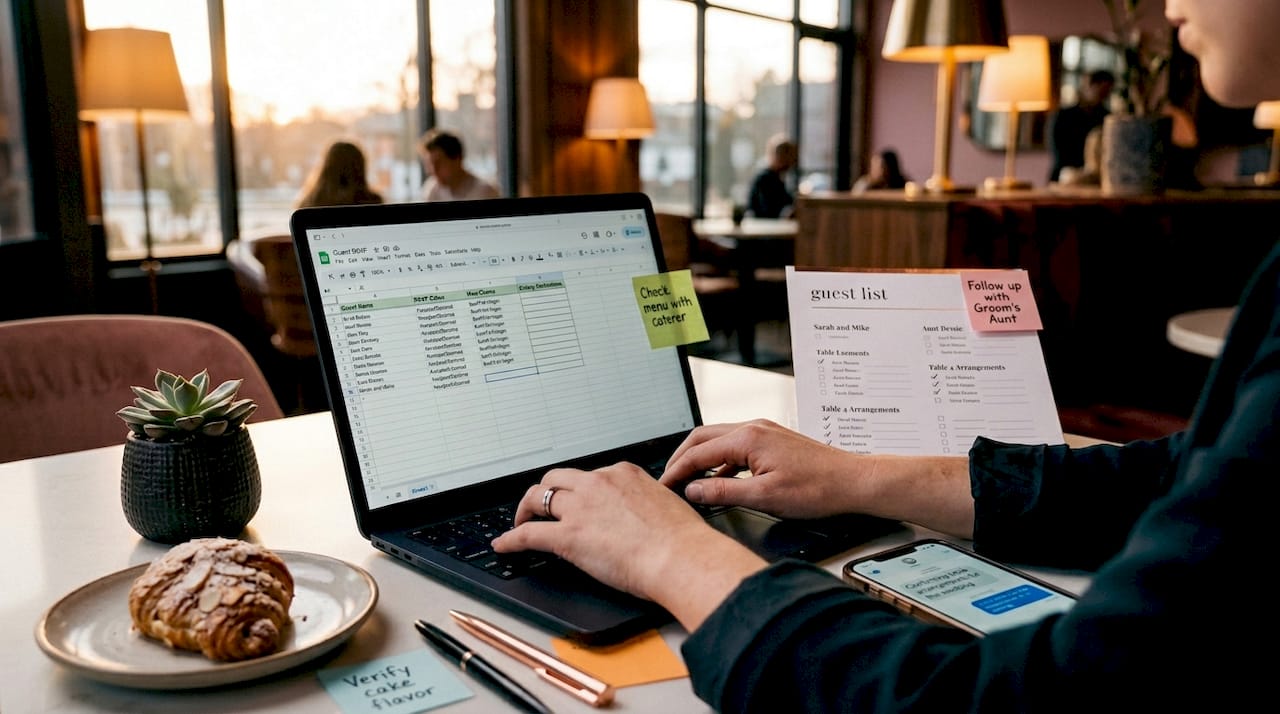
Mobile use compounds the problem. Checking a spreadsheet on a phone during a venue walkthrough is one thing. Editing it is another. Accidental edits on mobile can corrupt formulas and break data integrity in ways that are not immediately visible. You may not catch the error until the seating chart prints wrong or a vendor payment is miscalculated.
Here is where spreadsheets consistently fail professional planners:
- RSVP reconciliation: Every new response requires a manual update. With 150 guests, that is 150 individual data entry moments, each a chance for error.
- Seating chart management: Tracking dietary restrictions, family conflicts, and table assignments in a flat grid becomes unmanageable at scale.
- Formula fragility: A single deleted row or misplaced column reference can break an entire budget model silently.
- Version control: Even with Google Sheets’ version history, coordinating edits across a planner, a client, and a venue coordinator creates confusion about which version is authoritative.
- Partner usability: Clients and vendors rarely know how to navigate a custom spreadsheet without guidance, creating a support burden for you.
Pro Tip: Before migrating, audit your spreadsheet for broken formula references and hardcoded values. These are the exact items that will not transfer to any planning app and must be rebuilt manually.
How do modern wedding planning tools improve upon spreadsheets?
Purpose-built planning platforms solve the specific problems that spreadsheets cannot. The improvement is not cosmetic. It is structural.
Planivia’s seating plan feature is a clear example. Rather than managing a guest list in one tab and a seating chart in another, Planivia syncs guest data in real time. Drag-and-drop placement, automatic conflict detection, and dietary restriction tracking are built into the same interface. When a guest confirms, the seating availability updates instantly. When a guest cancels, the table count adjusts without a single formula change. Seating plans export to print-ready PDFs, removing the formatting work that spreadsheets require.
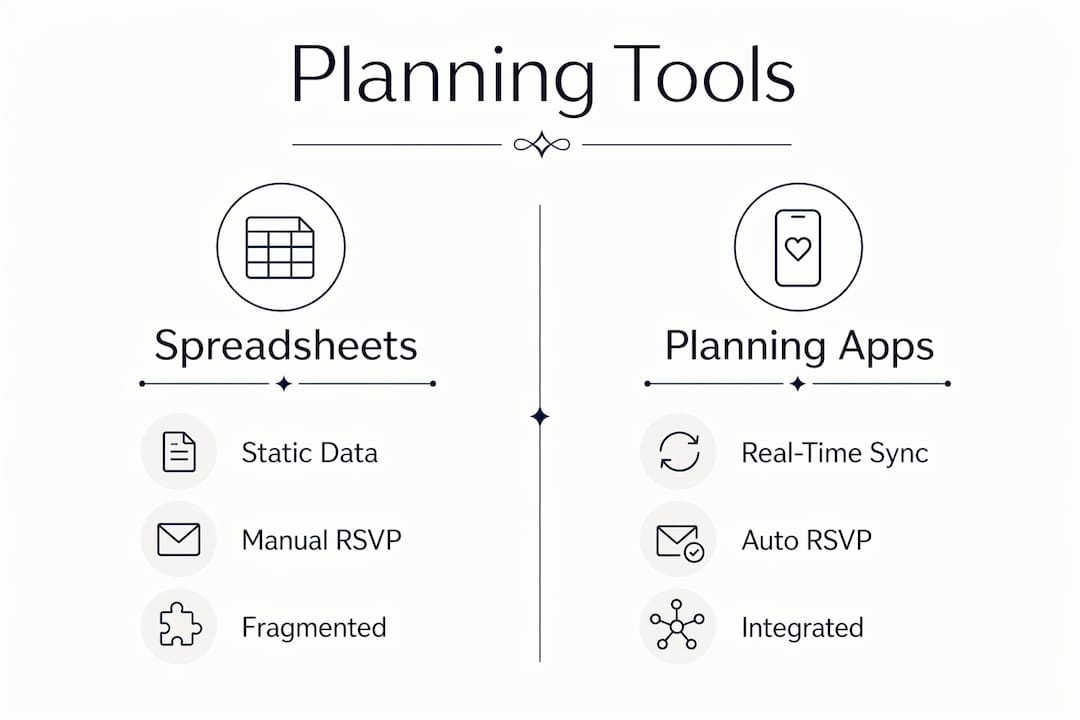
RSVP collection is another area where apps outperform spreadsheets by design. Dedicated RSVP forms feed directly into a guest list that updates automatically. Planivia’s guest management tracks menus, allergies, contact information, and groupings, all linked to the seating plan. Duplicates are detected automatically. Confirmation status updates seating availability without manual intervention. For a planner managing 200 guests across two families, this alone eliminates hours of reconciliation work per event.
The table below compares key capabilities across spreadsheets and modern planning platforms:
| Capability | Spreadsheet | Planning platform |
|---|---|---|
| RSVP collection | Manual entry per response | Automated form-to-list sync |
| Seating chart updates | Manual cell edits | Drag-and-drop with conflict detection |
| Mobile editing | High error risk | Designed for on-site use |
| Collaboration | Version conflict risk | Real-time with clear data ownership |
| Budget tracking | Formula-dependent | Pre-built templates with payment tracking |
| Vendor reminders | Manual follow-up | Automated task and reminder workflows |
Zola frames AI as a tool that replaces spreadsheet admin work while keeping human planners in charge of strategy and day-of decisions. This is the right framing. Automation handles the repetitive data work. You handle the judgment calls. The combination is more productive than either approach alone.
Pro Tip: When evaluating any planning platform, test the mobile interface first. If you cannot update a guest’s RSVP status or reassign a table from your phone in under 30 seconds, the tool will not serve you on-site.
What challenges come with migrating from spreadsheets to planning software?
Migration is not a file conversion. It is a workflow redesign. Understanding this upfront prevents the frustration that causes many planners to abandon new tools and return to their spreadsheets.
Here is what the migration process actually looks like in practice:
- Export your guest list as a CSV. Most planning apps import guest data cleanly from a CSV file. This step is typically the smoothest part of the migration and takes under 30 minutes for most events.
- Re-enter budget and vendor payment data manually. Budget and vendor data require manual re-entry because the category structures differ between your spreadsheet and the new platform. Kaiplan estimates 90 to 150 minutes for this step alone.
- Rebuild your calculation logic. Formulas do not transfer. Only values do. Every budget formula, payment schedule, and running total must be recreated and verified in the new system before you rely on it.
- Set your spreadsheet to read-only immediately after switching. Running both systems in parallel creates update drift. Data gets entered in one place but not the other. Within a week, you have two conflicting sources of truth. Make the spreadsheet a reference archive, not an active tool.
- Plan for 3 to 6 hours of total migration time for an average wedding with 100 to 150 guests. This estimate covers guest import, vendor re-entry, formula rebuilding, and initial platform configuration.
- Adopt the new platform gradually across events. Start with one upcoming wedding rather than migrating your entire client roster at once. This limits disruption and gives you time to learn the platform’s structure before it becomes your primary system.
One underappreciated challenge: experienced spreadsheet builders often find planning apps too rigid. Pre-built checklists and guided workflows can feel limiting when you have spent years customizing your own tools. This is a real trade-off. Apps offer depth in specific areas like seating and RSVP management, but they sacrifice the open-ended flexibility of a blank spreadsheet. Know which trade-off you are making before you commit.
When should you decide it’s time to replace your spreadsheet?
The decision to switch is not about which tool is theoretically better. It is about whether your current spreadsheet is creating problems you cannot solve by improving the spreadsheet itself.
Kaiplan identifies three classic replacement triggers that hold up in practice:
- Mobile access is a constant problem. If you regularly need to check or update planning data on-site and your spreadsheet creates errors or frustration on a phone, that friction is costing you accuracy and confidence.
- Collaboration is breaking down. When a client, a co-planner, or a venue coordinator cannot use your spreadsheet independently without calling you for help, the tool is creating a support burden that scales poorly across multiple events.
- RSVP and seating management is consuming disproportionate time. If maintaining your spreadsheet takes more time than actual planning work, the tool has become the problem.
Guest list size is a useful threshold. Below 100 guests, a well-structured spreadsheet often handles the workload without significant friction. Above 100 guests, the reconciliation work, the seating complexity, and the RSVP volume typically exceed what a spreadsheet manages efficiently. This is not a hard rule, but it is a reliable signal.
The clearest sign that software adoption is justified: you are spending more time fixing your spreadsheet than using it. Formula errors, version confusion, and partner support requests are symptoms of a tool that has reached its operational limit for your workflow.
How can planners integrate spreadsheets and planning tools together?
Replacement does not have to be all-or-nothing. Many professional planners run a hybrid workflow that preserves spreadsheet flexibility where it adds value while using specialized apps where they outperform.
A practical hybrid approach looks like this:
- Keep spreadsheets for budget tracking. Budget management often benefits from the open-ended flexibility of a spreadsheet, where you can structure categories exactly as your clients expect and run custom calculations without being constrained by a platform’s template.
- Use planning apps for RSVP collection and seating management. These are the areas where real-time syncing delivers the clearest advantage over manual spreadsheet work. Automated confirmation tracking and visual seating tools reduce errors and save hours per event.
- Export and import between systems at defined checkpoints. Rather than trying to keep both tools live simultaneously, export a guest list CSV from your app at key milestones and import it into your budget spreadsheet for cross-referencing. This avoids update drift while preserving both tools’ strengths.
- Standardize your data structure before migrating anything. Column names, guest ID formats, and vendor categories should match between your spreadsheet and your planning app before you import a single row. Mismatched structures create reconciliation problems that take longer to fix than the original migration.
The wedding planning time management benefit of a hybrid approach is real: you reduce the cognitive load of managing everything in one rigid system while still gaining automation where it matters most. For solo planners especially, this modular adoption reduces migration friction and lets you build confidence in new tools without abandoning what already works.
Key takeaways
Replacing wedding planning spreadsheets is justified only when specific operational friction, such as mobile errors, collaboration breakdown, or RSVP overload, exceeds what spreadsheet improvements can fix.
| Point | Details |
|---|---|
| Replacement is situational | Switch only when spreadsheet limitations create problems that cannot be solved by improving the spreadsheet itself. |
| Migration requires workflow redesign | Formulas do not transfer; budget and vendor data need manual re-entry, averaging 3 to 6 hours per event. |
| Apps excel at dynamic data | Platforms like Planivia handle real-time RSVP syncing, seating conflict detection, and mobile updates far better than spreadsheets. |
| Hybrid workflows are viable | Keep spreadsheets for flexible budget tracking while using planning apps for guest management and seating. |
| Avoid parallel systems | Set your spreadsheet to read-only immediately after switching to prevent version conflicts and update drift. |
The case for knowing your pain points before you switch
Most planners who abandon planning apps and return to spreadsheets do so because they switched for the wrong reason. They saw a polished interface, heard a colleague recommend it, and migrated before identifying which specific problem they were solving. Three weeks later, they are back in Google Sheets because the app’s budget template does not match how they structure client invoices, or because the seating tool requires a learning curve they did not budget time for.
The planners who make the switch successfully are the ones who can name the exact bottleneck before they open a trial account. “My RSVP reconciliation takes four hours per event and I make errors every time” is a solvable problem. “I feel like I should be using something more modern” is not.
There is also a partner usability dimension that gets underestimated. If your clients cannot navigate the tool independently, you have not reduced your workload. You have added a training layer on top of it. The best planning software for your business is the one your clients will actually use without calling you. That criterion alone eliminates a significant portion of the options on the market.
Hybrid tool use is frequently the most productive outcome, not because it is a compromise, but because it assigns each tool to the task it handles best. A spreadsheet that tracks your custom payment schedule alongside a platform that manages your seating chart is a stronger system than either tool alone.
— JOATLABS
Explore planning resources and vendor tools from Thespecialwedding
If you are evaluating whether to replace or supplement your current spreadsheet setup, Thespecialwedding offers resources built specifically for professional planners managing real operational complexity.
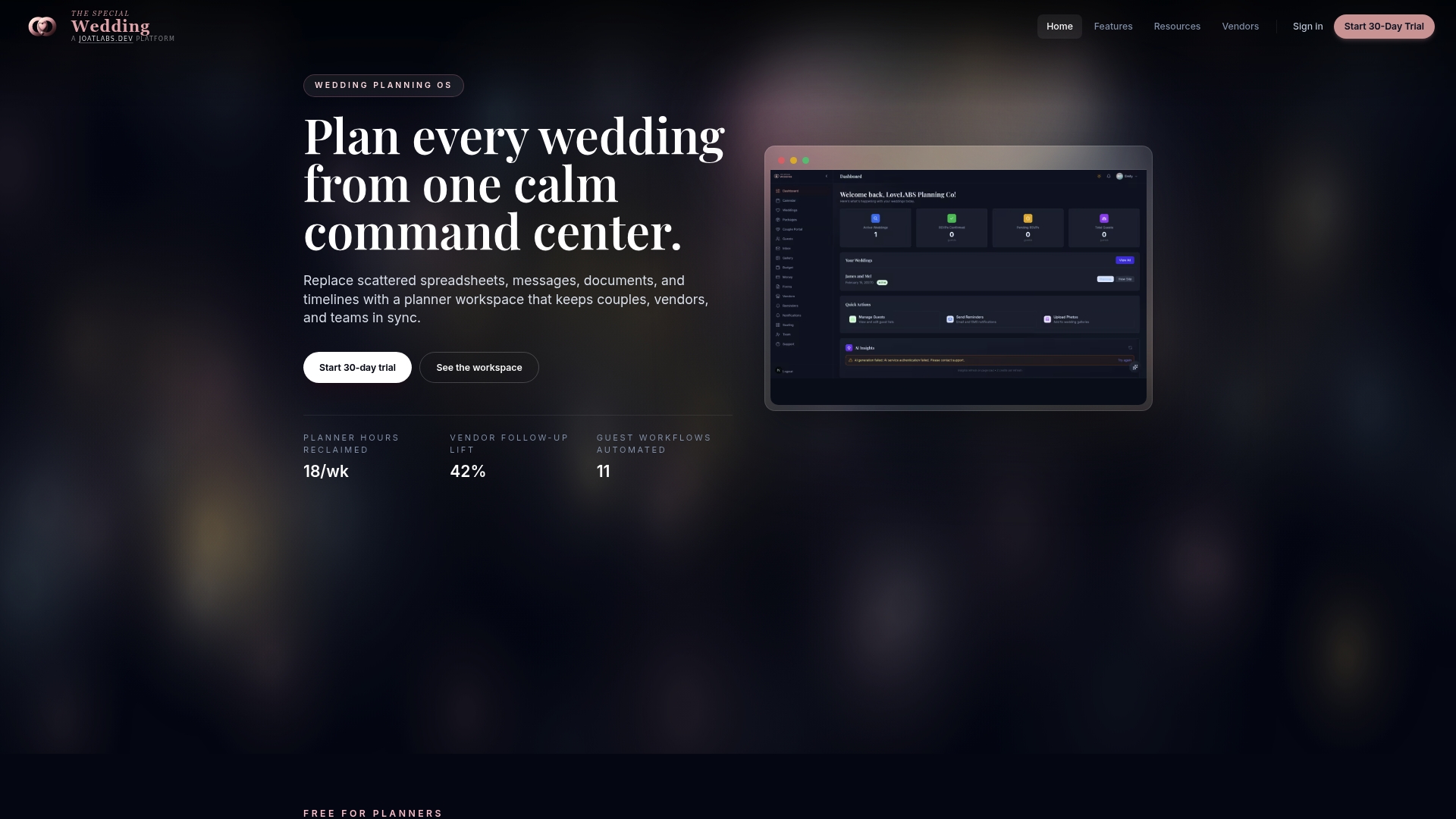
The vendor directory connects planners with local service providers, making vendor relationship management faster and more organized than a contact tab in a spreadsheet ever could. For planners working in the Oklahoma City area, the directory includes vetted professionals across every wedding category. The blog covers practical topics including RSVP tracking systems and managing large guest lists without additional staff. These resources are designed to help you make informed decisions about your workflow, not just sell you on a platform.
FAQ
When does a wedding planner need to replace their spreadsheet?
Replace your spreadsheet when it creates specific operational problems you cannot fix by improving the spreadsheet itself, such as mobile access errors, collaboration breakdowns, or RSVP reconciliation taking more time than actual planning work. Kaiplan advises that no compelling reason to switch exists if the spreadsheet works well and your partner can use it independently.
How long does it take to migrate a wedding spreadsheet to a planning app?
Migrating a typical wedding with 100 to 150 guests takes 3 to 6 hours total, covering guest list import, manual vendor and budget re-entry, and rebuilding calculation logic. Guest list CSV imports are fast; budget and vendor re-entry alone averages 90 to 150 minutes.
What are the best spreadsheet alternatives for wedding planners?
Planivia handles seating plans and guest management with real-time syncing and conflict detection. Kaiplan offers guided migration support and mobile-first planning workflows. Zola provides AI-assisted admin task management while keeping human planners in charge of strategy.
Can you use a spreadsheet and a planning app at the same time?
You can run a hybrid workflow, keeping spreadsheets for flexible budget tracking while using apps for RSVP collection and seating management. However, running both as active systems simultaneously creates version conflicts; the best practice is to set your spreadsheet to read-only after switching your primary workflow to the app.
Is a wedding planning app worth it for smaller weddings?
For events under 100 guests with a stable guest list and a single planner, a well-structured spreadsheet often handles the workload without significant friction. Planning apps deliver the clearest return on investment when guest counts exceed 100, collaboration involves multiple stakeholders, or RSVP and seating complexity creates regular manual errors.
Recommended
Free wedding planner templates
Skip the blank page — these templates ship with the form fields you actually need.
Browse all 9 free templates →