Digital Wedding Planning Checklists: A Couples' Guide
Digital Wedding Planning Checklists: A Couples’ Guide

A digital wedding planning checklist is a centralized, interactive tool that replaces scattered notes, spreadsheets, and email threads with one unified system for managing every task from venue booking to final RSVP. The role of digital wedding planning checklists goes far beyond simple task tracking. A full wedding involves over 300 individual tasks, and no paper list or basic spreadsheet handles that volume without breaking down. Platforms like The Knot, HoneyBook, and Pearl Planner have built their core features around this reality, offering couples a structured, shareable workspace that keeps every detail visible and on schedule.
What is the role of digital wedding planning checklists?
Digital wedding planning checklists serve as the single source of truth for your entire event. Every task, vendor contact, contract, and deadline lives in one place, so nothing gets buried in a text thread or forgotten in a folder. That centralization is the core function, and everything else builds from it.
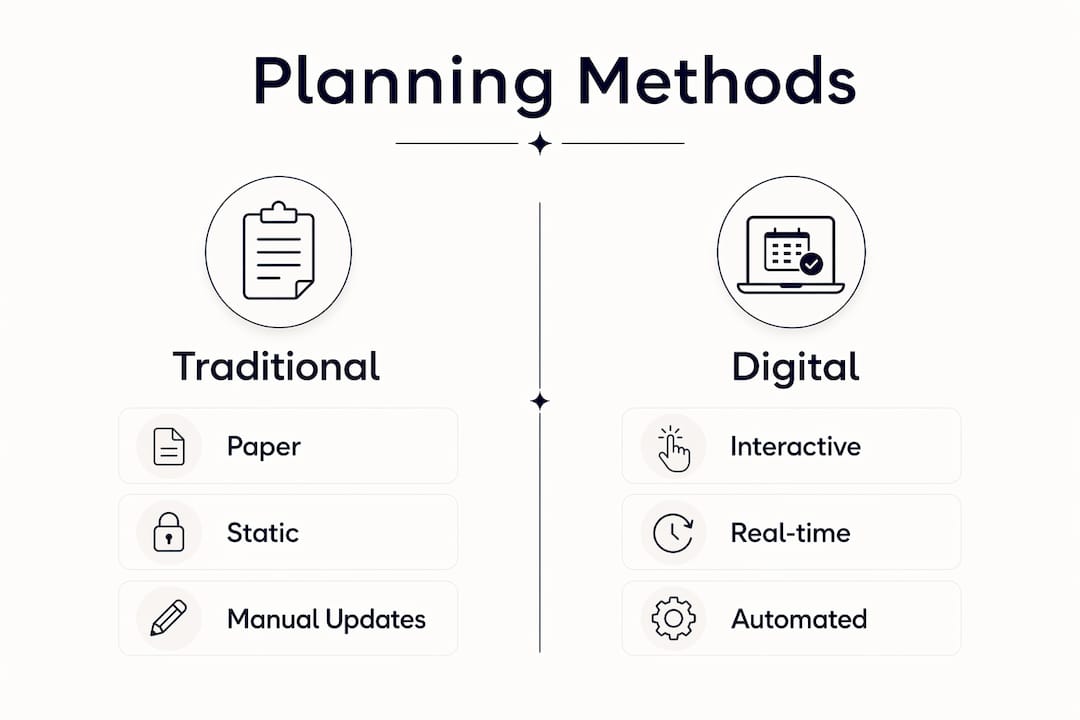
Paper checklists and spreadsheets fail at scale. When you are coordinating a caterer, a florist, a photographer, and a venue simultaneously, a static document cannot alert you to a missed payment or flag a contract that has not been signed. Fragmentation across multiple tools leads directly to data loss and planning conflicts. Digital checklists eliminate that risk by keeping every update visible in real time.
The efficiency gains are concrete. Treating vendor coordination as a structured, trackable phase saves approximately 12 hours per wedding in administrative work alone. That is time you get back to spend on decisions that actually matter, like choosing your menu or finalizing your ceremony order.
Digital contract workflows add another layer of speed. Transitioning from paper to digital signing reduces contract turnaround from up to two weeks down to under four hours. Faster contracts mean faster vendor confirmations, which means fewer gaps in your vendor lineup.

Pro Tip: Choose a checklist platform that integrates tasks, vendor contacts, documents, and budget in one place. Splitting these across separate apps recreates the fragmentation you are trying to avoid.
Digital vs. traditional planning methods
| Method | Key limitation | Digital advantage |
|---|---|---|
| Paper checklist | Cannot update in real time | Live edits visible to all contributors |
| Spreadsheet | No reminders or alerts | Automated deadline notifications |
| Email threads | Information scattered across messages | All communication tied to tasks |
| Digital checklist | Requires initial setup time | Single source of truth for all planning |
What features should a digital wedding checklist include?
The best digital wedding planning tools share a core set of features that make them genuinely useful rather than just digital versions of a paper list.
- Automated reminders. The system alerts you when a payment is due, a vendor needs confirmation, or a deadline is approaching. You do not have to remember everything manually.
- Real-time syncing across devices. Shared access across multiple contributors means your partner, your coordinator, and your mother can all see the same up-to-date checklist without version conflicts.
- Budget tracking. An integrated budget tool ties every expense to a vendor or task, so you always know your running total without opening a separate spreadsheet.
- RSVP management and seating charts. Guest list tools that connect directly to your seating layout save hours of manual cross-referencing.
- Document storage and e-signature capability. Storing contracts inside the checklist platform means you can sign documents within minutes from any device, without printing or scanning.
- Customizable timelines. A timeline tied to your actual wedding date automatically adjusts task deadlines as your date approaches.
- Vendor tracking columns. A live tracker with fields for contract status, payment schedule, briefing notes, and confirmation status transforms vendor management from a guessing game into a visible, manageable process.
What challenges do digital checklists solve for couples?
Wedding planning breaks down in predictable ways. Knowing where the failures happen makes it easier to prevent them.
The most common problem is fragmentation. Couples who manage their wedding across email, text messages, a notes app, and a spreadsheet inevitably lose information. A vendor confirmation gets buried. A payment deadline passes unnoticed. Electronic wedding planners reduce this panic by integrating budget tracking, RSVP management, seating, vendor coordination, and timelines into one system.
The second major challenge is unclear responsibility. When multiple people are involved in planning, tasks fall through the cracks because no one knows who owns them. Digital checklists assign tasks to specific people and make those assignments visible to everyone. Collaboration features are essential for modern weddings that involve family members, professional coordinators, and vendors working in parallel.
“Digital wedding planners do not replace the emotion of your wedding. They provide the structure that lets you actually enjoy it.” — Social Life Magazine
Last-minute panics almost always trace back to a missed deadline or a vendor who was never fully confirmed. A live vendor tracker with columns for contract status, payment dates, and briefing notes prevents both. You can see at a glance which vendors are fully locked in and which still need follow-up.
Pro Tip: Set up your digital checklist the week you get engaged. The earlier you build the system, the less catch-up work you face as your wedding date approaches.
How to choose and use a digital wedding planning checklist
Picking the right platform matters as much as using it consistently. The wrong tool creates its own friction.
- Prioritize integration. The platform should handle tasks, vendor contacts, budget, documents, and guest management in one place. If you need a separate app for any of these, the system is already fragmented.
- Check collaboration features. You need to share access with your partner, your coordinator, and key family members without creating duplicate versions. Look for role-based permissions so each person sees what they need.
- Confirm calendar syncing. Your checklist deadlines should push directly to your calendar. Manual transfers between systems create gaps. An automated wedding day timeline tool connected to your checklist removes that risk entirely.
- Build your vendor tracker first. Before adding any other tasks, create a vendor list with columns for contract status, payment schedule, and confirmation date. This is the highest-risk area of wedding planning, so it deserves the most structure.
- Set milestone phases. Organize your checklist into phases: 12 months out, 6 months out, 3 months out, 1 month out, and the final week. Assign every task to a phase so you always know what needs attention now versus later.
- Use document storage from day one. Upload every contract, quote, and vendor agreement directly into the platform. The canonical checklist principle means every critical document lives in one place, not scattered across email attachments.
- Review weekly. Set a recurring weekly check-in with your partner to go through open tasks, upcoming deadlines, and vendor follow-ups. Consistency turns the checklist from a reference document into an active planning tool.
For couples working with a professional coordinator, sharing checklist access directly with them eliminates the need for status update meetings. The coordinator sees the same live data you do. Resources like solo planner organization tips show how professionals structure their own systems, which gives you a useful model to adapt for your own planning.
Key Takeaways
Digital wedding planning checklists work because they centralize every task, vendor, document, and deadline into one system that all contributors can access and update in real time.
| Point | Details |
|---|---|
| Centralization prevents data loss | Keep all tasks, contracts, and vendor contacts in one platform to avoid fragmentation. |
| Time savings are measurable | Digital vendor tracking saves approximately 12 hours per wedding in administrative work. |
| Contract speed matters | Digital signing reduces turnaround from up to two weeks to under four hours. |
| Collaboration requires structure | Assign tasks to specific people and share live access with coordinators and family. |
| Phase-based organization works | Divide your checklist into milestone phases to keep priorities clear at every stage. |
Why I think most couples underuse their planning tools
Most couples I have observed set up a digital checklist early, then stop updating it once the big vendors are booked. That is exactly when the tool becomes most valuable. The final three months before a wedding are when payment schedules collide, seating charts shift, and vendor briefings need to go out. A checklist that has not been maintained since month six is essentially useless at that point.
The other pattern I see is treating the checklist as a personal document rather than a shared workspace. Couples who share live access with their coordinator and at least one trusted family member catch more errors and resolve conflicts faster. The wedding planning time management discipline that professionals use works just as well for couples. The tool is only as good as the habit around it.
My honest advice: pick one platform, put everything in it, and review it every week without exception. The couples who do this arrive at their wedding date calm and prepared. The ones who do not spend the final weeks firefighting.
— JOATLABS
Thespecialwedding makes vendor booking part of your checklist
Once your digital checklist is set up, the next step is filling it with confirmed vendors.
Thespecialwedding connects couples with vetted local vendors across every category, from caterers like Capers and Company in Edmond to rental companies and event coordinators across Oklahoma. The vendor directory lets you browse, compare, and contact vendors in one place, so your checklist and your vendor search work together rather than separately. Every vendor you confirm through the directory goes straight into your planning workflow, keeping your system complete from the first booking to the final confirmation.
FAQ
What is a digital wedding planning checklist?
A digital wedding planning checklist is an interactive, cloud-based tool that centralizes all wedding tasks, vendor contacts, budgets, and deadlines in one shareable platform. It replaces paper lists and spreadsheets with real-time updates and automated reminders.
How many tasks does a typical wedding involve?
A full wedding planning process involves over 300 individual tasks, from venue booking to final RSVPs. That volume makes a structured digital system necessary rather than optional.
Why do coordinators need digital wedding checklists?
Coordinators use digital checklists to assign tasks, track vendor confirmations, and share live status updates with clients without relying on back-and-forth emails. The shared access eliminates duplicate work and reduces miscommunication.
How does a digital vendor checklist help on the wedding day?
A digital vendor checklist day-of gives you a live view of which vendors have confirmed their arrival times, completed their briefings, and received final payments. That visibility prevents last-minute surprises when every minute counts.
Can digital contracts speed up wedding planning?
Digital contract workflows reduce turnaround from up to two weeks down to under four hours. Couples can sign vendor agreements from any device within minutes, without printing or scanning.
Recommended
- Solo Wedding Planner Organization Tips That Work | The Special Wedding Blog
- Wedding planning time management: a pro guide for planners | The Special Wedding Blog
- Wedding RSVP Tracking System: Your 2026 Planning Guide | The Special Wedding Blog
- Wedding Planning Dashboard Benefits for Pros in 2026 | The Special Wedding Blog
Free wedding planner templates
Skip the blank page — these templates ship with the form fields you actually need.
Browse all 9 free templates →